AI glasses can answer questions, capture photos, translate speech, give directions, and keep your hands free.
The question “what can you do with AI glasses” has a much broader answer than taking pictures. Modern AI glasses combine cameras, microphones, speakers, voice assistants, and smartphone apps in one wearable device. This guide explains their real uses, benefits, limits, privacy risks, and practical ways to decide whether they fit your daily life.
What Are AI Glasses?
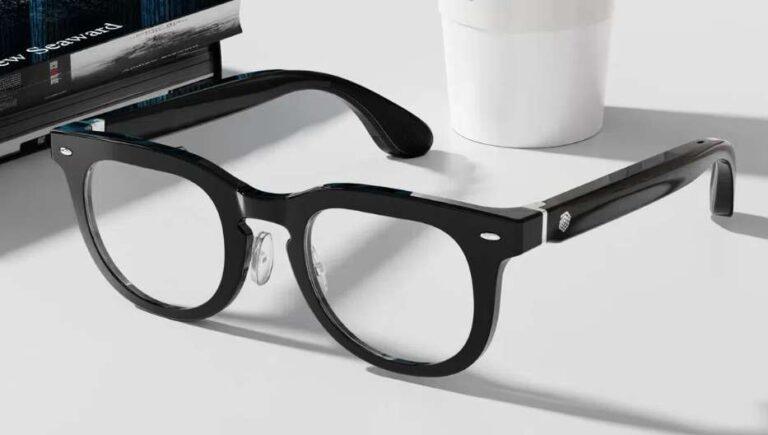
AI glasses are wearable devices that look like regular eyeglasses but include smart features. Depending on the model, they may have cameras, open-ear speakers, microphones, touch controls, wireless connectivity, and an artificial intelligence assistant.
Most AI glasses connect to a smartphone through Bluetooth and a companion app. The phone often handles much of the internet access and computing work. This design keeps the glasses light while still allowing them to perform useful tasks.
The answer to what can you do with AI glasses depends on the model, region, software, and connected services. Some glasses focus on photos and calls, while others add visual search, live translation, navigation, or accessibility tools.
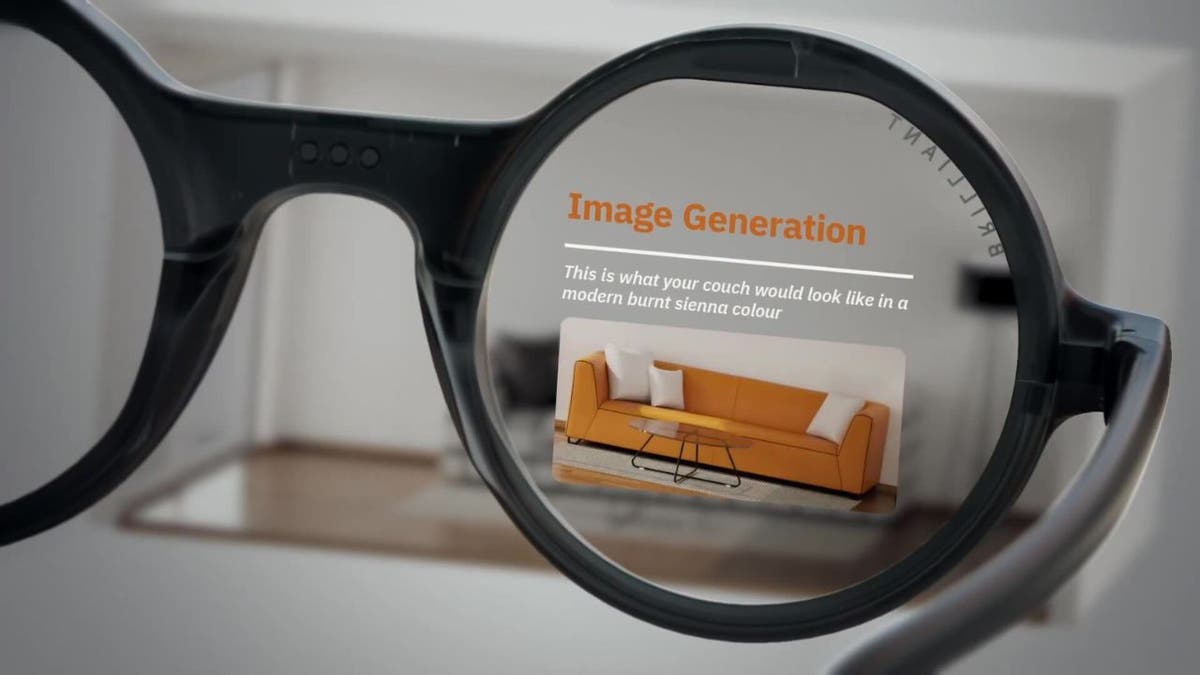
AI glasses are not usually full augmented reality headsets. Many do not place digital images in front of your eyes. Instead, they use sound, voice, a camera, and a mobile app to provide help in a more natural way.
What Can You Do With AI Glasses?
The most useful AI glasses features are built around hands-free help. You can often speak a command, ask a question, or use the camera to understand something in front of you.
Here are the main things you can do with AI glasses:
• Ask an AI assistant questions about general topics
• Take photos and record short videos from your point of view
• Make phone calls and send messages
• Listen to music, podcasts, and navigation instructions
• Translate some signs, menus, or spoken words
• Identify objects, plants, landmarks, and text
• Summarize or describe what the camera sees
• Set reminders, timers, and alarms
• Share live video during supported calls
• Capture memories without holding a phone
• Get directions through audio prompts
• Use voice commands while cooking, driving, walking, or working
The strongest benefit is reduced friction. You do not need to pull your phone from your pocket for every small task. You can keep your hands on a bicycle handlebar, kitchen counter, tool, or shopping cart while requesting basic help.
Still, AI glasses are not perfect. They can misunderstand speech, give incorrect answers, miss visual details, or need a stable internet connection. Treat them as a helpful assistant, not as a replacement for your judgment.
Using AI Glasses as a Camera
One of the simplest answers to what can you do with AI glasses is capture photos and videos from your natural viewpoint. A camera built into the frame lets you record a moment with a voice command or a button press.
This can work well for travel, family events, outdoor activities, cooking, repairs, and demonstrations. For example, you could record how you fix a bicycle part while keeping both hands free. A parent could capture a child’s first steps without reaching for a phone.
First-person video can feel more personal than footage recorded from a distance. It shows what you saw, not only what someone else saw while filming you.
However, wearable cameras require good judgment. Always respect people who do not want to be recorded. Follow local laws and venue rules, and use visible recording indicators when the device provides them.
Practical camera tips include:
• Clean the lens often because fingerprints can soften the image
• Check storage and battery levels before an important event
• Use voice commands in quiet areas when possible
• Avoid recording private conversations without consent
• Remember that video may include faces, documents, screens, and license plates
• Review automatic uploads before sharing them online
In daily use, convenience matters more than perfect image quality. AI glasses may not replace a dedicated camera or modern smartphone, but they can capture moments you would otherwise miss.
Asking Questions and Using an AI Assistant
Many AI glasses let you ask questions aloud. You might ask for a recipe conversion, a weather update, a short explanation, or help creating a shopping list.
This feature works best for quick tasks. Instead of typing a question, you can say it while walking or working. The glasses may answer through small speakers near your ears, so you can remain aware of your surroundings.
For example, you could ask:
• “How many tablespoons are in one-third of a cup?”
• “What are three easy meals with rice and beans?”
• “Set a timer for 12 minutes.”
• “Remind me to call Mom at 6 p.m.”
• “What does this word mean?”
The quality of answers depends on the AI model, microphone quality, internet connection, and software support. AI can also make errors. For medical, legal, financial, or safety decisions, verify important information with a qualified professional or trusted primary source.
A useful habit is to ask for short answers. Long spoken replies can be hard to follow in a busy street or store. You can also ask the assistant to repeat, simplify, or summarize its response.
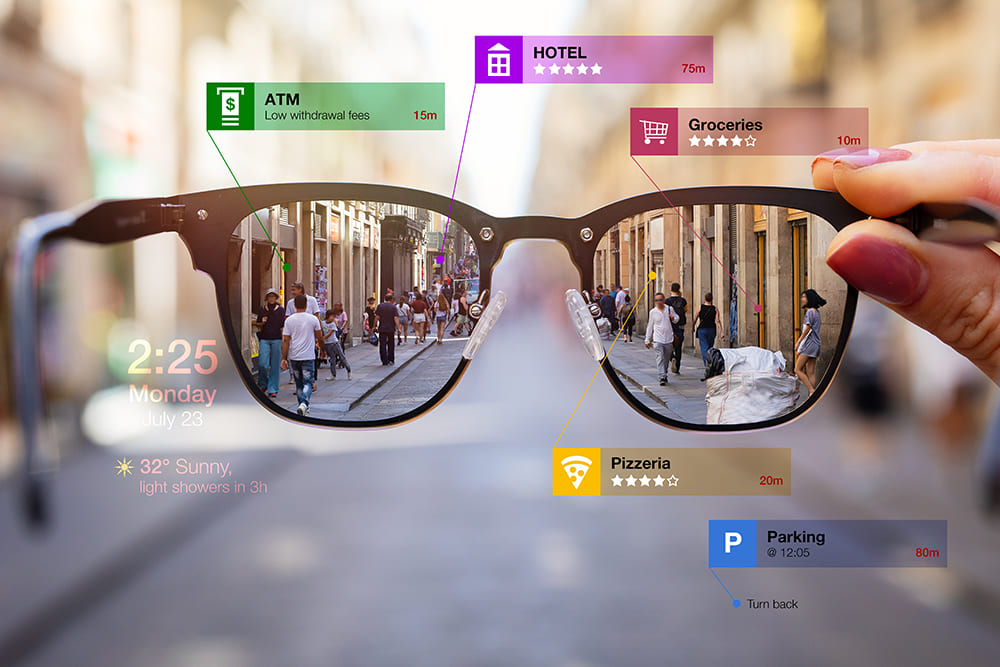
Translation, Reading, and Visual Understanding
What can you do with AI glasses when you point the camera at an object? In supported systems, you may ask the AI to describe a scene, read text, or translate a sign.
This can help during travel. Imagine looking at a menu in another language and asking for a translation. You may also point at a product label and request a simple summary of its ingredients or instructions.
Visual AI can support people with low vision as well. It may describe colors, objects, signs, or nearby scenes through audio. The usefulness varies by lighting, camera angle, text size, language, and software accuracy.
Common visual tasks include:
• Reading a short printed note
• Describing the color or style of clothing
• Identifying common household objects
• Explaining a simple diagram
• Recognizing a landmark
• Translating selected words or signs
• Summarizing visible text
You should not depend on visual AI for critical reading. It may confuse similar numbers, misread small print, or overlook warnings. Check medication labels, safety instructions, contracts, and official documents yourself or with a trusted person.
These tools are best viewed as a second set of eyes. They can make everyday tasks easier, but they do not provide guaranteed vision or professional interpretation.
Calls, Messages, Music, and Navigation
AI glasses can act as a light communication tool. With built-in microphones and speakers, you may be able to answer calls, hear messages, and speak without holding your phone.
Open-ear audio is useful because it does not fully block outside sound. You can listen to a podcast while still hearing traffic, coworkers, or someone speaking nearby. Volume should remain low enough for situational awareness.
Depending on the model and phone system, you may be able to:
• Answer or reject calls
• Send short voice messages
• Hear incoming message alerts
• Play or pause music
• Change tracks
• Hear turn-by-turn directions
• Join supported video calls
Audio navigation can be helpful for walking in a new area. It gives simple prompts without forcing you to stare at a map. Yet you should still check your route before traveling and avoid using any device in a way that distracts you from traffic.
Some AI glasses support live video sharing during calls. This can help you show a repair problem to a friend, share a view with family, or ask a colleague for help. Always make sure other people know when your camera is active.
Hands-Free Help for Work and Daily Tasks
The answer to what can you do with AI glasses becomes especially practical at work. The glasses can provide short instructions while you keep your hands free.
A technician might photograph a machine part and ask for its visible name. A warehouse worker might use voice commands for a checklist. A cook might hear a timer while keeping wet hands away from a phone.
Possible workplace uses include:
• Recording a training demonstration
• Checking a short task list
• Calling a supervisor
• Capturing notes after a meeting
• Reading a label or serial number
• Getting a quick unit conversion
• Listening to instructions during a repair
• Showing a remote expert what you see
Businesses must handle these uses carefully. Workplace recording can expose customer data, confidential screens, trade secrets, or employee conversations. Employers should set clear rules about consent, storage, access, and deletion.
For personal tasks, AI glasses can help with grocery lists, reminders, recipes, exercise prompts, and home projects. The best use is often a small one that saves a few seconds many times each day.

Benefits of AI Glasses
AI glasses offer more than novelty. Their value comes from making digital help feel closer and less disruptive.
Hands-free convenience
You can interact with an assistant without stopping what you are doing. This is useful when your hands are dirty, full, busy, or focused on a task.
Faster access to information
Voice commands can be quicker than unlocking a phone and opening an app. This matters when you need a simple answer rather than a long search.
Better first-person memories
A wearable camera can capture moments from your actual viewpoint. It may be useful for travel, family activities, and creative projects.
Support for accessibility
Audio descriptions, text reading, and voice control may help people with visual, motor, or attention-related challenges. The exact benefit depends on the user and device.
Less screen dependence
AI glasses can reduce the need to look down at a phone. You can hear a short answer while staying engaged with the people or place around you.
These benefits are strongest when the task is brief and low risk. AI glasses are not ideal for every situation, and wearing them all day may not suit everyone.
Limitations and Problems to Expect
Understanding what can you do with AI glasses also means understanding what they cannot do well. Marketing often highlights impressive demonstrations, but real-world use can be less smooth.
Common limitations include:
• Battery life may last only part of a busy day
• AI answers may be wrong or incomplete
• Camera features may need an internet connection
• Background noise can affect voice commands
• Small speakers may be difficult to hear outdoors
• Prescription lens options may vary
• Some features may require a paid subscription
• Privacy rules differ by location and situation
• The glasses may feel less comfortable over long periods
• Software features can change after an update
Heat, cold, rain, dust, and poor lighting can also affect performance. Before buying, check the manufacturer’s current specifications rather than relying on an older review.
AI glasses may also create social discomfort. People nearby may not know whether you are recording. A small light or sound may not remove that concern. A respectful user explains the device and stops recording when asked.
Do not use AI glasses as a distraction while driving, crossing a street, operating equipment, or handling dangerous tools. Hands-free does not always mean distraction-free.
Privacy, Safety, and Ethical Use
A camera on your face changes the privacy conversation. AI glasses can collect images, audio, location data, device data, and account information. The exact data practices depend on the product and its settings.
Before using AI glasses, review:
• When the camera records
• How recording is shown to other people
• Whether photos upload automatically
• Where media files are stored
• How long voice recordings remain available
• Which apps receive your data
• Whether AI conversations are used to improve services
• How to delete stored content
Use strong account security and install updates from official sources. Avoid pointing the camera at private documents, computer screens, payment cards, or children without a clear reason and appropriate permission.
In public, follow the same rule you would want others to follow around you: be open, considerate, and willing to stop. Ask before recording in homes, workplaces, schools, medical settings, gyms, and private events.
The Federal Trade Commission has repeatedly emphasized the importance of clear privacy practices and truthful technology claims. That principle applies here. Read the privacy policy, but also test the privacy controls yourself before regular use.

How to Choose the Right AI Glasses
The best AI glasses are not always the most expensive. Choose based on the tasks you will actually perform.
Use this checklist before buying:
-
Decide your main goal. Do you want photos, calls, translation, accessibility help, music, or work support?
-
Check phone compatibility. Some features may work only with certain operating systems or apps.
-
Compare battery performance. Look at normal-use estimates, not only standby time.
-
Inspect camera quality. Consider video resolution, stabilization, low-light performance, and storage.
-
Test audio comfort. Open-ear speakers should be clear without requiring unsafe volume.
-
Confirm lens choices. Check prescription support, sun lenses, clear lenses, and frame sizes.
-
Read the privacy policy. Learn how the company handles images, audio, and account data.
-
Review subscription costs. Some advanced AI features may require monthly payment.
-
Check repair and warranty terms. Wearable electronics can need costly repairs.
-
Buy from a seller with a clear return policy. Comfort is hard to judge from product photos.
A smart approach is to list three real tasks you would use every week. If the glasses do not solve those tasks well, extra features may not justify the price.
Practical Tips for Better Results
You can improve the experience by treating AI glasses like a tool, not a magic device. Clear commands usually work better than vague requests.
Try these habits:
• Speak in short, direct sentences
• Ask one question at a time
• Say “repeat that” when audio is unclear
• Use the phone app to adjust privacy and notification settings
• Charge the glasses and case each night
• Keep the camera lens clean
• Learn the physical controls before using voice commands
• Test features at home before using them in public
• Keep your phone nearby for connected features
• Verify important AI answers
One mistake many new users make is trying too many features at once. Start with calls, photos, and one assistant command. After those feel natural, add navigation, translation, or visual questions.
Another mistake is assuming a camera indicator solves every privacy issue. It helps, but respectful behavior matters more. Tell people when you are recording and avoid sensitive spaces unless you have permission.
The Future of AI Glasses
AI glasses are likely to become more useful as speech recognition, computer vision, battery design, and language models improve. Future products may offer faster responses, better translation, stronger accessibility support, and more reliable context.
Some devices may add visual overlays or augmented reality displays. That could allow directions, captions, or reminders to appear in your view instead of only through sound. Such features may also increase cost, weight, power use, and privacy concerns.
The long-term challenge is balance. AI glasses should help you stay present, not surround you with constant alerts. The best designs will make technology feel quiet, useful, and easy to control.
Independent testing will remain important. Buyers should look for clear battery tests, camera comparisons, privacy details, accessibility reviews, and honest information about features that require a phone or cloud connection.

Frequently Asked Questions About What Can You Do With AI Glasses
Can AI glasses take pictures and record videos?
Yes, many AI glasses can take photos and record short videos through a button or voice command. Storage, video quality, recording length, and automatic upload options vary by model.
Can AI glasses answer questions?
Many AI glasses connect to an artificial intelligence assistant that can answer general questions, set reminders, and perform simple tasks. Answers may be incorrect, delayed, or unavailable without an internet connection.
Can AI glasses translate languages?
Some models can translate text, signs, or spoken language. Translation support depends on the device, language pair, software, connection quality, and lighting.
Do AI glasses show information in front of your eyes?
Not always. Many current AI glasses use speakers and a camera but do not have a visual display, while augmented reality glasses may place digital information within your field of view.
Can AI glasses help people with low vision?
Some devices can describe objects, read text aloud, and identify visual details. They may offer useful support, but they should not replace professional low-vision services or trusted assistance for safety-critical tasks.
Do AI glasses need a phone?
Many models need a smartphone for setup, internet access, storage, calls, and advanced AI features. Some functions may work without a phone, but standalone capability differs widely.
Are AI glasses safe to wear all day?
They are generally designed for normal wear, but comfort, audio volume, screen use, and distraction matter. Take breaks, keep volume at a safe level, and never use them in a way that reduces awareness during risky activities.
Conclusion
What can you do with AI glasses? You can capture first-person photos, ask questions, make calls, listen to audio, translate selected content, understand visual scenes, and complete daily tasks without reaching for your phone.
Their value comes from convenience, accessibility, and hands-free control. Their limits include battery life, inaccurate AI answers, connectivity needs, cost, and serious privacy concerns.
Start by choosing one clear use, such as hands-free calls or quick voice assistance. Test the device in real settings, protect other people’s privacy, and verify important information. Explore trusted product reviews and share your own experience so others can make a more informed choice.

Rubel Miah is the Senior Editor at MyStyleGrid.com, where he brings a sharp editorial eye and an unshakable love for fashion to everything he does. A true style addict, Rubel lives and breathes trends, from streetwear to high fashion, and has a knack for turning inspiration into impactful stories. With years of experience in fashion journalism and digital media, he curates content that empowers readers to express themselves through style. When he’s not editing features or forecasting the next big thing, you’ll find him hunting down vintage pieces or capturing street style moments around the city.