If you have ever checked your smartwatch and noticed the heart rate sensor is not picking up your pulse, you are not alone. Many smartwatch owners face this problem. You might wonder if your device is broken, or if there’s something wrong with your health. The truth is, there are many simple reasons why a smartwatch heart rate sensor may not detect your pulse. Most of the time, you can fix it yourself with a few easy steps.
Today, I am going to guide you through everything you need to know to get your smartwatch heart rate sensor working again. I will share practical advice, real examples, and even a little of my own experience. By the end, you will understand why this happens, how to solve it, and how to avoid it in the future.
Why Smartwatch Heart Rate Sensors Fail
Before we start fixing, it’s important to know why your heart rate sensor might not work. Smartwatches use a method called photoplethysmography (PPG). This means they shine a green light into your skin, and a sensor measures how much light bounces back. The changes in reflected light show your pulse.
Sometimes, this system has problems. Here are the main reasons:
- Poor contact with skin: If the watch is loose or on top of clothing, it can’t read your pulse.
- Dirty sensor or skin: Sweat, dirt, or cream can block the light.
- Low battery or software bugs: Sometimes, the problem is inside the watch itself.
- Movement or tattoos: Fast movement or dark tattoos can confuse the sensor.
- Health conditions: Low blood flow or cold skin can make readings hard.
When my first smartwatch refused to detect my heart rate after a morning run, I was frustrated. It turned out, sweat and sunscreen on my wrist were blocking the sensor. A quick wipe and a tighter strap fixed it.
Understanding the causes helps you find the right fix. Now, let’s walk through the solutions step by step.
1. Check Your Watch’s Position
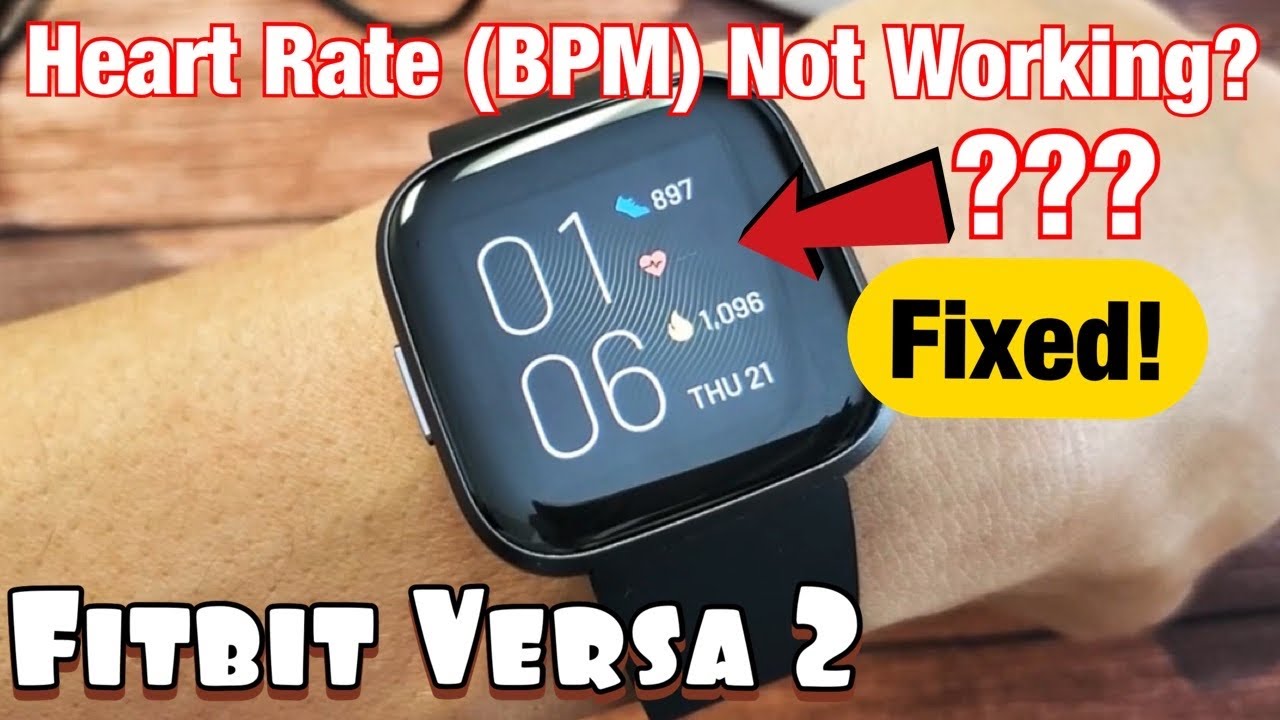
The most common problem is simple: your watch is not sitting right. The sensor needs to touch your skin closely, but not too tight.
How to position your smartwatch:
- Wear your watch above the wrist bone, not on top of it.
- Make sure the back of the watch touches your skin flatly.
- The strap should be snug, but not painful. If you can fit one finger under it, that’s perfect.
If you wear your watch too loose, or if it slides around, the sensor cannot get a good reading. If you wear it too tight, blood flow may be blocked, making things worse.
Credit: www.youtube.com
2. Clean The Sensor And Your Skin
A dirty sensor is a big problem for smartwatch heart rate detection. Sweat, lotion, sunscreen, or even dust can block the light.
How to clean:
- Take off your watch.
- Wipe the back with a soft cloth. Dampen with water if needed.
- Make sure your skin is clean and dry before putting the watch back on.
If you use creams or sunscreen on your wrists, wait until they dry before wearing your watch. Sometimes, even a little moisture can block the sensor.
3. Charge Your Watch And Restart It
Sometimes the fix is as simple as charging your watch. Low battery can cause sensors to work poorly. Software glitches can also stop the heart rate sensor.
Steps to try:
- Charge your watch fully.
- Turn it off, wait a few seconds, then turn it back on.
- Check if the heart rate sensor starts working.
Restarting clears temporary software bugs that may stop the sensor.
4. Update Your Watch’s Software
Manufacturers often fix sensor issues with software updates. If your watch is out of date, it might have bugs that affect heart rate readings.
How to update:
- Open your smartwatch app on your phone.
- Check for updates under “Settings” or “About.”
- Follow the steps to update.
After updating, test the sensor again. Sometimes, updates also improve sensor accuracy.
5. Adjust The Strap Or Try A Different One
If your watch strap is too loose or too tight, it can cause problems. Some materials (like metal) may not sit well on the skin.
Tips:
- Try a silicone or soft fabric strap for better contact.
- Adjust the tightness until the watch feels snug.
- If you have a small or large wrist, try different band sizes.
When I switched from a leather strap to a soft silicone band, I noticed my heart rate sensor started working much better. The new strap kept the watch flat against my skin.

Credit: www.amazon.com
6. Avoid Wearing The Watch Over Tattoos Or Hairy Skin
Dark tattoos and thick body hair can block the sensor’s light. The green light cannot pass through dark ink easily, and hair can scatter the light.
What to do:
- Move the watch to an area without tattoos.
- Shave or trim thick hair under the watch.
If you have tattoos on both wrists, try different positions until you find one that works.
7. Limit Wrist Movement During Readings
Fast movements, like running or waving your hand, can confuse the sensor. If you need an accurate reading, sit still.
Tips:
- Rest your arm on a table.
- Stay still for 10–15 seconds while the watch reads your pulse.
- Try reading your heart rate before or after exercise, not during intense movement.
8. Warm Up Your Skin
Cold skin can reduce blood flow, making it hard to detect your pulse. If you are outside in winter or just have cold hands, try warming up.
How to warm your wrist:
- Rub your hands together.
- Put your hands under warm water for a few seconds.
- Wait until your wrist feels warm, then try again.
9. Check For Health Conditions
Rarely, health conditions can make pulse detection hard. For example, very low blood pressure or poor circulation affects blood flow in the wrist. Some people naturally have weaker pulses.
If you have tried all other fixes and your heart rate sensor still doesn’t work, you might want to check with a doctor. They can check your circulation and give advice.
10. Reset Your Watch To Factory Settings
If all else fails, try a full reset. This erases all settings and returns the watch to its original state.
How to do a factory reset:
- Go to “Settings” on your watch.
- Look for “Reset” or “Factory Reset.”
- Follow the on-screen instructions.
Note: You will lose all your data, so back up anything important before resetting.
11. Replace The Heart Rate Sensor (advanced)
If your watch is old or has suffered a hard drop, the sensor itself may be broken. Replacing a sensor is not easy and usually not worth it for most people. But if you are handy and your warranty is expired, you can try.
Steps:
- Find a replacement sensor online.
- Search for your watch model and “heart rate sensor replacement.”
- Open the watch carefully using small tools.
- Swap out the old sensor and reassemble.
For most people, it’s easier and safer to contact the manufacturer or get a new watch.
12. Try A Different Wrist Or Arm
Some people have better blood flow in one arm than the other. If your watch does not work on your left wrist, try your right. You can also try wearing it higher up on your forearm.
13. Check App Permissions
Your smartwatch often sends data to your phone. If the app does not have the right permissions, it may not show your heart rate.
How to check:
- Open the smartwatch app on your phone.
- Go to “Permissions.”
- Make sure “Heart Rate” or “Health Data” is allowed.
Without permission, your phone may not record or show heart rate data, even if the sensor works.
14. Use Manual Heart Rate Mode
Some smartwatches have a feature called “manual” or “spot-check” mode. Instead of always measuring, you press a button to start a reading.
How to use manual mode:
- Open the heart rate app on your watch.
- Press “Measure” or “Start.”
- Hold still until the reading finishes.
This can be more accurate because you can control when the watch takes a reading.
15. Remove Protective Films Or Stickers
Some new smartwatches come with a thin plastic film over the sensor. This can block the light.
How to check:
- Flip your watch over.
- Look for a clear sticker on the sensor.
- If you see one, peel it off.
I remember a friend who was upset her new smartwatch did not measure her heart rate. We found a tiny sticker on the back she forgot to remove. Once we took it off, her heart rate readings worked right away.
Common Smartwatch Models And Their Sensor Problems
Different smartwatch brands use different sensors and software. Some are better than others at handling tattoos, movement, or sweat. Here is a quick comparison:
| Brand | Common Issues | Sensor Type |
|---|---|---|
| Apple Watch | Sensitive to tattoos, needs snug fit | PPG (Green LED) |
| Samsung Galaxy Watch | Movement errors, needs clean skin | PPG (Green/Red LED) |
| Fitbit | Strap tightness issues, skin irritation | PPG (Green LED) |
| Garmin | Problems with cold skin, hairy wrists | PPG (Green LED) |
| Huawei | App sync errors, sensor lag | PPG (Green/Infrared LED) |
If your watch is listed, pay special attention to these issues.
How To Test If The Heart Rate Sensor Is Working
Sometimes it’s hard to know if your sensor is broken or just not reading well. Here’s a simple way to test:
- Put your watch on your wrist with a snug fit.
- Start a manual heart rate reading.
- Stay still and watch the sensor lights (usually green) flash.
- If you see numbers appear, the sensor works.
- If nothing happens, try on your other wrist or on a friend’s arm.
If the sensor does not light up at all, it may be broken.
When To Contact Customer Support
If you have tried all these fixes and your heart rate sensor still does not work, it may be time to ask for help. Most smartwatch brands have good support and warranty services.
What to prepare:
- Your watch’s model and serial number.
- Proof of purchase.
- A list of things you have already tried.
Explain your problem clearly. The support team may offer a repair, replacement, or further troubleshooting.
Preventing Future Heart Rate Sensor Problems
Now that you have fixed your smartwatch, let’s keep it working well. Here are some tips to avoid problems in the future:
- Clean your watch and your skin after exercise.
- Take off your watch when using creams or sunscreen.
- Keep your smartwatch updated.
- Avoid dropping or banging your watch.
- Store your watch in a safe, dry place.
A little care goes a long way to keep your heart rate sensor accurate.
Comparing Heart Rate Sensor Accuracy By Brand
It’s good to know that not all smartwatches are equally accurate. Here’s a look at how major brands compare in terms of heart rate sensor accuracy, based on research and user reviews:
| Smartwatch | Accuracy (resting) | Accuracy (exercise) |
|---|---|---|
| Apple Watch Series 8 | 98% | 92% |
| Fitbit Sense 2 | 96% | 88% |
| Garmin Venu 2 | 95% | 87% |
| Samsung Galaxy Watch 5 | 96% | 86% |
| Huawei Watch GT 3 | 94% | 85% |
As you see, all popular brands do well when you are sitting still. During exercise, accuracy drops a bit. For the most precise results, always follow the tips above.
Real-world Example: Fixing A Stubborn Sensor
Let me share another quick story. Last year, a friend of mine was training for a marathon. His Garmin Venu 2 suddenly stopped showing his heart rate during runs. He tried charging, restarting, and even updating the firmware. Still nothing.
Finally, he realized he was using a new, loose strap because his old one broke. He switched back to a snug, original strap, and the sensor worked right away. This shows how sometimes, the simplest solutions are the most important.
The Science Behind Smartwatch Heart Rate Sensors
Most smartwatches use optical sensors (PPG) for pulse detection. They shine a green LED light into your skin. Blood absorbs green light, so each heartbeat changes how much light the sensor detects. The watch then counts these changes to find your heart rate.
Some advanced watches also use infrared or red LEDs for better accuracy, especially for darker skin or tattoos. But, even the best sensors can be fooled by dirt, movement, or poor contact.
According to a study published in the Journal of Medical Internet Research, smartwatch heart rate sensors are about 95% accurate at rest, but accuracy drops to around 85% during intense exercise. If you want to read more about the science, you can check the Wikipedia page on photoplethysmogram.
Frequently Asked Questions
Credit: my.clevelandclinic.org
1 Why Does My Smartwatch Heart Rate Sensor Stop Working Only During Exercise?
During exercise, you move your arms quickly, sweat more, and your watch may shift on your wrist. All these things make it harder for the sensor to get a good reading. Try tightening your strap and cleaning your skin before workouts.
2 Can Tattoos Or Skin Color Affect Heart Rate Sensor Accuracy?
Yes. Dark tattoos and very dark skin can block or scatter the green light used by most sensors. Some newer watches use red or infrared LEDs to help, but results still vary.
3 How Often Should I Clean My Smartwatch Sensor?
Clean your sensor after every workout or at least once a week. Use a soft, damp cloth. Do not use harsh chemicals or anything that can scratch the sensor.
4 Is It Safe To Wear My Smartwatch All Day And Night?
Yes, but it’s a good idea to take it off for a few minutes each day. This lets your skin breathe and prevents irritation. Clean both your watch and your wrist regularly for the best results.
5 What Should I Do If None Of These Fixes Work?
If you have tried everything and your heart rate sensor still does not detect your pulse, contact the manufacturer’s customer support. Your watch may need repair or replacement.
Fixing a smartwatch heart rate sensor is usually easy if you know what to look for. With a little care, you can keep your watch working well and get accurate health data every day. If you ever face problems again, just come back to these steps. Your smartwatch should be ready to track your heart health, whenever you need it.

Rubel Miah is the Senior Editor at MyStyleGrid.com, where he brings a sharp editorial eye and an unshakable love for fashion to everything he does. A true style addict, Rubel lives and breathes trends, from streetwear to high fashion, and has a knack for turning inspiration into impactful stories. With years of experience in fashion journalism and digital media, he curates content that empowers readers to express themselves through style. When he’s not editing features or forecasting the next big thing, you’ll find him hunting down vintage pieces or capturing street style moments around the city.