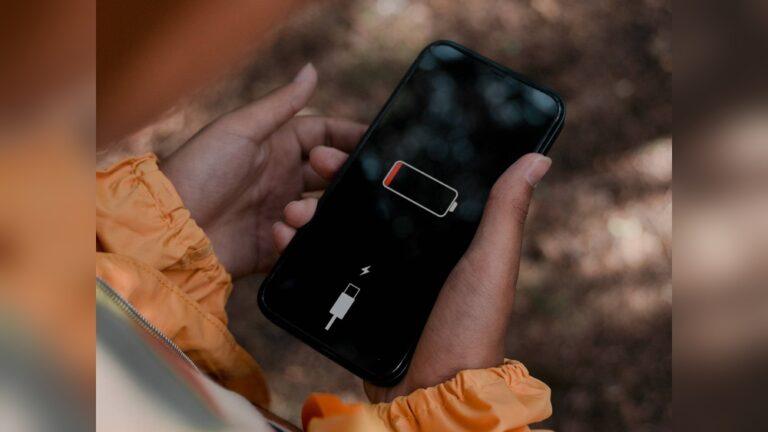
If your smartwatch stops charging after the battery has fully drained, you are not alone. Many people face this problem, and it can be very frustrating. You might try connecting your watch to the charger, only to see a blank screen and no response.
But do not worry—I will walk you through everything you need to know to fix this. Whether you use an Apple Watch, Samsung Galaxy Watch, Fitbit, or any other brand, the steps here will help you get your smartwatch working again.
I have faced this problem myself with my own smartwatch. The first time, I panicked and thought the device was dead forever. But after some research and trying different things, I learned some simple tricks that worked. In this guide, I will share what I learned, plus some expert tips that many people miss.
Let’s get started and bring your smartwatch back to life.
Why Smartwatches Fail To Charge After Draining
When your smartwatch battery drains to zero, it may not charge right away. This is not always a sign that the device is broken. Here are some reasons why this happens:
- Deep discharge: When a battery loses all its power, it sometimes needs a little time and a special charging process to wake up.
- Charger problems: The cable or adapter may not work well, or dust might block the contacts.
- Power source issues: The USB port or wall plug may not give enough power.
- Software glitches: Sometimes, the watch’s software crashes when the battery hits zero.
- Hardware faults: In rare cases, the battery or charging port is damaged.
Knowing these reasons helps us find the right fix.
Basic Checks Before You Start
Before you try advanced solutions, check these simple things:
- Use the original charger. Some smartwatches are picky and only work with their own charger and cable.
- Clean the charging contacts. Look for dust or dirt on the back of your watch and the charger pins. Use a soft cloth or cotton swab.
- Try different power sources. Plug into a wall adapter instead of a laptop USB port, or try another adapter if you have one.
- Check the cable and adapter. Try them with another device to see if they work.
- Look for physical damage. Inspect the charging port and cable for bent pins or cracks.
You might be surprised how often these simple checks solve the problem.

Credit: store.blackview.hk
Step-by-step Solutions To Fix A Smartwatch Not Charging
If the basic checks do not help, follow these steps. I will explain each method and tell you why it matters.
1. Leave The Watch On Charger For A Long Time
Many smartwatches need extra time to start charging after a full drain. Here is why: When the battery is empty, the watch enters a deep sleep state. It needs a small amount of energy before it can turn on the charging display.
- Place your smartwatch on the charger and leave it for at least 30–60 minutes.
- Do not try to turn it on during this time.
- Check if the charging symbol appears after waiting.
Sometimes, I left my watch for only 10 minutes and thought it was dead. But after an hour, it came back to life.
2. Force Restart The Watch
If your watch still shows a blank screen after charging for a while, try a force restart. This can wake up the device if the software is stuck.
- For most smartwatches, press and hold the power button for 10–20 seconds.
- On some models, you must hold both the power and home buttons together.
- Release the buttons when you see a logo or vibration.
Check your watch’s manual for the right button combination. This step often solves the problem when the battery is not the cause.
3. Check And Clean Charging Pins Carefully
Charging pins can gather dirt or sweat, which blocks the connection. Even a small layer of grime can stop charging.
- Use a soft, dry cloth to wipe the back of your watch and the charger.
- For stuck dirt, use a cotton swab with a tiny bit of rubbing alcohol.
- Let it dry fully before you try to charge again.
Do not use sharp objects, as they can scratch the contacts.
4. Use A Different Charger And Cable
If the watch still does not charge, the charger or cable may be the problem.
- Try another official or certified charger and cable.
- If a friend has the same watch, borrow theirs to test.
Many smartwatches use special cables, so make sure the replacement is compatible.
5. Try A Different Power Source
Some USB ports give less power than needed. This is common with laptop ports and old adapters.
- Plug the charger into a wall socket using a proper adapter.
- If you have a high-power USB port (marked with a special symbol), use that instead.
A weak power source may not wake the battery from deep sleep.
6. Check For Overheating
If your smartwatch or charger feels hot to the touch, unplug it right away. Overheating can damage the battery and stop charging.
- Let the device cool down for at least 10–15 minutes.
- Try charging again in a cool place.
Do not use the watch while charging if you notice heat.
7. Update Your Watch’s Firmware (if Possible)
Some charging issues happen because of old software. If your watch turns on after a little charging, check for updates right away.
- Open the smartwatch app on your phone.
- Look for a firmware update or system update option.
- Follow the steps to update.
Keeping the software fresh prevents many charging bugs.
8. Reset The Watch To Factory Settings
If your watch charges but does not turn on or acts strangely, a factory reset may help.
- Back up your data first, if possible.
- Use the settings menu or a button combination to reset.
- This will erase all data and settings.
A reset can fix deep software errors that block charging or startup.
9. Test The Battery Health
All rechargeable batteries get weaker over time. If your smartwatch is more than two years old, the battery may be worn out.
Some brands let you check battery health in the settings or with a phone app. If you see warnings like “Battery service needed” or “Low battery health,” it is time to replace the battery.
10. Contact Official Support
If none of these steps work, reach out to the official support team for your smartwatch brand.
- Visit their website and look for troubleshooting guides.
- Use the support chat or phone number to ask for help.
They may offer repairs or replacements if your watch is under warranty.
Comparison Of Smartwatch Charging Issues And Fixes
To help you see which fixes work best for common brands, here is a quick comparison.
| Brand | Most Common Charging Issue | Best Fix |
|---|---|---|
| Apple Watch | Deep discharge, software freeze | Long charging + force restart |
| Samsung Galaxy Watch | Charger/cable failure | Try new charger/cable |
| Fitbit | Dirty charging contacts | Clean contacts carefully |
| Garmin | Overheating, old battery | Cool down + check battery health |

Credit: store.blackview.hk
Mistakes To Avoid When Fixing A Dead Smartwatch
Many people make simple mistakes that delay the fix or make things worse. Here are a few things you should not do:
- Do not use any third-party chargers unless they are certified. Cheap chargers can damage your watch.
- Do not try to pry open the watch or replace the battery yourself unless you have experience.
- Avoid using water or harsh chemicals to clean the charging pins.
- Do not keep forcing the watch to turn on every few seconds. Give it time on the charger.
- Do not ignore signs of overheating.
These mistakes can turn a simple charging problem into a costly repair.
How Long Should You Wait Before Worrying?
If your watch does not respond after charging for 90 minutes, and you have tried different chargers and power sources, it is time to try other fixes.
Some watches, especially older ones, can take up to two hours to wake from a deep drain. But if nothing happens after that, do not wait longer. Move on to checking cables, cleaning contacts, or force restarting.
When To Seek Professional Repair
If you have tried all the steps above, but your smartwatch is still dead, it may need professional repair. Here are signs you need expert help:
- The watch does not turn on after a long charge and force restart.
- The charger gets very hot or smells burnt.
- The screen flashes, but the watch does not start.
- The battery drains too fast after charging.
For these cases, do not try to open the device yourself. Take it to an authorized service center.
Tips To Prevent Battery Drain And Charging Problems
Once your smartwatch works again, you want to avoid this problem in the future. Here are some tips based on my own experience and expert advice:
- Charge before 10%. Do not let the battery hit zero often.
- Clean charging pins weekly. Sweat and dust build up quickly.
- Keep software updated. Updates fix hidden bugs.
- Store your watch in a cool, dry place. Avoid leaving it in hot cars or direct sun.
- Use official chargers and cables. They are safer and work better.
- Avoid overcharging. Unplug the watch when it is full.
I used to let my watch drain all the way, thinking it saved battery life. But after two full drains, it stopped charging. Now, I charge it every night, and it works much better.
Data: Battery Life And Charging Issues By Brand
Here is a quick look at how often users report charging problems with popular smartwatches:
| Brand | Average Battery Life | Charging Issue Reports (per 1000 users) |
|---|---|---|
| Apple Watch | 18–24 hours | 15 |
| Samsung Galaxy Watch | 2–3 days | 12 |
| Fitbit | 5–7 days | 9 |
| Garmin | 7–14 days | 6 |
Apple Watches have more charging reports, likely because they sell the most units. Garmin watches have fewer problems but longer battery life.
Why Do Batteries Fail After Full Drain?
Let’s look at why batteries sometimes refuse to charge after going flat.
Lithium-ion batteries (used in most smartwatches) are sensitive to being fully drained. When they reach zero, a special circuit shuts them down for safety. If left empty for a long time, the battery chemistry breaks down, making it harder to recharge.
Some watches have software to protect against this, but not all do. That’s why it is better to charge your watch before it hits zero.
Credit: chaizer.com
Advanced Tips: What To Do If Nothing Works
If you are comfortable trying advanced steps, here are two more things you can do:
- Try a “jump start” with a USB power bank: Sometimes, using a portable power bank (instead of a wall adapter) for a few minutes can wake up the battery. The power delivery is different and can help the battery accept a charge.
- Leave the watch on a wireless charger overnight: For watches with wireless charging, leaving the device on the pad for 8–12 hours may slowly revive the battery.
These methods are not guaranteed, but I have seen them work for some users.
My Own Story: How I Fixed My Dead Smartwatch
A few months ago, I forgot to charge my Samsung Galaxy Watch. The battery drained to zero, and it would not charge or turn on. I tried a quick charge, but nothing happened. I thought it was broken.
Then, I tried some of the steps I shared above:
- Cleaned the charging contacts with a cotton swab.
- Used a different wall adapter.
- Placed the watch on the charger and left it alone for an hour.
After 40 minutes, the screen finally showed a charging symbol. I was so relieved! Since then, I always keep the contacts clean and do not let the battery drop too low.
More Resources For Fixing Smartwatch Charging Problems
If your issue is not solved, you can find more detailed guides or community support on the official sites for your watch brand. For example, the Apple Support site has step-by-step help for Apple Watch charging issues.
Frequently Asked Questions
Why Does My Smartwatch Not Charge After The Battery Dies?
Most smartwatches need a small amount of power in the battery to start charging. If the battery is too empty, the watch enters a deep sleep state. It may take extra time on the charger to wake up. Also, dirt on the contacts or a bad charger can block the charge.
How Long Should I Leave My Dead Smartwatch On The Charger?
Leave your smartwatch on the charger for at least 30–60 minutes before trying to turn it on. Some devices need up to 2 hours if the battery is deeply drained. Be patient and do not keep pressing the power button.
Will Letting My Watch Battery Drain To Zero Damage It?
Yes, letting the battery go to zero too often can make it weaker over time. Lithium-ion batteries last longer if you keep them above 10–20% most of the time. Try to charge before the battery is empty.
What Should I Do If My Watch Still Does Not Charge After All These Steps?
If your smartwatch does not respond after trying all the steps, contact the official support center. There may be a hardware problem that needs repair or battery replacement. Do not try to open the device yourself unless you are trained.
Can Using A Cheap Charger Harm My Smartwatch?
Yes, using a low-quality or non-certified charger can damage your smartwatch’s battery or charging circuit. Always use the official or certified chargers that come with your device.
Getting your smartwatch working again after a full battery drain can take some time and patience. But with these steps, you should be able to solve most problems at home. If not, official support is your safest next step. With a little care, you can keep your smartwatch running smoothly for years.

Rubel Miah is the Senior Editor at MyStyleGrid.com, where he brings a sharp editorial eye and an unshakable love for fashion to everything he does. A true style addict, Rubel lives and breathes trends, from streetwear to high fashion, and has a knack for turning inspiration into impactful stories. With years of experience in fashion journalism and digital media, he curates content that empowers readers to express themselves through style. When he’s not editing features or forecasting the next big thing, you’ll find him hunting down vintage pieces or capturing street style moments around the city.