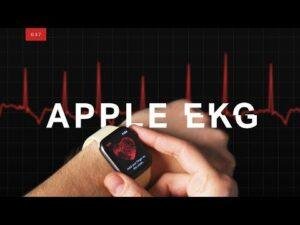
Introduction
For people in the United States, the Apple Watch ECG can be highly accurate at telling atrial fibrillation (AFib) from normal sinus rhythm when the recording is clear and the watch is used as directed. In Apple’s clinical validation study, the ECG app identified AFib with 98.3% sensitivity and normal sinus rhythm with 99.6% specificity among classifiable recordings.
That does not mean the Apple Watch can detect every heart problem or replace a medical ECG. The watch records a single-lead tracing, while a medical electrocardiogram usually uses 12 leads and is read with the rest of your symptoms, history, and examination.
The practical answer is simple: an Apple Watch ECG is useful for screening and for recording possible AFib, but it is not a final diagnosis. A result marked “inconclusive,” “poor recording,” or “sinus rhythm” also needs context.

How accurate is the Apple Watch ECG?
The Apple Watch ECG is most accurate when the question is whether the heart rhythm may be AFib or sinus rhythm. It is less useful for other rhythm problems, and it cannot rule out a heart attack or other urgent condition.
Apple’s published clinical validation data found:
| Apple Watch ECG result | Reported performance |
|---|---|
| Detecting AFib when AFib was present | 98.3% sensitivity |
| Identifying sinus rhythm when sinus rhythm was present | 99.6% specificity |
| Recordings that could be classified | About 93% |
These figures came from a controlled study, not from every Apple Watch owner in daily life. The study included adults with known or suspected rhythm conditions and compared Apple Watch ECG results with a 12-lead ECG and expert review.
What sensitivity means
Sensitivity measures how often a test detects a condition when that condition is truly present.
A 98.3% sensitivity means the Apple Watch ECG detected AFib in about 98 out of 100 classifiable AFib recordings in that study. It also means some AFib recordings were missed.
What specificity means
Specificity measures how often a test correctly identifies people who do not have the condition.
A 99.6% specificity means the app labeled nearly all classifiable sinus-rhythm recordings correctly in the study. A high specificity reduces false alarms, but it does not make the result perfect.
Why these numbers may not match your experience
Accuracy can change with:
- Movement during the recording
- Loose contact with the watch or crown
- Wet, dirty, or sweaty skin
- A fast or slow heart rate
- Frequent extra beats
- A pacemaker or other implanted device
- Other rhythm disorders
- Poor signal quality
- A recording taken during symptoms that come and go
The app may also produce an inconclusive result. That is not the same as a normal result, and it does not automatically mean that something dangerous is present.
What the Apple Watch ECG can and cannot detect
The Apple Watch ECG app is designed mainly to classify a rhythm as AFib, sinus rhythm, or an uncertain result. It is not a general heart test.
It can help detect possible AFib
AFib is an irregular heart rhythm that can raise the risk of blood clots and stroke. The ECG app can record a rhythm strip that may help a clinician assess whether AFib is present.
This is especially useful when symptoms are brief. A person may feel a flutter, racing heartbeat, or skipped beats for only a few minutes. Capturing a tracing during that time can give a doctor more useful information than trying to describe the sensation later.
It cannot rule out a heart attack
The Apple Watch ECG does not diagnose a heart attack. Chest pressure, shortness of breath, fainting, sudden sweating, or pain that spreads to the arm, back, jaw, or neck needs urgent medical care.
Do not take a normal Apple Watch ECG as proof that these symptoms are safe. Call 911 in the United States when symptoms suggest a medical emergency.
It cannot detect every abnormal rhythm
The app may not identify:
- Some forms of atrial flutter
- Certain rapid rhythms
- Some slow rhythms
- Premature beats
- Ventricular rhythm problems
- Rhythm changes that occur outside the recording
- Structural heart disease
- Blocked arteries
- High blood pressure
- Many causes of chest pain or shortness of breath
A normal rhythm at the moment of the recording does not mean the heart is healthy in every other way.
How the Apple Watch ECG works
The Apple Watch uses electrical sensors in the back crystal and the Digital Crown to record a single-lead ECG.
To take a reading, you open the ECG app, rest your arms, and place a finger from the opposite hand on the Digital Crown. The watch measures the electrical signal between your wrist and that finger for about 30 seconds.
This is different from a standard clinical ECG. A 12-lead ECG uses several electrodes on the chest and limbs. Those leads view the heart’s electrical activity from different angles, which gives clinicians more information.
How to take a better recording
For the clearest result:
- Sit down and rest your arm on a table or your leg.
- Wear the watch snugly on the wrist selected in the Apple Watch settings.
- Make sure the back of the watch touches your skin.
- Place one finger from the opposite hand on the Digital Crown.
- Stay still and avoid talking for the full recording.
- Keep both hands relaxed.
- Save the result in the Health app if you need to share it with a clinician.
Do not press hard. A light, steady touch is enough.
What a poor recording means
A “poor recording” usually means the app could not obtain a usable signal. Common causes include motion, poor skin contact, a loose band, or interference from nearby electrical devices.
Try again after resting for a few minutes. If poor recordings continue, check that the watch and skin are clean and dry. Persistent problems may relate to the device, fit, or your heart rhythm and should be discussed with Apple Support or a health professional.
Apple Watch ECG accuracy compared with irregular rhythm notifications
The ECG app and irregular rhythm notifications are different features.
| Feature | What it does | Main limitation |
|---|---|---|
| ECG app | Records about 30 seconds of electrical activity when you start it | It only examines the recording period |
| Irregular rhythm notification | Looks for patterns that may suggest AFib in the background | It is not a continuous ECG and may miss short events |
In the Apple Heart Study, the irregular rhythm notification feature had a positive predictive value of 84% among participants who received a notification and then returned an ECG patch for comparison. This is not the same as the ECG app’s sensitivity and specificity.
The distinction matters. A notification result answers, “Did the background watch data show a pattern that may be AFib?” An ECG result answers, “What did the electrical rhythm look like during this short recording?”
Neither feature checks your heart every second. A person can have intermittent AFib that is missed when the watch is not recording or when the background system does not detect a qualifying pattern.
What to do with each Apple Watch ECG result
“Sinus rhythm”
This means the app found a rhythm pattern consistent with normal sinus rhythm during that recording.
It does not rule out:
- Intermittent AFib
- A heart attack
- A circulation problem
- Symptoms caused by another condition
- A rhythm problem that began before or after the recording
If symptoms continue or feel severe, seek medical advice even when the result says sinus rhythm.
“Atrial fibrillation”
This means the app found a rhythm pattern that may be AFib. It is not a final diagnosis.
Save the PDF or tracing from the Health app and contact a health professional. Do not start, stop, or change blood thinners or heart medicines based only on the watch result.
Seek urgent help for severe symptoms, such as fainting, chest pain, major breathing trouble, confusion, or signs of stroke. Stroke warning signs include facial drooping, arm weakness, speech trouble, sudden vision changes, or sudden loss of balance. Call 911 rather than driving yourself.
“Inconclusive”
An inconclusive result can occur when the rhythm does not fit the app’s classification rules. It may also appear with some implanted devices, heart rates outside the app’s supported range, or certain rhythm patterns.
Repeat the test once while calm and still. If the result remains inconclusive, share it with a clinician. Repeated inconclusive readings deserve attention, especially when symptoms are present.
“Poor recording”
Improve contact and reduce movement, then try again. If you have symptoms that concern you, do not delay care while trying to obtain a better tracing.
Which Apple Watch models support ECG in the United States?
In the United States, the ECG app is available on compatible Apple Watch models, including:
- Apple Watch Series 4 and later, excluding models without electrical heart sensors
- Apple Watch Ultra models
The Apple Watch SE line does not include the ECG feature. Availability can also depend on the watch model, software, paired iPhone, age, and regional regulatory approval.
Apple says the ECG app is intended for people age 22 and older. It is not designed for people with a known diagnosis of AFib to use as a substitute for medical care.
Check Apple’s current ECG app availability and setup guidance before relying on a specific model. Software support and regional availability can change.
Factors that affect Apple Watch ECG accuracy
The watch can produce a strong tracing, but the user and recording conditions still matter.
Movement and muscle noise
Shaking, walking, talking, or tensing the arm can add electrical noise. This may lead to an inconclusive or poor-quality recording.
Watch fit
A loose band can break skin contact. An overly tight band may be uncomfortable and can make it harder to hold a steady position. The back of the watch should sit flat against clean, dry skin.
Skin and environment
Water, sweat, lotion, dirt, and very dry skin can affect the signal. Remove the watch and clean both the sensor area and your skin if needed.
Heart rate and rhythm type
The app has limits for very fast or very slow rates. Extra beats and other irregular patterns can also confuse the classification system.
Timing
A 30-second ECG only represents those 30 seconds. If AFib stops before you begin the test, the result may show sinus rhythm.
Health history
A person with heart disease, an implanted device, prior stroke, fainting, or strong symptoms should not treat a watch result as a complete assessment. The same result can have different importance in different people.
Apple Watch ECG versus a medical ECG
An Apple Watch ECG is best viewed as a screening and recording tool. A medical ECG is a diagnostic test performed with more leads and interpreted by trained clinicians.
| Question | Apple Watch ECG | Clinical ECG |
|---|---|---|
| Number of electrical views | Single lead | Usually 12 leads |
| Recording length | About 30 seconds | Often about 10 seconds, with more leads |
| User initiated | Usually yes | Performed by clinical staff |
| Main use | Possible AFib and rhythm recording | Broader rhythm and heart evaluation |
| Can diagnose a heart attack? | No | It can support diagnosis when interpreted with symptoms and other tests |
| Can replace a doctor? | No | No; it is one part of an evaluation |
A clinician may request a patch monitor or Holter monitor when symptoms are not present during a short ECG. These devices record for much longer and can catch intermittent rhythm changes that a watch misses.
The best test depends on the question. A watch may help capture a brief event, while a medical ECG or longer monitor may provide the broader record needed for diagnosis.
Common mistakes that lead to false reassurance
The most serious mistake is treating a normal watch result as a clean bill of health.
Other common errors include:
- Taking a reading while moving or talking
- Repeating the test many times until a preferred result appears
- Assuming “inconclusive” means harmless
- Using an ECG to check for blocked arteries
- Changing medicine without speaking with a clinician
- Ignoring chest pain because the watch says sinus rhythm
- Sending only a screenshot without the time, symptoms, and context
- Assuming a watch notification proves AFib without confirmation
When sharing a tracing, tell the clinician when it was recorded and what you felt at the time. Mention medicines, known heart conditions, and whether symptoms stopped before the recording.
Key takeaways
- The Apple Watch ECG can be quite accurate for classifying AFib versus sinus rhythm in a usable recording.
- Apple’s clinical validation reported 98.3% sensitivity for AFib and 99.6% specificity for sinus rhythm.
- Those figures do not apply to every heart condition or every real-world recording.
- The watch uses a single lead, so it is not the same as a 12-lead clinical ECG.
- A normal result does not rule out a heart attack or another serious problem.
- Save and share unusual tracings with a health professional.
- Call 911 for possible heart attack or stroke symptoms, regardless of the watch result.
Frequently asked questions
Is an Apple Watch ECG as accurate as a hospital ECG?
No. It can be highly accurate for its limited task of classifying possible AFib and sinus rhythm, but it records only one electrical lead. A hospital or clinic ECG uses multiple leads and supports a much wider assessment.
Can an Apple Watch ECG miss AFib?
Yes. AFib may not occur during the 30-second recording, or the signal may be unclear. Some rhythm patterns may also be classified as inconclusive rather than AFib.
Can Apple Watch ECG detect a heart attack?
No. The ECG app is not designed to diagnose a heart attack. Call 911 for chest pain, shortness of breath, fainting, sudden weakness, or other emergency symptoms.
Should I see a doctor after an Apple Watch ECG says AFib?
Yes. Contact a health professional and share the saved tracing. Seek emergency care for severe symptoms or signs of a stroke. Do not change prescription treatment based only on the watch.
Why does my Apple Watch ECG keep saying “inconclusive”?
Movement, poor contact, a very fast or slow heart rate, extra beats, or a rhythm outside the app’s classification range can cause this result. Rest, clean and dry the contact points, wear the watch snugly, and try once more. Repeated inconclusive results should be reviewed by a clinician.
Conclusion
So, how accurate is Apple Watch ECG? It is a strong screening tool for possible AFib when the recording is clear, but it is not a complete heart exam. Its reported performance is impressive for the narrow task it was designed to perform, yet the limits matter just as much as the headline numbers.
Use the ECG to capture useful information, not to make a diagnosis alone. If the result is abnormal, repeated, or paired with symptoms, save it and contact a qualified health professional. For chest pain, breathing trouble, fainting, or stroke signs, call 911 immediately.
Sources
- Apple Support: Take an ECG with the ECG app on Apple Watch
- Apple: ECG App Clinical Validation
- Circulation: Clinical Validation of the ECG App on Apple Watch
- New England Journal of Medicine: Large-Scale Assessment of a Smartwatch to Identify Atrial Fibrillation
Rubel Miah is the Senior Editor at MyStyleGrid.com, where he brings a sharp editorial eye and an unshakable love for fashion to everything he does. A true style addict, Rubel lives and breathes trends, from streetwear to high fashion, and has a knack for turning inspiration into impactful stories. With years of experience in fashion journalism and digital media, he curates content that empowers readers to express themselves through style. When he’s not editing features or forecasting the next big thing, you’ll find him hunting down vintage pieces or capturing street style moments around the city.