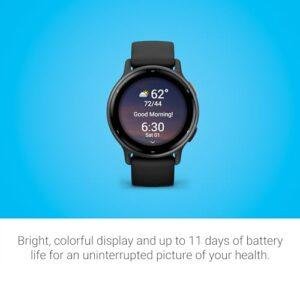
Yes. Compatible Verizon Gizmo Watch models can call 911 in the United States. A child does not usually need to add 911 as a regular approved contact first.
The exact steps depend on the model, such as the Gizmo Watch 2, Gizmo Watch 3, or another version. The watch must also have battery power, an active cellular connection, and a supported Verizon service plan. A Gizmo Watch is helpful in an emergency, but it should not replace teaching a child when and how to call 911.
Introduction: Can a Gizmo Watch call 911?
A Gizmo Watch can place an emergency voice call to 911 on supported U.S. models. The child normally starts the call by pressing and holding the watch’s emergency or power button, or by using the emergency option on the screen.
The call goes through the cellular network, not through Wi-Fi alone. If the watch has no service, no battery, or a blocked account, the call may not connect. Parents should check the instructions for the exact Gizmo model before relying on it.

How to call 911 from a Gizmo Watch
The safest way to use the emergency feature is to learn the steps before an emergency happens. Do not place a practice call to 911. Use the watch’s manual, Verizon support, or the GizmoHub app to confirm the process.
On many U.S. Gizmo Watch models, the process is similar to this:
- Wake the watch.
- Open the emergency or SOS function, if the model shows one.
- Press and hold the required button for several seconds.
- Keep holding until the watch confirms that it is calling 911.
- Speak clearly when the 911 operator answers.
- Stay on the line until the operator says it is okay to hang up.
Some models use the power button for the emergency call. Other models may show an emergency option after a button press. Do not assume that the same button combination works on every Gizmo Watch.
What should a child tell 911?
Teach the child to give the operator:
- Their name
- The watch user’s location
- What happened
- Whether anyone is hurt
- Whether the person is in immediate danger
A child may not know the full street address. In that case, they should describe where they are, such as a home, school, park, store, or nearby landmark.
The child should answer questions as best they can. They should not hang up just because the operator is quiet or asks many questions.
Can the child call 911 without a parent approving the call?
The emergency function is intended to work separately from the watch’s normal approved-contact list on supported models. A parent generally does not need to add “911” as a regular contact.
That does not mean every Gizmo Watch can call 911 in every condition. The watch still needs a working cellular connection and an active service account. Model rules can also change with software and service updates.
What a Gizmo Watch needs to call 911
A Gizmo Watch needs more than a charged screen. The following conditions affect whether an emergency call can connect:
| Requirement | Why it matters |
|---|---|
| Supported Gizmo model | Emergency calling features vary by model |
| Active Verizon service | The watch uses cellular service to place the call |
| Battery power | A dead watch cannot make a call |
| Cellular signal | The watch needs a usable network connection |
| Correct emergency steps | The call may not start if the button sequence is wrong |
| Working speaker and microphone | The child must hear and speak to the 911 operator |
A watch that shows a weak signal may still place a call, but no device can promise a connection in every building or location. Concrete walls, basements, rural areas, and network outages can interfere with service.
GPS can help a parent locate a child through the companion app, but parents should not assume that the 911 operator will receive a perfect GPS location from the watch. The child should still tell 911 where they are.
Does a Gizmo Watch need Wi-Fi?
Usually, no. The watch uses its cellular connection for calls. Wi-Fi may help with some setup or data features, but Wi-Fi by itself does not make a Gizmo Watch a reliable 911 phone.
If the watch has no cellular signal, moving to an open area may help. A child should never delay calling 911 while trying to find Wi-Fi.
How to prepare a Gizmo Watch for emergencies
Parents can make the emergency feature easier to use with a short, calm practice session. The goal is to teach the child what to do without placing a real call.
1. Identify the exact model
Look at the watch, its packaging, the GizmoHub app, or the Verizon account. Find the model name and read that model’s current user guide.
This step matters because the emergency button and call process may differ between Gizmo Watch versions.
2. Charge the watch
Set a routine for charging the watch, such as each night. A child cannot use the emergency call feature if the battery is empty.
Parents should also check the battery before trips, school events, sports, and overnight stays away from home.
3. Confirm cellular service
Check that the watch can make a normal call to an approved parent or guardian. If a normal call fails, contact Verizon before treating the watch as an emergency backup.
Do not test 911 by calling it. Emergency dispatch centers need to keep lines open for real emergencies.
4. Teach the button or screen sequence
Show the child where the emergency function is. Have the child repeat the steps with the watch in hand.
A simple rule works well:
“If someone is badly hurt, there is a fire, or you are in serious danger, use the emergency call and tell 911 where you are.”
The child should also know that 911 is not for lost toys, minor arguments, or routine questions.
5. Add and check trusted contacts
The GizmoHub app lets a parent manage approved contacts and other watch settings. Add the adults who should receive ordinary calls from the child.
These contacts do not replace 911. A child should call 911 first when there is an immediate threat to life or safety.
6. Teach the child to stay on the line
The child should keep the watch near their mouth and listen for instructions. If it is unsafe to speak, the child should follow the operator’s questions as safely as possible.
What happens after a Gizmo Watch calls 911?
A 911 call from a Gizmo Watch is treated as an emergency voice call. A 911 dispatcher will usually ask for the location, the type of emergency, and information about injuries or danger.
The parent may not be connected to the call. Depending on the watch and carrier process, the parent may receive a separate alert or may need to contact the child after the call. Parents should not assume that the GizmoHub app will automatically show every detail of the 911 call.
If the call drops, the child should try to call again if it is safe. They should also seek help from a nearby adult, teacher, police officer, firefighter, or other trusted person.
Can parents listen to the 911 call through GizmoHub?
Parents should not assume they can listen in through GizmoHub. The app is mainly used to manage the watch, contacts, location features, and messages. Emergency dispatch communication is between the caller and the 911 center.
A parent who receives an alert should call the child back only when doing so will not distract the child from the 911 operator.
Why might a Gizmo Watch fail to call 911?
A failed emergency call can have several causes. Check the safest and simplest possibilities first.
The watch has no battery
Charge the watch and look for the charging symbol. A watch that turns off during an emergency cannot reconnect until it has power.
The watch has no cellular service
Look at the signal indicator. Move outdoors or near a window if it is safe. If normal calls also fail in places where coverage should be available, check the Verizon account and contact support.
The child used the wrong button sequence
Review the exact model guide. Some Gizmo Watches use a long button press, while other versions may use an on-screen emergency control.
The service account is suspended
An unpaid bill, canceled line, activation problem, or account change can affect calling. Check the line in the Verizon account or GizmoHub app.
The watch software or app needs an update
Install updates only when the watch has adequate battery power and a stable connection. After an update, confirm that the watch can still call an approved contact.
The location is blocking the signal
Elevators, underground rooms, large buildings, and remote areas can reduce cellular coverage. A watch may show a signal in one place and lose it a few feet away.
If the watch cannot call and the emergency is happening now, use another phone or ask a nearby person to call 911. Do not spend time troubleshooting the watch first.
Does a Gizmo Watch send the child’s location to 911?
Parents should treat the watch’s location feature and 911 location handling as separate systems.
Gizmo Watches may provide location information to the parent through the GizmoHub service when location features are enabled. That does not guarantee that a 911 dispatcher will receive the same location data or accuracy during a call.
The child should always state the location aloud. This is especially important if the child is moving, is inside a large building, or is at a place different from the parent’s expected location.
The Federal Communications Commission has rules for wireless 911 calls, but the details depend on the carrier, device, network, and emergency service center. A consumer smartwatch should not be treated as a substitute for giving the dispatcher a clear location.
Gizmo Watch 911 limits parents should understand
A Gizmo Watch is designed for simple communication, not full smartphone-level emergency support.
Keep these limits in mind:
- The watch may not work without cellular coverage.
- A low or dead battery prevents calls.
- The emergency process may differ by model.
- The watch may not provide a perfect location to 911.
- A child may have trouble speaking in a stressful event.
- Emergency calling does not guarantee that help will arrive immediately.
- A parent may not be able to join or monitor the call.
- A watch may be damaged, lost, or removed.
For these reasons, parents should give children more than one way to get help. Teach them to use a nearby phone, yell for help, go to a trusted adult, or leave an unsafe area when possible.
Is a Gizmo Watch a good emergency device for a child?
A Gizmo Watch can be useful for a child who needs a simple way to contact a parent or call 911. Its value is highest when the child knows the steps, the watch has service, and the family has a clear safety plan.
It is less suitable as the only emergency plan for a child who travels through areas with poor coverage, spends time in locations where watches are not allowed, or cannot reliably operate the device under stress.
The best choice depends on the child’s age, maturity, routine, service coverage, and ability to tell 911 where they are. Parents should compare those factors rather than focus only on the presence of an SOS button.
Frequently asked questions
Can a Gizmo Watch call 911 without a phone nearby?
Yes, a supported Gizmo Watch can place a 911 call without a paired smartphone nearby when it has active cellular service and enough battery. The parent’s phone is not normally required for the voice call.
Can a Gizmo Watch text 911?
Do not assume it can. Gizmo Watch emergency features are built around voice calling, while text-to-911 availability varies by local 911 center. A child should use voice calling when possible and follow the dispatcher’s instructions.
Can a child call 911 accidentally from a Gizmo Watch?
Yes. A long button press or emergency-screen action can start an emergency call. Teach the child not to experiment with the emergency feature. If a call starts by mistake, the child should stay on the line and tell the dispatcher that there is no emergency.
Does the Gizmo Watch call a parent before 911?
Do not rely on that behavior. Emergency calling rules vary by model and software. Check the model’s Verizon guide to see whether the emergency action calls 911 directly or uses another alert flow.
How can I test the emergency feature safely?
Do not call 911 as a test. Confirm the model instructions, check the account and signal, and place a normal call to an approved contact. Contact Verizon support if you need to verify the emergency function on a specific watch.
What to do now
Find the model name in the GizmoHub app or Verizon account. Read its current U.S. user guide, charge the watch, confirm cellular service with a normal call, and practice the emergency steps without contacting 911.
For a real emergency, call 911 from the Gizmo Watch or any available phone, give the dispatcher the child’s location, and stay on the line.
Rubel Miah is the Senior Editor at MyStyleGrid.com, where he brings a sharp editorial eye and an unshakable love for fashion to everything he does. A true style addict, Rubel lives and breathes trends, from streetwear to high fashion, and has a knack for turning inspiration into impactful stories. With years of experience in fashion journalism and digital media, he curates content that empowers readers to express themselves through style. When he’s not editing features or forecasting the next big thing, you’ll find him hunting down vintage pieces or capturing street style moments around the city.