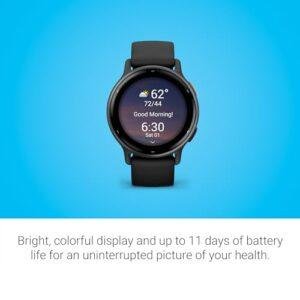
The iPhone 14 Pro Max works with Apple Watch Series 4 and newer, Apple Watch SE, and every Apple Watch Ultra model, as long as the iPhone and watch use compatible software.
For the best current experience in the United States, pair the iPhone 14 Pro Max with an Apple Watch that supports a recent version of watchOS, such as:
- Apple Watch Series 6, Series 7, Series 8, Series 9, or Series 10
- Apple Watch SE (2nd generation)
- Apple Watch Ultra, Ultra 2, or newer compatible Ultra models
The iPhone 14 Pro Max supports iOS 18, which meets the iPhone requirement for watchOS 11. Older models, including Series 4 and Series 5, may pair with the phone but cannot run the newest watchOS versions.
Introduction
In the United States, the iPhone 14 Pro Max is compatible with a wide range of Apple Watch models. The key issue is not the phone’s size or Pro Max name. The deciding factors are the Apple Watch model, the iOS version on the iPhone, and the watchOS version the watch can run.
If you are buying a new watch, choose a model that still receives watchOS updates. If you are buying used, check the exact model before paying. A very old Apple Watch may connect to an iPhone 14 Pro Max in theory but offer limited features, outdated security, or no support for current apps.

Which Apple Watch models work with iPhone 14 Pro Max?
The iPhone 14 Pro Max can work with Apple Watch models from Series 4 onward, provided the software versions match. The table below shows the practical compatibility picture.
| Apple Watch model | Can pair with iPhone 14 Pro Max? | Current practical advice |
|---|---|---|
| Apple Watch Series 10 | Yes | Best choice for many buyers who want the newest standard model |
| Apple Watch Series 9 | Yes | Strong option, especially when discounted |
| Apple Watch Series 8 | Yes | Good used or refurbished choice |
| Apple Watch Series 7 | Yes | Still useful if battery health is good |
| Apple Watch Series 6 | Yes | Works with newer software, subject to watchOS support |
| Apple Watch SE (2nd generation) | Yes | Good lower-cost option |
| Apple Watch Ultra 2 | Yes | Best for larger size, long battery life, and outdoor use |
| Apple Watch Ultra | Yes | Compatible, but check battery health when buying used |
| Apple Watch Series 5 | Yes, with an older watchOS version | No longer supports the newest watchOS releases |
| Apple Watch Series 4 | Yes, with an older watchOS version | Functional but aging |
| Apple Watch SE (1st generation) | Yes, with an older watchOS version | May be suitable on a tight budget |
| Apple Watch Series 3 | Not a sensible choice | Old hardware and limited software support |
| Original Apple Watch, Series 1, or Series 2 | Generally not recommended | Too old for a modern iPhone setup |
Apple Watch SE models are not numbered like the standard Series models. Both the first- and second-generation SE models can be confused with one another, so check the model information before buying.
The most important distinction is between pairing compatibility and current support. A watch may pair with the iPhone but still lack newer health, safety, app, and security features.
What software does the iPhone 14 Pro Max need?
The iPhone 14 Pro Max needs a compatible version of iOS for the watchOS version installed on the Apple Watch.
For Apple Watch models that support watchOS 11, Apple requires an iPhone XS or later with iOS 18 or later. The iPhone 14 Pro Max meets the model requirement and can update to iOS 18.
Here is the general software relationship:
| Apple Watch software | iPhone requirement | What this means for iPhone 14 Pro Max |
|---|---|---|
| watchOS 11 | iPhone XS or later with iOS 18 or later | Compatible |
| watchOS 10 | iPhone XS or later with iOS 17 or later | Compatible |
| watchOS 9 | iPhone 8 or later with iOS 16 or later | Compatible |
| Older watchOS versions | Varies by watch and iPhone model | May work, but support is limited |
Apple changes these requirements as it releases new versions of iOS and watchOS. Before pairing, update the iPhone by opening Settings > General > Software Update.
You should also charge the Apple Watch and update it during setup if the Apple Watch app requests a software upgrade. If the watch cannot update to the software required by the iPhone, pairing may stop before setup finishes.
What is the best Apple Watch for an iPhone 14 Pro Max?
The best model depends on what you want from the watch. The iPhone 14 Pro Max does not require an expensive Apple Watch, so the choice should be based on features, battery life, size, and expected support.
Best value: Apple Watch SE
The Apple Watch SE is a good fit if you mainly want:
- Notifications
- Fitness tracking
- Workout recording
- Fall detection
- Emergency SOS
- Apple Pay
- Sleep tracking
- Basic heart-rate features
The second-generation Apple Watch SE is newer and more practical than the first-generation model. It does not include every health sensor found on higher-end models, such as an electrical heart sensor or blood oxygen feature.
Best standard model: Apple Watch Series 9 or Series 10
A recent standard Series model is suitable if you want a brighter display, more health features, and longer software support than an older used watch can provide.
The Series 10 is newer than the Series 9 and has a thinner design. The Series 9 may offer better value if its price is lower and its condition is good.
Best for battery life: Apple Watch Ultra or Ultra 2
The Apple Watch Ultra line is designed for users who want:
- A larger, more rugged case
- Longer battery life than standard models
- Outdoor workout tools
- A more durable design
- A larger display
- Extra location and safety features
It is not necessary for ordinary notifications, walking, or gym workouts. Its larger case may also feel uncomfortable on smaller wrists.
Best used option: Series 7 or Series 8
A used Apple Watch Series 7 or Series 8 can be a sensible choice when it has:
- Good battery health
- No Activation Lock
- A clean display
- A functioning Digital Crown
- No major case damage
- A seller who allows the watch to be erased and paired
Ask the seller to remove the watch from their Apple Account. If Activation Lock remains enabled, you may not be able to use the watch, even after resetting it.
Do GPS and cellular Apple Watch models both work?
Yes. Both GPS and GPS + Cellular Apple Watch models can pair with the iPhone 14 Pro Max.
A GPS Apple Watch uses the iPhone for many connected features. It can still track workouts and store some information when the phone is not nearby, then sync later.
A GPS + Cellular model can connect to a supported cellular network when the iPhone is away. However, cellular service requires:
- A compatible carrier
- A qualifying wireless plan
- Cellular activation through the Apple Watch app
- Matching carrier support for the iPhone and Apple Watch
- A supported country or region
Cellular compatibility is separate from basic iPhone compatibility. A cellular Apple Watch purchased in another country may use different cellular bands or may not activate with a United States carrier.
If you do not need calls, messages, or streaming without your iPhone nearby, the GPS model usually costs less and avoids a separate watch line.
How to pair an Apple Watch with iPhone 14 Pro Max
Before pairing, make sure the iPhone 14 Pro Max has Wi-Fi or cellular access, Bluetooth is on, and the Apple Watch has enough charge.
Follow these steps:
- Turn on the Apple Watch by holding the side button.
- Keep the watch close to the unlocked iPhone 14 Pro Max.
- Wait for the pairing message to appear.
- Tap Continue.
- Tap Set Up for Myself unless you are setting up the watch for another person.
- Scan the animation on the Apple Watch with the iPhone camera.
- Choose whether to restore from a backup or set up the watch as new.
- Sign in with the Apple Account requested during setup.
- Create a passcode if you want to use features such as Apple Pay.
- Select health, location, notification, and emergency settings.
- Keep both devices near each other until the sync finishes.
You can also open the Watch app on the iPhone, tap All Watches, and choose Add Watch.
A successful setup ends with the watch appearing in the Watch app. The watch face should show the correct time, and notifications should begin working after the initial sync.
Do not interrupt the process if the watch is updating. Keep both devices charged and close together. Removing the watch from the charger or restarting the iPhone during an update can cause setup problems.
Why will an Apple Watch not pair with iPhone 14 Pro Max?
Most pairing failures come from old software, Activation Lock, or a watch that cannot run the required watchOS version.
Try these checks in order.
1. Update the iPhone
Go to Settings > General > Software Update and install the latest iOS version available for the iPhone 14 Pro Max.
2. Check the Apple Watch model
Open the Watch app if the watch is already partly connected. You can also check the model on the back of the watch or in the watch’s settings.
A Series 3 or older watch may not be a practical match for a current iPhone setup.
3. Charge both devices
Place the Apple Watch on its charger and charge the iPhone. Low power can interrupt pairing or software installation.
4. Keep Bluetooth and Wi-Fi on
Open Settings on the iPhone and confirm that Bluetooth and Wi-Fi are enabled. Keep the devices close together.
5. Erase the watch if it was previously used
If the watch belonged to someone else, it must be erased correctly. The previous owner must also remove it from their Apple Account.
A reset alone may not remove Activation Lock.
6. Restart both devices
Restart the iPhone and Apple Watch, then try the pairing process again.
7. Check the Apple Account
If the watch asks for another person’s Apple Account password, the watch remains linked to that account. Only the previous owner can remove that lock.
8. Contact Apple Support if the watch is stuck
If the watch displays an error during an update or remains frozen on the pairing screen, Apple Support may need to check the device. Avoid repeatedly forcing restarts during a software update.
Does the iPhone 14 Pro Max support Apple Watch health features?
The iPhone 14 Pro Max can receive health and fitness data from a compatible Apple Watch. However, the available features depend on the Apple Watch model, sensors, software, and region.
Depending on the watch, features may include:
- Heart-rate tracking
- High and low heart-rate alerts
- Irregular rhythm notifications
- Electrocardiogram readings
- Blood oxygen measurements on supported models and markets
- Sleep tracking
- Workout tracking
- Fall detection
- Crash Detection
- Emergency SOS
- Cycle Tracking
- Medication reminders
These features are not identical on every Apple Watch. For example, the Apple Watch SE has fewer health sensors than many standard Series models.
Health features are not a substitute for medical care. A notification can indicate that you should seek advice, but it cannot diagnose every heart or health condition. If you have severe symptoms, contact emergency services in the United States by calling 911.
What should you check before buying a used Apple Watch?
Check the watch’s model, software support, battery condition, and ownership status before you buy.
Use this checklist:
- Model: Confirm the exact Series, SE generation, or Ultra model.
- Software: Ask whether it can update to a watchOS version supported by the iPhone.
- Activation Lock: The seller must remove the watch from their Apple Account.
- Battery: Review battery health in the Watch settings when possible.
- Screen: Look for cracks, bright spots, touch problems, or deep scratches.
- Buttons: Test the Digital Crown and side button.
- Charging: Confirm that the watch charges normally.
- Cellular: If it is a cellular model, check whether it can activate with your U.S. carrier.
- Water damage: Avoid a watch with signs of corrosion or liquid damage.
- Returns: Use a seller with a clear return policy.
Apple Watch batteries wear down over time. A watch that works well today may need a battery service sooner if its maximum capacity is low. Apple’s battery service terms and prices can change, so check Apple’s current repair page before buying an older model.
Apple Watch compatibility mistakes to avoid
The most common mistake is assuming that every Apple Watch works equally well with every recent iPhone. Compatibility is not the same as a good buying decision.
Avoid these errors:
- Buying a Series 3 because it is cheap without checking software support
- Confusing Apple Watch SE generations
- Assuming every cellular watch will work with every U.S. carrier
- Forgetting to remove Activation Lock
- Buying a watch with poor battery health
- Expecting an SE model to include every health sensor
- Pairing a watch with an outdated iOS version
- Treating a health notification as a medical diagnosis
- Buying an imported cellular model without checking regional support
The safest general choice is a recent Apple Watch model with active software support and a return option. For a lower price, a clean Series 7, Series 8, or Series 9 may be more useful than an unsupported older watch.
Frequently asked questions
Can I use Apple Watch Series 9 with iPhone 14 Pro Max?
Yes. Apple Watch Series 9 works with the iPhone 14 Pro Max. Update the iPhone to a compatible iOS version before pairing.
Can I use Apple Watch SE with iPhone 14 Pro Max?
Yes. Both Apple Watch SE generations can pair with the iPhone 14 Pro Max, subject to software requirements. The second-generation SE is the better choice for longer support and newer hardware.
Can Apple Watch Series 3 pair with iPhone 14 Pro Max?
Series 3 is not a sensible choice for an iPhone 14 Pro Max. Its old hardware and limited software support can make setup difficult, and it cannot use current watchOS features.
Do I need an Apple Watch cellular plan?
No. A cellular plan is optional. A GPS Apple Watch works with the iPhone for calls, messages, notifications, and many other connected features.
Can I pair an Apple Watch with an iPhone 14 Pro Max without Wi-Fi?
The iPhone usually needs an internet connection during setup and software updates. A cellular connection may work instead of Wi-Fi. Bluetooth should also be enabled.
Can I use an Apple Watch bought outside the United States?
Usually, basic pairing may work, but cellular support can vary by country, model, frequency bands, and carrier. Check the exact model and your U.S. carrier before buying an imported cellular watch.
Conclusion
The iPhone 14 Pro Max is compatible with Apple Watch Series 4 and newer, Apple Watch SE models, and Apple Watch Ultra models when the software requirements match.
For most buyers in the United States, the practical choices are:
- Apple Watch SE (2nd generation) for lower cost
- Apple Watch Series 9 or Series 10 for a current standard model
- Apple Watch Ultra or Ultra 2 for longer battery life and outdoor use
- Series 7 or Series 8 when buying a carefully checked used model
Before pairing, update the iPhone, charge both devices, and make sure the watch is free from Activation Lock. For the longest useful life, choose a model that supports recent watchOS releases rather than focusing only on the lowest purchase price.
Official sources
- Apple Watch compatibility: https://support.apple.com/watch
- Apple Watch user guide: https://support.apple.com/guide/watch
- Update iPhone software: https://support.apple.com/HT204204
- Apple Watch activation and setup: https://support.apple.com/HT204505
- Apple Watch cellular setup: https://support.apple.com/HT207578
Rubel Miah is the Senior Editor at MyStyleGrid.com, where he brings a sharp editorial eye and an unshakable love for fashion to everything he does. A true style addict, Rubel lives and breathes trends, from streetwear to high fashion, and has a knack for turning inspiration into impactful stories. With years of experience in fashion journalism and digital media, he curates content that empowers readers to express themselves through style. When he’s not editing features or forecasting the next big thing, you’ll find him hunting down vintage pieces or capturing street style moments around the city.