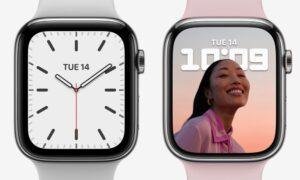
Yes. Apple Watch Series 7 is still supported by Apple for compatible watchOS updates and basic service in the United States. It supports watchOS 11 when paired with an iPhone XS or later running iOS 18 or later.
However, support has limits. Apple may stop adding new features to the Series 7 before it stops providing repairs or security fixes. Battery health, repair availability, and future software support also depend on the device’s age and condition.

What “supported” means for Apple Watch Series 7
Apple Watch support has several parts. A watch may still receive software updates even when some newer features are unavailable.


| Type of support | Apple Watch Series 7 status |
|---|---|
| watchOS updates | Supported for watchOS 11 |
| Security updates | May continue, but Apple does not promise a fixed schedule |
| iPhone pairing | Requires a compatible iPhone and iOS version |
| App support | Depends on the watchOS version and each app developer |
| Repairs | Available while Apple and service providers have parts |
| Battery service | May be available, subject to Apple’s service rules and local availability |
| New watch features | Some require newer hardware |
The most important distinction is this: software support and repair support are not the same thing. A Series 7 can remain usable after it stops receiving major watchOS updates, but new apps and features may slowly require newer software.
Apple explains its current compatibility rules on its official watchOS page.
Which watchOS version does Apple Watch Series 7 support?
Apple Watch Series 7 supports watchOS 11. Apple lists the Series 7 among the models that can install this version.
To use watchOS 11, Apple says you need:
- Apple Watch Series 6 or later
- An iPhone XS or later
- iOS 18 or later on the iPhone
- Enough battery charge and storage for the update
- A stable Wi-Fi connection during setup
The update may take time. Keep the watch on its charger and near the iPhone until the process ends.
How to check your watchOS version
On the watch:
- Open Settings.
- Tap General.
- Tap About.
- Find Version.
You can also check from your iPhone:
- Open the Watch app.
- Tap General.
- Tap About.
- Read the software version listed there.
If your Series 7 does not show the latest available update, check the iPhone first. An older iPhone or older iOS version is a common reason an Apple Watch update does not appear.
Does Apple Watch Series 7 work with newer iPhones?
Yes. Apple Watch Series 7 can work with newer iPhones as long as the iPhone meets Apple’s current pairing requirements.


For watchOS 11, the key requirement is an iPhone XS or later running iOS 18 or later. The iPhone 8, iPhone X, and earlier models cannot meet that requirement.
The watch and iPhone must also use compatible software. For example, a Series 7 running watchOS 11 cannot pair with an iPhone that is stuck on an older iOS version.
If your Series 7 will not pair
Try these steps in order:
- Update the iPhone to the newest iOS version it supports.
- Charge the Apple Watch to at least 50 percent.
- Keep the watch and iPhone close together.
- Turn bluetooth and Wi-Fi on.
- Restart both devices.
- Open the Watch app and try pairing again.
- If needed, erase the watch and pair it again.
Erasing the watch removes content stored on the watch. Confirm that a recent backup exists before using that step. Apple provides pairing and update guidance through its official Apple Watch support page.
Will Apple Watch Series 7 receive future updates?
Apple has not promised a specific end date for Apple Watch Series 7 software support.
The Series 7 received watchOS 11, but future major versions may require newer hardware. Apple can also offer a security update without giving the watch every feature in a new watchOS release.
A newer version may exclude older models for several reasons:
- New sensors may be required.
- A newer processor may be needed.
- On-device machine learning may need more processing power.
- Battery demands may be too high for older hardware.
- Apple may limit a feature for reliability or safety reasons.
This does not mean the watch becomes useless when major updates end. It can still track workouts, show notifications, record activity, tell time, and use many installed apps. Over time, though, third-party apps may require a newer watchOS version.
The safest way to check future compatibility is to compare your model with the current list on Apple’s watchOS compatibility page.
Are all Apple Watch Series 7 features still available?
Most core Series 7 features remain available when the watch and iPhone use compatible software. These include:
- Heart-rate monitoring
- High and low heart-rate alerts
- Irregular rhythm notifications
- ECG readings
- Workout tracking
- Fall detection
- Emergency SOS
- Sleep tracking
- Activity rings
- Apple Pay
- Notifications
- Music controls
- GPS on GPS and cellular models
Feature availability can vary by country, watch model, software version, age, and permissions.
For example, cellular service depends on a supported carrier and an eligible cellular plan. ECG and some health features may also vary by region. Apple Watch health features are not medical diagnoses. Seek medical care for urgent symptoms rather than relying on the watch.
Some newer watchOS features may work only on newer Apple Watch models. Apple’s release notes and feature pages identify those limits.


Is Apple Watch Series 7 still worth using in the United States?
For many U.S. users, yes. A Series 7 can still be a sensible watch if it has good battery health, works with your iPhone, and meets your daily needs.
It remains especially practical for people who want:
- Basic fitness tracking
- Notifications on the wrist
- Apple Pay
- GPS workouts
- Sleep and heart-rate tracking
- Crash or fall-related safety features
- A larger screen than older Apple Watch models
A newer Apple Watch becomes more attractive if you need longer battery life, newer health sensors, faster performance, or the longest expected software lifespan.
Series 7 compared with newer Apple Watch models
| Consideration | Series 7 | Newer models |
|---|---|---|
| Daily notifications | Good | Good to better |
| Workout tracking | Strong for common workouts | Usually adds newer sensors or features |
| Screen | Large display with curved edges | Depends on model |
| Processor age | Older | Newer and likely to receive support longer |
| Battery condition | Depends heavily on age and use | Usually better if recently purchased |
| Purchase price | Often lower used | Usually higher |
| Expected support period | Shorter than a new model | Longer, but not guaranteed |
The deciding factor is often battery condition, not just software. A Series 7 with a weak battery may need service soon, while a well-kept unit can remain useful.
How to check whether a used Apple Watch Series 7 is still a good buy
Check the watch before paying. A low price does not help if the device is locked, damaged, or needs immediate battery service.
1. Check Activation Lock
The previous owner must remove the watch from their Apple Account. If Activation Lock remains, you may not be able to use it.
Ask the seller to:
- Unpair the watch from their iPhone.
- Enter their Apple Account password if asked.
- Erase the watch.
- Show the setup screen.
Do not buy a watch that asks for someone else’s Apple Account during setup.
2. Check battery health
On the watch, open:
Settings → Battery → Battery Health
Apple says batteries are consumable parts. A lower maximum capacity means shorter use between charges. The exact result depends on age, settings, cellular use, workouts, and temperature.
A battery health reading near 80 percent does not automatically make the watch unusable, but it gives you less battery time and may increase the chance that service will be needed.
3. Check the case and screen
Look for:


- Cracks
- Deep scratches
- A lifted or separated screen
- Bent edges
- Water damage
- Buttons that stick
- A Digital Crown that does not scroll smoothly
Apple Watch is water resistant, not waterproof. Water resistance can weaken with age, impact, chemicals, and repairs. Do not buy a damaged watch for swimming use without understanding that risk.
4. Confirm the model and size
Apple Watch Series 7 comes in 41 mm and 45 mm case sizes. It was sold in GPS and GPS + Cellular versions.
The cellular model does not guarantee service on every U.S. carrier. Confirm carrier compatibility before paying for a cellular version.
5. Test charging and pairing
If possible, bring a compatible charger and test that the watch charges. Ask to pair it with your iPhone or view the setup screen.
A watch that cannot charge, erase, or complete setup may need more than a simple software update.
How long will Apple support Apple Watch Series 7?
There is no guaranteed public end date for Series 7 support.
Apple generally treats older products in stages. A product may first stop receiving major operating system updates. Later, Apple may classify it as vintage or obsolete based on when distribution ended and whether service parts are available.
Apple’s definitions can change, and service availability may vary by product, country, and repair type. Check the Apple vintage and obsolete products list for the latest status.
Do not assume that every Series 7 will receive the same repair option. Apple may offer service only when parts are available, and independent repair shops may have different capabilities.
For planning purposes, treat the Series 7 as an older but usable Apple Watch—not as a model with a guaranteed long-term update path.
Should you update an Apple Watch Series 7?
Usually, yes. Installing an available official watchOS update can provide security fixes, bug fixes, and compatibility improvements.
Before updating:
- Back up the paired iPhone.
- Charge the watch to at least 50 percent.
- Place it on the charger.
- Keep the iPhone nearby.
- Use a reliable Wi-Fi network.
- Make sure the iPhone has enough free storage.
Do not interrupt the update by restarting the watch or removing it from the charger unless Apple instructs you to do so.


If the update fails, restart both devices and check the iPhone’s storage, Wi-Fi connection, and iOS version. If the watch shows an Apple logo for an unusually long time or will not charge, contact Apple Support rather than repeatedly forcing restarts.
Common mistakes about Apple Watch Series 7 support
“Supported” means every new feature will work
It does not. Apple may support a watchOS version while limiting selected features to newer models.
A cellular watch works with any carrier
It does not. Cellular activation depends on carrier support, plan rules, and regional model compatibility.
Water resistance lasts forever
It does not. Seals can age, and drops or repairs can reduce water resistance.
A used watch is safe to buy if it turns on
Not always. Activation Lock, battery health, charging problems, and hidden damage can prevent normal use.
Apple guarantees updates for a set number of years
Apple does not provide a simple fixed-year promise for every Apple Watch model. Future support remains subject to Apple’s compatibility decisions.
Frequently asked questions
Is Apple Watch Series 7 obsolete?
Not necessarily. It is an older model, but it remains usable and supports watchOS 11. Apple’s official vintage or obsolete classification depends on service history and when the specific product stopped being distributed.
Can Apple Watch Series 7 pair with iPhone 11?
Yes, provided the iPhone 11 runs a compatible iOS version and the watch runs a compatible watchOS version. For watchOS 11, the iPhone must run iOS 18 or later.
Can Apple Watch Series 7 get watchOS 11?
Yes. Apple lists Apple Watch Series 7 as compatible with watchOS 11.
Is Apple Watch Series 7 still good for fitness tracking?
Yes. It can track common workouts, heart rate, activity, GPS routes, and related metrics. Newer models may offer newer sensors or longer battery life.
Can Apple replace the battery in Apple Watch Series 7?
Battery service may be available, but Apple’s current service options, cost, and parts availability can vary. Check Apple Support or an Apple Authorized Service Provider for a current quote.
Should I buy a used Apple Watch Series 7?
It can make sense if the price is low, the battery is healthy, Activation Lock is removed, and the watch meets your iPhone and feature needs. If the price is close to a newer model, the newer watch may offer a longer expected support period.
Final answer
Apple Watch Series 7 is still supported, especially for watchOS 11 and normal daily use in the United States. It remains a capable choice for notifications, workouts, health tracking, safety tools, and Apple Pay.


Before keeping or buying one, check three things: your iPhone’s compatibility, the watch’s battery health, and Apple’s current repair and software support pages. If you want the longest update life or the newest health features, choose a newer Apple Watch.
Rubel Miah is the Senior Editor at MyStyleGrid.com, where he brings a sharp editorial eye and an unshakable love for fashion to everything he does. A true style addict, Rubel lives and breathes trends, from streetwear to high fashion, and has a knack for turning inspiration into impactful stories. With years of experience in fashion journalism and digital media, he curates content that empowers readers to express themselves through style. When he’s not editing features or forecasting the next big thing, you’ll find him hunting down vintage pieces or capturing street style moments around the city.