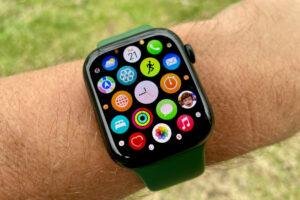
Yes. Most Apple Watch models have built-in GPS, so they can track your distance, pace, route, and location during outdoor workouts.
The main exception is the original Apple Watch and Apple Watch Series 1, which did not include built-in GPS. Apple added GPS starting with Apple Watch Series 2. In the United States, this means a newer Apple Watch can usually record a run, walk, hike, or bike ride without carrying your iPhone.
A GPS-only Apple Watch still needs an iPhone for setup and some online features. It does not need an iPhone nearby to record GPS data during many outdoor workouts.

Which Apple Watch Models Have GPS?
Apple Watch models from Series 2 and later include GPS. This includes GPS versions and GPS + Cellular versions.
Here is a simple guide:
| Apple Watch model | Built-in GPS? | Can track an outdoor workout without an iPhone nearby? |
|---|---|---|
| Original Apple Watch | No | No |
| Apple Watch Series 1 | No | No |
| Apple Watch Series 2 and later | Yes | Yes |
| Apple Watch SE models | Yes | Yes |
| Apple Watch Ultra models | Yes | Yes |
The exact features can vary by model and watchOS version. Newer models may also include a compass, better location tools, and more advanced workout data.
The word GPS can also describe two different Apple Watch versions:
- GPS model: Uses GPS for location and Wi-Fi or a nearby iPhone for internet access.
- GPS + Cellular model: Uses GPS for location and a supported cellular network for calls, messages, and data when your iPhone is not nearby.
Both versions have GPS. Cellular service does not replace GPS. It adds a way to connect to the internet and mobile networks.
How Does GPS Work on an Apple Watch?
Apple Watch uses satellite signals to estimate your position outdoors. It can then use that position to measure route distance, speed, pace, and movement.
During an outdoor workout, the watch may use several signals and sensors:
- GPS satellite signals
- Your iPhone’s location data, when the phone is nearby
- Wi-Fi information
- Cellular data on cellular models
- The built-in compass
- Motion sensors and the accelerometer
The watch may switch between these sources as conditions change. For example, tall buildings, dense trees, steep hills, and indoor spaces can weaken GPS signals.
GPS works best outdoors with a clear view of the sky. A route recorded in an open park may be more accurate than one recorded between tall buildings in a city.
Apple Watch does not need a cell signal to receive GPS signals. This is a common point of confusion. GPS and cellular service are separate systems.
Can Apple Watch Use GPS Without an iPhone?
Yes. A compatible Apple Watch can record GPS data without your iPhone nearby.
For example, you can leave your iPhone at home and use an Apple Watch to record:
- An outdoor run
- A walk
- A hike
- A bike ride
- An outdoor swim route on supported models
- Distance and pace during some other outdoor workouts
The watch stores the workout data. When it reconnects with your iPhone, it can sync the information to the Fitness and Health apps.
Before leaving your iPhone behind, check these conditions:
- The Apple Watch must be a Series 2 or newer model, an Apple Watch SE, or an Apple Watch Ultra.
- The watch must have enough battery power.
- Location Services must be enabled.
- The Workout app must have permission to use your location.
- You should start the workout before you leave.
- The watch should have a clear view of the sky when you begin.
To test the setup, start an outdoor walk in the Workout app. Leave your iPhone behind for a short period. Then return and check whether the route and distance sync to your iPhone.
A GPS-only watch can record the route without an iPhone, but it may not be able to stream music, load online maps, send messages, or make calls while away from the phone. Those functions usually require Wi-Fi, a nearby iPhone, or cellular service.
GPS Apple Watch vs. GPS + Cellular Apple Watch
The key difference is not GPS accuracy. Both versions include GPS. The difference is how the watch connects when your iPhone is not nearby.
| Feature | GPS Apple Watch | GPS + Cellular Apple Watch |
|---|---|---|
| Built-in GPS | Yes | Yes |
| Record outdoor workouts without iPhone | Yes | Yes |
| Calls without iPhone nearby | Usually no | Yes, with an active plan |
| Messages without iPhone nearby | Limited | Yes, with cellular service |
| Stream music away from iPhone | Limited | Yes, with a supported connection |
| Emergency communication | Needs iPhone or available Wi-Fi in many cases | Can use cellular where supported |
| Monthly cellular cost | No | Usually yes |
A GPS-only Apple Watch may be enough if you normally carry your iPhone. It is also a good fit if you mainly want workout tracking, notifications, health features, and GPS route recording.
A cellular model may be more useful if you want to run, hike, or exercise without carrying your phone while still receiving calls and messages. Cellular service can add a monthly fee, and coverage depends on your carrier and location.
GPS + Cellular does not mean the watch works exactly like an iPhone. Some apps and services still depend on an iPhone, Wi-Fi, an Apple Account, or a compatible carrier plan.
Does Apple Watch GPS Work Indoors?
GPS works poorly or not at all indoors because satellite signals have trouble passing through walls and roofs.
For indoor workouts, Apple Watch relies more on motion sensors. It can estimate distance during activities such as indoor walking or running, but the result may differ from a treadmill display.
Apple Watch can improve some workout measurements over time through calibration. To help with calibration, Apple recommends recording outdoor walks or runs in an open area while carrying your iPhone or wearing the watch.
Indoor GPS limits include:
- No reliable outdoor route map indoors
- Less accurate distance in some indoor workouts
- Different readings between the watch and gym equipment
- Reduced location accuracy in buildings and parking garages
For treadmill workouts, the treadmill and Apple Watch may use different methods to estimate distance. Small differences are normal. Use one device consistently if you want to compare progress over time.
How Accurate Is Apple Watch GPS?
Apple Watch GPS is useful for everyday outdoor activity, but it is not perfect.
Accuracy can change because of:
- Tall buildings
- Trees and heavy brush
- Mountains and deep valleys
- Bad weather or signal blockage
- Short routes with many turns
- Starting a workout before the watch gets a strong signal
- A loose fit or low battery
- Software or hardware problems
The watch may also smooth or estimate part of a route. This can make the path look cleaner, but it may not match every step you took.
For most runners, walkers, and cyclists, the GPS data is useful for tracking general distance and pace. It should not be treated as survey-grade location data.
If you need highly precise location data for professional mapping, land measurement, or navigation in a high-risk area, use equipment designed for that purpose. Do not rely on a consumer smartwatch as your only safety tool in remote locations.
How to Improve Apple Watch GPS Accuracy
You can often improve GPS results with a few basic checks.
1. Start outdoors
Begin the workout in an open area. Give the watch time to find your location before moving into a route with trees or tall buildings.
2. Keep Location Services on
On your iPhone, open:
Settings > Privacy & Security > Location Services
Make sure Location Services is enabled. Check that the Workout app has permission to use location data.
3. Wear the watch securely
The watch should sit firmly on your wrist. It should not move freely during a run or ride. A secure fit also helps the heart-rate sensor collect better data.
4. Keep watchOS updated
Apple may improve location and workout behavior through software updates. Update the Apple Watch and iPhone when practical.
5. Calibrate the watch
In an open outdoor area, record an outdoor walk or run for about 20 minutes at your normal pace. This can help the watch learn your stride and improve distance estimates.
6. Check the battery
Low power can limit features or cause the watch to stop recording. Charge the watch before a long activity.
7. Restart the watch if tracking fails
A restart can fix a temporary software problem. If the issue continues, check permissions, update the software, and contact Apple Support if needed.
Does Apple Watch Need Wi-Fi or Cellular for GPS?
No. GPS itself does not require Wi-Fi or cellular service.
However, Wi-Fi or cellular service may be needed for other features. Without an iPhone nearby, a GPS-only Apple Watch may not be able to:
- Send new messages
- Make regular calls
- Load online content
- Stream music
- Sync data right away
- Get live information from the internet
The watch can store workout information and sync it later when it reconnects to your iPhone.
Cellular service also has limits. Your watch needs a supported carrier plan and network coverage. Emergency features may vary by country, carrier, account settings, and local network availability.
GPS can show where you are, but it does not automatically provide a complete navigation service. A location signal is not the same as an internet connection.
Does GPS Drain Apple Watch Battery?
Yes. Using GPS can use more battery than simply checking the time or receiving notifications.
Battery use depends on:
- Workout length
- GPS signal strength
- Heart-rate tracking
- Music playback
- Cellular use
- Screen brightness
- Battery age
- Watch model
- Software settings
A short outdoor walk may have little effect on battery life. A long hike with GPS, music, and cellular data can use much more power.
For a long trip, charge the watch fully before leaving. Consider carrying a compatible charger or battery pack. If the watch reaches a very low charge, it may stop recording before the activity ends.
Do not depend on a watch with a nearly empty battery as your only way to call for help or find your way back.
Why Is My Apple Watch GPS Not Working?
If your route is missing or looks wrong, check the most likely causes first.
Symptom: No route appears
Possible causes include:
- The watch model is an original Apple Watch or Series 1
- Location Services is off
- Workout permissions are blocked
- The workout did not start correctly
- The watch lost power
- The activity took place indoors
Symptom: The route has gaps
Possible causes include:
- Weak satellite signals
- Dense trees or tall buildings
- A long pause
- Low battery
- Software trouble
- The watch losing contact with the phone during a handoff
Symptom: Distance seems too high or too low
Check whether:
- The activity was indoors
- The watch was loose
- You compared it with a treadmill or bike computer
- The route included tunnels or sharp turns
- The watch needs calibration
Try this order:
- Confirm that the watch supports GPS.
- Turn on Location Services.
- Check Workout permissions.
- Charge the watch.
- Restart the watch.
- Update watchOS and iOS.
- Test an outdoor walk in an open area.
- Contact Apple Support if GPS fails across several outdoor tests.
Do not erase the watch or change advanced settings first. Basic permission and battery checks are safer and often solve the problem.
What Should You Look For When Choosing an Apple Watch With GPS?
Choose a GPS model if you usually carry your iPhone and mainly want:
- Outdoor workout tracking
- Route recording
- Pace and distance data
- Health and fitness features
- Notifications when your iPhone is nearby
Choose a GPS + Cellular model if you often want to leave your iPhone behind and still need:
- Calls
- Messages
- Streaming
- Online data
- Cellular emergency communication where supported
Also check the model’s compatibility with your iPhone and the required iOS and watchOS versions. Apple Watch setup generally requires an iPhone, even when the watch has cellular service.
The simplest decision is this: GPS tracks your location; cellular keeps the watch connected when your iPhone is away.
Frequently Asked Questions
Does every Apple Watch have GPS?
No. The original Apple Watch and Apple Watch Series 1 did not have built-in GPS. Apple Watch Series 2 and newer models, including Apple Watch SE and Apple Watch Ultra, include GPS.
Can I use Apple Watch GPS without an iPhone?
Yes. A supported Apple Watch can record many outdoor workouts without an iPhone nearby. The watch can sync the saved data later. Some online features still need an iPhone, Wi-Fi, or cellular service.
Is Apple Watch GPS better than phone GPS?
Neither is always better. Accuracy depends on the model, surroundings, signal conditions, and how each device is worn. A newer Apple Watch may record a useful route, but tall buildings, trees, and indoor spaces can affect both watches and phones.
Can Apple Watch GPS track a hike?
Yes. A compatible Apple Watch can record an outdoor hike and save route information. For remote hikes, carry enough battery power and a separate safety plan. GPS tracking is not a substitute for a map, emergency gear, or local trail knowledge.
Do I need to pay monthly for Apple Watch GPS?
No monthly cellular plan is needed for the GPS-only model. A GPS + Cellular model may require a separate carrier plan if you want mobile service away from your iPhone.
Bottom Line
Yes, Apple Watch has GPS if it is a Series 2 or newer model, an Apple Watch SE, or an Apple Watch Ultra. GPS lets the watch record outdoor routes, distance, pace, and location without your iPhone nearby.
A GPS-only model is usually enough for workouts and route tracking. Choose GPS + Cellular only if you want calls, messages, streaming, or online features while your iPhone is away.
Before buying or troubleshooting, check the exact Apple Watch model, Location Services, battery level, workout permissions, and outdoor signal conditions. These details explain most GPS questions and tracking problems.
Sources
- Apple Watch User Guide: Work out with Apple Watch
- Apple Support: About GPS and Location Services
- Apple Watch technical specifications
- Apple Support: Set up and use cellular service on Apple Watch
Rubel Miah is the Senior Editor at MyStyleGrid.com, where he brings a sharp editorial eye and an unshakable love for fashion to everything he does. A true style addict, Rubel lives and breathes trends, from streetwear to high fashion, and has a knack for turning inspiration into impactful stories. With years of experience in fashion journalism and digital media, he curates content that empowers readers to express themselves through style. When he’s not editing features or forecasting the next big thing, you’ll find him hunting down vintage pieces or capturing street style moments around the city.