Yes. A new Apple Watch sold in the United States usually includes a magnetic charging cable, but it does not usually include a wall power adapter.
The cable connects to the back of the watch and uses USB-C on the other end. You must plug that USB-C end into a compatible power adapter, computer, monitor, or charging hub. If you buy a used, refurbished, or open-box Apple Watch, the cable may be missing or may be an older USB-A model.
This guide explains what comes with each Apple Watch, what you still need to charge it, and how to avoid buying the wrong accessory.

What Charger Comes With an Apple Watch?
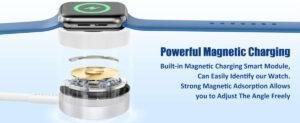
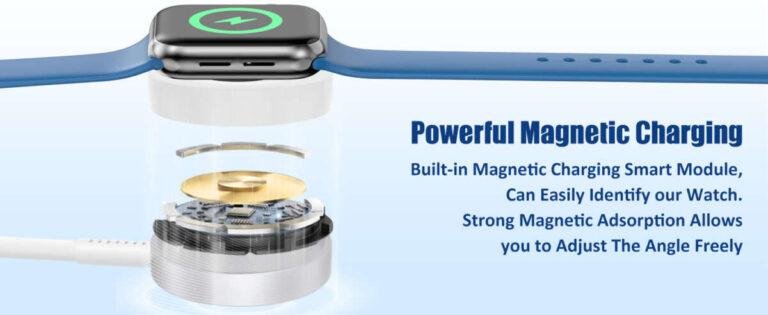
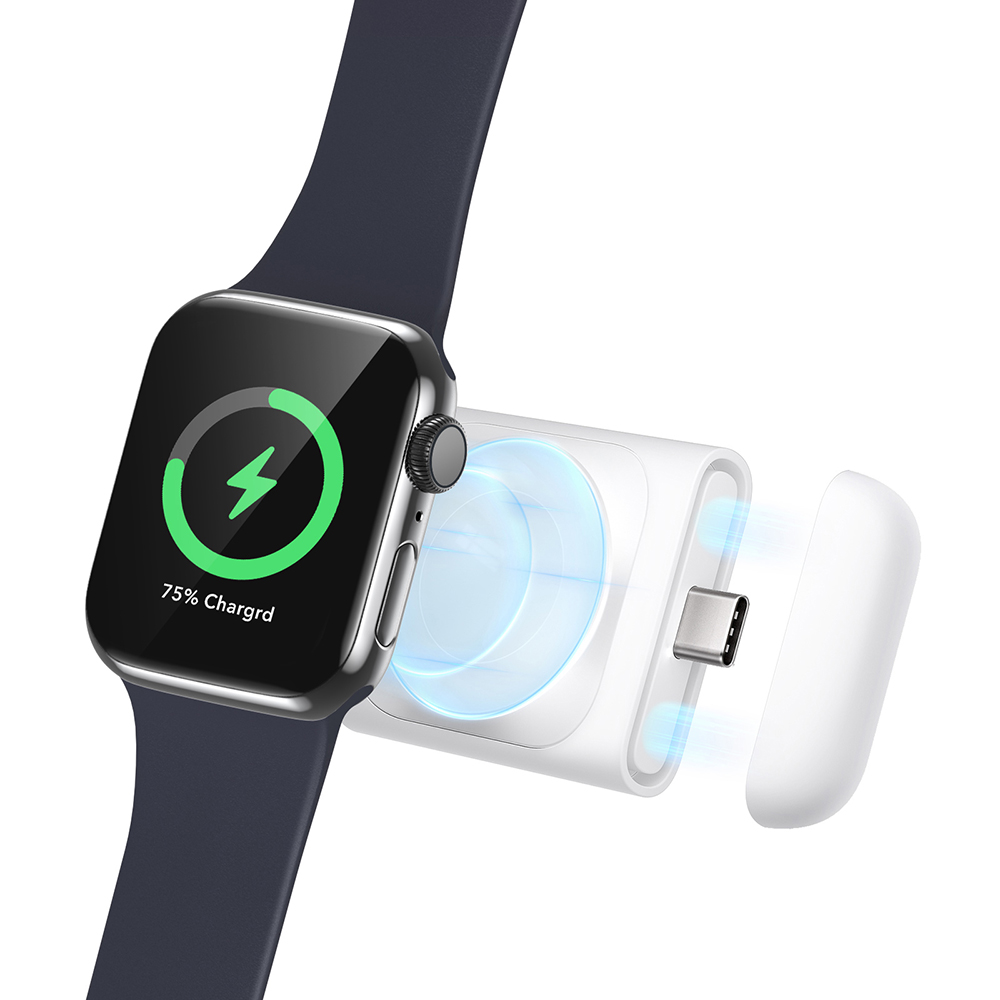
Current Apple Watch models sold in the U.S. come with an Apple Watch Magnetic Charger to USB-C Cable. The round magnetic puck attaches to the back of the watch and aligns with its charging contacts.
The box normally includes:
- Apple Watch
- Apple Watch Magnetic Charger to USB-C Cable
- Watch band
- Printed setup and safety information
The box normally does not include:
- USB-C wall power adapter
- Charging dock
- Extra charging cable
- Spare band in every size combination
The charger is a cable, not a full wall charger. Think of it like a lamp with the bulb included but not the plug adapter. The watch has the charging part, but you may need the power source that feeds it.
Does the Apple Watch come with a wall adapter?
No. Apple generally does not include a wall power adapter with current Apple Watch models in the United States.
You can use an existing USB-C power adapter from Apple or another trusted brand. A USB-C adapter made for an iPhone, iPad, MacBook, or other device may work if it provides compatible power.
What about older Apple Watch boxes?
Older Apple Watch packages may include:
- A USB-A magnetic charging cable
- A USB-C magnetic charging cable
- A wall adapter in some older bundles
- No cable if the watch was sold as refurbished or used
The exact contents depend on the model, purchase date, retailer, and whether the product is new or pre-owned.
Apple Watch Charger by Model
The table below shows the usual charger situation for Apple Watch models sold in the United States.
| Apple Watch model | Charging cable usually included | Wall adapter included? | Important detail |
|---|---|---|---|
| Apple Watch Series 10 | Magnetic fast charger to USB-C cable | No | Fast charging requires a suitable USB-C power adapter |
| Apple Watch Ultra 2 | Magnetic fast charger to USB-C cable | No | Designed for fast charging with a compatible adapter |
| Apple Watch Series 9 | Magnetic fast charger to USB-C cable | No | Fast charging is supported |
| Apple Watch SE | Magnetic charger to USB-C cable | No | Standard charging; fast charging support differs from premium models |
| Older Apple Watch models | USB-A or USB-C magnetic cable, depending on the package | Usually no | Check the listing and box contents |
| Used or refurbished Apple Watch | Varies | Usually no | Confirm every included accessory before buying |
Apple has changed the cable included with some models over time. A product listing that says “charger included” may refer only to the magnetic cable, not a wall adapter.


For that reason, check the retailer’s “In the Box” section before placing an order. The seller’s package may also differ from Apple’s original package if the watch is refurbished or sold as open box.

What Do You Need to Charge an Apple Watch?
To charge an Apple Watch, you need two parts:
- A compatible Apple Watch magnetic charging cable or charging dock.
- A power source with a suitable USB port.
The simplest setup is:
Apple Watch magnetic cable → USB-C power adapter → wall outlet
You can also connect the cable to:
- A powered USB-C port on a computer
- A USB-C charging hub
- A compatible power bank
- A monitor with power output
- A certified multi-device charging station
The watch cable must receive power. Plugging it into an unpowered USB hub may not work.
What power adapter should you buy?
For ordinary charging, use a reputable USB-C power adapter that meets Apple’s requirements. A 20W USB-C adapter is a common choice because it can also charge many iPhone and iPad models.
For fast charging, use:
- The Apple Watch magnetic fast-charging cable
- A suitable USB-C power adapter
- A power adapter that supports the required USB power standard
Apple lists fast-charging support for certain newer Apple Watch models. The Apple Watch SE does not offer the same fast-charging feature as supported Series and Ultra models.
You do not need to buy the most powerful MacBook adapter just to charge an Apple Watch. A higher-wattage USB-C adapter can supply power safely when it follows USB power standards, but it will not make every Apple Watch charge faster.
Can you use an iPhone charger?
Yes, if the iPhone charger has a compatible USB port for the Apple Watch cable.
For example:
- A USB-C iPhone power adapter works with a USB-C Apple Watch charging cable.
- An older USB-A iPhone adapter works with a USB-A Apple Watch charging cable.
- A USB-C-to-Lightning iPhone cable cannot charge an Apple Watch by itself.
The connector at the cable’s power end must match the port on the adapter.


How to Charge an Apple Watch for the First Time
Charging an Apple Watch is simple. Follow these steps:
- Plug the charging cable into a USB-C power adapter or another powered USB-C port.
- Connect the adapter to a wall outlet if needed.
- Place the back of the Apple Watch against the magnetic charging puck.
- Wait for the charging symbol to appear on the watch screen.
- Leave the watch on the charger until it reaches the level you need.
A green or red charging symbol may appear, depending on the watch’s battery level. The magnetic puck should pull into position when it is near the center of the watch.
Signs that the watch is charging
Your Apple Watch may show:
- A green lightning bolt
- A charging ring
- A battery percentage
- A charging animation
- A screen that briefly lights up when the cable connects
If no symbol appears, wait a few minutes. A fully drained Apple Watch may need time before the display responds.
If the Apple Watch does not charge
Check the following in order:
- Make sure the cable is plugged into a working power source.
- Remove any thick case or protective cover from the watch.
- Clean and dry the back of the watch and the charging puck.
- Reposition the watch so the puck sits flat against the back.
- Test another USB-C adapter or outlet.
- Inspect the cable for damage.
- Restart the Apple Watch if it has enough power to respond.
- Contact Apple Support if the watch still will not charge.
Do not use a cable with exposed wires, a cracked housing, burn marks, or signs of liquid damage.

Can You Use a Third-Party Apple Watch Charger?
Yes, but choose carefully. A third-party charger must be made for Apple Watch and should clearly state that it supports the watch model you own.
Look for:
- Apple Watch compatibility
- Magnetic charging support
- USB-C or USB-A details that match your adapter
- Safety certifications for the market where you live
- A return policy
- A reputable manufacturer
A generic magnetic puck may look correct but still charge poorly, run hot, or fail to work with a newer Apple Watch. Some low-cost products are only stands and do not contain charging hardware.
Apple-certified and non-certified chargers
An Apple-certified accessory may provide extra assurance, but certification alone does not replace checking the model and cable type. Read the product details instead of relying only on a photograph.
Avoid chargers that:
- Make unusually high speed claims without naming the required model
- Have no clear brand or seller
- Include damaged or loose cables
- Become very hot during normal use
- Do not state which Apple Watch versions they support
Wireless charging does not mean every wireless pad will work. Apple Watch uses its own magnetic charging system, which differs from the Qi charging system used by many phones.

Apple Watch Charging Cable vs. Charging Dock
A charging cable is included with most new Apple Watch packages. A charging dock is usually an optional accessory.


A dock can be useful if you want:
- A fixed place to charge the watch
- A neater bedside setup
- Space for an iPhone and AirPods
- A stand that lets you view the watch while it charges
A dock may use the charging cable you already own, or it may include its own charging module. Check the product description before buying. Some stands are passive holders with a slot for Apple’s cable, while others are complete chargers.
A dock is not required for normal charging. The included magnetic cable performs the basic charging job.

Common Mistakes When Buying an Apple Watch Charger
The most common mistake is assuming that “charger included” means “wall adapter included.” In many listings, the word charger refers only to the magnetic cable.
Other mistakes include:
- Buying a USB-A cable when you only have USB-C adapters
- Buying a phone wireless charger that does not support Apple Watch
- Assuming every Apple Watch supports fast charging
- Purchasing a stand that does not include charging hardware
- Forgetting to check whether a used watch includes its cable
- Using a damaged cable
- Buying a cable designed for a different smartwatch
- Expecting a larger power adapter to charge the watch faster
If you are buying a new watch, confirm the exact contents under In the Box. If you are buying used, ask the seller to list the cable type and show a photo of the accessories.
A quick buying example
Suppose you buy a new Apple Watch with a USB-C magnetic charging cable but own only an old USB-A wall adapter. You have two practical choices:
- Buy a USB-C wall adapter.
- Buy a compatible USB-A Apple Watch cable instead.
The first choice is usually more useful if you also own newer devices that charge through USB-C. The second may cost less if your current setup already uses USB-A.

Frequently Asked Questions
Does the Apple Watch SE come with a charger?
Yes. A new Apple Watch SE package generally includes a magnetic charging cable. It normally does not include a wall power adapter. The cable type can vary by package date and seller, so check the product listing.
Can I charge an Apple Watch without an Apple adapter?
Yes. You can use a compatible third-party USB power adapter, USB-C port, power bank, or charging hub. Use a reputable accessory and make sure the connector matches the Apple Watch cable.
Can an Apple Watch charge from an iPhone?
Usually, an iPhone cannot directly power an Apple Watch in the same way a wall adapter does. Some newer Apple devices and accessories may support limited reverse charging features, but compatibility depends on the exact devices and software. A wall adapter or power bank is the more reliable option.
Does the Apple Watch come with a fast charger?
Supported newer models include a magnetic fast-charging cable, but the box still usually lacks a wall adapter. Fast charging also requires a suitable USB-C power source. The cable alone does not guarantee fast charging.
Are Apple Watch chargers universal?
Apple Watch magnetic chargers generally work across many Apple Watch generations, but charging speed and cable connectors can differ. Check compatibility before buying, especially for an older watch, a fast-charging model, or a third-party dock.


Bottom Line
A new Apple Watch sold in the United States generally comes with a magnetic charging cable, not a wall power adapter. You can charge it with a compatible USB-C adapter, powered USB port, charging hub, or power bank.
Before buying, check three things: the cable connector, fast-charging support, and the seller’s exact box contents. If the watch is used or refurbished, never assume the original charger is included.
For the safest choice, use the cable supplied with the watch or buy a reputable replacement made specifically for Apple Watch.
Sources and Verification Notes
This guide is based on documented product and support information from Apple’s U.S. materials, including:
- Apple Watch comparison and product pages
- Apple Watch User Guide
- Apple Support: Apple Watch charging information
- Apple Support: Fast charge your Apple Watch
Package contents, cable types, and charger availability can change by model, region, retailer, and purchase date. Always check the current U.S. product listing before ordering.

Rubel Miah is the Senior Editor at MyStyleGrid.com, where he brings a sharp editorial eye and an unshakable love for fashion to everything he does. A true style addict, Rubel lives and breathes trends, from streetwear to high fashion, and has a knack for turning inspiration into impactful stories. With years of experience in fashion journalism and digital media, he curates content that empowers readers to express themselves through style. When he’s not editing features or forecasting the next big thing, you’ll find him hunting down vintage pieces or capturing street style moments around the city.