Yes, Ray-Ban Meta smart glasses can record hands-free video and save it to your phone.
If you are asking, “can ray ban glasses record video,” the answer is yes, but the exact features depend on the model. Ray-Ban Meta glasses combine a small camera, microphones, speakers, and voice controls in a familiar frame. This guide explains how video recording works, what the glasses can capture, how long clips last, and what to know about privacy, storage, and image quality.
Can Ray-Ban glasses record video?
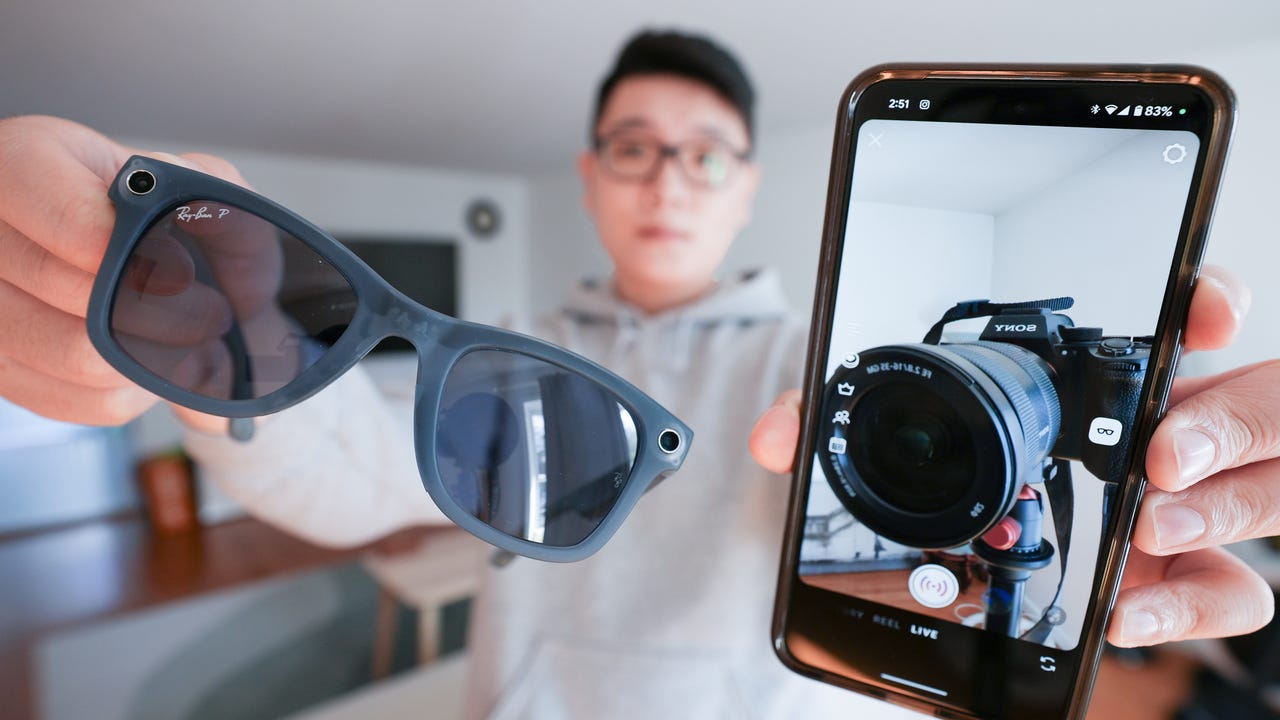
Yes, Ray-Ban Meta smart glasses can record video. They use a built-in camera placed near the outer edge of the frame. You can start recording with a button on the glasses or by using a voice command.
The glasses send recorded clips to the Meta View app on a connected phone. From there, you can view, edit, save, and share your videos. This makes them useful for short travel clips, walks, events, cooking demos, and point-of-view content.
The phrase “Ray-Ban glasses” can refer to more than one product line. Traditional Ray-Ban sunglasses do not record video. Recording is available on smart models, such as:
• Ray-Ban Stories, the first-generation smart glasses
• Ray-Ban Meta smart glasses, the newer generation
• Certain future smart-glasses models with built-in cameras and connected features
The newest Ray-Ban Meta models offer better cameras, improved audio, faster performance, and more storage than Ray-Ban Stories.

How does video recording work on Ray-Ban Meta glasses?
Ray-Ban Meta glasses record video from a first-person viewpoint. The camera faces in the same general direction as your eyes, so the result feels like a natural view of what you are seeing.
You can begin recording in two main ways:
• Press the capture button on the top of the frame.
• Say a supported voice command, such as “Hey Meta, record a video.”
A small white LED on the front of the glasses lights up during recording. This light helps tell people nearby that the camera is active. Covering or disabling this light is not a proper way to use the glasses and may violate privacy rules or local laws.
Depending on the model and software version, video clips may be recorded in short preset lengths. Newer Ray-Ban Meta glasses can support longer clips than the original Ray-Ban Stories, but limits can change after app or firmware updates.
The video transfers to the Meta View app when the glasses connect to your phone. A strong Bluetooth and Wi-Fi connection can make this process faster. The phone also needs enough storage for imported clips.

Which Ray-Ban smart glasses can record video?
Not every Ray-Ban frame has a camera. It helps to know the difference between ordinary eyewear and smart eyewear.
Ray-Ban Stories
Ray-Ban Stories were released as Ray-Ban’s first major smart-glasses line. They include cameras, speakers, microphones, and touch controls. They can capture photos and short videos through the Facebook View app, which was later replaced by the Meta View app in supported regions.
Ray-Ban Stories are still capable of basic video recording, but they have older hardware and fewer features than Ray-Ban Meta glasses. Battery life, camera quality, app support, and storage limits may also feel more restricted.
Ray-Ban Meta
Ray-Ban Meta glasses are the current mainstream smart-glasses option from Ray-Ban and Meta. They include an improved camera system, better microphones, open-ear speakers, and voice controls.
They can record hands-free video, take photos, answer calls, play music, and interact with Meta’s assistant. Some models also include livestreaming features through supported social platforms and accounts.
When someone asks, “can ray ban glasses record video,” they usually mean Ray-Ban Meta glasses. These are the models most buyers should consider today.

How to record video with Ray-Ban Meta glasses
Recording a clip is simple, but setting up the glasses correctly makes the experience smoother.
Set up the glasses
-
Install the Meta View app on your iPhone or Android phone.
-
Turn on Bluetooth and follow the pairing steps.
-
Add the glasses to your Meta account.
-
Allow the app to access photos, videos, Bluetooth, and other needed features.
-
Charge the glasses and place them in range of your phone.
Start recording
Press the capture button once to start a video. Press it again to stop, or allow the selected recording time to finish.
You can also use a voice command if voice controls are enabled. Voice recording is helpful when your hands are busy, such as during a bike repair, recipe demonstration, or family activity.
Transfer and share the video
Open the Meta View app after recording. The app can import the video from the glasses and save it to your phone’s camera roll.
From there, you can:
• Trim the beginning or end of the clip
• Add the video to a social media post
• Send it through text or email
• Store it in cloud backup
• Edit it in another video app
A useful practical lesson is to transfer important clips soon after recording. Smart glasses have limited internal storage, and a full device can prevent new videos from saving.

What video quality can you expect?
Ray-Ban Meta glasses are designed for quick, hands-free clips rather than professional filmmaking. Their camera is good for casual video, but it does not replace a mirrorless camera, action camera, or modern smartphone.
Typical video characteristics include:
• Vertical video made for phones and social media
• Full HD-style recording on supported models
• A wide field of view
• Automatic exposure adjustment
• Electronic image stabilization
• Built-in sound from multiple microphones
The wide view is useful because it captures more of the scene. However, it can also make nearby objects look slightly stretched. Bright daylight usually produces the clearest results. Low light may create grain, softer detail, and slower exposure changes.
Sound is one of the stronger parts of the newer Ray-Ban Meta glasses. Their microphone system can capture speech and nearby sounds while you move. Wind, traffic, crowds, and loud music can still reduce audio quality.
For the best results, look toward your subject for a moment before recording. Since the camera follows your head, quick movements can make the clip feel shaky or poorly framed.

How long can Ray-Ban Meta glasses record?
Recording time depends on the model, software, battery level, and settings. Ray-Ban Meta glasses generally support short clips, with some software versions allowing longer recording times than earlier models.
The default clip length is often designed to balance battery life, storage, and easy sharing. Longer recordings use more storage and battery power. They may also take more time to transfer to your phone.
Keep these limits in mind:
• A long session can drain the glasses faster.
• Internal storage is limited.