Yes, Ray-Ban Meta smart glasses can record hands-free video and save it to your phone.
If you are asking, “can ray ban glasses record video,” the answer is yes, but the exact features depend on the model. Ray-Ban Meta glasses combine a small camera, microphones, speakers, and voice controls in a familiar frame. This guide explains how video recording works, what the glasses can capture, how long clips last, and what to know about privacy, storage, and image quality.
Can Ray-Ban glasses record video?
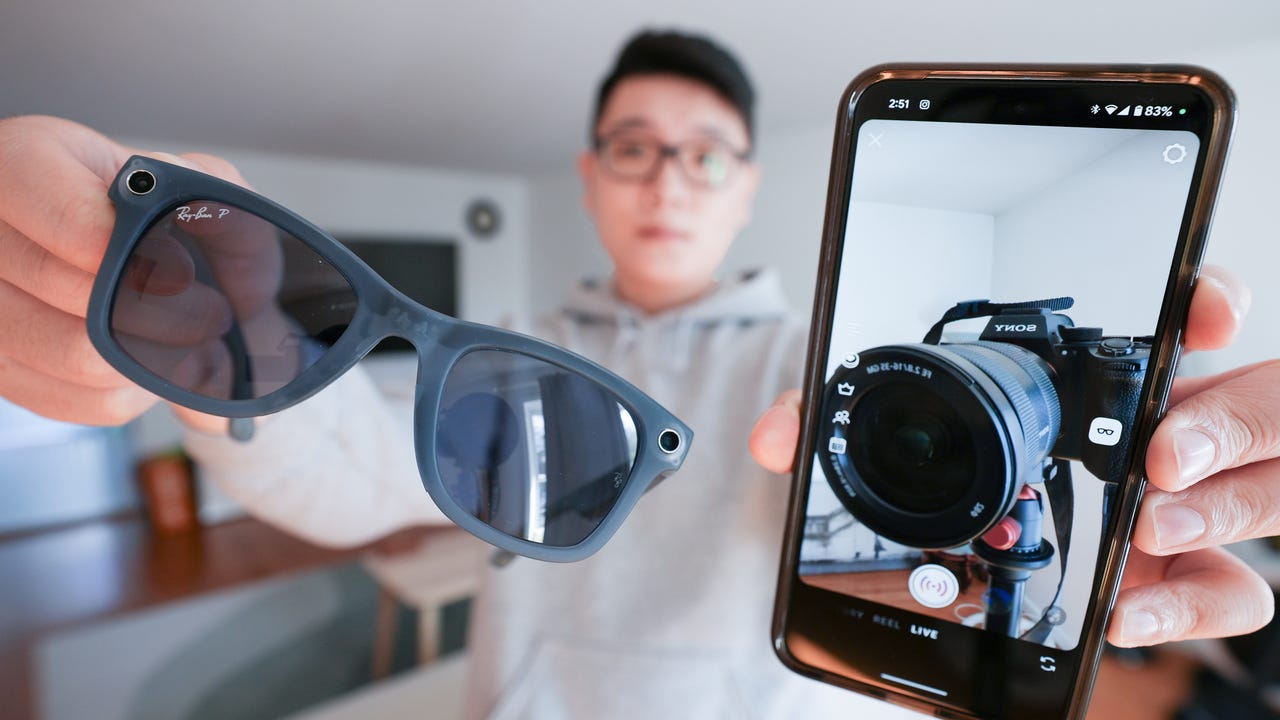
Yes, Ray-Ban Meta smart glasses can record video. They use a built-in camera placed near the outer edge of the frame. You can start recording with a button on the glasses or by using a voice command.
The glasses send recorded clips to the Meta View app on a connected phone. From there, you can view, edit, save, and share your videos. This makes them useful for short travel clips, walks, events, cooking demos, and point-of-view content.
The phrase “Ray-Ban glasses” can refer to more than one product line. Traditional Ray-Ban sunglasses do not record video. Recording is available on smart models, such as:
• Ray-Ban Stories, the first-generation smart glasses
• Ray-Ban Meta smart glasses, the newer generation
• Certain future smart-glasses models with built-in cameras and connected features
The newest Ray-Ban Meta models offer better cameras, improved audio, faster performance, and more storage than Ray-Ban Stories.

How does video recording work on Ray-Ban Meta glasses?
Ray-Ban Meta glasses record video from a first-person viewpoint. The camera faces in the same general direction as your eyes, so the result feels like a natural view of what you are seeing.
You can begin recording in two main ways:
• Press the capture button on the top of the frame.
• Say a supported voice command, such as “Hey Meta, record a video.”
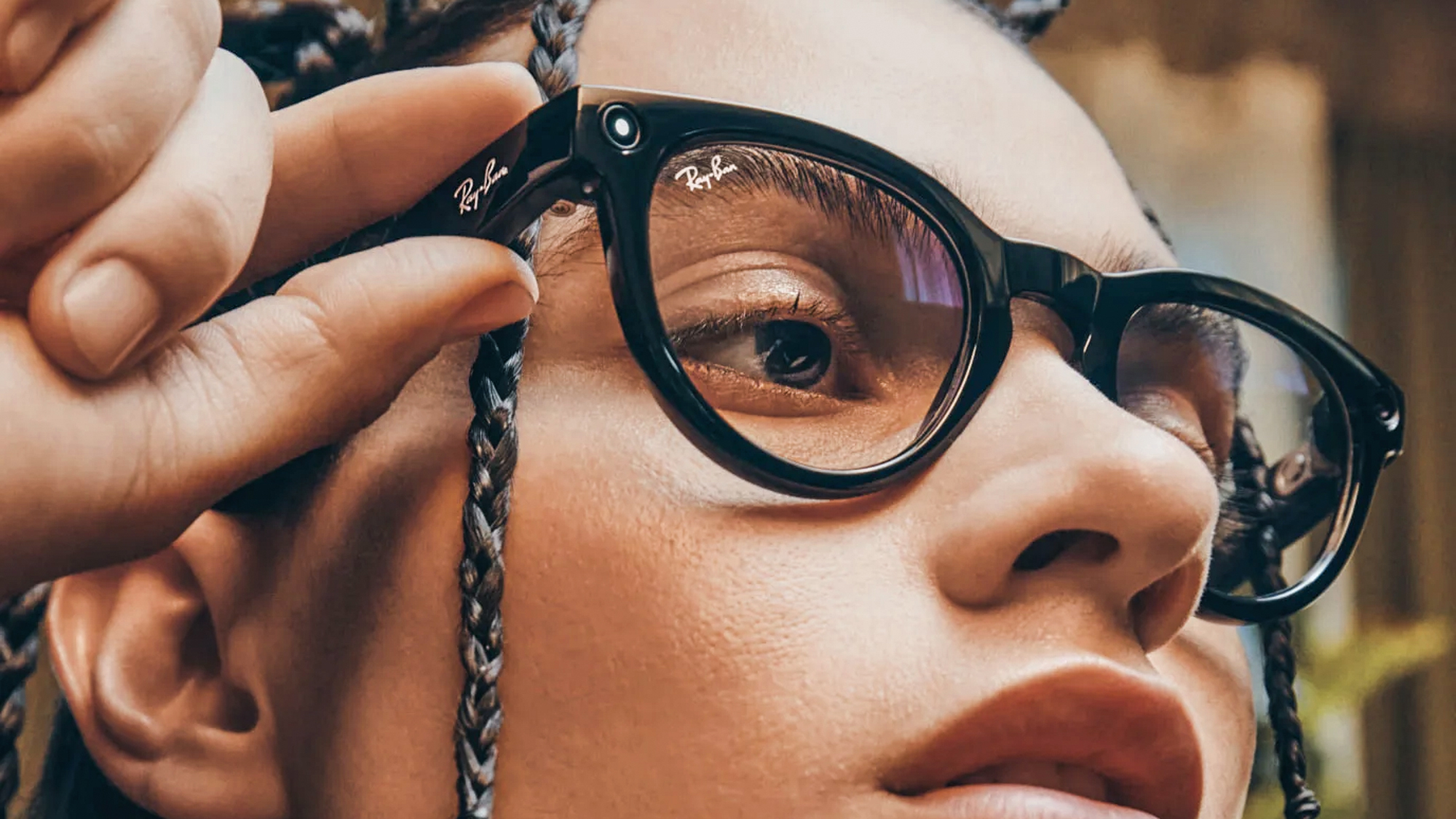
A small white LED on the front of the glasses lights up during recording. This light helps tell people nearby that the camera is active. Covering or disabling this light is not a proper way to use the glasses and may violate privacy rules or local laws.
Depending on the model and software version, video clips may be recorded in short preset lengths. Newer Ray-Ban Meta glasses can support longer clips than the original Ray-Ban Stories, but limits can change after app or firmware updates.
The video transfers to the Meta View app when the glasses connect to your phone. A strong Bluetooth and Wi-Fi connection can make this process faster. The phone also needs enough storage for imported clips.

Which Ray-Ban smart glasses can record video?
Not every Ray-Ban frame has a camera. It helps to know the difference between ordinary eyewear and smart eyewear.
Ray-Ban Stories
Ray-Ban Stories were released as Ray-Ban’s first major smart-glasses line. They include cameras, speakers, microphones, and touch controls. They can capture photos and short videos through the Facebook View app, which was later replaced by the Meta View app in supported regions.
Ray-Ban Stories are still capable of basic video recording, but they have older hardware and fewer features than Ray-Ban Meta glasses. Battery life, camera quality, app support, and storage limits may also feel more restricted.
Ray-Ban Meta
Ray-Ban Meta glasses are the current mainstream smart-glasses option from Ray-Ban and Meta. They include an improved camera system, better microphones, open-ear speakers, and voice controls.
They can record hands-free video, take photos, answer calls, play music, and interact with Meta’s assistant. Some models also include livestreaming features through supported social platforms and accounts.
When someone asks, “can ray ban glasses record video,” they usually mean Ray-Ban Meta glasses. These are the models most buyers should consider today.

How to record video with Ray-Ban Meta glasses
Recording a clip is simple, but setting up the glasses correctly makes the experience smoother.
Set up the glasses
-
Install the Meta View app on your iPhone or Android phone.
-
Turn on Bluetooth and follow the pairing steps.
-
Add the glasses to your Meta account.
-
Allow the app to access photos, videos, Bluetooth, and other needed features.
-
Charge the glasses and place them in range of your phone.
Start recording
Press the capture button once to start a video. Press it again to stop, or allow the selected recording time to finish.
You can also use a voice command if voice controls are enabled. Voice recording is helpful when your hands are busy, such as during a bike repair, recipe demonstration, or family activity.
Transfer and share the video
Open the Meta View app after recording. The app can import the video from the glasses and save it to your phone’s camera roll.
From there, you can:
• Trim the beginning or end of the clip
• Add the video to a social media post
• Send it through text or email
• Store it in cloud backup
• Edit it in another video app
A useful practical lesson is to transfer important clips soon after recording. Smart glasses have limited internal storage, and a full device can prevent new videos from saving.

What video quality can you expect?
Ray-Ban Meta glasses are designed for quick, hands-free clips rather than professional filmmaking. Their camera is good for casual video, but it does not replace a mirrorless camera, action camera, or modern smartphone.
Typical video characteristics include:
• Vertical video made for phones and social media
• Full HD-style recording on supported models
• A wide field of view
• Automatic exposure adjustment
• Electronic image stabilization
• Built-in sound from multiple microphones
The wide view is useful because it captures more of the scene. However, it can also make nearby objects look slightly stretched. Bright daylight usually produces the clearest results. Low light may create grain, softer detail, and slower exposure changes.
Sound is one of the stronger parts of the newer Ray-Ban Meta glasses. Their microphone system can capture speech and nearby sounds while you move. Wind, traffic, crowds, and loud music can still reduce audio quality.
For the best results, look toward your subject for a moment before recording. Since the camera follows your head, quick movements can make the clip feel shaky or poorly framed.

How long can Ray-Ban Meta glasses record?
Recording time depends on the model, software, battery level, and settings. Ray-Ban Meta glasses generally support short clips, with some software versions allowing longer recording times than earlier models.
The default clip length is often designed to balance battery life, storage, and easy sharing. Longer recordings use more storage and battery power. They may also take more time to transfer to your phone.
Keep these limits in mind:
• A long session can drain the glasses faster.
• Internal storage is limited.
• Videos may not transfer if your phone lacks free space.
• App settings may affect clip length.
• Firmware updates can change available recording options.
If you need to record a lecture, sports match, interview, or long trip, Ray-Ban Meta glasses may not be the best primary camera. They work better as a quick capture tool, much like a camera button you wear on your face.

Can Ray-Ban glasses record video without a phone?
Ray-Ban Meta glasses can usually capture video without your phone being in your hand. The glasses store the clip temporarily in their internal memory.
However, you still need a compatible phone and the Meta View app to transfer, manage, or share the recording. Some smart features also require an internet connection or an active account.
This means the glasses are not a fully independent video camera. Think of them as a wearable camera that works with your phone. The glasses capture the moment, while the phone handles storage, editing, and sharing.
Before leaving home, check that:
• The glasses are charged.
• The camera and microphone are not blocked.
• There is enough storage.
• The glasses have paired with the app.
• The required app permissions are active.
These checks take less than a minute and can prevent missed moments.

Benefits of recording video with Ray-Ban smart glasses
The biggest advantage is convenience. You can capture a moment without reaching for your phone.
Other benefits include:
• Hands-free recording while walking, cooking, building, or traveling
• A natural first-person viewpoint
• Quick voice control
• Built-in speakers for calls and audio
• A familiar design that looks like normal eyewear
• Easy transfer to a smartphone
• Useful audio capture for short clips
Ray-Ban Meta glasses can be especially helpful for creators who want a natural point of view. They are also useful for people who struggle to hold a phone while working with both hands.
The glasses can make everyday memories feel more immediate. A child’s first bike ride, a city walk, or a quick cooking step can be recorded without interrupting the moment.
Limitations and problems to know
The answer to “can ray ban glasses record video” is yes, but recording has limits. Understanding them helps you decide whether the glasses suit your needs.
Battery life
Video recording uses more power than simply listening to music. Frequent recording may require charging during the day.
Limited storage
The glasses cannot store unlimited footage. Transfer files to your phone and delete unwanted clips when storage becomes low.
Privacy concerns
The front recording light is important. People may feel uncomfortable if they do not know they are being recorded. Avoid recording private conversations, bathrooms, changing areas, medical visits, schools, or secure workplaces without clear permission.
Weather limits
Some models offer water resistance, but they are not designed for swimming or deep water. Check the exact product rating before using them in rain or near water.
Video framing
Because the camera follows your head, the frame may not match where your eyes focus. Turning your head too quickly can produce a poor clip.
App dependence
The glasses rely on a phone app for many features. A software problem, account issue, or weak connection may interrupt transfers.
Privacy and legal tips for recording video
Wearable cameras raise real privacy questions. The small camera can make recording less obvious than using a phone, even when the status light is visible.
Use these habits to record responsibly:
• Tell people when you plan to record them.
• Follow workplace, school, venue, and event rules.
• Avoid recording private conversations without permission.
• Do not use the glasses to observe people secretly.
• Respect local laws about audio recording.
• Keep sensitive videos protected on your phone.
• Review clips before posting them online.
Audio laws differ across the United States. Some states require consent from every person in a recorded conversation, while others have different rules. When you are unsure, ask for permission or avoid recording private speech.
Meta’s privacy controls and indicator light can support responsible use, but technology cannot replace good judgment. Treat the glasses like a camera, not like invisible surveillance equipment.
Practical tips for better Ray-Ban video
A few simple habits can improve your results right away.
• Clean the camera lens with a soft microfiber cloth.
• Face your subject before pressing the capture button.
• Use daylight when possible.
• Keep head movements slow and steady.
• Speak clearly and stay close enough for the microphones to hear you.
• Charge the glasses before travel or events.
• Import important clips soon after recording.
• Check the app before leaving home.
• Use a phone or action camera for long recordings.
One common mistake is assuming the glasses will record exactly what your eyes see. The camera sits slightly away from your eye line, so the final video may include more of the side or lower area than expected.
Record a few test clips at home. Watch them with the sound on. This quick test shows how the camera frames your face, hands, and surroundings before an important event.
Are Ray-Ban Meta glasses worth buying for video?
Ray-Ban Meta glasses can be worth buying if you want fast, casual, hands-free video. They are a strong choice for short clips, travel moments, voice-controlled capture, and first-person content.
They may not be worth it if your main goal is professional video, long recording sessions, advanced zoom, cinematic control, or hidden recording. A smartphone or dedicated camera will offer more control and often better image quality.
Ask yourself three questions:
-
Do I often want to record while both hands are busy?
-
Am I comfortable with the privacy responsibilities of wearable cameras?
-
Do I want smart audio and voice features as well as video?
If the answer is yes to all three, Ray-Ban Meta glasses may fit your routine well. If you only want a camera, a phone or action camera may provide better value.
Frequently Asked Questions About Can Ray Ban Glasses Record Video
Can all Ray-Ban glasses record video?
No. Only Ray-Ban smart-glasses models with built-in cameras can record video. Standard Ray-Ban sunglasses and prescription frames without smart features cannot record.
Do Ray-Ban Meta glasses record audio with video?
Yes. Ray-Ban Meta glasses use built-in microphones to capture audio during video recording. Wind, traffic, crowds, and distance can affect the sound.
Can you record video on Ray-Ban Meta glasses without holding your phone?
Yes. You can start recording from the glasses and store the clip temporarily on their internal memory. You need the Meta View app and a compatible phone to transfer, manage, and share the video.
Is there a recording light on Ray-Ban smart glasses?
Yes. A front-facing LED indicates when the camera is recording. Do not cover or disable the light, and always respect people’s privacy and local recording laws.
Can Ray-Ban Meta glasses record long videos?
They are mainly designed for short clips. The maximum length depends on the model, app version, firmware, storage, and battery level, so check the current settings in the Meta View app.
Can Ray-Ban glasses livestream video?
Some Ray-Ban Meta models and software versions support livestreaming to selected social platforms. Availability may depend on the platform, region, account, phone, and current app support.
Do Ray-Ban videos save automatically to your phone?
Videos first save to the glasses and then transfer through the Meta View app. The glasses must be paired with the phone, and the app needs the proper permissions and available storage.
Conclusion
Ray-Ban Meta smart glasses can record video, audio, and photos from a natural first-person view. They are best for short, hands-free clips rather than long professional productions. The camera, microphones, voice controls, and phone connection make them convenient, but battery life, storage, video length, and privacy still matter.
Before buying, check the exact model and current Meta View app features. Test the framing, keep the camera light visible, and tell people when you are recording. If wearable video fits your daily routine, explore the latest Ray-Ban Meta options and share your experience with others.

Rubel Miah is the Senior Editor at MyStyleGrid.com, where he brings a sharp editorial eye and an unshakable love for fashion to everything he does. A true style addict, Rubel lives and breathes trends, from streetwear to high fashion, and has a knack for turning inspiration into impactful stories. With years of experience in fashion journalism and digital media, he curates content that empowers readers to express themselves through style. When he’s not editing features or forecasting the next big thing, you’ll find him hunting down vintage pieces or capturing street style moments around the city.