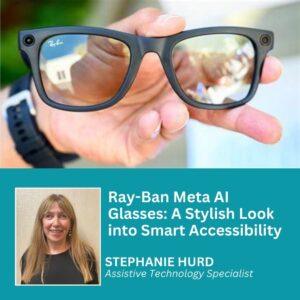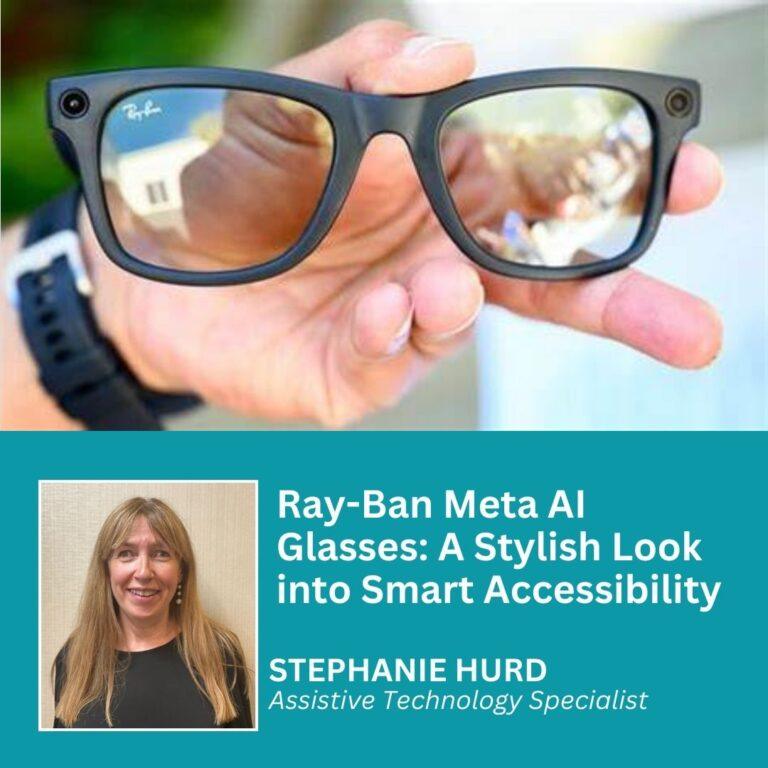
Look for cameras, indicator lights, unusual frames, voice commands, and behavior that suggests hands-free recording.
Knowing how to tell if someone is wearing smart glasses is useful in cafés, offices, classrooms, and social events. These glasses may look like normal eyewear, but they can include cameras, microphones, speakers, displays, or wireless controls. Still, no single visual clue proves that a person is using smart glasses.
The best approach combines careful observation, respectful communication, and an understanding of the device’s limits. This guide explains how to tell if someone is wearing smart glasses, what signs matter most, how to avoid false assumptions, and what to do if you have a privacy concern.

What Are Smart Glasses?
Smart glasses are wearable devices that look like regular glasses but include electronic features. Depending on the model, they may take photos, record video, play audio, answer calls, translate speech, show digital information, or connect to a phone.
Some smart glasses have visible cameras and small status lights. Others focus only on audio and may look almost identical to standard frames. This difference is important because how to tell if someone is wearing smart glasses depends heavily on the model.
Common smart-glass features include:
• Small cameras built into the front corners of the frames
• Microphones placed near the hinges or nose bridge
• Tiny speakers inside or near the arms
• Touch controls on the temples
• Voice assistants activated by a wake word
• Bluetooth or Wi-Fi connections
• LED indicators that show recording or device activity
• Heads-up displays in more advanced models
Not every pair can record video. Some products are audio glasses, while others use artificial intelligence without a camera. Treating every unusual pair of glasses as a recording device can lead to unfair or uncomfortable situations.

The Most Noticeable Signs of Smart Glasses
The easiest way to learn how to tell if someone is wearing smart glasses is to inspect the frames without staring or invading the person’s space. Look for several clues together rather than relying on one feature.
1. A Small Camera Near the Frame
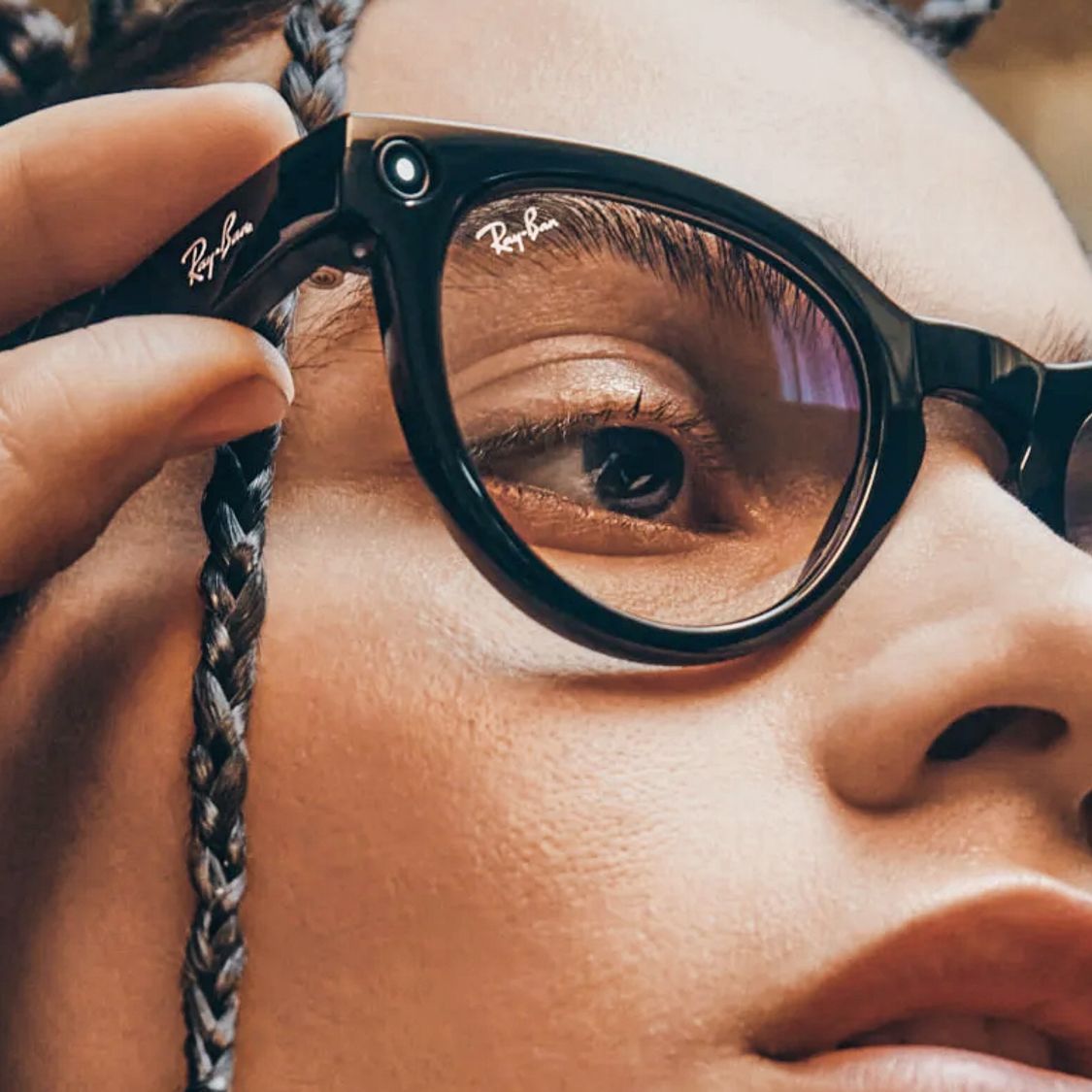
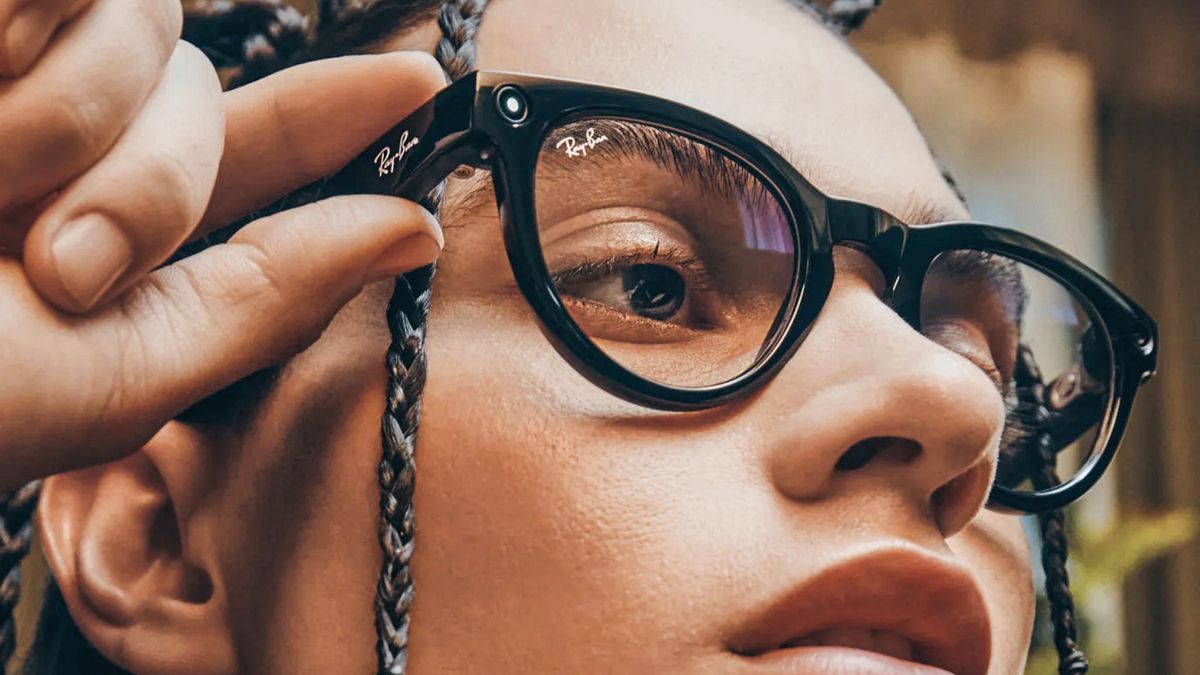
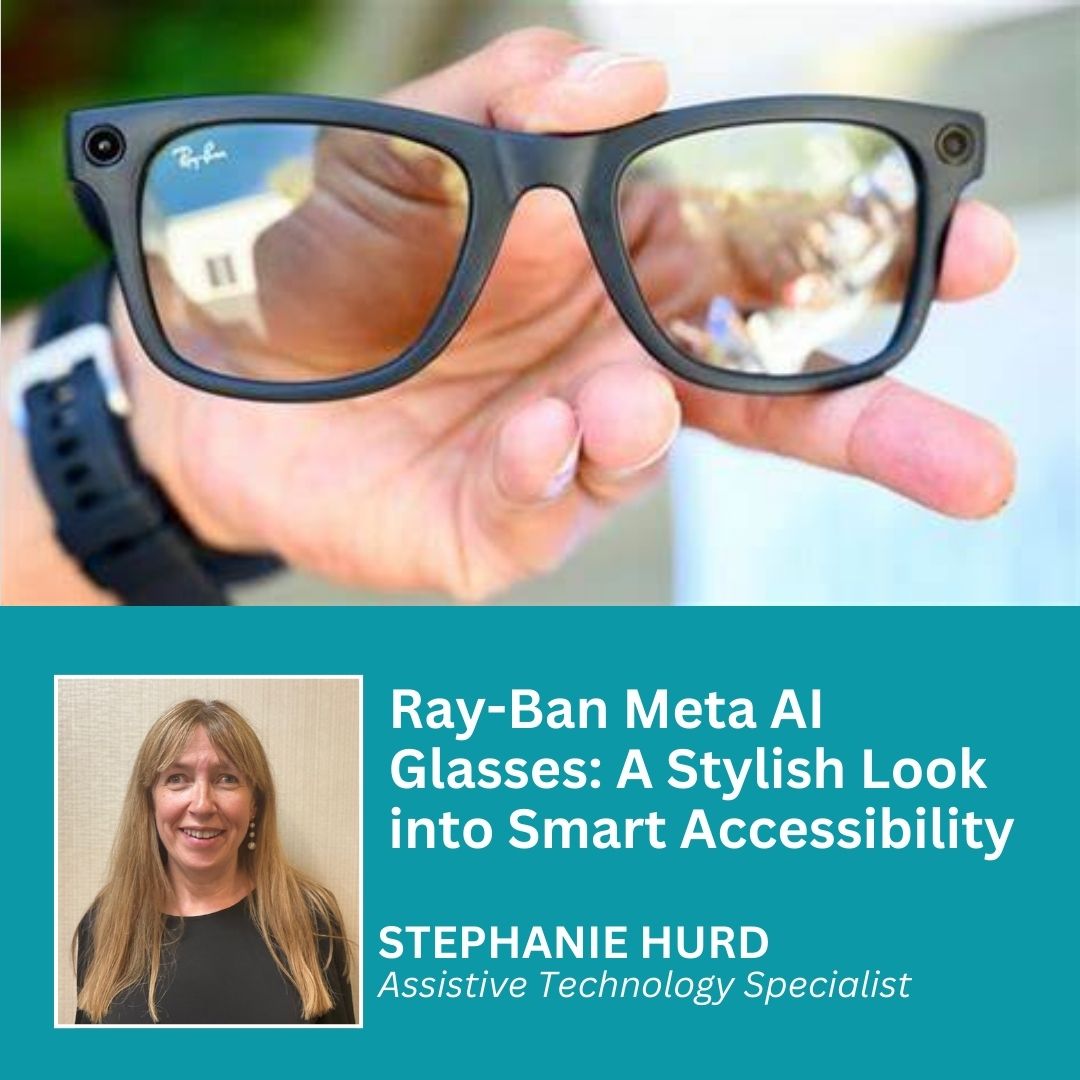
A camera is often the clearest sign. It may appear as a small dark circle near one or both outer corners of the frame. On some designs, the lens sits beside the hinge and blends into the frame color.
The camera may be hard to see from a distance. Reflections, tinted lenses, and thick frames can hide it. If you notice a lens-like dot in a position that would face forward, the glasses may include a camera.
However, a dark dot does not always mean the glasses can record. It could be a decorative element, a light sensor, or part of the frame design. Camera placement is a clue, not proof.
2. A Recording or Privacy Light
Many camera-equipped smart glasses use a small white or colored light during recording. The light helps signal that the device is active and supports informed consent.
Some lights are easy to see. Others are tiny, dim, or visible only from certain angles. Bright sunlight may also make the indicator difficult to notice.
A missing light does not prove that recording is taking place. The battery may be empty, the camera may be disabled, or the device may use a different privacy system. This is why how to tell if someone is wearing smart glasses requires more than checking for an LED.
3. Unusual Frame Thickness
Smart glasses often need space for batteries, speakers, circuit boards, and wireless parts. As a result, the arms may look thicker than those of standard eyeglasses.
The temples may also have:
• A wider section near the ears
• Small vents or speaker openings
• A raised control strip
• A charging contact
• A rubberized or textured surface
Thick frames alone are not enough to identify smart glasses. Many fashion frames, sports glasses, and prescription models also have wide arms.
4. Touch Controls or Physical Buttons
Some smart glasses let the wearer tap or swipe the frame to adjust volume, answer calls, or control a camera. Others use a small button near the hinge or behind the ear.
Watch for natural, repeated gestures such as:
• Tapping the right temple
• Swiping along the frame
• Pressing a button before speaking
• Adjusting volume without touching a phone
• Pausing after a voice command
These actions may suggest smart features, but they can also be ordinary habits. A person may simply adjust their glasses or touch the frame while thinking.
Behavioral Clues That May Suggest Smart Glasses
Behavior can provide context, but it should never be treated as definite evidence. Many people talk to wireless earbuds, check notifications, or adjust their glasses for reasons unrelated to recording.
When considering how to tell if someone is wearing smart glasses, look for patterns rather than one isolated action.
They Speak to a Voice Assistant
A wearer may say a wake phrase, ask for directions, dictate a message, or request information while keeping both hands free. If the voice seems directed toward the glasses rather than a phone, the device may include a microphone and assistant.
Still, the person could be using earbuds, a smartwatch, or a phone in a pocket. Voice commands can suggest smart eyewear, but they cannot identify a specific product.
They Use Hands-Free Camera Controls
Some glasses allow users to take a photo or start a recording with a button, tap, or voice command. You may notice the person pause, look toward a subject, and touch the frame briefly.
This behavior matters more when paired with a visible camera and an activity light. Even then, the safest response is to ask politely rather than assume.
They Listen Without Earbuds
Audio smart glasses can direct sound toward the wearer’s ears through small speakers built into the frame. The person may listen to music, a call, or navigation prompts without wearing earbuds.
You might notice them reacting to audio while their ears appear uncovered. This clue helps explain that the glasses are electronic, but it does not show whether they have a camera.
They Check a Phone After Touching the Frames
Smart glasses often connect to a companion app. A wearer may tap the frame and then look at a phone to review a photo, change settings, or read a notification.
This pattern can support other clues, but it is not unique to smart glasses. People frequently touch their frames and then check their phones for unrelated reasons.

How to Identify Smart Glasses Without Guessing
The most reliable method is direct, respectful communication. If the situation affects your privacy, ask a simple question instead of trying to inspect the glasses closely.
You might say:
• “Do those glasses have a camera?”
• “Are you recording right now?”
• “I’m not comfortable being recorded. Could you point the glasses away?”
• “Do those glasses take photos, or are they audio only?”
Use a calm tone. Avoid grabbing the glasses, blocking the person, or demanding access to their phone. In most everyday settings, a clear request works better than confrontation.
If you are hosting an event or managing a workplace, create a simple smart-device policy. You can ask guests to disclose recording devices, restrict cameras in private areas, or provide signs that explain the rules.
A useful privacy policy should state:
• Where recording devices are not allowed
• Whether audio-only devices are permitted
• How people can report a concern
• What consent means in that setting
• How the policy applies to phones, watches, glasses, and cameras
This approach is more reliable than teaching people to identify every brand and model.

Smart Glasses That Are Difficult to Recognize
Some products are designed to look like ordinary eyewear. This makes how to tell if someone is wearing smart glasses especially challenging.
Audio glasses may have no camera at all. They can include microphones and speakers but may not show a recording light. Prescription smart glasses can also hide electronic parts inside familiar frames.
Other devices may use:
• Bone-conduction speakers
• Tiny microphones under the frame
• Removable electronic modules
• Clear or nearly invisible indicator lights
• Standard-looking sunglasses frames
• Companion smartphone apps for control
In these cases, visual inspection may not work. Asking the wearer is the only dependable option.
It is also possible for a person to wear smart glasses without using their smart features. A camera may be inactive, a microphone may be muted, or the device may simply function as regular eyewear. The presence of technology does not prove active recording.
Common Mistakes to Avoid
Learning how to tell if someone is wearing smart glasses should not turn into suspicion of everyone with modern eyewear. Several common mistakes can create confusion or conflict.
Mistake 1: Assuming Thick Frames Have Cameras
Thick temples can hold batteries and speakers, but they can also be a style choice. Never accuse someone based only on frame size.
Mistake 2: Treating Every LED as a Recording Light
A small light may show charging, Bluetooth status, notifications, or power. It may not indicate video recording.
Mistake 3: Believing a Camera Is Always Visible
Some cameras are tiny and blend into the frame. Others may be covered or disabled. A quick glance cannot confirm what the device is doing.
Mistake 4: Taking Photos of the Wearer
If you are worried about privacy, photographing the person without permission can make the situation worse. Focus on a respectful conversation or follow the rules of the location.
Mistake 5: Trying to Touch or Inspect the Device
Do not reach for someone’s glasses. They are personal property and may also be prescription eyewear. Ask questions instead.
Mistake 6: Confusing Smart Glasses With Virtual Reality Headsets
Smart glasses usually resemble standard glasses and are designed for daily use. Virtual reality headsets are much larger and cover more of the face. They are related technologies but are not the same product category.

Privacy and Legal Considerations
Privacy laws vary by state, city, workplace, school, and venue. In the United States, rules about recording audio can differ from rules about recording video. Audio recording may require consent from one or more people, depending on the location and circumstances.
Public visibility also does not automatically remove every privacy expectation. A person may be in a public place but still expect privacy in a private conversation, restroom, changing room, medical setting, or workplace meeting.
If you are concerned about smart-glass recording:
- Ask whether the device has a camera or microphone.
- State your privacy preference clearly.
- Move to a private area if possible.
- Notify staff or security when a venue rule may have been broken.
- Document the concern without harassing or threatening anyone.
- Seek legal advice for serious or repeated violations.
Businesses should use clear, device-neutral rules. A policy that bans “smart glasses” but permits smartphones may not address the real privacy risk. Rules should focus on recording, consent, and restricted areas.
Technology changes quickly, so product features and privacy rules can change too. When the stakes are high, check current local law and the device maker’s privacy information.
A Practical Checklist
Use this checklist when you need to assess whether someone may be wearing smart glasses:
• Look for a small camera near the outer frame
• Check for a visible activity or privacy light
• Notice unusually thick temples
• Look for buttons, touch strips, speaker openings, or charging contacts
• Observe hands-free voice commands
• Notice whether the person listens without earbuds
• Avoid relying on one clue
• Ask politely if recording affects your privacy
• Follow the rules of the workplace, school, or venue
• Do not touch, seize, or closely inspect another person’s glasses
The key lesson is simple: observation can raise a question, but only communication can usually provide a clear answer. Even experts cannot identify every model from appearance alone.
How to Tell if Someone Is Wearing Smart Glasses: Real-World Examples
Imagine you are at a coffee shop and notice a person with thick black frames. A tiny circle appears near the outer corner, and a light turns on when they tap the right temple. Those combined clues strongly suggest camera-equipped smart glasses, but you should still ask before assuming they are recording.
Now consider a different case. Someone wears slim frames, listens to music without earbuds, and adjusts the glasses to change volume. The glasses may be audio-enabled, but there may be no camera at all.
In another example, a coworker speaks quietly and appears to respond to prompts without touching a phone. They could be using smart glasses, wireless earbuds, or a smartwatch. This shows why how to tell if someone is wearing smart glasses requires context and respectful questions.
A practical lesson from testing and observing wearable devices is that people often overvalue appearance. The most useful clues are the combination of hardware, behavior, and a direct answer from the wearer. Guessing from one visual detail is the mistake to avoid.
Frequently Asked Questions About How to Tell if Someone Is Wearing Smart Glasses
Can smart glasses look exactly like regular glasses?
Yes. Some models use familiar frame shapes and hide cameras, microphones, speakers, and batteries inside the arms. Others are audio-only and may be nearly impossible to identify by sight.
Do all smart glasses have a camera?
No. Some smart glasses only provide audio, calls, navigation, or voice-assistant features. A camera is common in certain models but is not a required feature.
Is a light proof that smart glasses are recording?
No. A light may show power, charging, pairing, or another device status. A recording light can be a useful clue, but it does not prove what the glasses are doing without more context.
Can you detect smart glasses with a phone?
Usually not with certainty. A phone may detect a Bluetooth device, but it may not identify the product clearly, and attempting to scan another person’s device can raise privacy and ethical concerns.
What should I do if I think someone is recording me?
Ask calmly whether the glasses are recording and explain that you do not consent. If the setting has privacy rules, contact the host, manager, teacher, or security staff rather than confronting the person aggressively.
Are smart glasses legal in public places?
The answer depends on local law and the type of recording. Public recording rules differ, and audio may be regulated differently from video, so check the laws and policies that apply to your situation.
Conclusion
How to tell if someone is wearing smart glasses starts with a camera, indicator light, thick frame, control button, or hands-free behavior. None of these clues is perfect on its own, and some smart glasses look just like ordinary eyewear.
The most accurate and respectful approach is to combine several observations, avoid accusations, and ask a direct question when privacy matters. If you manage a public or private space, clear recording rules are more effective than relying on visual identification alone.
Use these tips to protect your privacy without creating unnecessary conflict. For more practical guidance on wearable technology and digital privacy, explore trusted device information and share your own experience in the comments.

Rubel Miah is the Senior Editor at MyStyleGrid.com, where he brings a sharp editorial eye and an unshakable love for fashion to everything he does. A true style addict, Rubel lives and breathes trends, from streetwear to high fashion, and has a knack for turning inspiration into impactful stories. With years of experience in fashion journalism and digital media, he curates content that empowers readers to express themselves through style. When he’s not editing features or forecasting the next big thing, you’ll find him hunting down vintage pieces or capturing street style moments around the city.