No, you do not need a plan for an Apple Watch unless you want cellular service away from your iPhone.
Whether you need a plan for an Apple Watch depends on the model you own and how you use it. A GPS Apple Watch works through Wi-Fi and your iPhone, while a GPS + Cellular model can connect to a mobile network with an added line. This guide explains the costs, benefits, limits, and best choice for your daily routine.
Do you need a plan for an Apple Watch?
You do not need a monthly plan for an Apple Watch if you have a GPS model or usually keep your iPhone nearby. The watch can use your iPhone’s connection for calls, messages, apps, maps, music, and notifications.
A cellular plan is optional. It gives a compatible Apple Watch its own mobile connection. This lets you leave your iPhone at home while still handling many daily tasks.
You may need a plan for an Apple Watch if you want to:
• Make and receive calls without your iPhone nearby
• Send messages while away from your iPhone
• Stream music or podcasts during a run
• Use maps with live directions
• Receive notifications through a cellular network
• Contact emergency services when your iPhone is not with you
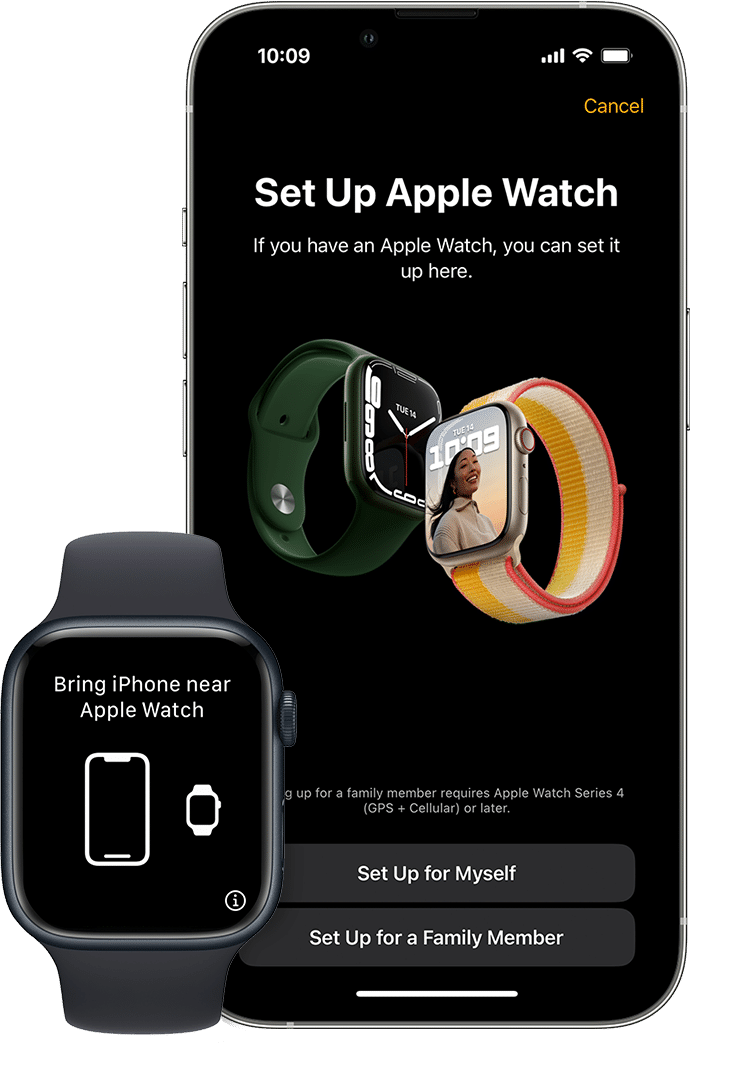
• Use Family Setup for a child or older family member
The key point is simple: buying a cellular Apple Watch does not always mean you must activate cellular service. A GPS + Cellular model can work like a GPS model if you do not add a plan.

GPS versus GPS + Cellular Apple Watch
The biggest factor in deciding whether you need a plan for an Apple Watch is the model you buy. Apple sells watches with GPS only and watches with both GPS and cellular hardware.
GPS Apple Watch
A GPS Apple Watch does not connect directly to a cellular network. It uses your iPhone, Wi-Fi, or downloaded content to provide most features.
A GPS model is often enough for people who:
• Carry their iPhone most of the time
• Use the watch mainly for fitness tracking
• Want alerts, alarms, timers, and sleep tracking
• Listen to downloaded music
• Prefer a lower purchase price
• Do not need calls when their phone is far away
A GPS Apple Watch can still be useful at the gym, on a walk, or at home. If your iPhone is nearby, the watch can perform many connected tasks without its own plan.
GPS + Cellular Apple Watch
A GPS + Cellular model contains a cellular radio and an electronic SIM. With an eligible carrier plan, it can connect to a mobile network without your iPhone.
This model makes more sense if you often:
• Run or cycle without carrying your phone
• Work in places where phones are not convenient
• Travel around town alone
• Need a backup way to contact someone
• Want a child to use an Apple Watch without an iPhone
• Use your watch for safety and emergency contact
Cellular hardware gives you more freedom, but it does not make every Apple Watch feature fully independent. Some apps still need an iPhone for setup, updates, or certain functions.
What works without cellular?
Many Apple Watch features work without a cellular plan, especially when the watch is connected to an iPhone or Wi-Fi. These include:
• Activity and workout tracking
• Heart rate readings
• Sleep tracking
• Alarms and timers
• Apple Pay
• Downloaded music and podcasts
• Offline maps in supported situations
• Photos and watch faces stored on the watch
• Compass and many built-in apps
Think of cellular service as an extra road, not the whole vehicle. The watch remains useful without it.
What does an Apple Watch cellular plan cost?
The cost of an Apple Watch cellular plan varies by carrier, location, taxes, and promotions. In the United States, many major carriers charge about $10 to $15 per month for a smartwatch line before taxes and fees.
Some carriers offer discounts. Others may include smartwatch service in selected phone plans. Prepaid and smaller carriers may have limited Apple Watch support, so check compatibility before buying.
Your total cost may include:
• The price of the Apple Watch
• A monthly cellular charge
• Activation or setup fees
• Taxes and regulatory fees
• A higher phone plan tier
• International roaming charges
A cellular plan can cost more than expected when fees are added. Ask the carrier for the full monthly price, not just the advertised base rate.
Before signing up, confirm these details:
- Does the carrier support your exact Apple Watch model?
- Does the watch need to use the same carrier as your iPhone?
- Is the cellular line connected to your current phone number?
- Are there activation fees?
- Does the plan support family members without iPhones?
- What happens if you cancel the plan?
- Does service work in the places you visit?
Most Apple Watch cellular services use number sharing. Your watch and iPhone can have the same phone number, even though the watch has its own network connection.
Do you need a plan for an Apple Watch with Wi-Fi?
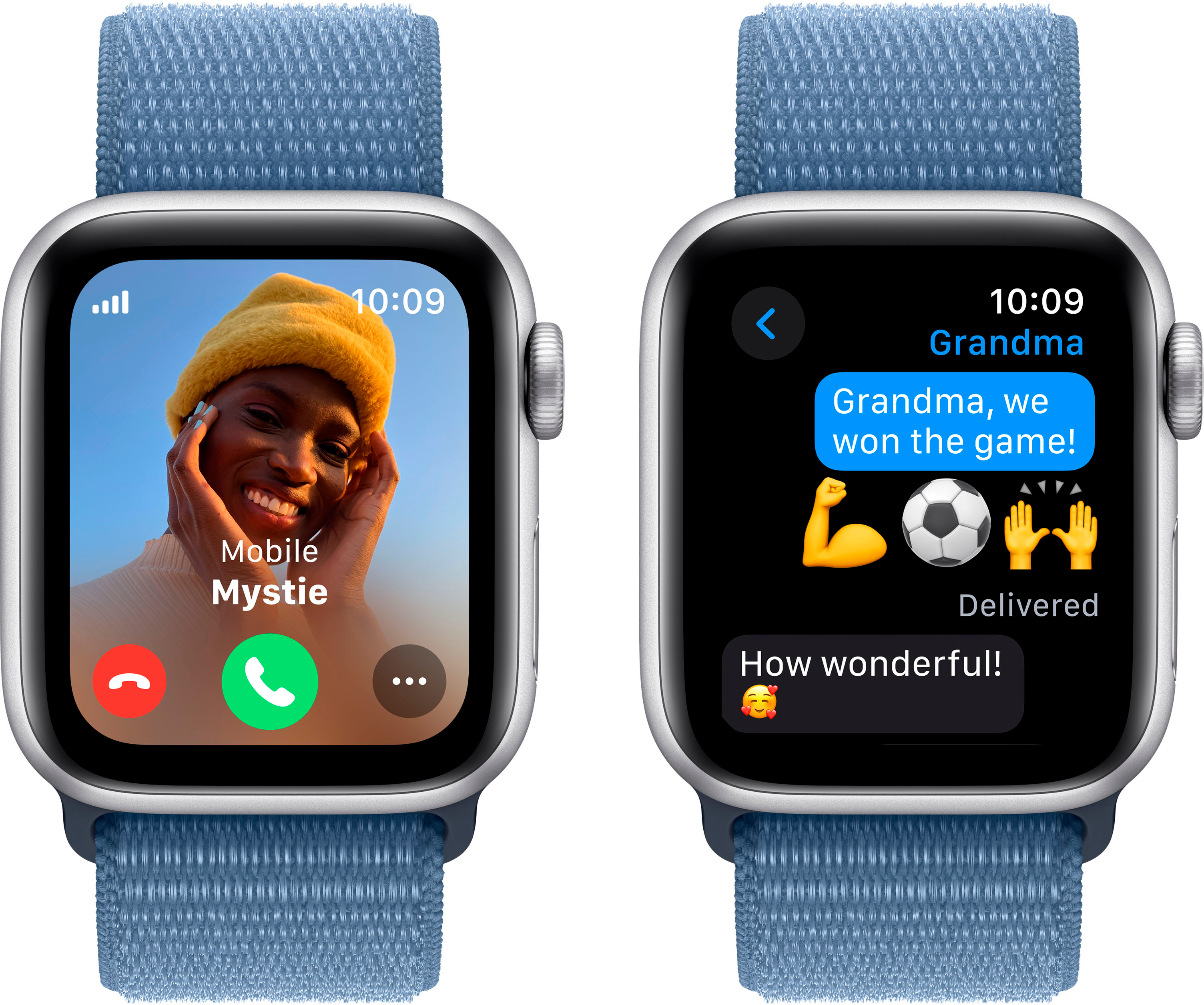
No. You do not need a plan for an Apple Watch that uses Wi-Fi and Bluetooth with your iPhone.
When your iPhone is nearby, the watch usually connects through Bluetooth. When the iPhone is not nearby, the watch can connect to a known Wi-Fi network. This allows several online features to work without cellular service.
Wi-Fi can support:
• Sending messages through internet-based services
• Checking weather
• Using Siri for many requests
• Downloading information
• Receiving some notifications
• Making internet calls through supported services
Wi-Fi does have limits. The watch cannot connect to every public network, especially networks that require a web login. It may also lose access when you leave home, work, or another saved Wi-Fi location.
For many people, this is not a serious problem. If you carry your iPhone during the day, Wi-Fi becomes a useful backup rather than a main connection.

What can an Apple Watch do without an iPhone nearby?
An Apple Watch can do more without an iPhone than many people expect. However, its abilities depend on whether it has Wi-Fi or cellular access and whether the needed data is already stored on the watch.
Without an iPhone nearby, you can usually:
• Track workouts
• Record steps and activity
• Measure heart rate
• Play downloaded songs
• Use alarms and timers
• Pay with Apple Pay
• Use saved passes
• Check the time and use watch faces
• Use some health features
• Call emergency services where supported
With a cellular plan, you can also make calls, send messages, stream content, and use online apps in more places.
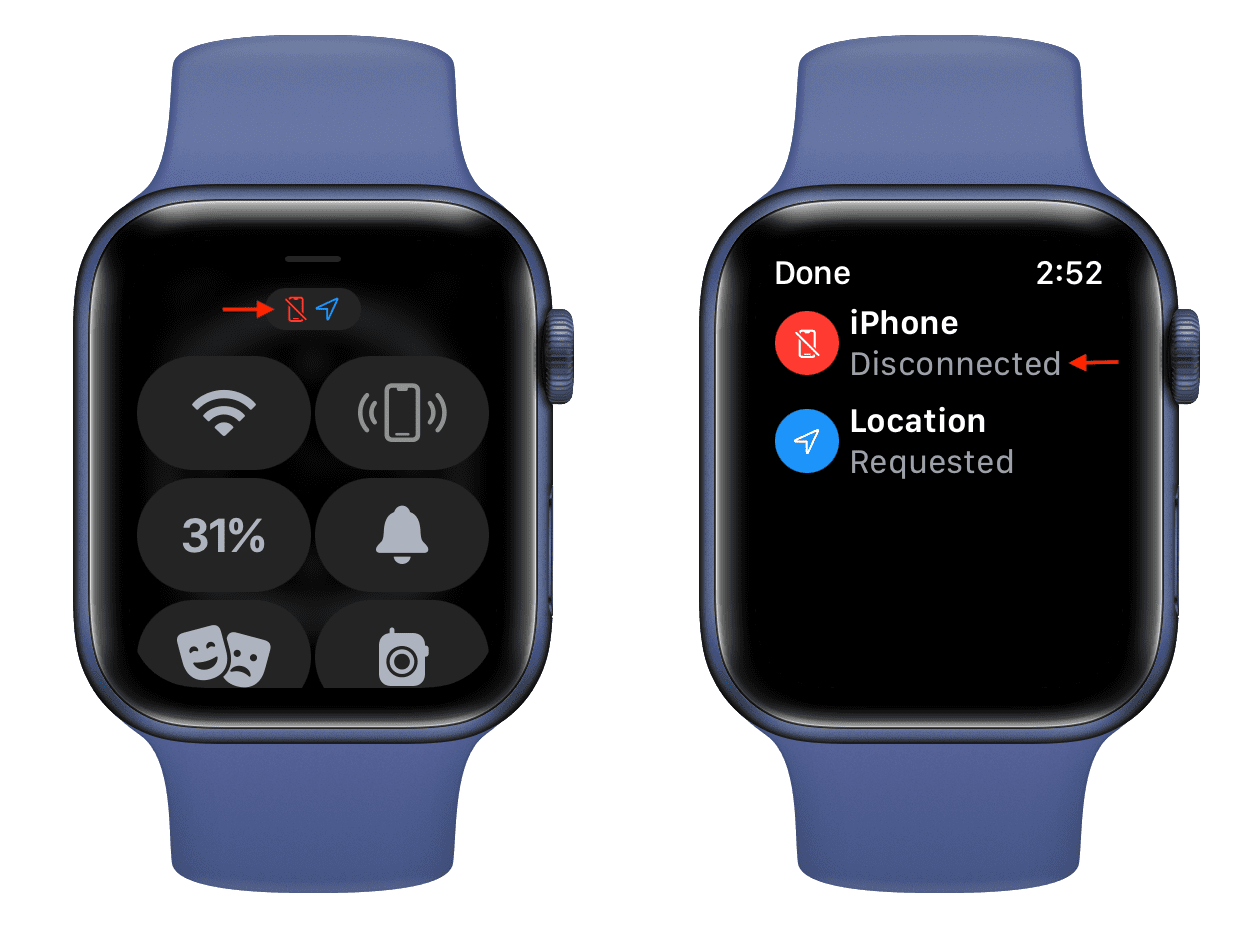
Some features may not work fully without an iPhone. These can include detailed app setup, software updates, transferring music, restoring the watch, and certain health or location services.
Apple Watch is best viewed as a companion device. It can work alone for short periods, but it is not a full replacement for an iPhone.
Do you need a plan for an Apple Watch for emergency calls?
You may be able to make an emergency call without a regular cellular plan, but you should not treat this as a complete safety plan. Emergency calling depends on the watch model, available networks, local rules, and signal conditions.
Apple Watch models with cellular hardware can support emergency calling in certain situations. Some watches may also use a nearby iPhone or a compatible Wi-Fi connection. Availability varies by country and region.
For dependable safety, remember:
• Keep the watch charged
• Check that emergency contacts are set up
• Test fall detection settings
• Confirm your local emergency features
• Keep your medical information updated
• Do not rely on the watch in areas with no signal
Fall Detection and Emergency SOS can be valuable tools, especially for older adults, hikers, and people who exercise alone. Still, technology can fail. A watch cannot replace good judgment, a charged phone, or a trusted safety plan.

Do you need a plan for an Apple Watch for a child?
A cellular Apple Watch can be useful for a child, but the setup is different. With Family Setup, a family member can manage an Apple Watch for someone who does not have their own iPhone.
This may allow the child to:
• Call approved contacts
• Send messages
• Share their location
• Use location-based safety tools
• Contact emergency services
• Use selected apps and features
Family Setup requires a compatible Apple Watch, an iPhone for the organizer, and a supported carrier. Some features may not be available when the watch is set up this way.
Parents should also consider battery life, privacy, screen habits, and contact controls. A cellular watch can offer peace of mind, but it should support family rules rather than replace regular communication.
For a child, the answer to “do you need a plan for an Apple Watch?” is often yes if the watch must work away from home and away from the parent’s iPhone.
Do you need a plan for an Apple Watch when traveling?
Travel can change the answer. A GPS Apple Watch works well with a nearby iPhone, downloaded music, saved boarding passes, and offline features. You may not need cellular service for a short trip.
A cellular Apple Watch may be helpful when you travel around your city or take outdoor trips. International travel is more complex because roaming support differs by carrier and country.
Before traveling, check:
• Whether your carrier supports international Apple Watch roaming
• Whether your destination uses a compatible network
• The cost of roaming data
• Whether emergency calling works locally
• Whether your watch model supports local cellular bands
• Whether your iPhone plan includes travel service
Do not assume that a US cellular Apple Watch will work everywhere. Hardware and carrier support can differ by region. Download music, maps, and important passes before leaving reliable service.
How to activate an Apple Watch cellular plan
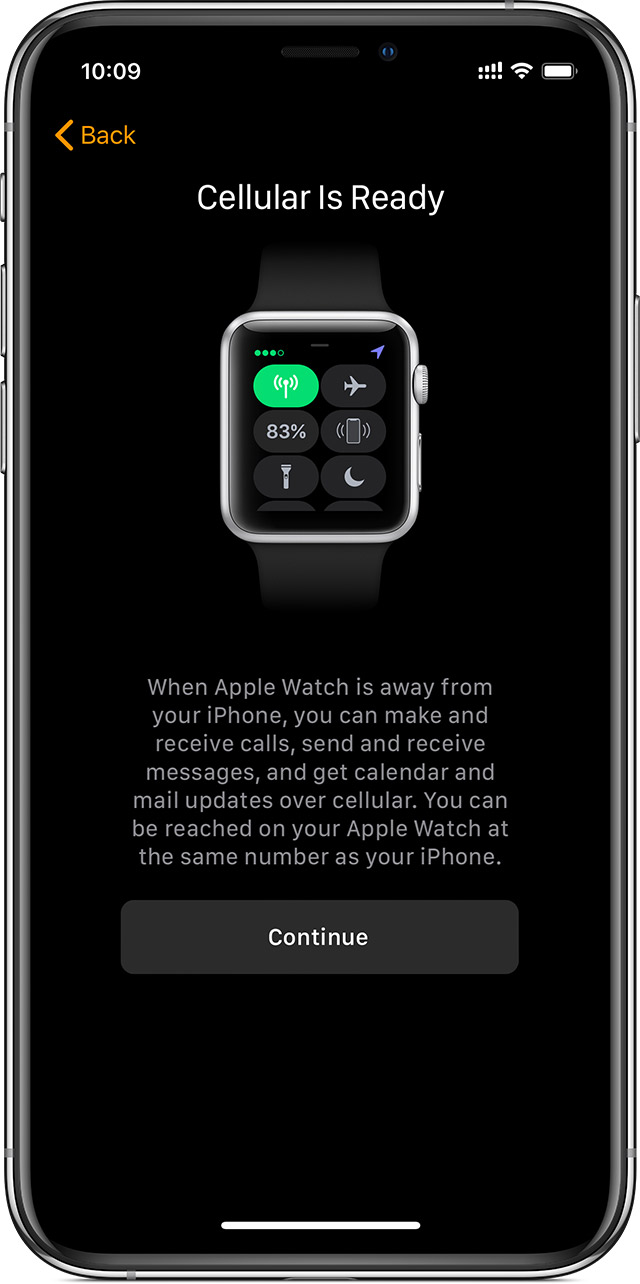
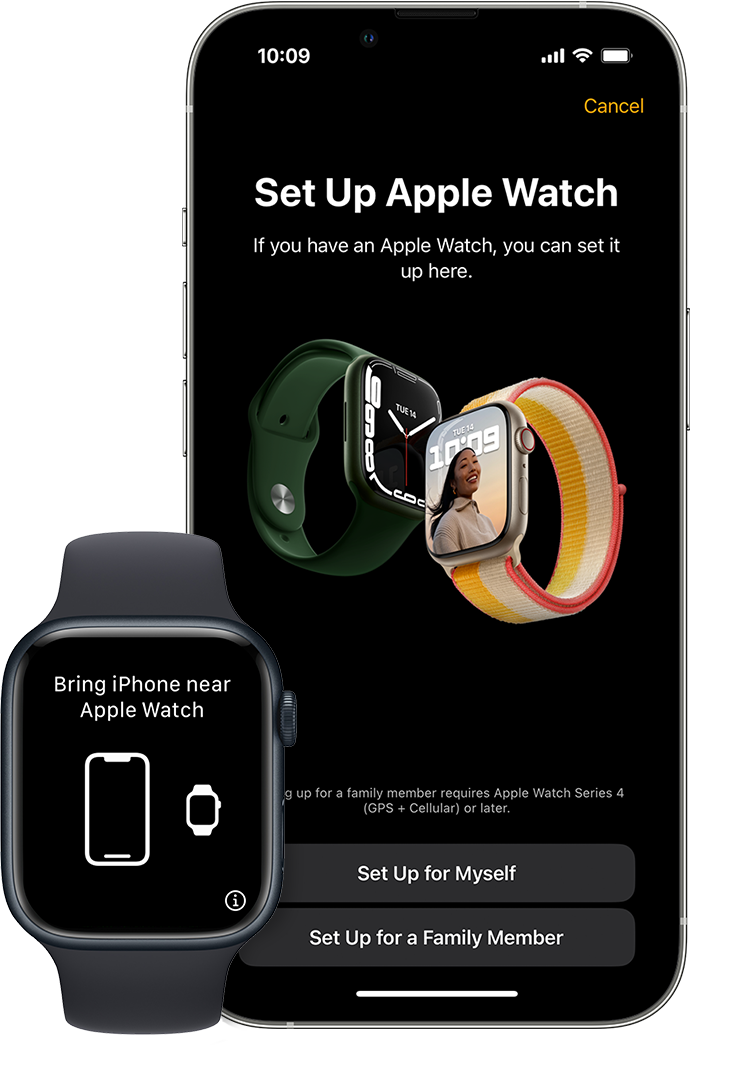
Activating cellular service usually takes place in the Watch app on your iPhone. The exact screens vary by carrier, but the general process is similar.
- Open the Watch app on your iPhone.
- Tap the cellular settings option.
- Choose “Set Up Cellular.”
- Select your carrier.
- Sign in to your carrier account.
- Review the monthly price and terms.
- Confirm the plan.
- Follow the prompts to activate service.
- Test a call or message with your iPhone turned off.
The watch may take a few minutes to connect. A cellular symbol or status indicator should appear when service is active.
A common mistake is buying a cellular model and assuming every carrier supports it. Carrier compatibility should be checked before purchase. Also confirm that your watch and iPhone use compatible software versions.
If activation fails, restart both devices, update the software, and contact the carrier. Apple Support can help with watch settings, while the carrier controls the cellular account.
Do you need a plan for an Apple Watch if you already have an iPhone plan?
An iPhone plan does not automatically provide cellular service to your Apple Watch. The watch usually needs to be added as an extra connected device.
Many carriers let you add the watch to an existing account. This may be called Number Share, NumberSync, DIGITS, or another carrier-specific name. The service links the watch to your iPhone number.
Your current iPhone plan may include some benefits, such as:
• Shared talk and text service
• Shared account management
• Reduced pricing for additional devices
• One bill for both devices
• Number sharing
However, the watch may still have its own monthly charge. Ask the carrier whether your existing plan qualifies for a discount.
Do not confuse Bluetooth connection with cellular service. Your iPhone can connect to the watch at no extra cost through Bluetooth, but that connection works only when the devices are close.
Pros and cons of an Apple Watch cellular plan
A cellular plan can be useful, but it is not right for everyone. Consider both sides before adding the extra cost.
Benefits
• You can leave your iPhone behind during short activities.
• You can make calls and send messages from more places.
• You may feel safer while running, hiking, or commuting.
• Parents can stay connected with children through Family Setup.
• Streaming music becomes easier when you do not download songs first.
• The watch can provide useful backup communication.
Limitations
• The monthly fee adds to the cost of ownership.
• Battery life may drop faster during cellular use.
• Signal strength can vary by location.
• Some features still require an iPhone.
• International service may cost more or not work.
• Carrier support can change.
• Cellular service does not replace a smartphone for every task.
In my experience, the most common mistake is paying for cellular service and rarely using it. People often activate it because the feature sounds useful, then continue carrying their iPhone everywhere.
Try this test: for one week, leave your iPhone in another room during walks, errands, or workouts. If you constantly need your phone, cellular may be worthwhile. If not, GPS may be the better value.
How to choose the right Apple Watch setup
The best choice depends on your habits, budget, and need for independence. There is no single answer to “do you need a plan for an Apple Watch?” that fits every buyer.
Choose GPS only if:
• You normally carry your iPhone
• You want fitness and health tracking
• You want to avoid a monthly bill
• You use downloaded music
• You do not need independent calls
Choose GPS + Cellular with a plan if:
• You often exercise without your iPhone
• You need contact with family while away
• You want Family Setup
• You travel around town without a phone
• Safety features are a major priority
• You are comfortable with the ongoing cost
Choose GPS + Cellular without a plan if:
• You want the hardware option later
• You find a good deal on the cellular model
• You may activate service in the future
• You want all model choices but do not need cellular now
Remember that not every cellular feature works without activation. You still need a supported carrier before the watch can use mobile service.
Common mistakes to avoid
Understanding the answer to “do you need a plan for an Apple Watch?” can prevent wasted money and setup trouble.
Avoid these mistakes:
• Buying a cellular model without checking carrier support
• Assuming cellular service is included with every iPhone plan
• Forgetting to ask about taxes and activation fees
• Expecting the watch to replace an iPhone
• Ignoring battery use during cellular workouts
• Assuming international roaming will work
• Choosing a plan for a feature you will rarely use
• Failing to update emergency contacts
• Buying the wrong regional model
Also check return policies. If cellular activation does not work with your carrier, you may need to exchange the watch for a compatible model.
A practical buying strategy is to choose the feature based on your routine, not on the biggest specification list. Technology should remove friction from your day, not create another bill to manage.
Frequently Asked Questions
Do you need a plan for an Apple Watch GPS model?
No. A GPS Apple Watch does not need a cellular plan. It can connect to your iPhone through Bluetooth or use Wi-Fi for some online features.
Can you use a cellular Apple Watch without a plan?
Yes. A GPS + Cellular Apple Watch can work without an active cellular plan. It will use your iPhone or Wi-Fi, but it will not connect to a mobile network when those options are unavailable.
Does an Apple Watch have its own phone number?
A cellular Apple Watch usually has a technical mobile number, but carriers often link it to your iPhone through number sharing. You normally do not use it as a separate public phone number.
Can an Apple Watch make calls without an iPhone?
A cellular Apple Watch can make calls without your iPhone nearby when it has an active supported plan and cellular signal. A GPS model may need the iPhone or a compatible Wi-Fi connection.
Is Apple Watch cellular worth the monthly cost?
It can be worth the cost if you often leave your iPhone behind or need independent communication. If your iPhone is almost always nearby, GPS service usually provides better value.
Can a child use an Apple Watch without an iPhone?
Yes, a child may use a compatible cellular Apple Watch through Family Setup. The setup requires a managing adult’s iPhone, a supported watch, and carrier support.
Does Apple Watch cellular work internationally?
It may work in some countries and with some carriers, but international support is not guaranteed. Check your carrier’s roaming rules and your watch model before traveling.
Conclusion
You do not need a plan for an Apple Watch unless you want cellular access away from your iPhone. A GPS model is enough for most fitness tracking, alerts, payments, and daily tasks, while a GPS + Cellular model gives you more freedom and safety options.
Review your habits, carrier costs, travel needs, and budget before deciding. If you usually carry your iPhone, start with GPS; if you regularly leave it behind, cellular may be a smart upgrade. Explore your carrier’s current Apple Watch options, compare the full monthly cost, and choose the setup that fits your real life.