Yes, you can use an Apple Watch without a phone, but features depend on its model and connection.
The answer to “can you use the Apple Watch without a phone” is more nuanced than a simple yes or no. A GPS model can handle workouts, music, alarms, Apple Pay, and many offline tasks, while a cellular model can make calls and use data away from your iPhone. This guide explains what works, what does not, and how to choose the right setup.
Can you use the Apple Watch without a phone?
Yes, you can use an Apple Watch without a phone nearby. However, you still need an iPhone for the first setup in most cases. The watch needs that initial connection to activate the device, install watchOS updates, manage settings, and sync important data.
After setup, the watch can work on its own in several ways:
• A GPS Apple Watch can work offline for workouts, alarms, timers, downloaded music, Apple Pay, and basic health tracking.
• A cellular Apple Watch can connect to a mobile network and handle calls, texts, notifications, maps, and streaming without your iPhone nearby.
• An Apple Watch connected to Wi-Fi can access some online services when your iPhone is away.
• An Apple Watch set up through Family Setup can be used by someone who does not own an iPhone, although some features are limited.
So, can you use the Apple Watch without a phone? Yes, but the experience depends on the watch model, your carrier, Wi-Fi access, and the task you want to complete.

What you need to set up an Apple Watch
For normal setup, Apple Watch requires an iPhone that meets the watchOS compatibility requirements. The iPhone acts as the control center for the watch. You use it to pair the devices, sign in with an Apple Account, choose settings, and add apps.
You will usually need:
• A compatible iPhone
• An Apple Account
• The Apple Watch app on the iPhone
• A Wi-Fi or cellular connection
• A passcode for features such as Apple Pay
The exact iPhone requirement can change with each watchOS release. Check Apple’s current compatibility list before buying an older Apple Watch. A watch that looks like a bargain may not pair with your iPhone if its software is too old.
Can you set up Apple Watch with an iPad?
No. An iPad cannot replace an iPhone for standard Apple Watch setup. Apple Watch is designed to pair with an iPhone, not an iPad or Android phone.
Can you use Apple Watch with Android?
No. Apple Watch does not officially pair with Android phones. A cellular watch may still connect to a network after setup, but you need a compatible iPhone for setup, updates, and many management tasks.

What works without an iPhone nearby?
Many Apple Watch features work well without a phone in your pocket. This is especially true when you prepare the watch before leaving home.
You can usually use these features without a nearby iPhone:
• Track walking, running, cycling, and other workouts
• Measure heart rate during supported activities
• Record steps, calories, and standing time
• Set alarms, timers, and reminders
• Use the stopwatch
• View the time and use watch faces
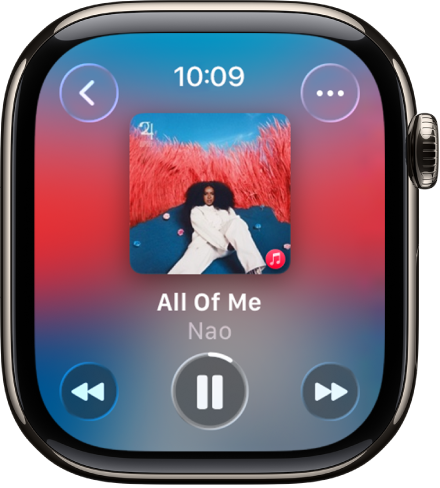
• Listen to downloaded music or podcasts with Bluetooth headphones
• Use Apple Pay at supported stores
• View downloaded photos, music, and some stored content
• Use the compass and elevation features on supported models
• Record some health data for later syncing
The watch stores information until it reconnects to your iPhone. For example, you can start a run without your phone, return home, and let the watch send the workout data to the Fitness and Health apps later.
This makes the Apple Watch useful for people who want to travel light. I often recommend leaving the iPhone behind for short walks, gym sessions, or errands, but only after checking that music, payment cards, and safety settings are ready.

What works with a cellular Apple Watch?
A cellular Apple Watch has an electronic SIM and connects to a supported mobile network. It can perform many online tasks without your iPhone nearby, as long as your cellular plan is active and the watch has network coverage.
With cellular service, you can often:
• Make and receive phone calls
• Send and receive texts
• Use Siri for online requests
• Receive notifications from supported apps
• Get directions in Maps
• Stream music or podcasts
• Send your location
• Contact emergency services
• Use mobile data for compatible apps
The watch may not use cellular data all the time. It can choose between a nearby iPhone, Wi-Fi, and cellular service. This helps reduce battery use.
Cellular service also has limits. The watch must support the carrier’s network, and most carriers charge an extra monthly fee. International use, roaming, and prepaid plans may have special rules. Check the carrier’s Apple Watch terms before signing up.
A cellular Apple Watch is not a tiny iPhone. Its small screen, speaker, battery, and app support limit what it can do. It is best for quick calls, short messages, navigation, safety, and light data use.

What works on a GPS-only Apple Watch?
A GPS-only Apple Watch does not have mobile data service. It can still work without a phone, but online features need Wi-Fi or a later connection to the iPhone.
A GPS model is a good fit if you mainly want:
• Workout tracking
• Health and activity data
• Notifications when your iPhone is nearby
• Offline music
• Apple Pay
• Sleep tracking
• Timers and alarms
• Basic navigation features
For outdoor workouts, the built-in GPS can record your route without your iPhone. When you return to your phone, the watch can sync the route and other workout details.
Without Wi-Fi or an iPhone, a GPS model cannot reliably receive new messages, stream music, browse online services, or make ordinary internet-based requests. Some safety features may still work through available networks, but you should not treat a GPS-only watch as a full communication device.
The key lesson is simple: GPS describes location tracking, not internet access. A GPS-only watch can know where you are during a run, but it cannot automatically use a mobile network to send that information.

Can you use Apple Watch for calls and texts without a phone?
You can make calls and send texts without a phone nearby if you have a cellular Apple Watch with an active plan. The watch can use its own cellular connection for supported communication features.
A Wi-Fi connection may also support some calls and messages when your iPhone is away. This depends on your settings, carrier support, and whether the watch is connected to a trusted Wi-Fi network.
A GPS-only watch has more limited communication. It may show stored notifications or connect through Wi-Fi, but it cannot use mobile data when no Wi-Fi network is available.
There are also differences between text types:
• iMessage usually needs an internet connection.
• SMS and MMS support may depend on the cellular plan and iPhone setup.
• Calls may use the watch’s cellular plan or Wi-Fi calling features.
• Third-party messaging apps can have different limits.
Before leaving your phone at home, test a call and message from the places you visit most. A simple test can prevent a frustrating surprise when you need to reach someone.

Can you use Apple Watch for music without a phone?
Yes. You can listen to music without an iPhone by downloading songs, albums, or playlists to the watch before you leave.
You will need compatible Bluetooth headphones or earbuds. The Apple Watch speaker is useful for alerts and short audio, but it is not ideal for long music sessions.
For offline listening:
-
Connect the watch to Wi-Fi or keep the iPhone nearby.
-
Open the music app on the iPhone.
-
Add music to the Apple Watch or download it through the supported service.
-
Wait for the download to finish.
-
Test playback with the iPhone disconnected.
Streaming is different. A cellular Apple Watch can stream supported content over mobile data, while a GPS-only model usually needs Wi-Fi. Streaming can also reduce battery life, especially during a long workout.
One mistake I advise avoiding is assuming that a playlist shown in the app is already stored on the watch. A playlist may appear available while the actual songs still need to download. Always test offline playback before a flight, hike, or long run.

Can you use Apple Pay without a phone?
Yes. Apple Pay can work without your iPhone nearby. After you add and verify a payment card, the Apple Watch stores the needed payment information in a secure element on the device.
To pay, double-click the side button and hold the watch near a contactless payment reader. You do not normally need cellular service or Wi-Fi at the checkout.
The watch must remain protected by its passcode. If you remove the watch from your wrist and unlock it later, you may need to enter the passcode again. This security step helps prevent someone else from using your cards.
Apple Pay still depends on the store, card issuer, country, and payment network. Some merchants may not accept contactless payments, and certain cards may not support Apple Pay.
For daily errands, this is one of the most useful answers to “can you use the Apple Watch without a phone.” You can go for a walk with only your watch and still pay for a drink or snack.
Health and safety features without a phone
Apple Watch can collect health and fitness information without a nearby iPhone. Depending on the model, it may track heart rate, workouts, sleep, blood oxygen, temperature trends, falls, and other measurements.
Not every model has the same sensors. Feature availability can also vary by country, software version, age, and regulatory approval. Health features are useful for tracking trends, but they are not a replacement for medical care.
Emergency features need special attention. A cellular model may contact emergency services when it has cellular coverage. A GPS model may need a nearby iPhone or a compatible Wi-Fi connection. Satellite safety features, where available, have their own conditions and limits.
Before relying on the watch for safety, set up:
• Emergency contacts
• Medical ID
• Fall Detection, if appropriate
• Crash Detection, on supported models
• Location Services
• A passcode
• Cellular service, if you need independent communication
Do not assume that an Apple Watch can reach emergency services everywhere. Mountains, buildings, weak signals, water, battery loss, and regional restrictions can affect access. The watch is a helpful safety tool, not a guarantee of rescue.
Apple Watch Family Setup: using it without owning an iPhone
Family Setup lets a family member manage an Apple Watch for someone who does not have their own iPhone. This can help children, older adults, or people who want a watch mainly for calls, location sharing, and safety.
The organizer still needs an iPhone to complete setup and manage the watch. The watch user does not need to carry that iPhone every day.
Family Setup can support features such as:
• Calls and messages
• Location sharing
• Activity tracking
• Emergency contacts
• Schooltime settings
• Apple Cash Family in supported regions
However, Family Setup has limitations. Some health features, app functions, payment tools, and account options may not work the same way as they do on a watch paired directly with the user’s iPhone.
A cellular model is usually the more practical choice for Family Setup. Wi-Fi alone may not provide enough independence when the user is away from home.
How to use an Apple Watch without a phone: practical setup tips
If you want a reliable phone-free experience, prepare the watch before you leave. Think of it like packing a small day bag: the tools you need must be ready before the journey starts.
Follow these steps:
-
Pair the watch with a compatible iPhone.
-
Update the iPhone and Apple Watch software.
-
Add and verify payment cards.
-
Download music, podcasts, or audiobooks.
-
Install the apps you use most.
-
Set up emergency contacts and Medical ID.
-
Turn on Find My features.
-
Test Bluetooth headphones.
-
Test a workout with the iPhone left at home.
-
Check battery life before leaving.
-
Confirm cellular service if you have a cellular model.
-
Test calls, messages, and Maps in your usual area.
Battery planning matters. GPS tracking, cellular data, streaming, and bright screens can all use more power. A long hike may require a full charge, Low Power Mode, or a portable charger.
Also remember that some data will sync later. Do not panic if a workout or health reading does not appear on your iPhone at once. Reconnect the devices and allow time for synchronization.
Apple Watch without a phone: main benefits and limits
Using an Apple Watch without a phone can make daily life simpler. You can exercise without carrying a large device, pay quickly, stay reachable during short trips, and track activity with fewer distractions.
The main benefits include:
• Less weight during workouts
• Fewer phone distractions
• Independent safety tools
• Quick access to payments
• Offline fitness tracking
• Calls and messages with a cellular model
There are also clear limits:
• Most watches need an iPhone for initial setup
• A GPS-only model cannot use mobile data
• Cellular service costs extra
• Battery life may decrease with cellular use
• Some apps need the iPhone to work fully
• The small screen is not ideal for long tasks
• Android phones are not officially supported
• Health features vary by model and region
The best choice depends on your habits. If you only want fitness tracking, a GPS model may be enough. If you want to leave your phone behind but stay connected, a cellular model offers more freedom.
Is a cellular Apple Watch worth it?
A cellular Apple Watch may be worth the cost if you often leave your iPhone behind. It is useful for runners, cyclists, travelers, children, older adults, and anyone who wants a backup way to call for help.
It may not be worth it if your iPhone is almost always with you. In that case, a GPS model can provide nearly the same fitness, health, payment, and notification features for a lower purchase price and no monthly watch plan.
Consider these questions:
• Do you exercise without carrying your iPhone?
• Do you need calls or texts away from Wi-Fi?
• Is emergency communication important?
• Will your carrier support the watch?
• Are you comfortable paying a monthly fee?
• Can you charge the watch every day?
A cellular plan is not a substitute for good coverage. If your area has weak service, the benefits may be smaller than expected. Check the carrier’s coverage map and return policy before committing.
Frequently Asked Questions About Using Apple Watch Without a Phone
Can you use an Apple Watch without an iPhone?
You can use many Apple Watch features without an iPhone nearby, but most models need an iPhone for setup and management. Family Setup is an exception for some users, although it still requires another person’s iPhone.
Can you use a GPS Apple Watch without a phone?
Yes. A GPS Apple Watch can track workouts, show the time, use Apple Pay, play downloaded media, and record health data without a phone. Online features usually need Wi-Fi or a later connection to the iPhone.
Can a cellular Apple Watch replace an iPhone?
A cellular Apple Watch can handle many basic calls, texts, notifications, maps, and music tasks. It cannot fully replace an iPhone because its screen, battery, storage, app support, and setup options are more limited.
Can you use Apple Watch without a phone at school?
Yes, if the watch has the needed content and school rules allow it. A cellular model can stay connected without an iPhone, while a GPS model may work offline or through school Wi-Fi.
Can you use Apple Watch without a phone for exercise?
Yes. Apple Watch can record workouts and location data without a nearby phone. Download music and charge the watch before exercising if you want offline audio and long GPS sessions.
Can you make emergency calls from Apple Watch without a phone?
A cellular Apple Watch may contact emergency services without an iPhone when it has supported network access. A GPS model may need Wi-Fi or a nearby iPhone, and emergency access can vary by location and signal.
Can you use Apple Pay on Apple Watch without a phone?
Yes. Once cards are added and verified, Apple Pay can work without the iPhone nearby. The store must accept contactless payments, and the watch must remain secured with its passcode.
Conclusion
You can use an Apple Watch without a phone, but independence depends on the model and connection. A GPS watch handles many offline tasks, while a cellular model adds calls, messages, maps, and mobile data away from your iPhone.
Most users should choose a GPS model for workouts and basic daily use. Choose cellular if you regularly leave your phone behind or need a stronger safety and communication option. Set up payments, downloads, emergency contacts, and cellular service before relying on the watch.
Test your preferred setup for a day without your iPhone. That real-world check will show which features matter most for your routine.

Rubel Miah is the Senior Editor at MyStyleGrid.com, where he brings a sharp editorial eye and an unshakable love for fashion to everything he does. A true style addict, Rubel lives and breathes trends, from streetwear to high fashion, and has a knack for turning inspiration into impactful stories. With years of experience in fashion journalism and digital media, he curates content that empowers readers to express themselves through style. When he’s not editing features or forecasting the next big thing, you’ll find him hunting down vintage pieces or capturing street style moments around the city.