Ray-Ban Meta glasses use cameras, microphones, speakers, and AI to connect your view with your phone.
If you are wondering how do the meta raybans work, think of them as regular Ray-Ban sunglasses with a small computer built into the frame. They can take photos, record video, play music, handle calls, and answer questions through Meta AI. This guide explains the technology, setup, controls, privacy features, battery life, and limits in clear terms.
What Are Ray-Ban Meta Smart Glasses?
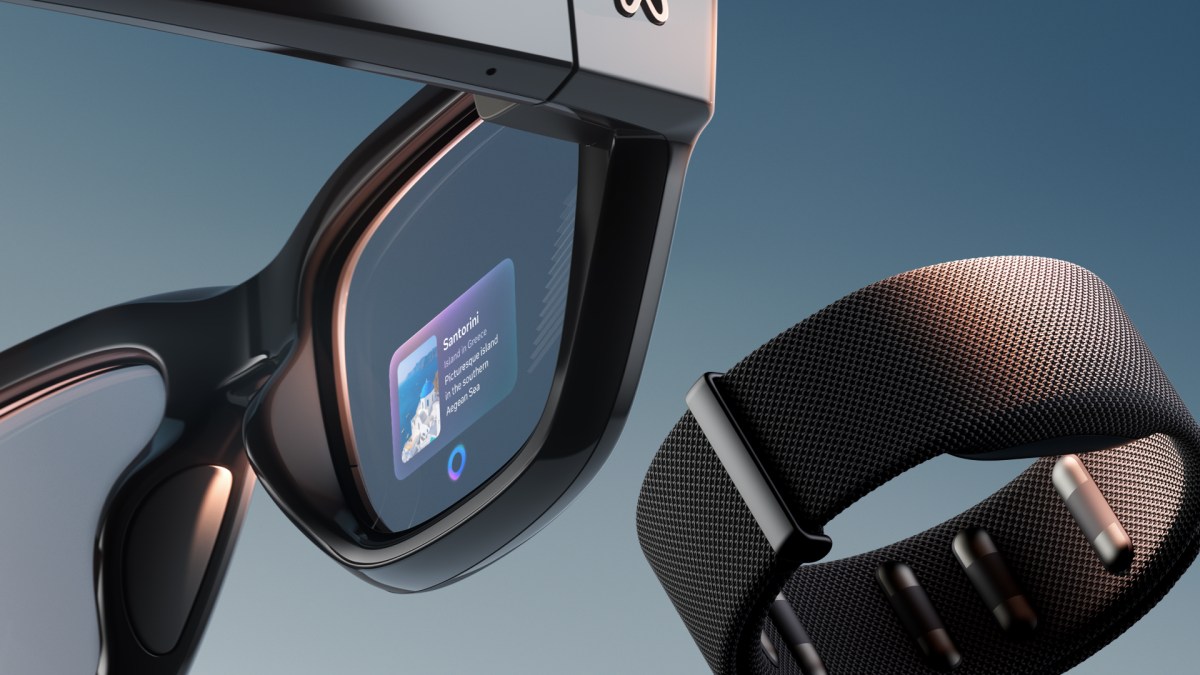
Ray-Ban Meta smart glasses are wearable tech made by Ray-Ban and Meta. They look like normal glasses, but the frame contains several small electronic parts.
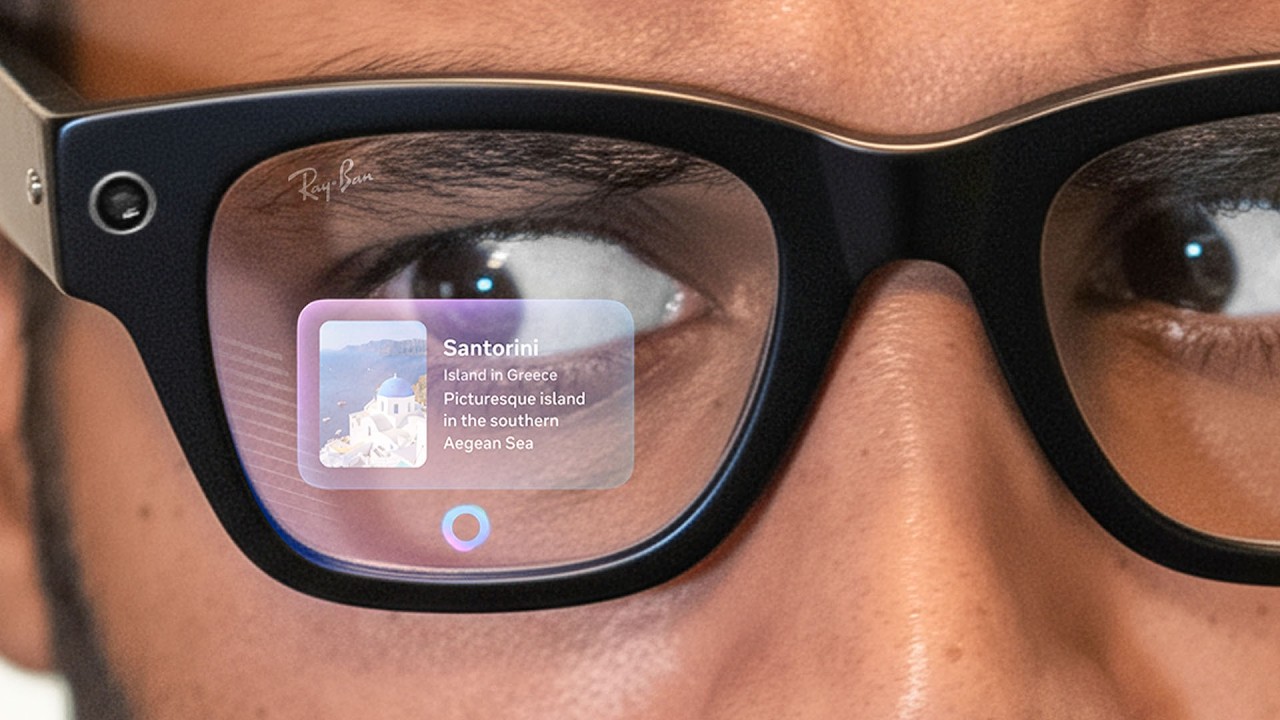
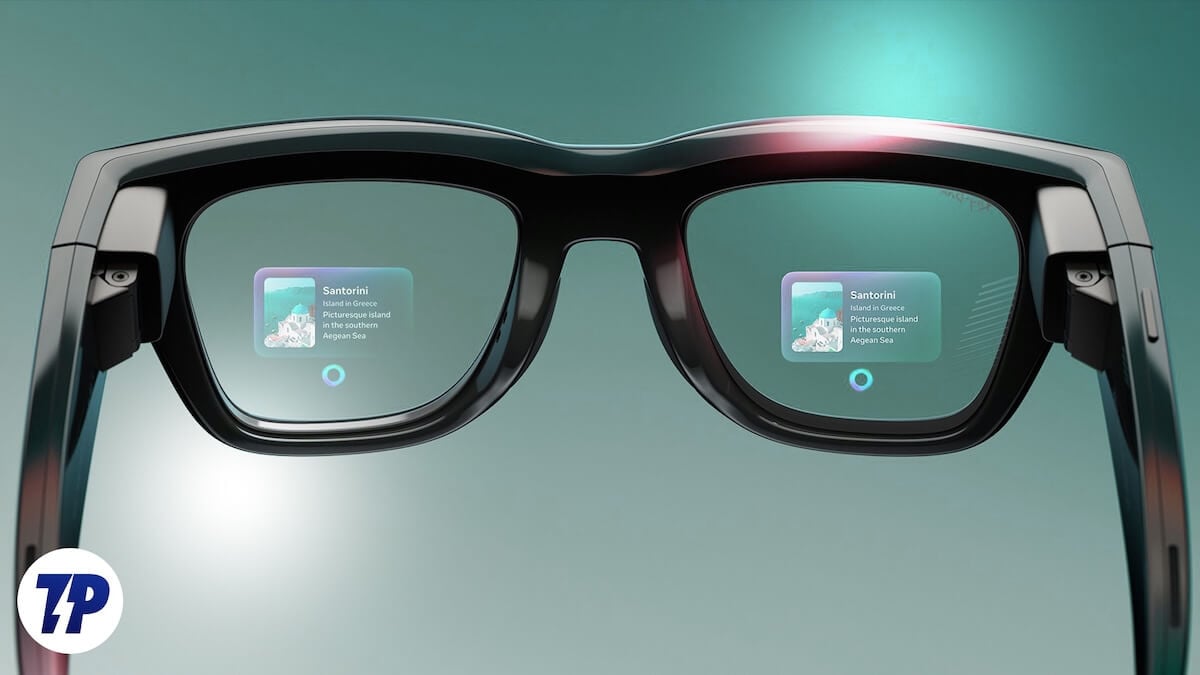
The glasses are not a full augmented reality headset. They do not place floating images over your view. Instead, they capture your surroundings, listen to voice commands, and send sound directly to your ears through open-ear speakers.
The main parts include:
• Two small cameras for photos and video
• Five microphones for calls, voice commands, and sound capture
• Open-ear speakers built into the temples
• A touchpad on the side of the frame
• A capture button near the camera
• A battery inside each temple
• Bluetooth and Wi-Fi connections
• A charging case
• Meta AI software linked to your phone
When people ask how do the meta raybans work, the simplest answer is this: the glasses collect input through cameras, microphones, and touch controls, then use a phone connection and software to produce an action.
For example, you can say, “Hey Meta, take a photo.” The microphones hear the command. The glasses process it, take the photo, and save it through the Meta View app.

How Do the Meta Raybans Work With Your Phone?
Your phone is a key part of how do the meta raybans work. The glasses connect to your phone through Bluetooth for basic communication and use Wi-Fi for tasks such as transferring photos and videos.
You first install the Meta View app on a compatible iPhone or Android phone. The app guides you through pairing, account access, permissions, software updates, and media transfers.
The process usually works like this:
- Charge the glasses and open the charging case.
- Install the Meta View app.
- Turn on Bluetooth on your phone.
- Follow the pairing steps in the app.
- Sign in to your Meta account.
- Allow access to photos, contacts, microphones, and notifications if you want those features.
- Install any available firmware update.
- Test the camera, speakers, and voice controls.
Once paired, the glasses can use your phone’s internet connection. This allows them to send messages, stream music, make calls, and use Meta AI.
The glasses can perform some basic functions without an active phone connection. However, many connected features become limited when your phone is far away, offline, or not paired.
A useful tip is to keep the Meta View app updated. Many users assume a feature is broken when the real issue is an outdated app, old firmware, or a missing permission.

How Do the Cameras Work?
The cameras are one of the main reasons people ask how do the meta raybans work. Ray-Ban Meta glasses use two cameras mounted near the front of the frame. The cameras capture photos and short videos from your natural point of view.
You can start recording in two main ways:
• Press the capture button on the frame
• Say a voice command such as “Hey Meta, take a photo”
A small white LED lights up when the glasses capture photos or video. This light is designed to tell people nearby that recording is taking place.
The camera view is wide enough to feel natural, but it is not exactly the same as human vision. Your head position also matters. If you look away while taking a photo, the camera captures what faces the glasses, not what you remember seeing.
Video recordings are made in a vertical format that suits social media platforms. The glasses can capture short clips, which you can later review and share through the Meta View app.
In practical use, the best results usually come in good daylight. The cameras can produce clear images outdoors, at events, or during walks. Low light, fast movement, and strong backlighting can reduce image quality.
One common mistake is covering the camera with a finger while adjusting the frame. Another is forgetting that the glasses record from the face position, so small head movements can change the shot.
How Do the Meta Raybans Record Audio?
The built-in microphones help explain how do the meta raybans work during calls, video recording, and voice commands. The microphone system is designed to pick up your voice while also capturing the sounds around you.
During video recording, the glasses record sound with the video. This can make clips feel more natural than footage from a phone held at a distance.
The microphones also support voice commands. You can say “Hey Meta” to activate the assistant, then ask it to perform an action or answer a question.
For calls, the microphones work with the open-ear speakers. The person on the other end hears your voice, while you hear them through the temples of the glasses.
Wind can affect audio quality. Busy streets, loud concerts, and crowded rooms can also make it harder for the microphones to separate your voice from background noise.
For clearer calls, face the person you are speaking with and avoid covering the microphone openings. Keeping the glasses clean also helps, since dust and skin oils can affect small openings over time.
How Do the Meta Raybans Play Music and Calls?
Ray-Ban Meta glasses use open-ear speakers. These speakers sit near your ears instead of sealing inside the ear canal.
This design lets you hear music, podcasts, navigation prompts, and phone calls while staying aware of nearby sounds. That is useful when walking, cycling at a safe speed, or working at home.
You control audio in several ways:
• Use the touchpad on the temple
• Adjust volume with a swipe
• Tap to pause or resume audio
• Use voice commands
• Control playback from your phone
The sound is private enough for normal listening, but it is not perfectly sealed. People nearby may hear some audio when the volume is high, especially in a quiet room.
The speakers also do not provide the same deep bass as sealed earbuds. Their main advantage is comfort and awareness, not maximum sound quality.
For safety, keep the volume low enough to hear traffic, alarms, and people around you. Smart glasses should support awareness, not replace it.

How Does Meta AI Work on the Glasses?
Meta AI is the software layer behind many answers to how do the meta raybans work. It lets you interact with the glasses using natural speech.
You can ask Meta AI questions, request descriptions, identify objects, translate some text, or get help with simple tasks. Some features can also use the camera to understand what you are looking at.
For example, you might ask:
• “Hey Meta, what plant is this?”
• “Hey Meta, describe what you see.”
• “Hey Meta, translate this sign.”
• “Hey Meta, remind me to call Mom later.”
• “Hey Meta, take a video.”
The AI feature set can vary by country, language, account type, software version, and phone model. Some tools may also require an internet connection.
Meta AI does not give perfect answers. It can misunderstand speech, misread text, or identify an object incorrectly. Treat it as a helpful assistant, not as a doctor, lawyer, navigation expert, or emergency service.
A strong habit is to ask clear questions and confirm important information. For example, do not rely on an AI description when identifying medication, judging food safety, or making a serious health decision.
How Do the Meta Raybans Use Voice Commands?
Voice control makes how do the meta raybans work feel more natural. You do not always need to reach for your phone.
The standard activation phrase is “Hey Meta.” After the glasses respond, you can give a command. The glasses may play a sound or provide another signal to show that they are listening.
Common voice commands include:
• Take a photo
• Start recording
• Stop recording
• Call a contact
• Send a message
• Play music
• Turn the volume up
• Ask Meta AI a question
Voice control works best in a quiet setting. Loud wind, traffic, music, or several people speaking at once can cause errors.
It is also worth checking your contact names. If two contacts have similar names, the glasses may ask for clarification or choose the wrong person. Always confirm the recipient before sending sensitive messages.
The voice assistant is convenient, but touch controls remain useful when you want more privacy or when voice recognition struggles.

How Do the Meta Raybans Charge?
The glasses charge inside their included charging case. The case works much like an earbud case.
To charge them, fold the glasses and place them into the case. Metal contacts connect the frame to the battery system. The case itself charges through its charging port.
Battery life depends on use. Recording video, using Meta AI, streaming music, making calls, and transferring files can all reduce battery life faster than simply wearing the glasses.
Your results may change based on:
• How often you record
• Speaker volume
• Mobile signal strength
• Use of Meta AI
• Number of calls
• Temperature
• Software version
• How often the glasses connect to Wi-Fi
A practical routine is to place the glasses in the case whenever you are not wearing them. This keeps them topped up and protects the lenses.
The charging case is easy to overlook. If the glasses do not charge, check that the case has power and that the charging contacts are clean.

How Do the Meta Raybans Protect Privacy?
Privacy is an important part of how do the meta raybans work. Since the glasses have cameras and microphones, users must operate them with care.
A white capture LED appears when the cameras record. You should never cover, disable, or interfere with this indicator. People deserve to know when they may be recorded.
Follow these simple rules:
• Tell people before recording private conversations
• Avoid recording in bathrooms, locker rooms, and other sensitive spaces
• Follow workplace, school, event, and local recording rules
• Do not use the glasses to secretly record someone
• Review your privacy permissions in the Meta View app
• Secure your Meta account with a strong password and two-factor authentication
Recording laws differ across the United States. Some states require consent from everyone in a conversation, while others have different rules. Public recording is not automatically legal in every situation.
The glasses also collect technical data needed to operate connected features. Review the privacy settings and account controls so you understand what information is stored, shared, or used to improve services.
Privacy is not just a feature on a screen. It is also a habit. When in doubt, ask before recording.
What Are the Main Benefits?
Understanding how do the meta raybans work makes their benefits easier to judge. They are most useful when you want hands-free access to simple tools.
Key benefits include:
• Hands-free photos and video
• Easy access to calls and messages
• Open-ear audio
• Voice-controlled assistance
• A familiar sunglasses design
• Fast sharing through the Meta View app
• Useful first-person recording
• Better awareness than closed earbuds
The first-person camera is especially useful for travel, cooking, crafts, walks, and family moments. You can capture an experience without holding a phone in front of your face.
They can also help people who find phone controls inconvenient. Voice commands reduce the need to tap small buttons while carrying bags, preparing food, or moving around the house.
Still, the glasses are not a replacement for a smartphone. They work best as a companion device that handles quick tasks.
What Are the Limitations?
The limitations matter as much as the features when learning how do the meta raybans work.
First, the glasses depend heavily on a phone, an account, and internet access for advanced tools. If one of those links fails, AI and media transfer features may stop working.
Second, the camera cannot match a modern dedicated camera or high-end smartphone in every situation. Low-light photos may show noise, and video stabilization has limits.
Third, the battery is small because the electronics must fit inside a glasses frame. Heavy users may need to recharge during the day.
Other limits include:
• Open-ear audio leaks sound
• Wind can affect microphones
• AI can provide incorrect answers
• The glasses may feel heavy to some users
• Prescription lens options may vary by region
• They are not designed for full augmented reality
• Water resistance does not mean they are waterproof
• Recording can create social and legal concerns
During real-world testing of wearable devices, one lesson appears again and again: convenience depends on setup. A feature that works well at home may behave differently in a loud cafe, on a weak phone connection, or in bright sunlight.
Try the glasses in the situations that matter most to you before judging their value.
How to Set Up Ray-Ban Meta Glasses Properly
A careful setup can prevent many problems. Use this checklist after opening the box:
- Charge both the glasses and the case.
- Download the current Meta View app.
- Pair the glasses near your phone.
- Install firmware updates.
- Test the capture button.
- Test voice activation.
- Connect your preferred music service.
- Review call and message permissions.
- Adjust the speakers to a safe volume.
- Learn how to turn off the glasses.
If media does not transfer, check Wi-Fi, Bluetooth, app permissions, and phone storage. If voice commands fail, confirm that the microphones are not blocked and that the activation phrase is supported in your region.
Keep the frame and charging contacts clean with a soft, dry cloth. Do not use harsh chemicals or soak the glasses.
One mistake to avoid is treating the glasses like ordinary sunglasses. Store them in the case, protect the lenses, and avoid extreme heat. The electronics need more care than a standard pair of shades.
Ray-Ban Meta Versus a Smartphone
The answer to how do the meta raybans work becomes clearer when you compare them with a phone. A smartphone has a larger screen, stronger editing tools, a bigger battery, and more powerful cameras.
The glasses are faster for small actions. You can capture a moment without taking your phone from your pocket. You can also listen to audio while keeping your ears open.
Choose the glasses when you value:
• Hands-free control
• Quick first-person photos
• Light audio use
• Calls while walking
• Voice-based AI help
• A discreet, everyday design
Choose your phone when you need:
• Detailed camera controls
• Long video recording
• Advanced editing
• Navigation on a large screen
• Heavy gaming or productivity
• Reliable use without wearing glasses
The two devices work best together. The phone provides the power and screen, while the glasses provide speed and convenience.
Who Should Buy Ray-Ban Meta Glasses?
Ray-Ban Meta glasses may suit people who enjoy wearable technology but do not want a bulky headset. They are also useful for travelers, creators, walkers, music listeners, and people who want hands-free controls.
They may not suit you if you need long battery life, professional camera quality, strong privacy separation, or full augmented reality.
Before buying, consider:
• Do you already wear sunglasses often?
• Are you comfortable using Meta services?
• Do you have a compatible smartphone?
• Will you use voice commands in public?
• Do you need prescription lenses?
• Are you willing to follow recording etiquette?
• Is open-ear audio right for your environment?
The best choice depends on your routine, not just the feature list. If you mainly want hands-free photos and casual audio, they can feel remarkably natural. If you want a replacement for your phone, they may disappoint.
Frequently Asked Questions About How Do the Meta Raybans Work
Do Ray-Ban Meta glasses need a phone?
Yes, most advanced features need a compatible phone and the Meta View app. Basic functions may work without the phone, but calls, AI tools, settings, and media transfers rely on the connected device.
Can Ray-Ban Meta glasses take pictures without a phone?
Yes, the glasses can capture photos and videos while temporarily disconnected. You generally need the phone later to transfer, view, edit, or share the saved media.
Can people tell when Ray-Ban Meta glasses are recording?
A white LED is designed to show when the camera is active. You should not cover or disable the light, and you should follow privacy laws and ask for consent when appropriate.
Do Ray-Ban Meta glasses have augmented reality?
No. They do not project digital images into your view like full augmented reality glasses. They provide cameras, speakers, microphones, voice controls, and AI features through a normal-looking frame.
Can Ray-Ban Meta glasses make phone calls?
Yes, they can make and receive calls when connected to a compatible phone. You speak through the built-in microphones and hear the other person through the open-ear speakers.
Are Ray-Ban Meta glasses waterproof?
They are designed to handle limited exposure to moisture, but they are not waterproof. Keep them away from swimming, heavy rain, showers, and submersion.
How long does the battery last?
Battery life varies with recording, calls, music, AI use, connectivity, and volume. Heavy use drains the battery faster, so carrying and using the charging case is the safest daily habit.
Conclusion
Ray-Ban Meta glasses combine familiar sunglasses with cameras, microphones, open-ear speakers, Bluetooth, Wi-Fi, and Meta AI. That combination explains how do the meta raybans work: the glasses capture input, process commands, connect with your phone, and deliver results through audio or the Meta View app.
They are excellent for quick photos, calls, music, voice commands, and hands-free AI help. They also have real limits, including battery life, camera performance, internet dependence, AI errors, and privacy concerns.
Use them as a companion to your phone, not a total replacement. Learn the controls, protect the privacy of people around you, and test the glasses in your normal routine before relying on them. Explore the latest official features, share your experience, and choose the model that fits your daily needs.

Rubel Miah is the Senior Editor at MyStyleGrid.com, where he brings a sharp editorial eye and an unshakable love for fashion to everything he does. A true style addict, Rubel lives and breathes trends, from streetwear to high fashion, and has a knack for turning inspiration into impactful stories. With years of experience in fashion journalism and digital media, he curates content that empowers readers to express themselves through style. When he’s not editing features or forecasting the next big thing, you’ll find him hunting down vintage pieces or capturing street style moments around the city.