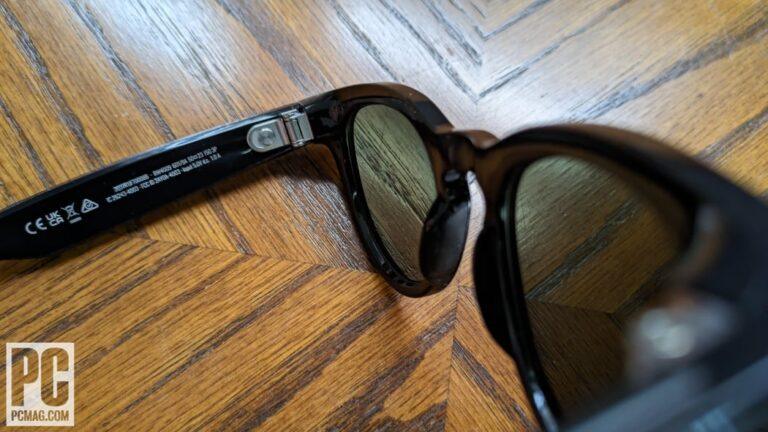
To turn on Meta Ray-Ban smart glasses, slide the power switch forward inside the left temple.
Learning how to turn on Meta Ray-Ban glasses is simple once you know where the switch is located. This guide explains the power switch, automatic startup, pairing, charging, common errors, and safe reset steps so you can start using your glasses with confidence.

How to turn on Meta Ray-Ban glasses
Meta Ray-Ban smart glasses have a small power switch inside the left temple. The temple is the arm that rests beside your ear. You do not need to press the camera button to power on the glasses.
Follow these steps:
- Hold the glasses with the lenses facing away from you.
- Look inside the left arm of the glasses.
- Find the small power switch near the hinge.
- Slide the switch toward the front of the glasses.
- Wait a few seconds for the glasses to start.
A small status light may flash or glow to show that the glasses are turning on. If the glasses do not respond, place them in the charging case or connect the case to power first.
Some models may wake when you open the arms after charging. However, the power switch is the most reliable way to turn on Meta Ray-Ban glasses.
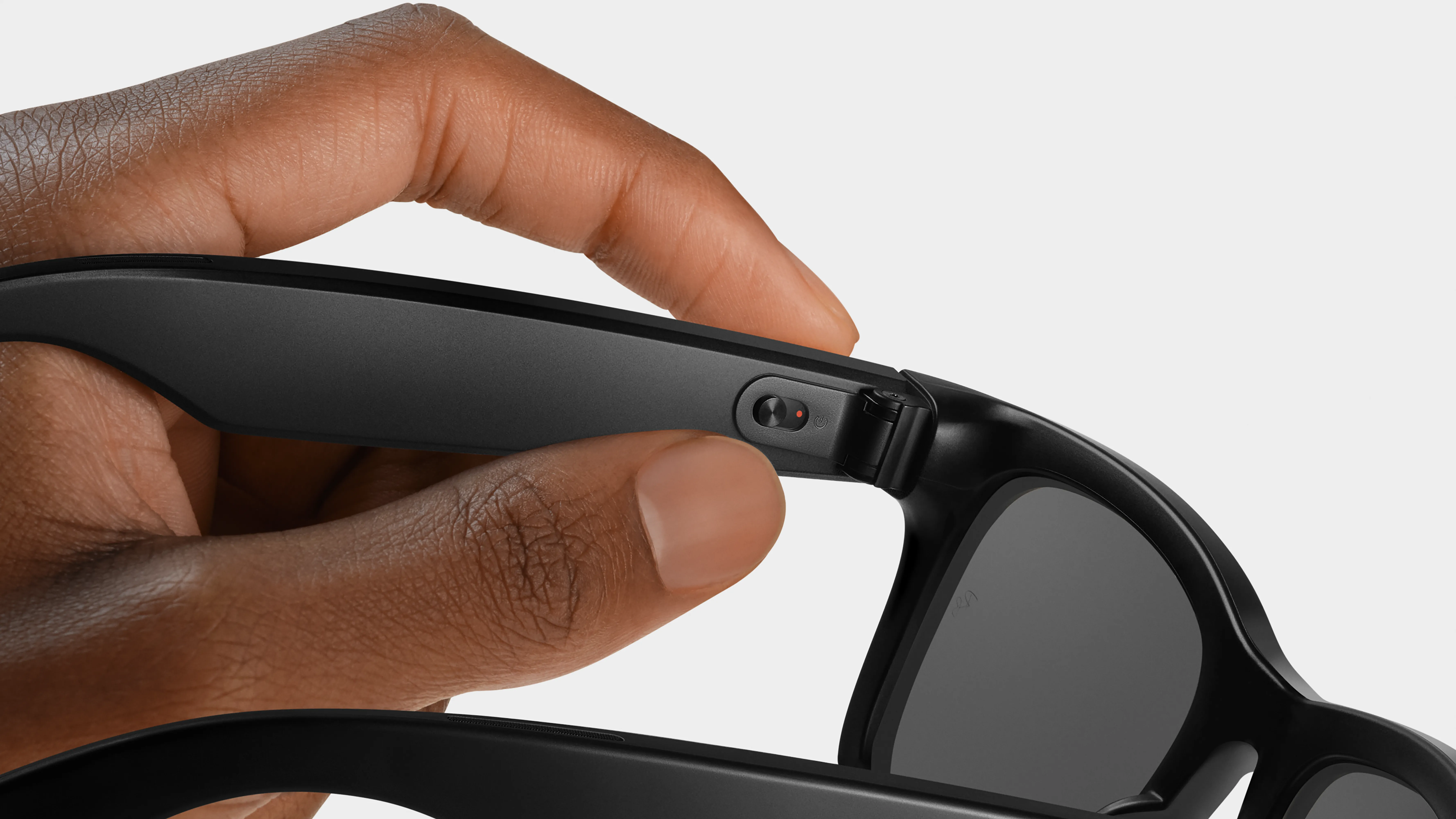
Where is the Meta Ray-Ban power switch?
The Meta Ray-Ban power switch is on the inside of the left temple. It sits close to the hinge, so it can be hard to see at first.
The switch is small by design. This helps prevent accidental power changes while you wear the glasses. Run your finger along the inner side of the left arm if you cannot see it clearly.
Keep these points in mind:
• The left temple contains the power switch and much of the main hardware.
• The right temple usually contains touch controls and other electronics.
• The camera button is on the top of the right temple.
• The charging contacts connect with the charging case when the glasses are stored.
A common mistake is to search for a power button on the front frame. There is no standard power button near the lenses. Once you locate the switch, learning how to turn on Meta Ray-Ban glasses takes only a few seconds.

How to turn on Meta Ray-Ban glasses from the charging case
The charging case does more than protect your glasses. It also charges the built-in battery. In many situations, removing the glasses from the case and opening the arms can wake them.
For the most dependable startup, use this process:
- Put the glasses into the charging case.
- Check that the metal charging contacts line up.
- Charge the case if its battery is low.
- Remove the glasses.
- Open both arms.
- Slide the left power switch forward if the glasses stay off.
If the case has no power, it cannot charge or wake the glasses. Connect the case to a USB-C charger and allow it to charge for several minutes before testing the glasses again.
The case light and glasses status light can help you check power. Light colors may vary by model, software version, and charging state, so use the Meta app for the clearest battery reading.

How to know if Meta Ray-Ban glasses are on
After you turn on Meta Ray-Ban glasses, check for signs that they are active. The glasses may not play a loud startup sound, especially if the volume is low.
Look for these signs:
• The status LED flashes or lights up.
• The glasses connect to your phone through Bluetooth.
• The Meta View or Meta AI app shows the glasses as connected.
• You can hear audio through the open-ear speakers.
• The camera button responds when you press it.
• A voice command such as “Hey Meta” receives a response, if voice controls are enabled.
The camera LED should light when you take a photo or record video. This light is a privacy feature. It tells people nearby that the camera is active.
If the glasses connect to your phone but you hear no sound, check the media volume, Bluetooth connection, and speaker openings. Being powered on does not always mean that the glasses are fully paired.

How to pair Meta Ray-Ban glasses after turning them on
Turning on Meta Ray-Ban glasses is only the first step. To use calls, music, photos, video, voice commands, and software updates, pair the glasses with a compatible phone.
Use these steps:
- Install the current Meta View or Meta AI app from your phone’s official app store.
- Sign in with the account requested by the app.
- Turn on Bluetooth.
- Turn on the glasses.
- Keep the phone and glasses close together.
- Follow the pairing instructions in the app.
- Accept the requested permissions.
The app may ask for access to Bluetooth, photos, the microphone, location, notifications, or contacts. Some permissions support specific features, such as importing photos or making calls. You can review these permissions in your phone settings later.
Do not pair the glasses only through the phone’s Bluetooth menu unless the app tells you to do so. Starting inside the app usually creates a better connection and enables more features.
If you replace your phone, open the app and follow its setup process again. You may need to remove the old Bluetooth connection before pairing the glasses with the new phone.

How to turn off Meta Ray-Ban glasses
The power switch also turns off the glasses. Slide the switch toward the rear of the glasses and wait a moment.
You can also place the glasses in the charging case. Closing the case normally puts the glasses into a low-power state and starts charging them when the case has enough battery.
Turning off Meta Ray-Ban glasses helps preserve battery life when you will not use them for several hours. It also prevents accidental camera use inside a bag or pocket.
For overnight storage, use this routine:
• Turn the glasses off with the left power switch.
• Clean moisture and fingerprints from the lenses.
• Place the glasses in the correct position inside the case.
• Close the case fully.
• Connect the case to power when needed.
Avoid storing the glasses loose in a pocket. The camera button can be pressed by accident, and the lenses can pick up scratches.

Meta Ray-Ban glasses will not turn on
If your glasses do not turn on, do not assume they are broken. A fully drained battery, poor contact with the case, or an incomplete software process is often the cause.
Try these steps in order:
- Slide the power switch off and then on again.
- Place the glasses in the charging case.
- Confirm that the case has battery power.
- Clean the charging contacts with a soft, dry cloth.
- Charge the case with a suitable USB-C cable.
- Leave the glasses in the case for at least 15 minutes.
- Remove them and try the power switch again.
- Open the companion app and check the connection.
Do not use water, alcohol, metal tools, or sharp objects on the charging contacts. Liquid can damage the charging system, while metal tools may cause a short circuit or scratch the contacts.
If the status light remains off after a proper charge, test another compatible cable and power adapter. If the case still shows no sign of power, the issue may involve the case battery rather than the glasses.

How to restart or reset Meta Ray-Ban glasses
A restart can fix temporary problems with Bluetooth, audio, camera access, or voice commands. First, turn the glasses off with the power switch. Wait about 10 seconds, then turn them on again.
A factory reset is more serious. It removes personal settings and pairing information. Use it only when normal troubleshooting does not work or when you plan to give the glasses to another person.
Before resetting, make sure that:
• Your photos and videos have finished importing.
• You know your account login details.
• You have tried turning the glasses off and on.
• The glasses have enough battery power.
• You are prepared to pair them again afterward.
Reset instructions can change with firmware and model updates. Follow the reset steps shown in the current Meta app or the official user guide for your exact glasses. Avoid random button combinations from old videos, because they may apply to another generation.

Battery tips after you turn on Meta Ray-Ban glasses
Battery life depends on how you use the glasses. Video recording, phone calls, music, voice commands, and live streaming use more power than simple standby.
You can help the battery last longer by following these tips:
• Store the glasses in the charging case when you are not wearing them.
• Keep the case charged before a trip.
• Install firmware updates through the companion app.
• Avoid leaving the glasses in a hot car.
• Reduce long recording sessions when battery life matters.
• Keep the glasses and phone reasonably close during use.
• Turn off the glasses when you will not use them for a long time.
Heat is especially important. Like most small lithium-ion devices, the glasses and case should not be exposed to extreme temperatures. A hot dashboard may damage the battery or shorten its useful life.