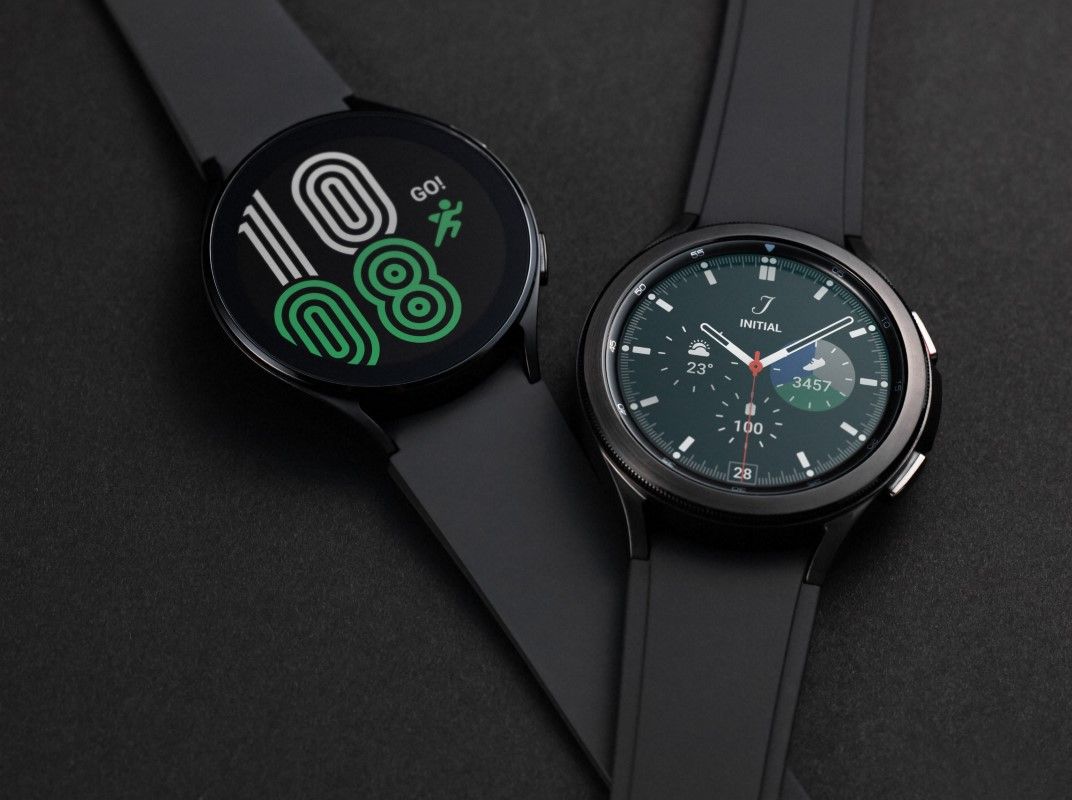
Yes, the Samsung Galaxy Watch 4 is water resistant up to 50 meters, but it is not fully waterproof.
The Samsung Galaxy Watch 4 has a 5ATM water-resistance rating and an IP68 rating, so it can handle rain, sweat, showers, and swimming in shallow water. However, water resistance can weaken over time, and certain activities, such as diving, hot-tub use, and high-speed water sports, may damage the watch. This guide explains what the ratings mean, where the limits are, and how to protect your Galaxy Watch 4 in daily use.
Is the Samsung Galaxy Watch 4 waterproof?
The short answer is no. The Samsung Galaxy Watch 4 is water resistant, not permanently waterproof.
Samsung designed the Galaxy Watch 4 for everyday exposure to water. Its 5ATM rating means it can withstand pressure equal to a depth of 50 meters under controlled test conditions. Its IP68 rating also shows protection from dust and fresh water under specific laboratory conditions.
These ratings do not mean you can use the watch at any depth or in every type of water. Water pressure changes with movement, waves, and speed. A watch worn while jumping into a pool may face more force than one resting at a depth of 50 meters.
The safest way to understand the Samsung Galaxy Watch 4 waterproof question is this:
• The watch is suitable for swimming in shallow water.
• The watch can handle rain and sweat.
• The watch may be used in a shower, though Samsung recommends avoiding hot water.
• The watch is not designed for scuba diving or deep-water activities.
• Water resistance is not permanent and may decline with age or damage.
What do the 5ATM and IP68 ratings mean?
The two ratings describe different types of protection. Understanding them helps you use the Samsung Galaxy Watch 4 with fewer risks.
What does 5ATM mean?
5ATM is a water-pressure rating. ATM stands for atmosphere, a unit used to measure pressure. A 5ATM rating is often linked with water pressure at a depth of 50 meters in a controlled test.
That does not mean the watch is safe at 50 meters in real life. Swimming creates movement and pressure. Falling into water, riding a fast boat, or using a water jet can place more stress on the seals.
The 5ATM rating mainly supports normal water activities, such as:
• Swimming in a pool
• Swimming near the surface in calm water
• Walking in heavy rain
• Washing your hands
• Exercise that causes heavy sweat
What does IP68 mean?
IP68 is an international protection rating. The first number, 6, means the watch is dust tight. The second number, 8, means it can withstand water immersion under test conditions set by the manufacturer.
IP68 does not replace the 5ATM rating. It is a separate test with different goals. The Samsung Galaxy Watch 4 uses both ratings to show protection against dust and water in daily conditions.
Still, neither rating makes the watch immune to damage. Water resistance is more like a raincoat than a submarine. It offers strong protection, but it has clear limits.
Can you swim with the Samsung Galaxy Watch 4?
Yes, you can swim with the Samsung Galaxy Watch 4 in a pool or calm, shallow water. Samsung includes swimming workout modes that track time, laps, calories, and other activity data.
Before swimming, check that the watch is firmly secured to your wrist. A loose strap can allow the watch to hit the pool wall or fall off. It is also wise to turn on Water Lock mode.
Water Lock mode helps prevent accidental touches caused by water droplets. It does not improve the watch’s water seal. After you finish swimming, turn Water Lock off so the watch can eject water from the speaker.
The Galaxy Watch 4 is best suited to:
• Pool swimming
• Calm surface swimming
• Short swimming sessions
• Light water exposure during exercise
You should avoid wearing it during:
• Scuba diving
• Snorkeling at greater depths
• Water skiing
• Jet skiing
• Rafting in rough water
• High-pressure water activities
The Samsung Galaxy Watch 4 waterproof rating is not a promise that the watch can handle every swimming environment. Salt water, chlorine, sand, and strong water pressure can all affect the seals and sensors.

Can you shower with the Galaxy Watch 4?
The Samsung Galaxy Watch 4 can usually handle a normal, cool or warm shower. However, frequent exposure to hot water is not ideal.
Hot water can soften seals and increase pressure inside the watch. Soap, shampoo, body wash, and conditioner can also leave residue around the buttons, speaker, and sensor area. Over time, this may reduce water resistance.
If you wear the watch in the shower, follow these simple habits:
• Keep the water temperature moderate.
• Avoid spraying water directly at the buttons.
• Do not use the watch in a steam room or sauna.
• Rinse away soap with clean, fresh water.
• Dry the watch and your wrist after the shower.
• Check that the charging contacts are fully dry before charging.
For the best long-term care, removing the watch before a hot shower is the safer choice. The Samsung Galaxy Watch 4 waterproof design is useful, but heat and chemicals remain common sources of trouble.

Is the Galaxy Watch 4 safe in salt water?
The Samsung Galaxy Watch 4 may survive brief exposure to salt water, but salt water is not the best environment for it. Salt can collect around the buttons, speaker openings, microphone, and back sensors.
If you use the watch in the ocean, rinse it with clean, fresh water as soon as possible. Do not use strong water pressure. A gentle rinse is enough to remove salt and sand.
After rinsing:
-
Wipe the watch with a soft, lint-free cloth.
-
Shake it gently to remove water from the speaker area.
-
Let it air dry fully.
-
Do not charge it until the contacts are dry.
-
Inspect the screen, buttons, and case for cracks.
Never use a sharp tool to remove sand or salt. Scratching the seals or forcing debris into an opening can create a path for water.
What should you do if the Galaxy Watch 4 gets wet?
If your Galaxy Watch 4 gets wet, take a few careful steps. Quick action can reduce the risk of speaker, sensor, and charging problems.
-
Remove the watch from the water.
-
Rinse it gently with clean water if it was exposed to salt water or chlorine.
-
Wipe it with a soft, dry cloth.
-
Use Water Lock mode to clear water from the speaker.
-
Leave the watch in a dry, ventilated place.
-
Wait until it is fully dry before charging.
Do not use a hair dryer, heater, or compressed air. Heat can damage the battery and seals. Strong air can push water deeper into the watch.
If the screen flickers, the buttons stop working, the watch will not charge, or the speaker sounds muffled for a long time, stop using it and contact Samsung support or an authorized repair center.
One practical mistake people often make is placing a wet watch directly on the charger. Moisture near the charging contacts can cause corrosion or charging faults. Let the watch dry completely first.