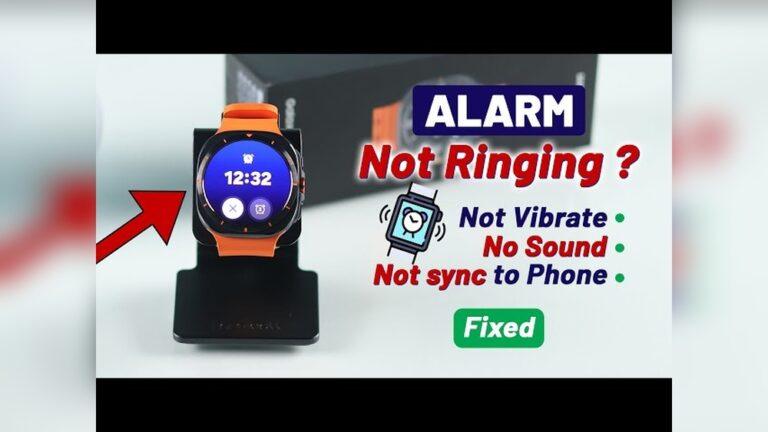
Have you ever set an alarm on your smartwatch, only to find it didn’t ring or vibrate? You wake up late, miss a meeting, or get frustrated because you trusted your device. It happens more often than you think. I’ve faced this problem myself, and I know how annoying it can be.
The good news is, you don’t have to throw your smartwatch away or buy a new one. Most of the time, you can fix this issue with simple steps.
Let’s explore why your smartwatch alarm might not vibrate or ring, and how you can fix it. I’ll guide you through all the possible reasons and solutions, based on my own experience and industry best practices. You don’t need to be a tech expert—just follow along step by step. By the end, your alarm will be working again, and you’ll feel more confident with your device.
Why Is Your Smartwatch Alarm Not Vibrating Or Ringing?
Before we jump into fixes, it’s important to know why this problem happens. Here are some common reasons:
- Do Not Disturb (DND) mode is active
- Alarm volume is too low or set to silent
- Vibration is turned off
- Software bugs or outdated firmware
- Notification permissions are not set
- Battery is too low or in power-saving mode
- Hardware problems (like a broken motor or speaker)
- Sync problems between phone and watch
- Using third-party alarm apps that don’t work well
Knowing the cause helps you pick the right fix. Now, let’s go step by step through solutions, starting from the simplest.
Check Alarm Settings First
Many times, the problem is just a wrong setting. Here’s what to check:
- Alarm Volume and Vibration
- Open your smartwatch’s alarm app.
- Check if the volume is up. Some watches have a separate alarm volume.
- Make sure vibration is turned on.
- If your watch lets you pick between ring, vibrate, or both—choose both for best results.
- Alarm Time and Repeat Settings
- Double-check the time you set.
- Make sure AM/PM is correct if your watch uses 12-hour format.
- Set the alarm to repeat if you want it every day.
- App Notifications
- If you use a third-party alarm app, check its notification settings.
- Make sure it’s allowed to send alerts on your watch.
It’s easy to make a mistake with settings—especially when you’re in a rush. I once set my alarm for 7 PM instead of 7 AM and wondered why it didn’t ring!
Make Sure Do Not Disturb And Silent Modes Are Off
Many smartwatches have Do Not Disturb or Silent Mode. These modes block sounds and vibrations. Here’s how to check:
- Look for a crescent moon or bell icon on your watch screen.
- Swipe down (or up) to open quick settings.
- If DND or Silent is on, tap to turn it off.
- Some watches have a “Bedtime” or “Sleep” mode—make sure that’s off too.
If you leave these modes on, your alarms often get silenced. This is a common issue, especially if you use DND at night and forget to turn it off in the morning.
Check Battery Level And Power-saving Modes
Low battery or power-saving settings can affect alarm functions. Here’s why:
- When your watch battery is very low, it may turn off the vibration motor and speaker to save power.
- In power-saving mode, some devices block alarms and notifications.
What you can do:
- Charge your watch to at least 30% before bed.
- Turn off any power-saving mode before setting your alarm.
- Some watches let you exclude alarms from battery-saving—check your settings.
Once, my alarm didn’t work because my smartwatch battery was down to 5%. The watch looked fine, but background features were off to save power. Always keep your device charged for reliable alarms.
Restart Your Smartwatch
A simple restart can fix many glitches. Here’s what to do:
- Hold down the power button until you see the restart option.
- Tap restart, and wait for your watch to reboot.
- Try setting a test alarm for 1 minute later to see if it works.
Why does this help? Sometimes, software gets stuck or an app crashes. Restarting clears up these temporary issues. It’s a quick fix that often solves alarm problems.
Update Your Smartwatch Software
Outdated software can cause bugs, including alarm failures. Here’s how you can update:
- Open the settings menu on your watch.
- Look for “Software Update” or “System Update.”
- Connect your watch to Wi-Fi and follow the instructions to update.
- After updating, restart your watch.
Manufacturers release updates to fix bugs and improve features. Updating can fix problems you didn’t even know about. If you’re not sure how to update, check your brand’s support website for a guide.
Check Notification And App Permissions
Some alarms need permission to ring or vibrate. If you use your phone to manage your smartwatch, do this:
- Open your phone’s companion app (like Galaxy Wearable, Apple Watch, or Wear OS).
- Go to settings > notifications.
- Make sure alarms and reminders are enabled.
- If you use a third-party alarm app, check its permissions on both your phone and watch.
If your watch is paired with your phone, the phone’s settings can block alarms. Double-check both devices.
Test With Default Alarm App
Third-party alarm apps sometimes don’t work well with smartwatches. Try using the default alarm app that came with your device:
- Open the built-in alarm app on your watch.
- Set a test alarm for 2 minutes from now.
- Wait and see if it rings or vibrates.
If the default app works, but your third-party app doesn’t, you know where the problem is. Stick to the official app for important alarms.
Check For Bluetooth And Sync Issues
Your smartwatch and phone must stay connected for some alarm features to work. Here’s what to check:
- Make sure Bluetooth is on for both devices.
- In your phone’s Bluetooth menu, check if your watch is connected.
- If not, try unpairing and re-pairing.
- Restart both devices for a fresh connection.
Some alarms are “local” (work on the watch only), while others need sync with your phone. If you set alarms through your phone, a lost connection can block them from reaching your watch.
Inspect Vibration And Speaker Hardware
If you’ve tried all the software fixes and nothing works, your watch’s vibration motor or speaker could be broken. Here’s how to check:
- Set your watch to vibrate for incoming calls or notifications. If you feel nothing, the motor may be faulty.
- Play a sound or ringtone through your watch. If you hear nothing, the speaker could be broken.
Compare with other notifications. If your watch vibrates for messages but not alarms, it’s likely a settings or software issue. If it never vibrates or rings, it’s a hardware problem.

Credit: www.reddit.com
Factory Reset As A Last Resort
If your alarm still won’t work after all these steps, a factory reset might help. But be careful—this will erase all your data and settings. Here’s how to do it:
- Backup your watch data if possible (use your phone’s companion app).
- Open settings on your watch.
- Look for “System” or “Reset.”
- Choose “Factory Reset” and follow the instructions.
After resetting, set up your watch as new and test the alarm again. Only use this step if nothing else works.
Compare Alarm Settings On Popular Smartwatch Brands
Smartwatch settings can vary by brand. Here’s a quick comparison to help you find the right options on popular brands:
| Brand | Alarm Settings Location | Vibration Settings | Special Features |
|---|---|---|---|
| Apple Watch | Clock app or iPhone Watch app | Settings > Sounds & Haptics | “Silent Mode” silences sound, not vibration |
| Samsung Galaxy Watch | Alarm app or Galaxy Wearable app | Settings > Sounds & Vibration | Separate volume for alarms |
| Fitbit | Alarms app on device or Fitbit app | Settings > Vibrations | Smart Wake feature |
| Garmin | Alarms in device menu | Settings > System > Vibration | Multiple vibration levels |
| Wear OS (Google) | Clock app | Settings > Sound & Vibration | “Do Not Disturb” affects alarms |
If you can’t find a setting, check your user manual or the brand’s online help.
Try Different Alarm Types
Some watches let you pick between different alarm types—sound, vibration, or both. If one isn’t working, try switching to the other:
- Set an alarm to vibrate only.
- Set another to sound only.
- Set a third to use both.
See which ones work. This can tell you if the problem is with the speaker, motor, or just one mode.
Test Alarm With A Short Delay
If you’re not sure if your alarm is working, set a test alarm for 1 or 2 minutes from now. This helps you avoid waiting until morning to find out if it fails again.
- Set a quick alarm.
- Wait and see if it rings or vibrates.
- If it does, your settings are good. If not, keep troubleshooting.
Watch Alarm Not Working? Check For App Conflicts
Sometimes, other apps can interfere with your alarm. Examples include sleep tracker apps, calendar apps, or third-party notification managers. What to do:
- Temporarily uninstall or disable these apps.
- Test your alarm again.
- If the alarm works, one of these apps was causing a conflict.
Some apps try to “take over” notifications or block alerts during sleep. Be careful when installing new apps that manage notifications.
Look For Firmware Or App Bugs Online
If you’ve tried everything and still have trouble, it’s possible there’s a known bug affecting your model. Search online for your smartwatch brand and model plus “alarm not working. ” Check official support forums, Reddit, or the manufacturer’s website.
Sometimes, a new update introduces a bug that breaks alarms. If you find others with the same problem, you may need to wait for a fix. You can check for updates often, and follow advice from the manufacturer.
How Different Alarm Sounds And Vibrations Work
Not all alarm sounds are created equal. Some watches offer soft tones, while others use loud beeps. The same goes for vibration—some motors are strong, others are weak. Here’s a quick overview:
| Alarm Type | Strength | Best For |
|---|---|---|
| Loud Beep | Strong | Heavy sleepers |
| Gentle Tone | Medium | Light sleepers |
| Long Vibration | Strong | When you don’t want sound |
| Short Pulse | Weak | Subtle wake-up, meetings |
If your alarm isn’t waking you, try choosing a different sound or vibration pattern.
Avoid Common Mistakes With Smartwatch Alarms
Based on my experience and what I’ve seen from others, here are mistakes to avoid:
- Forgetting to check AM/PM – It’s easy to set 7: 00 PM by mistake.
- Leaving Do Not Disturb on – This blocks alarms on many devices.
- Not charging overnight – Low battery can stop alarms from working.
- Using too many third-party apps – These can cause conflicts.
- Not updating software – Old software can have bugs.
Small mistakes can cause big problems in the morning. Take a moment to double-check your alarm setup before you rely on it.