No, you usually do not need a separate line for Apple Watch when it is paired with your iPhone.
Knowing whether you need another line depends on your Apple Watch model, carrier, and how you plan to use it. This guide explains cellular service, GPS models, shared numbers, Family Setup, costs, and common mistakes so you can choose the right option with confidence.
The short answer
You do not need a separate phone line for an Apple Watch if you have a GPS model or keep a cellular Apple Watch near your iPhone. The watch can use your iPhone’s connection through Bluetooth or Wi-Fi.
A cellular Apple Watch is different. It can connect to a mobile network when your iPhone is not nearby. To use that feature, you need an eligible cellular plan from a supported carrier.
In most cases, the Apple Watch does not need its own completely separate phone number. Instead, the carrier adds the watch to your existing iPhone plan. The watch may show a separate technical number in account settings, but calls and messages usually use your iPhone number through number sharing.
When you do not need a separate Apple Watch line
You can use an Apple Watch without adding cellular service in several common situations.
You have a GPS Apple Watch
A GPS Apple Watch does not connect directly to a cellular network. It uses:
• Bluetooth through your iPhone
• Wi-Fi networks
• Your iPhone’s mobile connection when the devices are connected
You can still use many key features, including:
• Notifications
• Apple Pay
• Fitness tracking
• Music downloaded to the watch
• Maps with downloaded data
• Calls and messages when your iPhone is nearby
• Emergency features through your paired iPhone
A GPS model is often the best choice if you carry your iPhone most of the day. It avoids a monthly watch fee and keeps setup simple.
You keep your iPhone nearby
A cellular Apple Watch can also work without an active watch plan when your iPhone is close. The watch connects to the iPhone through Bluetooth, much like wireless headphones.
For example, you can leave your Apple Watch connected to your iPhone while you:
• Walk around your home
• Shop at a store
• Exercise near your phone
• Receive alerts at work
• Make calls while your iPhone is in your bag
In this case, the watch uses the iPhone’s service. You are not using a separate cellular line for Apple Watch.
You only need basic health and fitness tools
Many health and fitness functions work without cellular service. The Apple Watch can record steps, heart rate, workouts, sleep, and other data on the device. It can sync that information with your iPhone later.
Some features may require an internet connection, a nearby iPhone, or a subscription. However, the lack of a cellular plan does not stop the watch from being a useful fitness tracker.

When you may need an Apple Watch cellular plan
You may want cellular service if you often leave your iPhone behind. A cellular Apple Watch can connect to a carrier network on its own, within the carrier’s coverage area.
This can help when you:
• Run or walk without carrying your phone
• Go to the gym with only your watch
• Work in a job where phones are not convenient
• Need access to calls, messages, or music away from your iPhone
• Want location sharing during outdoor activities
• Need a backup way to contact someone
A cellular Apple Watch can usually make and receive calls, send messages, stream music, use maps, and receive notifications without the iPhone nearby. Exact functions depend on the watch model, carrier, software, and network coverage.
A cellular plan is not the same as buying a new smartphone line. It is usually an add-on connected to your existing mobile account.
Does an Apple Watch have its own phone number?
This point causes a lot of confusion. A cellular Apple Watch may have a separate technical number for billing, network management, or account setup. That number is often not the number people use to contact you.
With supported carrier number sharing, the watch normally uses the same main phone number as your iPhone for calls and messages. If someone calls your iPhone, the call can ring on the watch when the watch is connected.
Think of the watch as an extra door to the same home. It may have a service identifier, but your friends usually still use your regular phone number.
The exact setup can vary by carrier. Some providers call the feature Number Share, NumberSync, One Number, or a similar name. Check your carrier’s current terms before buying a cellular model.

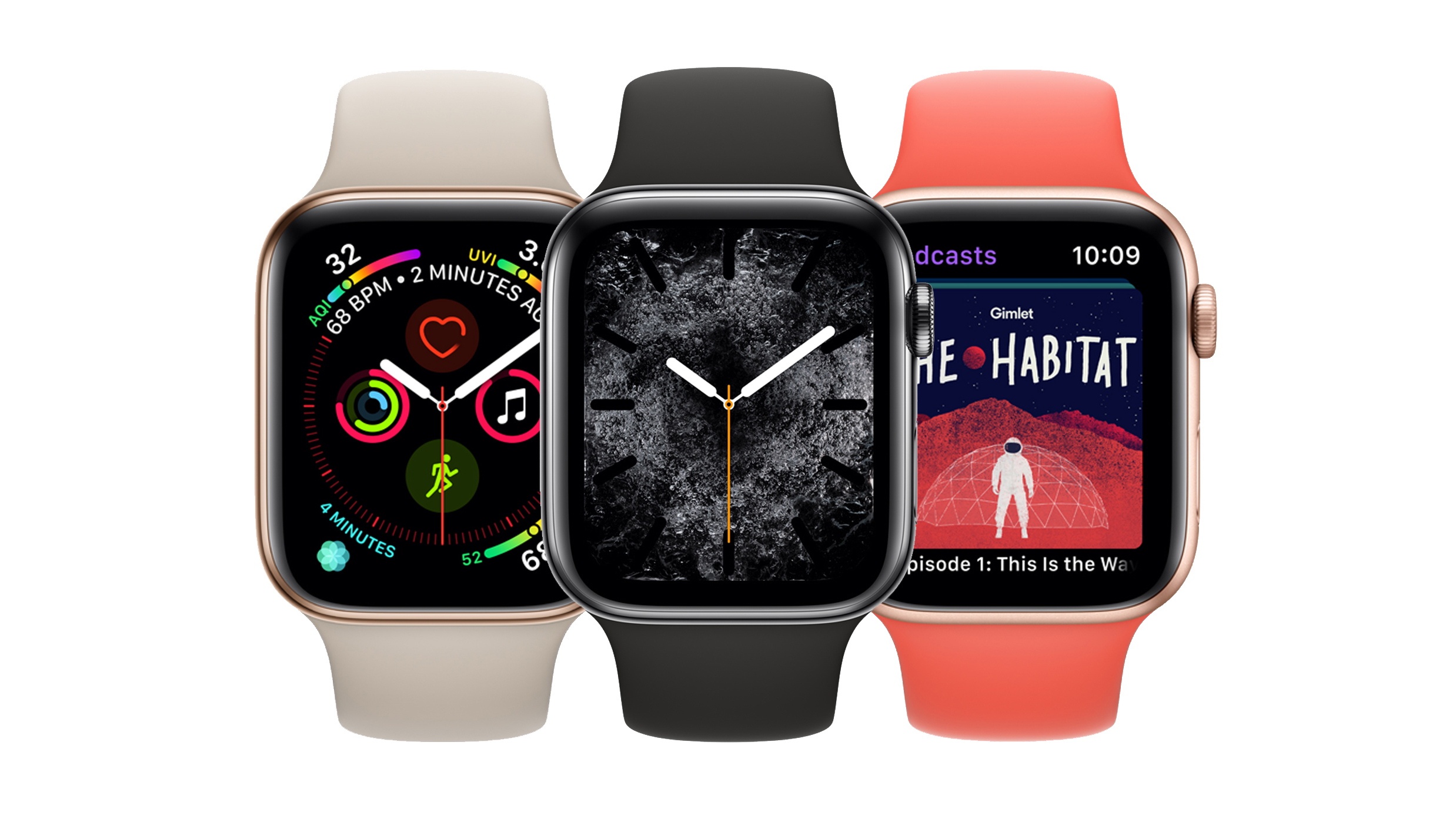
GPS versus cellular Apple Watch models
Choosing between GPS and cellular is the main decision for most buyers.
| Feature | GPS Apple Watch | Cellular Apple Watch |
|---|---|---|
| Works with a nearby iPhone | Yes | Yes |
| Uses Wi-Fi | Yes | Yes |
| Connects to a mobile network alone | No | Yes |
| Requires a monthly watch plan | No | Only if cellular service is activated |
| Can leave the iPhone at home | Limited | Yes, within coverage |
| Usually costs less | Yes | No |
| Supports Family Setup independently | Usually no | Usually required |
The cellular model gives you more freedom, but it costs more at purchase and may add a monthly fee. If you rarely leave your phone behind, the GPS model may offer better value.
A common mistake is buying the cellular model and assuming you must activate it. You generally do not. You can use a cellular Apple Watch like a GPS watch and add an eligible plan later, subject to carrier and model requirements.

How much does an Apple Watch cellular plan cost?
The price depends on your carrier, plan type, taxes, promotions, and discounts. In the United States, watch service is often priced as a modest monthly add-on rather than a full smartphone plan.
Before enrolling, check for:
• Monthly access charges
• Activation fees
• Taxes and government fees
• Device payment requirements
• Multi-line discounts
• Prepaid plan restrictions
• International roaming costs
• Cancellation rules
• Requirements for an eligible iPhone plan
Some carriers include smartwatch service in premium plans. Others charge a separate monthly amount. Promotions may waive the fee for a limited time, so read the offer terms carefully.
Do not judge the cost only by the watch price. Add the purchase price, cellular activation fee, monthly service, insurance, and accessories. This gives you a more realistic total cost.
Can you use Apple Watch cellular without adding a new line?
Often, yes. You can buy a cellular Apple Watch and use it without activating cellular service. In that setup, it behaves much like a GPS model when connected to your iPhone or Wi-Fi.
You can also use some cellular features without a traditional monthly plan in limited situations. For example, emergency calling may work in certain conditions, depending on the model, location, network access, and local rules. This should not be treated as a replacement for reliable active service.
If you want regular calls, messages, streaming, and data away from your iPhone, you will usually need to activate the watch through a supported carrier.
The answer to “do I need a separate line for Apple Watch” is therefore different from “do I need a cellular plan for Apple Watch.” You usually do not need a separate full phone line, but you may need a smartwatch add-on for independent cellular use.
Apple Watch Family Setup and separate service
Family Setup lets a family member use an Apple Watch managed through another person’s iPhone. It is useful for children, older adults, or anyone who does not have their own iPhone.
This arrangement has different requirements from normal Apple Watch pairing. The family member’s watch needs cellular capability, and the carrier must support Family Setup. You may need to activate a separate watch service under the family organizer’s account.
Family Setup can support features such as:
• Calls and messages
• Location sharing
• Schooltime controls
• Emergency contacts
• Activity tracking
• Apple Cash for eligible users
• Parental controls
The watch may not provide every feature available when paired directly with the owner’s iPhone. Some health, payment, media, and app functions can vary.
If you are buying an Apple Watch for a child, ask the carrier specifically about Family Setup. A normal shared-number plan may not support the same features.
What happens if you use a prepaid or budget carrier?
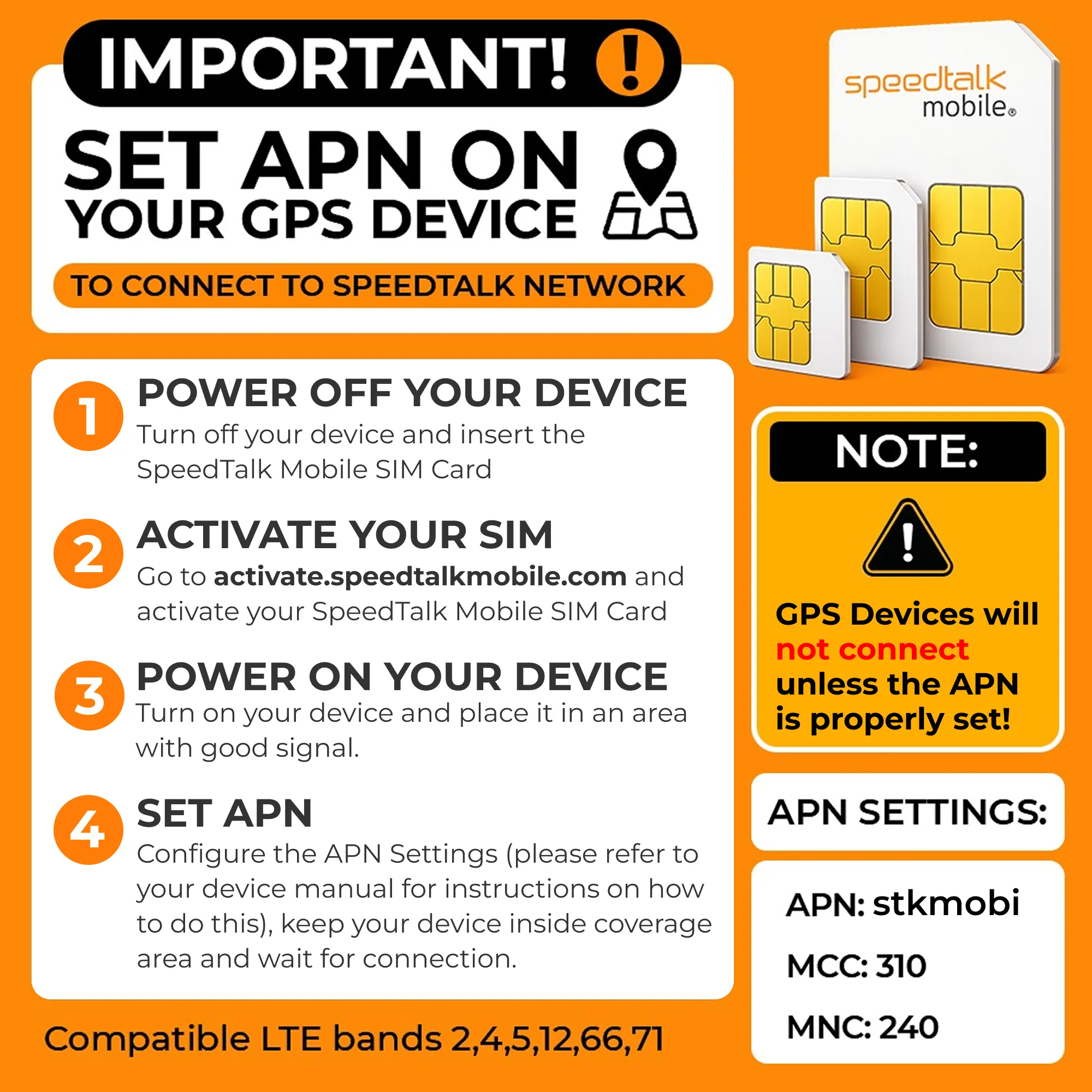
Budget and prepaid carriers can be more complicated. Some support Apple Watch cellular service, while others support only iPhone service. Even when a carrier uses a major network, it may not offer smartwatch activation.
Before purchasing, confirm all of these points:
• Your exact iPhone model is supported
• Your exact Apple Watch model is supported
• Your carrier supports Apple Watch cellular service
• Your plan is eligible
• Number sharing is available
• Family Setup is supported if needed
• The watch was sold for the correct region
Carrier support can change over time. A watch purchased in another country may also have different cellular bands. Check the current compatibility list instead of relying on an old forum post or a seller’s broad claim.
How to set up Apple Watch cellular service
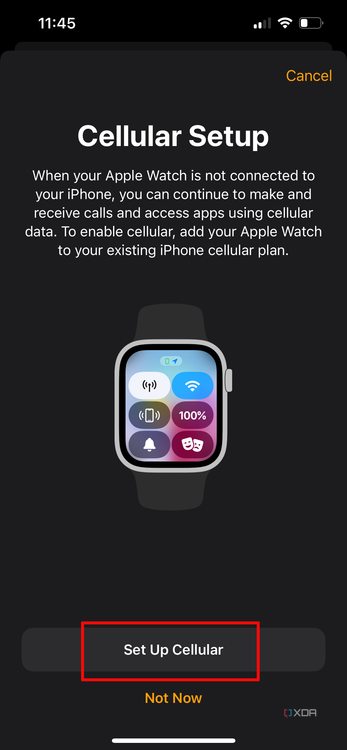
If you decide to activate cellular service, the process is usually completed through the Watch app on your iPhone.
Basic setup steps
- Pair the Apple Watch with your iPhone.
- Open the Watch app.
- Tap the cellular settings option.
- Choose your carrier.
- Sign in to your carrier account.
- Review the monthly cost and terms.
- Confirm the plan.
- Wait for activation.
- Test the watch away from your iPhone.
The exact screens may differ by carrier. Keep your account password and billing information available.
After activation, turn off Bluetooth or leave your iPhone behind for a short test. Try a call, message, map search, and data connection. Testing at home first is wiser than discovering a setup problem during a run.
Common problems and how to avoid them
Many Apple Watch cellular problems come from a mismatch between the watch, iPhone, carrier, and account.
The cellular option is missing
This may happen if:
• The watch is a GPS-only model
• The carrier does not support Apple Watch
• Your iPhone plan is not eligible
• The watch is region locked or incompatible
• The iPhone software is outdated
• The watch is managed by another account
Check the model details and update both devices before contacting the carrier.
The watch shows no cellular connection
A cellular watch may display no connection when it is near the iPhone because it prefers Bluetooth. Move away from the iPhone and Wi-Fi to test the cellular connection properly.
You should also check the cellular signal, carrier account, watch battery, and activation status. A weak signal can affect calls and data even when the plan is active.
Calls do not work as expected
Number sharing depends on carrier systems. Calls may fail if the plan is inactive, the watch has not completed activation, or the iPhone and watch use different accounts.
Restart both devices and confirm that the watch appears under the correct line in your carrier account. If the problem continues, the carrier may need to refresh the wearable activation.
Is cellular Apple Watch worth the extra cost?
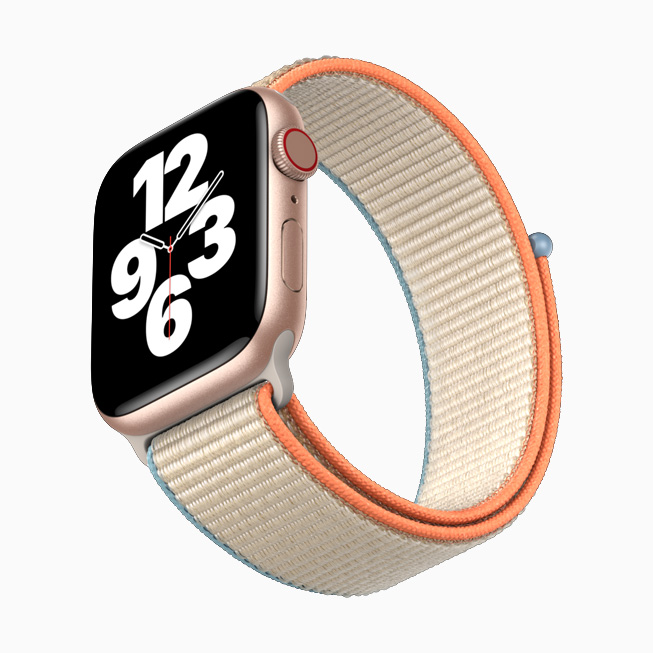
Cellular service is worth considering if independence matters more than price. It can make a real difference for runners, cyclists, commuters, parents, and people who cannot keep a phone nearby.
It may not be worth the extra cost if you:
• Carry your iPhone everywhere
• Mainly track health and workouts
• Use the watch indoors
• Prefer fewer monthly bills
• Have limited carrier coverage
• Rarely make calls from your watch
My practical advice is simple: look at your daily habits, not the feature list. A cellular watch sounds useful, but if your phone is always in your pocket, you may pay for freedom you never use.
I have seen people focus on the red ring or the word “cellular” and overlook the ongoing fee. The better question is whether you regularly spend time away from your phone. That answer usually makes the choice clear.