Yes, one iPhone can pair with two Apple Watches, but only one watch is actively connected at a time.
If you are asking, “can you pair two apple watches to one iphone,” the answer is yes. Apple supports multiple watches through the Apple Watch app, making it easy to switch between a personal watch, a work watch, or a spare device. The setup has a few limits, especially when two people want to share one iPhone, so understanding how pairing works will help you avoid lost data, setup errors, and notification problems.

Can you pair two Apple Watches to one iPhone?
Yes, you can pair two Apple Watches to one iPhone. You can even pair more than two compatible Apple Watch models with the same iPhone, as long as the iPhone and watches support the required versions of iOS and watchOS.
Your iPhone manages each watch separately. Each Apple Watch can have its own:
• Watch face and app layout
• Health and fitness settings
• Notification choices
• Cellular plan
• Apple Pay cards
• Passcode
• Activity history
However, your iPhone normally connects to only one Apple Watch at a time. The active watch is the one sending notifications, recording workouts, and syncing current data with your iPhone.
Apple calls this setup automatic switching. When you remove one watch and put on another, your iPhone can detect the change and connect to the watch you are wearing. You can also switch watches manually in the Apple Watch app.
How multiple Apple Watch pairing works
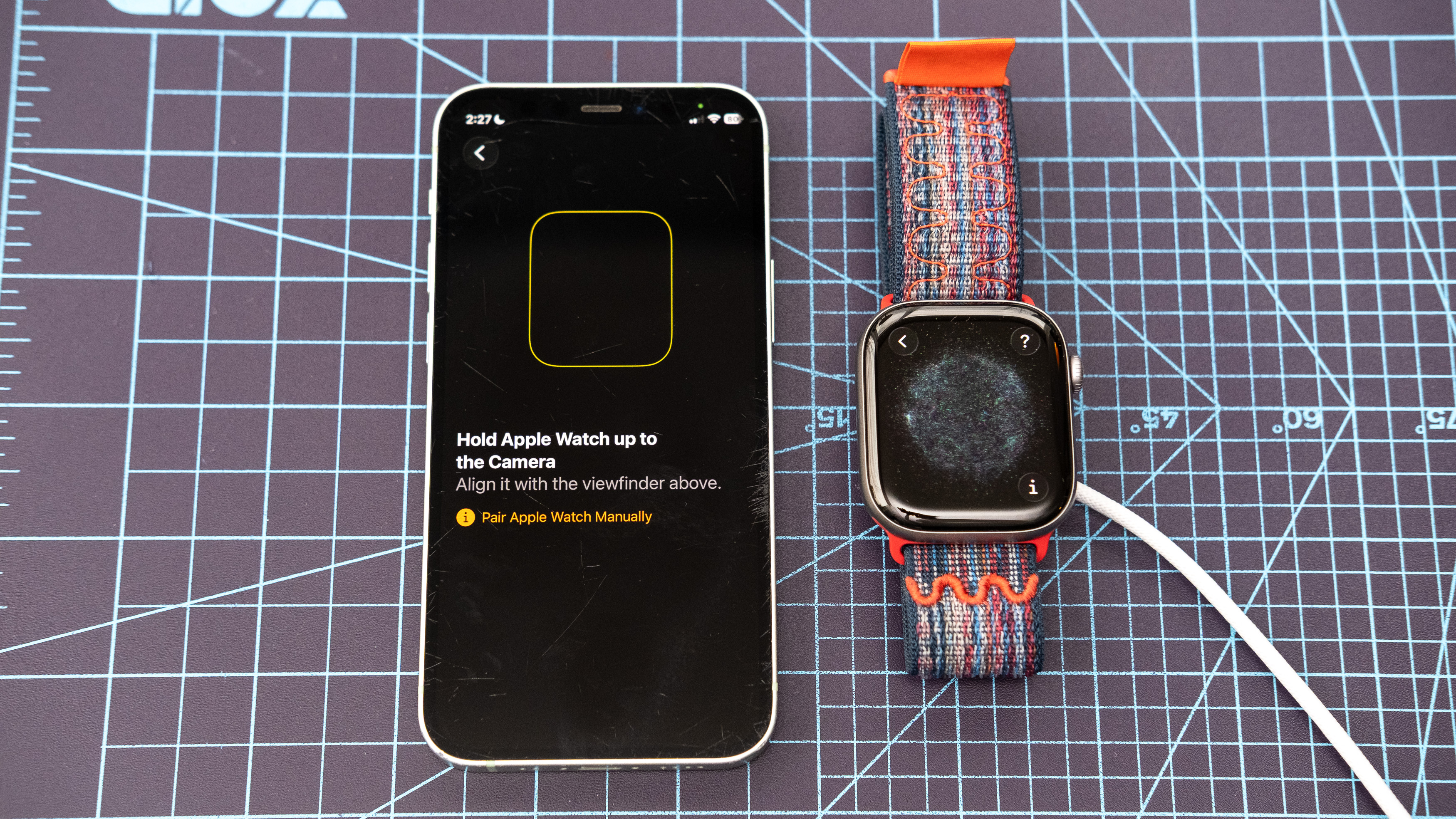
When you pair a second watch, the iPhone does not erase the first one. Instead, it creates a separate watch profile inside the Apple Watch app. This makes the process similar to adding another user profile, although the watches still connect to the same iPhone.
The watch you wear becomes the active device. The other watch stays disconnected or in a low-power state until you put it on and unlock it.
Here is what usually happens:
- You pair the first Apple Watch with your iPhone.
- You open the Apple Watch app to add another watch.
- You pair the second Apple Watch.
- Your iPhone saves both watch profiles.
- Automatic switching connects to the watch you are wearing.
- Health and activity data sync through your Apple Account and Health app.
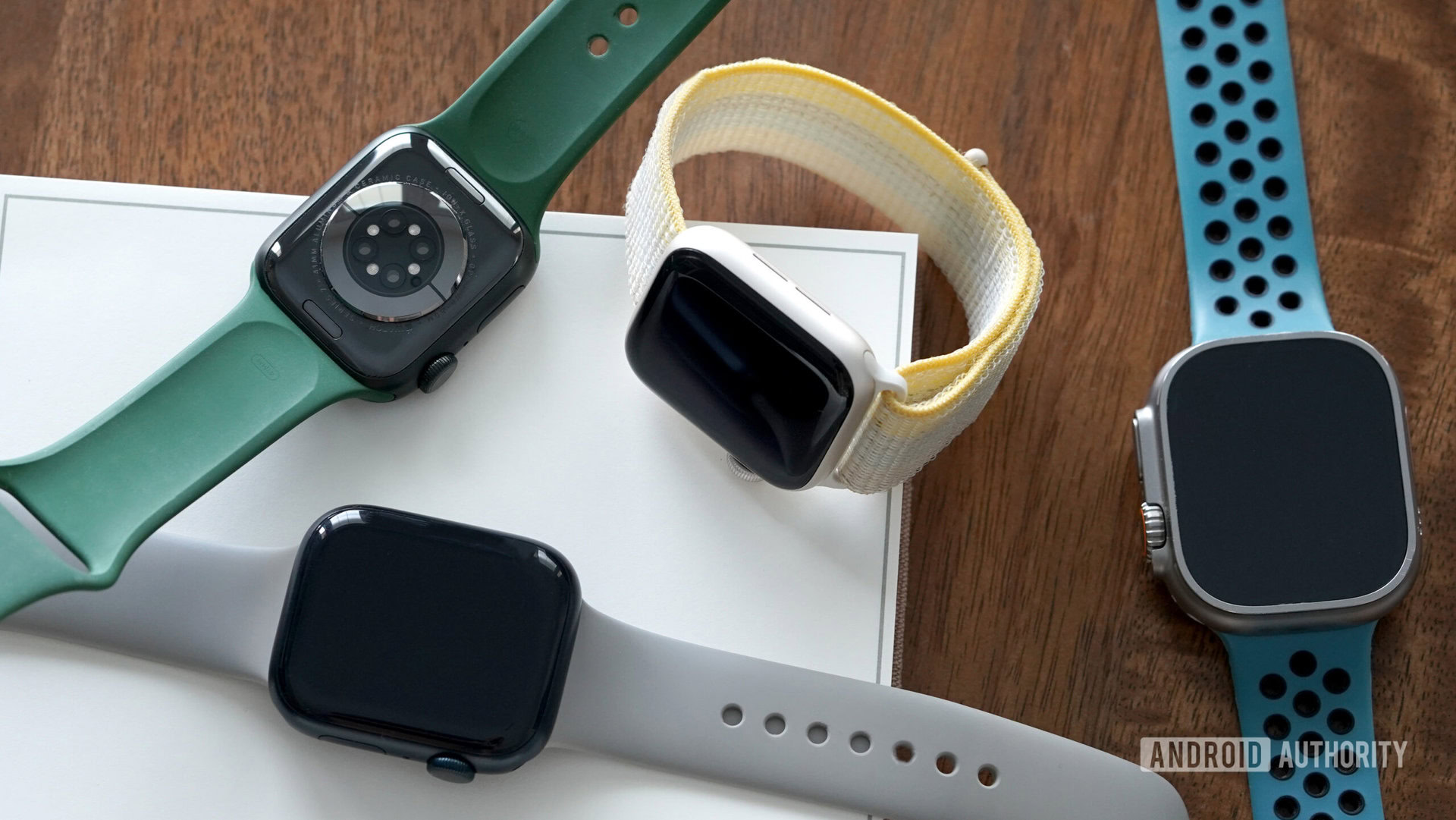
This is useful for people who wear one Apple Watch during the week and another for exercise or travel. For example, you might use an Apple Watch Ultra for hiking and an Apple Watch Series model for office wear.
It is also helpful if your main watch needs charging. You can put on the second watch without repeating the full setup process.

How to pair a second Apple Watch with your iPhone
The pairing process is simple, but both devices should meet Apple’s compatibility requirements. Update your iPhone and Apple Watch first if possible. A current backup is also wise before changing watch settings.
Follow these steps:
- Keep your iPhone and second Apple Watch close together.
- Open the Apple Watch app on your iPhone.
- Tap the My Watch tab.
- Tap All Watches near the top of the screen.
- Select Add Watch.
- Tap Set Up for Myself.
- Hold the Apple Watch near the iPhone.
- Follow the on-screen pairing instructions.
- Choose Set Up as New Apple Watch or restore from a backup.
- Wait for the watch to finish syncing.
If the second Apple Watch was previously used by someone else, it must be erased and removed from their Apple Account. Otherwise, Activation Lock may prevent you from pairing it.
To remove an old owner’s connection, that person should unpair the watch from their iPhone. If that is not possible, they must remove the watch from their Apple Account through their account settings. Simply erasing the watch does not always remove Activation Lock.
A common mistake is placing the second watch close to the iPhone without opening the Apple Watch app. The automatic setup prompt may appear, but using the app gives you better control over which watch you are adding.

How to switch between two Apple Watches
Once both watches are paired, switching is usually automatic. Take off the active Apple Watch, put on the other one, and unlock it with its passcode. Your iPhone should recognize the new watch within a short time.
If automatic switching does not work, switch manually:
- Open the Apple Watch app.
- Tap All Watches.
- Tap the watch you want to use.
- Wait for the connection to finish.
You can turn on automatic switching from the All Watches screen. Look for the setting that allows your iPhone to connect to the watch you are wearing.
Both watches should use a passcode for automatic switching to work properly. If a watch remains locked, the iPhone may not treat it as the active device.
During testing and setup support, the most common issue is not the number of watches. It is an unlocked watch that has not been worn correctly. The wrist detection sensor needs to touch your skin. A loose band can make the watch lock, stop tracking, or fail to switch smoothly.
What happens to your health and activity data?
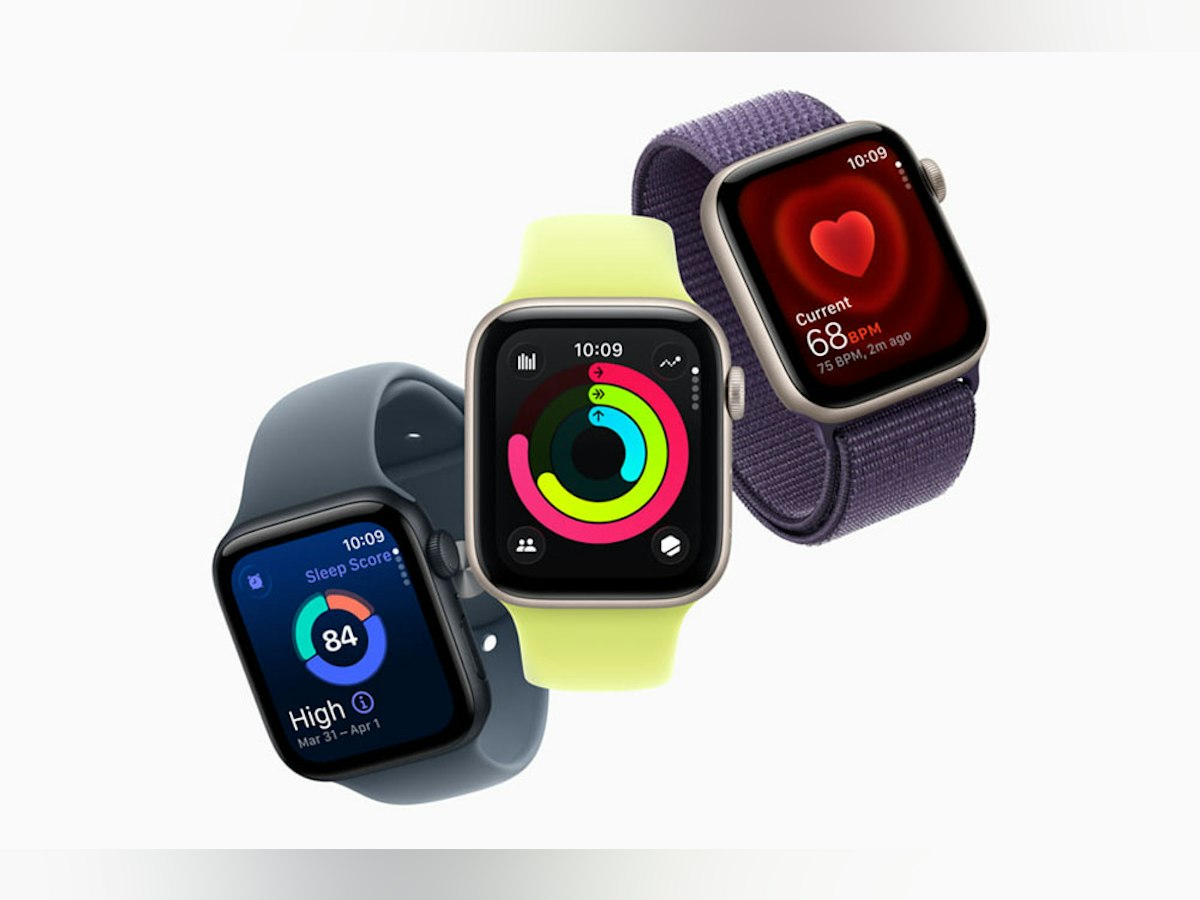
When you pair two Apple Watches with one iPhone, activity data from both watches can sync with the Health and Fitness apps. Your iPhone combines the data into one record linked to your Apple Account.
For example, if you walk in the morning with one watch and cycle in the evening with another, both workouts can appear in the same Fitness history. The iPhone helps prevent duplicate activity records when both devices track similar movement.
Some data may take time to sync. Keep the active watch near your iPhone and connected to Wi-Fi or cellular service when possible. Also, make sure both watches use the same Apple Account if you want their personal health data combined.
Multiple watches do not create unlimited battery life. Only the watch you wear can track your wrist data. The second watch will not record steps, heart rate, or workouts while it sits on a desk.
Health data is sensitive. If two people use the same iPhone, sharing one Apple Account can mix personal records and create privacy problems. Each person should have a separate Apple Account whenever possible.
Can two people use two Apple Watches with one iPhone?
This is where the answer needs more care. You can pair two Apple Watches with one iPhone, but standard pairing is designed mainly for one person using multiple watches.
If two adults want to use two watches, each person should normally use their own iPhone and Apple Account. This keeps messages, health records, contacts, passwords, and notifications separate.
Apple’s Family Setup feature can help a family member use an Apple Watch managed from another person’s iPhone. The family member usually needs a compatible cellular Apple Watch and a supported cellular plan. Availability and features can vary by country, carrier, watch model, and age.
Family Setup may not offer every feature available when a watch is paired directly with the wearer’s own iPhone. Some functions, apps, health tools, and communication features may be limited.
Before choosing this setup, check:
• Whether the Apple Watch supports Family Setup
• Whether your carrier supports the required cellular service
• Whether the watch and iPhone are updated
• Whether the family member has an Apple Account
• Whether local emergency and communication features work as expected
So, can you pair two apple watches to one iphone for two people? Technically, sometimes. Practically, separate iPhones are usually the cleaner choice.

Benefits of pairing two Apple Watches with one iPhone
Pairing multiple watches can be convenient in several situations. It gives you options without forcing you to reset or repair a watch every day.
Main benefits include:
• A backup watch is ready when your main watch needs charging.
• You can use a rugged model for outdoor work and a lighter model at home.
• You can keep a dress watch for formal events.
• Your activity history can remain in one Health app.
• You can compare different watch sizes, bands, and features.
• You can keep an older watch for travel or emergencies.
A second watch can also extend your daily routine. For example, you could charge your main watch overnight while wearing the second one for sleep tracking. The data may still combine in the Health app, but you should check that both watches are syncing correctly.
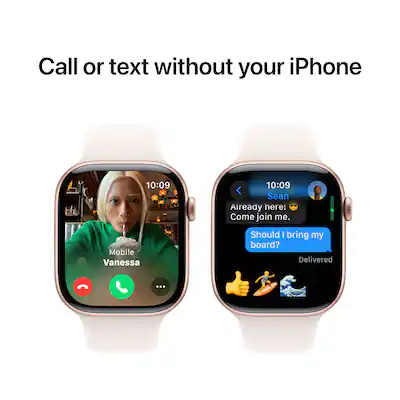
One important limitation is cellular service. A cellular plan may not transfer between watches in the way you expect. Some carriers support multiple watches, while others require an additional line or plan. Contact your carrier before assuming both watches can make calls away from your iPhone.
Problems you may face with two paired Apple Watches
Multiple Apple Watches are convenient, but they are not completely seamless. Knowing the limits can save you time.
Automatic switching does not work
Check that both watches have passcodes and that wrist detection is enabled. Restart the iPhone and the watch, then place the watch securely on your wrist.
If the issue continues, open the Apple Watch app and select the watch manually. This often restores the connection without requiring a full repair.
Notifications arrive on the wrong watch
Notifications normally go to the active watch. If the other watch is unlocked and nearby, the iPhone may not switch as expected.
Lock the watch you are not wearing and confirm that the active watch is selected in the Apple Watch app. Also check notification settings for the specific app.
Activity data looks incomplete
Keep the active watch unlocked and worn correctly. Syncing may also pause when the iPhone has a low battery, poor network connection, or limited storage.
Open the Health app to check whether the workout or movement record arrived. Avoid deleting the watch from the Apple Watch app unless other troubleshooting steps fail.
The second watch will not pair
The watch may still be linked to another Apple Account. Erase it properly, remove Activation Lock, and update the iPhone before trying again.
Older Apple Watch models may also be incompatible with newer iPhone software. Check Apple’s current compatibility list before buying a used watch.
Tips for managing two Apple Watches
A few habits make multiple-watch ownership much easier. Think of your iPhone as the control center and each watch as a separate satellite.
Use these practical tips:
• Name each watch clearly, such as “Daily Watch” and “Workout Watch.”
• Keep both watches updated when possible.
• Charge the second watch before you need it.
• Use different bands so you can identify each watch quickly.
• Confirm that automatic switching is enabled.
• Keep passcodes enabled for security and switching.
• Check cellular plans before using both watches away from your iPhone.
• Back up your iPhone before unpairing or erasing a watch.
• Avoid sharing one Apple Account with another adult.
• Clean the back sensor if wrist detection becomes unreliable.
Naming the watches is a small step, but it helps. When several devices appear in Bluetooth settings or the Apple Watch app, clear names reduce mistakes.
Another useful habit is to check battery levels before leaving home. A watch that is paired but nearly empty is not a reliable backup. Charging both watches on a regular schedule works better than waiting until one reaches zero percent.
Can you pair two Apple Watches to one iPhone after upgrading?
Yes, but compatibility matters. A newer Apple Watch may require a newer version of iOS, while an older iPhone may not support that software.
Before buying or pairing a second watch, check:
- Your iPhone model.
- Your iOS version.
- The watch model.
- The required watchOS version.
- Whether the watch needs a newer iPhone than yours.
- Whether your carrier supports its cellular features.
A software mismatch can make pairing impossible. Updating the iPhone is often the first solution, but some older iPhones cannot install the required iOS version.
If you are buying a used Apple Watch, ask the seller to unpair it before purchase. This protects you from Activation Lock and avoids a frustrating setup problem.
Is pairing two Apple Watches worth it?
For one person, pairing two Apple Watches can be very useful. It works well for people who want a daily watch and a workout watch, or who need a backup during charging.
The setup is less appealing when two people want to share one iPhone. Separate Apple Accounts and separate iPhones provide better privacy, cleaner health records, and fewer notification conflicts.
Consider a second watch if:
• You already use Apple Watch every day.
• You want different features for work and exercise.
• You travel often and need a backup.
• You prefer rotating watch styles.
• You understand the limits of cellular and Family Setup.
Skip the setup if you expect both watches to receive notifications at the same time. Standard pairing does not work that way. The iPhone normally treats one watch as active while the other waits.
Frequently Asked Questions
Can you pair two Apple Watches to one iPhone at the same time?
Yes, an iPhone can store and manage more than one paired Apple Watch. Only one watch is normally active and connected for notifications and live tracking at a time.
Can I use two Apple Watches with the same Apple Account?
Yes, one person can use multiple Apple Watches with the same Apple Account. This can allow health, fitness, and activity data to sync into the same account.
Can two people share one iPhone and two Apple Watches?
It is possible in limited cases through Family Setup, but it is not the best standard setup for two adults. Separate iPhones and Apple Accounts provide better privacy and fewer data conflicts.
Do both Apple Watches receive notifications?
Usually, notifications go to the Apple Watch you are wearing and using as the active watch. The second watch does not normally receive notifications at the same time.
Can I switch between two Apple Watches without repairing them?
Yes, you do not need to repair the watches each time. Use automatic switching or select the preferred watch manually in the Apple Watch app.
Will both watches track my health data?
Only the watch you are wearing can track wrist data at that moment. Data from both watches can sync to the Health app when they are connected to the same iPhone and Apple Account.
Can I use cellular service on both Apple Watches?
It depends on your carrier, watch models, and cellular plans. Some carriers support multiple watches, while others may require an extra line or plan.
Conclusion
So, can you pair two apple watches to one iphone? Yes. Your iPhone can manage multiple Apple Watches, switch between them, and combine compatible activity data in the Health app.
The smoothest setup is one person using two watches. Two people should usually use separate iPhones and Apple Accounts, unless Family Setup meets their needs. Update your devices, remove Activation Lock from used watches, keep automatic switching enabled, and check cellular support before you begin.
If you are ready to try it, open the Apple Watch app, tap All Watches, and add your second device. Explore Apple’s current compatibility guidance, then share your experience or questions in the comments.