Quick answer
Some Samsung Galaxy Watches work with an iPhone, but newer models do not.
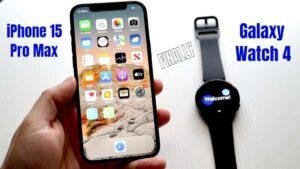
The Galaxy Watch4 and newer watches require an Android phone. They cannot pair with an iPhone. This includes the Galaxy Watch5, Watch6, Watch7, Galaxy Watch Ultra, and Galaxy Watch FE.
Older models, such as the original Galaxy Watch, Galaxy Watch3, Galaxy Watch Active, and Galaxy Watch Active2, can work with an iPhone through Samsung’s Galaxy Wearable app. However, several features are limited or unavailable compared with using the watch with a Samsung Galaxy phone.


Which Galaxy Watches work with iPhone?
The model matters more than the brand name. Samsung changed the software used by its watches beginning with the Galaxy Watch4.
| Galaxy Watch model | Works with iPhone? | Important limitation |
|---|---|---|
| Galaxy Watch | Yes | Older features and limited iPhone support |
| Galaxy Watch Active | Yes | Requires the Samsung Galaxy Watch app for iPhone |
| Galaxy Watch Active2 | Yes | Some health and reply features are unavailable |
| Galaxy Watch3 | Yes | Works with limits |
| Galaxy Watch4 | No | Requires Android |
| Galaxy Watch5 | No | Requires Android |
| Galaxy Watch6 | No | Requires Android |
| Galaxy Watch FE | No | Requires Android |
| Galaxy Watch7 | No | Requires Android |
| Galaxy Watch Ultra | No | Requires Android |
Samsung’s official compatibility guidance lists iPhone support for the older Tizen-based watches. The newer Wear OS watches use Google and Samsung services that are not supported on iOS.
The simple rule
- Galaxy Watch3 or older: May work with an iPhone.
- Galaxy Watch4 or newer: Does not work with an iPhone.
- Galaxy Watch Active and Active2: May work with an iPhone.
- Galaxy Fit bands: Follow a separate compatibility path and should be checked by model.
Used-watch listings can be confusing. A seller may say that a watch “works with phones,” but that does not mean it works with iOS. Check the exact model before buying.
How to tell which Galaxy Watch you have
Look at the watch name in the settings menu, the original box, or the back of the watch. You can also check the model number in the Galaxy Wearable app if the watch is already paired.
Common model names include:
- Galaxy Watch
- Galaxy Watch Active
- Galaxy Watch Active2
- Galaxy Watch3
- Galaxy Watch4
- Galaxy Watch5
- Galaxy Watch6
- Galaxy Watch7
- Galaxy Watch Ultra
- Galaxy Watch FE
The words “Watch4,” “Watch5,” “Watch6,” “Watch7,” “Ultra,” or “FE” mean the watch will not pair with an iPhone.
Do not rely only on the watch’s appearance. Some Galaxy Watch models look alike, and a used device may not include its original packaging.
How to connect an older Galaxy Watch to an iPhone
Before you begin, make sure the watch is an iPhone-compatible model. You also need an iPhone with a supported version of iOS, Bluetooth turned on, and enough battery in both devices.
Samsung has changed its apps over time, so app availability and iOS requirements can change. Download the current Samsung Galaxy Watch app from the Apple App Store before resetting the watch.
Follow these steps
-
Charge the watch and iPhone.
A setup can fail if either device shuts down during pairing. -
Turn on Bluetooth on the iPhone.
Open Settings > Bluetooth and leave Bluetooth enabled. -
Install the Samsung Galaxy Watch app.
Search the App Store for Samsung’s official Galaxy Watch app. Check that the app supports your watch model. -
Turn on the Galaxy Watch.
Follow the on-screen prompts until the watch asks you to connect to a phone. -
Open the Galaxy Watch app on the iPhone.
Select your watch model and allow the app to use Bluetooth and send notifications when requested. -
Confirm the pairing code.
The code shown on the watch should match the code on the iPhone. -
Sign in to a Samsung account if prompted.
Some services need an account. You may also be asked to accept terms and download software. -
Allow notification access.
Choose which iPhone notifications you want to appear on the watch. -
Finish the setup and update the watch.
Keep the devices close together until the update or setup is complete.


Signs that setup worked
The watch should show as connected in the Galaxy Watch app. You should also see notifications on the watch after receiving a test alert on the iPhone.
If the watch has a microphone and speaker, test a call only after granting the requested permissions. Features can vary by watch model, iPhone model, iOS version, and carrier.
What works when you use Galaxy Watch with iPhone?
An older compatible Galaxy Watch can handle several everyday tasks when connected to an iPhone.
You can generally expect:
- Time, alarms, timers, and watch faces
- Step counting and some basic activity tracking
- Heart-rate readings on supported models
- Notifications from selected iPhone apps
- Fitness and sleep data in supported Samsung apps
- Basic music controls
- Find-my-phone functions
- Bluetooth calls on supported watch and iPhone combinations
- Watch settings managed through the Galaxy Watch app
These functions are not identical across all older models. Samsung may also remove or limit support as iOS changes.
The watch uses Bluetooth for much of its connection. If the iPhone is too far away, notifications and remote controls may stop working unless the watch has a supported independent connection.


What does not work, or works poorly, with iPhone?
The main trade-off is that an older Galaxy Watch may show information from an iPhone, but it does not become an Apple Watch.
Important limits include:
No full iMessage or text-message experience
You may receive message alerts, but replying can be limited. Quick replies, keyboard support, and message history may not work like they do with an Android phone.
Apple controls much of the iMessage system. A Galaxy Watch connected to an iPhone cannot provide the same deep access that an Apple Watch receives.
Samsung Health features may be limited
Basic activity data may sync, but some advanced health tools are restricted. The exact limits depend on the watch, app version, phone, and region.
Features that may be unavailable or restricted include:
- ECG readings
- Blood pressure readings
- Certain advanced health reports
- Some sleep and wellness functions
- Automatic data syncing between all Samsung services
ECG and blood pressure functions also have regulatory and device requirements. Do not assume that buying a watch with a sensor means every health feature will work with every phone.
Samsung Pay and wallet functions may not work
Samsung Pay support can vary by watch, region, bank, and phone. iPhone pairing does not provide the same wallet experience as pairing with a compatible Samsung phone.
Check Samsung’s current support information before buying a watch mainly for payments.
No Wear OS apps on iPhone
Galaxy Watch4 and newer models use Wear OS. Their setup depends on Android services that are not available on iPhone.
This is why installing an older Samsung app cannot make a Galaxy Watch4 or Galaxy Watch7 work with iOS. The problem is not just the app. It is the watch’s operating system and required phone services.
Software updates may be more limited
An older watch may receive fewer updates or lose app support as Apple and Samsung change their platforms. A watch that pairs today may not retain every function after a future iOS or app update.
Galaxy Watch versus Apple Watch with an iPhone
If you use an iPhone as your main phone, an Apple Watch is usually the more complete match. Apple controls both iOS and watchOS, so features such as messaging, calls, health records, and system notifications are more closely integrated.
An older Galaxy Watch may still make sense if:
- You already own one.
- You want a round watch design.
- You mainly need alerts, time, steps, and basic tracking.
- You found one at a low price.
- You do not need advanced health or messaging features.
An Apple Watch is usually the safer choice if you need:


- Full iPhone notification control
- Strong iMessage integration
- Apple Health syncing
- Apple Pay on the wrist
- New watchOS features
- Long-term support within the Apple ecosystem
The deciding factor is not whether the Galaxy Watch can connect. It is whether the available features meet your daily needs.
Can you use a Galaxy Watch without a phone after setup?
Some Galaxy Watch models have LTE service, but LTE does not remove all phone requirements.
An LTE watch may handle calls, messages, music, or data away from the phone when it has an active compatible plan. Carrier support and activation rules vary in the United States.
You still need a compatible phone for setup, account access, software management, and some apps. A cellular plan also adds a monthly cost and may require the carrier to support the exact watch model.
Bluetooth-only models depend more heavily on the nearby phone. If you leave the iPhone behind, the watch may continue tracking activity, but connected features such as alerts and remote controls can stop.
What to do if an older Galaxy Watch will not pair with iPhone
Pairing problems usually come from the wrong app, an old connection, unsupported software, or a watch that was not reset correctly.
Try these checks in order.
1. Confirm the exact watch model
If it is a Galaxy Watch4 or newer, iPhone pairing is not supported. No reset or app change will fix that limit.
2. Update the iPhone
Install the latest iOS version that your iPhone supports. Also update the Galaxy Watch app from the App Store.
3. Restart both devices
Turn the iPhone and watch off, then turn them back on. Keep them close during setup.
4. Remove old Bluetooth records
On the iPhone, open Settings > Bluetooth. If the watch appears under saved devices, tap the information button and choose Forget This Device.
Then pair through the Galaxy Watch app instead of starting from the iPhone’s Bluetooth menu.
5. Reset the watch if it was paired with another phone
A Galaxy Watch often needs a reset before it can move to a new phone. A reset removes data stored on the watch, so sync or back up anything you can first.
The exact menu can differ by model. Look for a reset option under the watch’s general settings or use Samsung’s model-specific instructions.


6. Check permissions
The Galaxy Watch app may need permission for Bluetooth, notifications, contacts, microphone, location, and health data. Denying one permission can make a feature appear broken.
7. Check the app and region
Samsung’s apps and services can vary by country. Confirm that the watch model is sold and supported in the United States and that the app is available for your Apple ID region.
If the watch still will not pair after these checks, contact Samsung support or the seller. Do not pay for a cellular plan until compatibility is confirmed.
Common mistakes to avoid
Buying a Galaxy Watch4 because it looks like a Watch3
The designs are similar, but their phone requirements are different. Always confirm the model name and software platform.
Assuming notifications mean full compatibility
A watch may display alerts while lacking message replies, health sync, wallet access, or software updates. Test the features you care about before treating the setup as successful.
Resetting before checking the model
A reset erases watch data but cannot make an unsupported model work with an iPhone. Confirm compatibility first.
Buying an LTE model for iPhone use
LTE adds independence, but it does not turn an Android-only Galaxy Watch into an iPhone-compatible watch. It also may require a separate line and carrier activation.
Trusting a marketplace description
Used listings may say “works with Android and iPhone” based on an old product description. Ask for the exact model number and confirm it on Samsung’s support pages.
Frequently asked questions
Does Galaxy Watch4 work with iPhone?
No. The Galaxy Watch4 requires an Android phone and does not officially support iPhone pairing.
Does Galaxy Watch5 work with iPhone?
No. The Galaxy Watch5 uses Wear OS and requires Android.
Does Galaxy Watch6 or Watch7 work with iPhone?
No. The Galaxy Watch6 and Watch7 are not compatible with iPhone. The Galaxy Watch Ultra and Galaxy Watch FE also require Android.
Does the original Galaxy Watch work with iPhone?
Yes, the original Galaxy Watch can work with supported iPhone models through Samsung’s Galaxy Watch app. Some features, including advanced health tools, payments, and message replies, may be limited.
Can Galaxy Watch receive iPhone notifications?
Compatible older models can receive many iPhone notifications after notification access is enabled. The watch may not support the same reply, message history, or app controls available on an Apple Watch.
Can I use Galaxy Watch with iPhone and Samsung phone?
You can move a compatible older watch between phones, but you may need to reset it during the switch. Data and features can change between iOS and Android. Newer Galaxy Watch models still require Android.


Bottom line
Galaxy Watch works with iPhone only when you choose an older compatible model. The original Galaxy Watch, Galaxy Watch Active, Galaxy Watch Active2, and Galaxy Watch3 can pair with iPhone, but with meaningful limits.
Galaxy Watch4 and newer models do not work with iPhone. If you own an iPhone and want the fewest restrictions, choose an Apple Watch or verify every required feature before buying an older Galaxy Watch.
Before purchasing a used watch, confirm the exact model, check Samsung’s current iOS support page, and test the features that matter most to you.
Sources and support pages
Rubel Miah is the Senior Editor at MyStyleGrid.com, where he brings a sharp editorial eye and an unshakable love for fashion to everything he does. A true style addict, Rubel lives and breathes trends, from streetwear to high fashion, and has a knack for turning inspiration into impactful stories. With years of experience in fashion journalism and digital media, he curates content that empowers readers to express themselves through style. When he’s not editing features or forecasting the next big thing, you’ll find him hunting down vintage pieces or capturing street style moments around the city.