
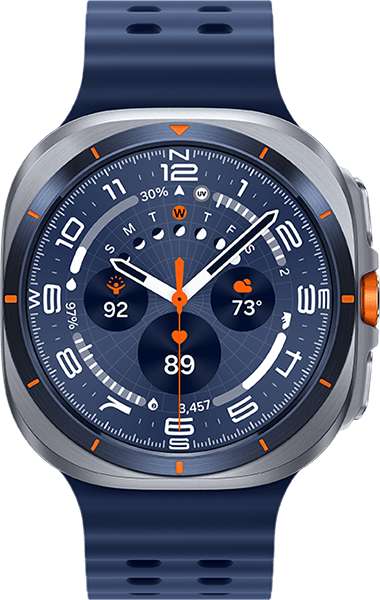
Yes, Spectrum has smartwatch connectivity, mainly for compatible Apple Watch models paired with Spectrum Mobile iPhones.
If you are asking, “does Spectrum have smart watches,” the answer is more specific than a simple yes-or-no answer. Spectrum Mobile can connect certain cellular Apple Watch models to its network, but smartwatch support, device choice, pricing, and setup rules can change. This guide explains what Spectrum offers, how it works, what it costs, and what to check before you buy.
Does Spectrum Have Smart Watches?
Yes, Spectrum Mobile supports smartwatch connectivity, but it does not operate like a large smartwatch store with every major brand. Its smartwatch service is mainly built around Apple Watch models that support cellular service.
For many shoppers, the real question behind “does Spectrum have smart watches” is whether the watch can work without an iPhone nearby. The answer is yes when you use a supported GPS + Cellular Apple Watch with an active Spectrum Mobile connection.
That means you usually need:
• A compatible cellular Apple Watch
• An iPhone that works with the watch
• An active Spectrum Mobile phone line
• A Spectrum Mobile account in good standing
• A watch model approved for Spectrum’s network
A GPS-only Apple Watch will still work near your iPhone or Wi-Fi router. However, it cannot use mobile data when it is away from both. For calls, texts, maps, and streaming without your iPhone nearby, you need a GPS + Cellular model.

What Smartwatch Service Does Spectrum Offer?
Spectrum Mobile smartwatch service allows a compatible watch to share your mobile account. The watch gets its own cellular connection, but it normally works as an extension of your iPhone rather than as a fully separate phone line.
For example, you could leave your iPhone at home while walking the dog. If your Apple Watch has cellular service, you may still be able to:
• Make and receive calls
• Send and receive messages
• Use maps and location features
• Stream supported music
• Receive app alerts
• Contact emergency services
• Track workouts and health data
The exact features depend on the Apple Watch model, watchOS version, phone settings, and Spectrum’s current support terms.
Is Spectrum smartwatch service the same as a phone line?
Not quite. A smartwatch plan usually uses a separate device connection that is linked to your primary mobile number through a carrier feature such as number sharing.
The watch may show your regular phone number for calls and messages. It is not normally designed to replace a smartphone for heavy browsing, long calls, or large downloads.


Which Apple Watch Models Work With Spectrum?
Spectrum’s Apple Watch support can depend on the model, software version, and country or region where the watch was purchased. In general, cellular Apple Watch models from recent generations are the most likely to qualify.
Before buying, check these details:
• The watch must support cellular service
• The cellular version must use a compatible network band
• The watch must be activated in the United States
• Your iPhone must support the required iOS version
• Your Apple Watch must support the current watchOS version
• The watch may need to be purchased without an incompatible carrier lock
A cellular Apple Watch from another carrier may work after it is unlocked and removed from the old account. A used watch can create problems if the previous owner did not remove Activation Lock or cancel the old cellular plan.
The safest approach is to check the exact model number with Spectrum before purchasing. Do not rely only on a product title that says “Apple Watch Cellular.” Regional versions can differ.
Can You Use Samsung Galaxy Watch With Spectrum?
This is where many shoppers get confused. Spectrum Mobile’s smartwatch support has traditionally focused on Apple Watch, so Android smartwatch support may be limited or unavailable.
Samsung Galaxy Watch models often require specific carrier support and an Android phone. Even if a Galaxy Watch has LTE hardware, that does not mean it will activate on every wireless network.
If you use a Samsung Galaxy phone, ask Spectrum these questions before buying:
• Does Spectrum support this exact Galaxy Watch model?
• Can the watch use Spectrum’s smartwatch service?
• Is number sharing available for Android watches?
• Does the service require a Spectrum Mobile phone line?
• Can Spectrum activate a watch purchased elsewhere?
The same caution applies to Google Pixel Watch, Fitbit LTE models, and other cellular wearables. Device compatibility is controlled by the carrier, not just by the watch’s hardware.
The answer to “does Spectrum have smart watches” may be yes for Apple users but not for every Android smartwatch owner.
How Much Does Spectrum Smartwatch Service Cost?
Spectrum has offered smartwatch connectivity as an additional monthly service for eligible devices. Public pricing has commonly been around $10 per month per connected Apple Watch, but rates, promotions, taxes, and eligibility can change.
Your total cost may include:


• The price of the Apple Watch
• The monthly smartwatch connection fee
• Taxes and regulatory charges
• One-time activation or setup costs, if applicable
• Your existing Spectrum Mobile plan
• Optional protection or replacement coverage
Promotions may reduce the watch price or include service for a limited time. Read the full offer terms carefully. A low device price does not always mean the lowest long-term cost.
For an accurate estimate, check your Spectrum account or ask a Spectrum representative for the current price. This is especially important if you are comparing Spectrum with Verizon, AT&T, T-Mobile, or an Apple Watch purchased directly from Apple.
How to Add an Apple Watch to Spectrum Mobile
Adding a watch is usually done through the Apple Watch app on your iPhone. The screens can change with new iOS updates, but the basic process is similar.
-
Update your iPhone and Apple Watch.
Install the latest available iOS and watchOS updates. Outdated software can block activation.
-
Pair the watch with your iPhone.
Open the Watch app and follow the pairing instructions. If the watch was previously owned, make sure it has been erased and removed from the former owner’s Apple account.
-
Open the cellular settings.
In the Watch app, select the cellular option and choose the prompt to set up mobile service.
-
Sign in to Spectrum Mobile.
Enter your Spectrum account details. You may need to confirm the mobile line that will share service with the watch.
-
Review the monthly charge.
Check the price, taxes, terms, and any promotional conditions before approving the connection.
-
Finish activation.
Follow the on-screen instructions. Activation may take a few minutes, though some account issues can take longer.
-
Test the watch away from the iPhone.
Turn off Bluetooth and move away from Wi-Fi. Then test a call, message, map request, or other mobile feature.


One common mistake is testing only beside the iPhone. That confirms Bluetooth pairing, not cellular activation. A real test should happen outside Bluetooth and Wi-Fi range.
What You Need Before Activation
A smooth setup starts with the right equipment and account. Before you order, prepare the following:
• A compatible iPhone
• A compatible cellular Apple Watch
• An active Spectrum Mobile line
• The Spectrum account holder’s login
• A supported iOS and watchOS version
• A reliable Wi-Fi connection during setup
• The watch’s IMEI or model information, if requested
Your iPhone and Apple Watch should usually use the same Apple account. Family Setup can have different rules, and not every carrier supports every Family Setup feature.
Also check whether the watch is locked to another carrier. Buying a used cellular watch without checking its status is one of the easiest ways to waste money.
Benefits of Using Spectrum for a Smartwatch
Spectrum Mobile smartwatch service can be useful if you already use Spectrum for home internet and mobile service. Managing fewer accounts can make billing easier.
Convenient phone-free use
A cellular Apple Watch can help during workouts, errands, and short trips. You can stay reachable without carrying your phone in your hand or pocket.
One connected ecosystem
Apple Watch works closely with iPhone for notifications, health tracking, calls, and apps. If your household already uses Apple devices, setup is often familiar.
Possible account savings
Spectrum may be attractive when bundled with qualifying internet and mobile services. However, compare the complete monthly bill rather than focusing only on the watch fee.


Helpful safety features
Apple Watch can support emergency calling, fall detection, crash detection, and location sharing on supported models. These features are helpful, but they should not replace common sense or a dedicated emergency plan.
Limitations to Consider
Spectrum may be a good fit for Apple users, but it is not ideal for everyone. The main limitation is the narrower device choice.
You may want another carrier if:
• You need a Samsung or Google smartwatch
• You use an Android phone
• You want a standalone watch for a child without an iPhone
• You need broad international smartwatch roaming
• You prefer to buy all wearable brands from one carrier
• Spectrum service is weak in the places you visit
Coverage also matters. Spectrum Mobile uses partner networks in many areas, but performance can vary by location, congestion, device, and plan rules. A smartwatch has a smaller battery and antenna than a phone, so cellular use may reduce battery life faster.
International service is another area to check. A feature that works in the United States may not work in the same way overseas. Confirm roaming rules before traveling.
In short, does Spectrum have smart watches for every user? No. Its strongest fit is for customers with Spectrum Mobile, an iPhone, and a compatible cellular Apple Watch.
Spectrum Smartwatch vs. Buying From Apple
Buying an Apple Watch from Spectrum may be convenient if you want one bill and carrier activation. Buying from Apple can provide a wider selection, including aluminum, stainless steel, size, color, and band options.
The better choice depends on your needs:
• Choose Spectrum when you want carrier billing and an existing Spectrum Mobile account.
• Choose Apple when you want the widest model and accessory selection.
• Choose a different carrier when you need Android smartwatch support.
• Choose GPS-only when your iPhone will almost always be nearby.
• Choose GPS + Cellular when you want phone-free calling and data.
Remember that a cellular watch bought from Apple still needs a compatible carrier plan. The purchase location does not guarantee network activation.
Common Setup Problems and Fixes
Smartwatch activation problems are often simple account or compatibility issues. These checks solve many common errors.
The cellular option is missing
Your watch may be a GPS-only model, your iPhone may not be eligible, or the watch software may be outdated. Confirm the model and update both devices.
Activation is stuck
Restart the iPhone and watch. Check your Wi-Fi connection, sign out of unnecessary VPN services, and try again later if Spectrum’s activation system is busy.
The watch shows no service
Move outside and wait several minutes. If the watch still cannot connect, check the cellular plan in the Watch app and confirm that the watch was fully activated.
The previous owner’s information appears
The watch may still have Activation Lock. The former owner must remove it from their Apple account. Spectrum cannot normally bypass Apple’s security lock.
Calls do not work correctly
Confirm that the iPhone has service, the watch has cellular enabled, and the correct number-sharing settings are active. Restart both devices after making account changes.
When contacting support, have the watch model, IMEI, account number, and error message ready. Clear details help reduce support time.
Smart Buying Tips
A few minutes of research can prevent a costly mistake. Use this checklist before ordering.
-
Decide whether you need cellular service.
If your iPhone is always nearby, a GPS-only watch may be enough.
-
Confirm network compatibility.
Check the exact model, not only the watch family name.
-
Review the full monthly cost.
Include taxes, service fees, device payments, and protection plans.
-
Check return terms.
Make sure you can return the watch if activation fails or the fit is uncomfortable.
-
Avoid locked used devices.
Confirm that the seller removed Activation Lock and canceled cellular service.
-
Test coverage at home and work.
A phone signal does not always guarantee the same smartwatch experience.
-
Ask about travel.
Check domestic and international roaming before leaving the country.
In practical support checks, the biggest mistake is buying a cellular watch first and asking about compatibility later. Confirm the model with Spectrum before spending money.
Does Spectrum Have Smart Watches: Key Takeaways
So, does Spectrum have smart watches? Yes, Spectrum Mobile offers smartwatch connectivity, with Apple Watch as the primary supported option for many customers.
The service is best for people who already have Spectrum Mobile and use an iPhone. It may be less suitable for Android users, Samsung Galaxy Watch owners, or anyone who wants a large range of wearable brands.
Always verify current pricing, eligible models, activation rules, and roaming terms. Carrier support can change as new watches and software updates arrive.
Frequently Asked Questions About Does Spectrum Have Smart Watches
Does Spectrum have smart watches for iPhone users?
Yes, Spectrum Mobile can support compatible cellular Apple Watch models for eligible iPhone users. You typically need an active Spectrum Mobile phone line and a watch that meets the carrier’s current requirements.
Does Spectrum sell Apple Watch?
Spectrum may offer eligible Apple Watch models through its device selection, and compatible watches can often be connected through Spectrum Mobile. Inventory and supported models vary, so check Spectrum’s current store and compatibility list before buying.
How much is a smartwatch plan with Spectrum?
Spectrum has commonly charged about $10 per month for an eligible connected Apple Watch. The current price may vary with promotions, taxes, plan requirements, and account status.
Can I use an Apple Watch without an iPhone on Spectrum?
You generally need an iPhone to set up and manage Apple Watch service. A cellular Apple Watch can operate away from the iPhone after activation, but it is not usually a complete replacement for the iPhone.
Does Spectrum support Samsung Galaxy Watch?
Spectrum’s smartwatch support has mainly centered on Apple Watch. Samsung Galaxy Watch availability may be limited, so confirm support for the exact model before purchasing.
Can I connect a used Apple Watch to Spectrum?
You may be able to connect a used cellular Apple Watch if it is compatible, unlocked, and removed from the previous owner’s Apple account. Activation Lock must be removed before another person can use it.
Does Spectrum have smart watches with cellular service?
Yes, Spectrum Mobile may provide cellular service for eligible Apple Watch models. GPS-only watches do not connect to the mobile network, so check the watch’s exact configuration before buying.
Does Spectrum smartwatch service work without Wi-Fi?
A properly activated cellular Apple Watch can use mobile service without Wi-Fi or a nearby iPhone. GPS-only models need the iPhone or Wi-Fi for many connected features.
Can I use Spectrum Apple Watch service outside the United States?
International Apple Watch service depends on the country, model, roaming rules, and current Spectrum terms. Check international support before traveling because domestic activation does not guarantee overseas coverage.
Conclusion
Does Spectrum have smart watches? Yes, but the answer mainly applies to compatible cellular Apple Watch models connected through Spectrum Mobile. You should confirm the exact watch model, monthly fee, iPhone requirement, coverage, and travel rules before buying.
For most existing Spectrum Mobile and iPhone users, the service can be a simple way to add phone-free calls, messages, safety tools, and mobile data. Check your account, compare the full cost, and test the watch away from Wi-Fi after activation.
Rubel Miah is the Senior Editor at MyStyleGrid.com, where he brings a sharp editorial eye and an unshakable love for fashion to everything he does. A true style addict, Rubel lives and breathes trends, from streetwear to high fashion, and has a knack for turning inspiration into impactful stories. With years of experience in fashion journalism and digital media, he curates content that empowers readers to express themselves through style. When he’s not editing features or forecasting the next big thing, you’ll find him hunting down vintage pieces or capturing street style moments around the city.