Introduction
For people in the United States, the Apple Watch measures exercise by combining motion data, heart rate, GPS, workout type, and information from your Health app. It then estimates whether your activity reached a level Apple considers meaningful for your Exercise ring.
The watch does not simply count every step or every minute that you move. It looks at the intensity, type, and length of your activity. A brisk walk may add Exercise minutes, while slow shopping may add few or none. A workout can also use different sensors depending on whether you choose walking, running, cycling, swimming, strength training, or another option.
Apple does not publish the full formula used for every workout. The exact result can change with your Apple Watch model, watchOS version, workout type, heart-rate reading, GPS signal, and personal details.
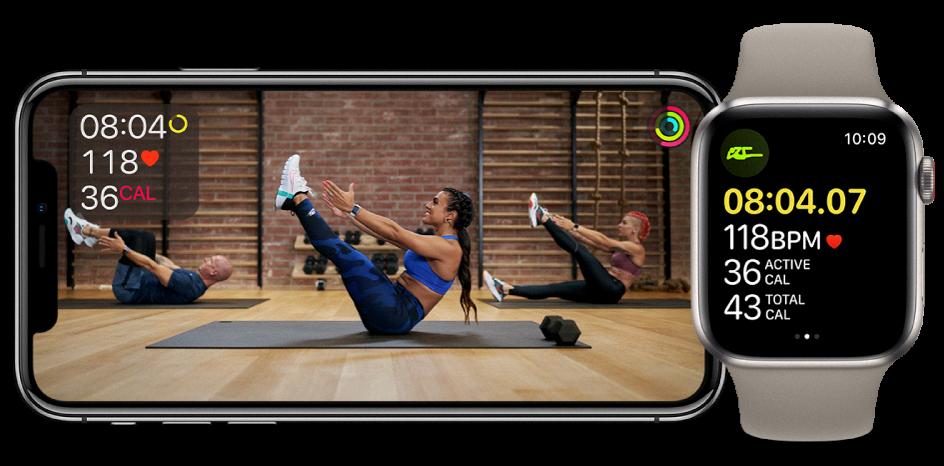
Quick answer: How does Apple Watch calculate exercise?
Apple Watch calculates Exercise minutes by estimating whether your activity is at least as intense as a brisk walk. It uses several inputs:
- Accelerometer: Detects body and wrist movement.
- Gyroscope: Helps identify wrist position and motion.
- Heart-rate sensor: Measures how hard your body is working.
- GPS: Tracks distance, speed, and route during outdoor workouts.
- Barometric altimeter: Detects changes in elevation on supported models.
- Workout selection: Tells the watch which activity model to use.
- Personal information: Age, sex, height, weight, wheelchair status, and other Health details affect estimates.
- Calibration data: Helps improve distance, pace, and calorie estimates.
For many activities, the watch records Exercise minutes when your movement or heart-rate effort reaches a suitable level. During a workout, it may also estimate active calories, total calories, distance, pace, speed, elevation, and heart-rate zones.
The Exercise ring is therefore an estimate of activity intensity, not a direct measurement of calories burned or a medical test.
What counts as exercise on Apple Watch?
Apple Watch usually counts activity toward the Exercise ring when it is at least as demanding as a brisk walk. Apple describes this as activity that raises your heart rate noticeably.
Examples that may count include:
- Fast walking
- Running
- Hiking
- Cycling
- Swimming
- Rowing
- Elliptical training
- High-intensity interval training
- Dancing
- Sports
- Some strength workouts
- Some wheelchair activities
The result depends on your pace, effort, fitness level, terrain, heart-rate response, and the watch’s sensor readings. A slow walk may not count as a full Exercise minute, while a shorter, harder effort may count more quickly.
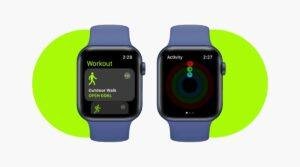
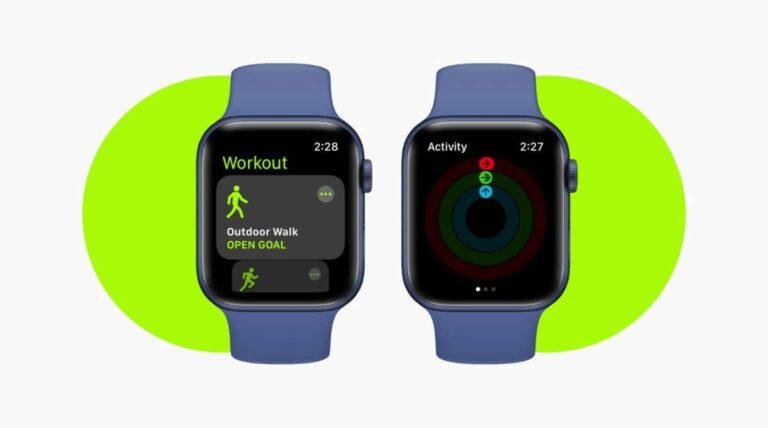
Apple Watch can also record Exercise minutes when you start an appropriate workout in the Workout app. Starting a workout gives the watch more context, which can improve the data it collects. However, starting a workout does not guarantee that every minute will count as Exercise.
Exercise minutes are not the same as workout minutes
These terms are related but different:
- Workout time: How long the Workout app records an activity.
- Exercise minutes: Time Apple Watch believes you met its exercise-intensity standard.
- Active calories: Energy estimated from movement and effort above your resting needs.
- Total calories: Active calories plus estimated resting calories.
- Stand hours: Hours in which you stood or moved for at least one minute.
For example, you might record a 30-minute easy walk but receive only 20 Exercise minutes. The workout lasted 30 minutes, but the watch judged that only part of it reached the required effort.

Which sensors does Apple Watch use?
Apple Watch uses a sensor system rather than one single measurement. Each sensor helps answer a different question.


Motion sensors
The accelerometer detects changes in speed and movement. It can help identify walking, running, arm motion, and other patterns.
The gyroscope measures rotation and wrist position. Together, these motion sensors help the watch understand whether your wrist is moving in a way that matches the selected workout.
Motion data is useful, but it has limits. A person pushing a lawn mower, holding a stroller, carrying groceries, or keeping their arms still during a treadmill walk may receive less accurate results because wrist movement does not fully show the work being done.
Heart-rate sensor
The optical heart sensor uses green light and reflected light to estimate your pulse. Apple Watch can use heart-rate data to estimate workout effort and active calories.
Heart rate can vary for reasons that have little to do with exercise. Heat, stress, caffeine, illness, medication, dehydration, poor sleep, and wrist fit may all affect it. The watch may also miss readings during rapid movement or when the band is too loose.
A heart-rate reading from Apple Watch is not the same as a clinical electrocardiogram or a medical-grade test. If you have symptoms such as chest pain, fainting, severe shortness of breath, or an unusual heartbeat, stop exercising and seek appropriate medical care.
GPS
For outdoor walking, running, hiking, and cycling, GPS can measure route, distance, pace, and speed. These values help the watch judge the intensity of the workout.
GPS accuracy can drop near tall buildings, under dense tree cover, indoors, in tunnels, or when the watch has not yet gained a good signal. When GPS is weak, the watch may rely more on motion data and stored calibration.
Barometric altimeter
Supported Apple Watch models can detect elevation changes. Climbing hills or stairs may increase effort even when speed is low.
Elevation data can be less reliable in changing weather or locations where the watch cannot sense pressure well. Indoor stair machines also may not match the watch’s elevation estimate perfectly.
Personal and Health data
Apple Watch uses information such as height, weight, age, sex, and movement status to improve calorie and activity estimates. An incorrect weight or height can affect the results.
To review this information on an iPhone:
- Open the Health app.
- Tap your profile picture.
- Choose Health Details.
- Check your date of birth, height, weight, sex, and wheelchair settings.
You can also review permissions under Health > Data Access & Devices > Apple Watch.
How are calories calculated during exercise?
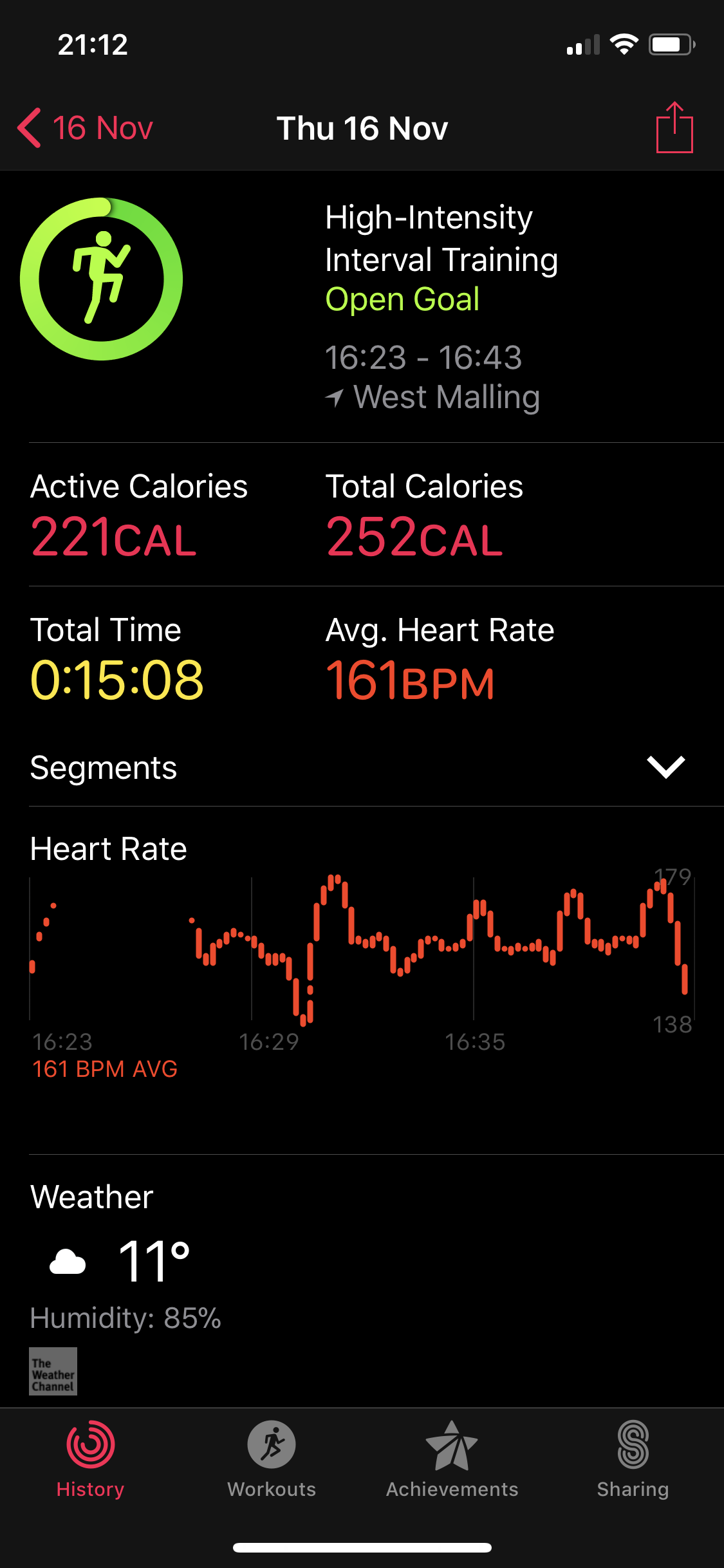
Apple Watch estimates calories by combining personal data with motion, heart rate, workout type, speed, distance, and elevation when available.


The watch reports two calorie values:
- Active calories: Energy used through movement and exercise.
- Total calories: Active calories plus estimated energy used by your body at rest.
A simple way to understand the difference is this:
Total calories = active calories + resting calories
This is a conceptual explanation, not Apple’s complete formula. Apple does not publish every calculation used by each workout type.
Why calorie estimates can differ
Two people can complete the same workout and receive different calorie estimates. Their age, body size, fitness level, heart rate, pace, and movement pattern may differ.
The same person may also receive different estimates on different days. A hilly run, for example, can demand more effort than a flat run at the same average pace.
Treat calorie numbers as useful estimates for tracking trends, not as exact measurements. They should not be used alone to decide how much to eat, whether a workout was safe, or whether a medical condition is present.
Why does my Apple Watch not count all my exercise?
The most common reason is that the watch did not detect enough intensity. Other causes include poor fit, incorrect personal details, a weak GPS signal, or an activity that does not create clear wrist movement.
Common causes and useful checks
| What you see | Possible reason | What to try |
|---|---|---|
| A walk adds few Exercise minutes | Pace may be below the brisk-walk level | Walk faster or start an Outdoor Walk workout |
| A treadmill workout looks wrong | Indoor distance needs calibration | Use Indoor Walk or Indoor Run and complete outdoor calibration |
| Strength training adds little exercise | Wrist movement and heart-rate readings may be limited | Start Strength Training and wear the watch firmly |
| Cycling distance is inaccurate | GPS or route data may be weak | Start Outdoor Cycle and wait for a GPS signal |
| Heart rate has gaps | Band may be loose or skin contact may be poor | Place the watch snugly above the wrist bone |
| Exercise rings seem inconsistent | Health data or calibration may be outdated | Check Health Details and recalibrate |
| Water exercise is not recorded well | Water can affect touch and sensor contact | Start the correct swim workout before entering the water |
Check the watch fit
Wear Apple Watch snugly during exercise, especially during running or interval training. The back of the watch should remain in steady contact with your skin, but the band should not cause pain or numbness.
A loose band can cause missing heart-rate data. A very tight band can also be uncomfortable and may affect normal use.
Choose the closest workout type
The Workout app uses different data models for different activities. Select the closest match:
- Outdoor Walk for outdoor walking
- Indoor Walk for treadmill walking
- Outdoor Run for outdoor running
- Indoor Run for treadmill running
- Outdoor Cycle for outdoor cycling
- Indoor Cycle for stationary cycling
- Hiking for trail walking with elevation
- Functional Strength Training or Traditional Strength Training for resistance exercise
- Pool Swim or Open Water Swim for swimming
If no workout type fits, choose Other. The result may be less specific because the watch has less information about the activity.
How do you improve Apple Watch exercise accuracy?
The best improvements are simple: keep your Health details current, wear the watch correctly, choose the right workout, and calibrate it outdoors.
1. Update your personal details
Review your height, weight, age, and other Health information. If your weight changes significantly, update it because body size affects calorie estimates.


2. Wear the watch correctly
Keep the watch above the wrist bone during exercise. Make sure the sensor stays against your skin.
If you have tattoos, scars, or heavy hair under the sensor, optical heart-rate readings may be less reliable. In that case, the watch may record fewer heart-rate samples.
3. Turn on Location Services and Motion Calibration
On iPhone, check:
- Settings > Privacy & Security > Location Services
- Settings > Privacy & Security > Location Services > System Services > Motion Calibration & Distance
The exact menu names can vary by iOS version. Location access helps outdoor workouts use GPS, while motion calibration helps the watch learn your stride and movement.
4. Calibrate with a steady outdoor workout
For better walking and running estimates, walk or run outdoors in an open area with good GPS reception. Keep a steady pace for about 20 minutes when possible.
Apple’s support guidance recommends outdoor calibration to improve distance, pace, and calorie estimates. Calibration works best when the watch has a clear view of the sky and you use the correct workout type.
5. Start the workout before exercising
Open the Workout app and select the activity before you begin. Waiting until several minutes have passed can leave part of the activity unrecorded.
Signs that tracking is working well
You should see:
- A stable heart-rate reading during most of the workout
- A route that matches your actual path
- Distance that is close to a known route
- Pace that changes in a believable way
- Exercise minutes that rise during sustained effort
- No repeated gaps in the workout timeline
No wearable provides perfect results in every setting. The goal is consistent tracking that helps you compare your own activity over time.

Does Apple Watch calculate exercise differently for different activities?
Yes. Apple Watch adapts its measurements to the selected workout and available sensors.
Outdoor running can use pace, GPS, cadence, heart rate, and elevation. Swimming uses movement and stroke-related data while accounting for the water environment. Cycling may rely on GPS, speed, distance, heart rate, and elevation.
Strength training is harder to estimate from wrist data alone. The watch can record workout time and heart rate, but it cannot directly measure the weight on a barbell or the exact work done by each muscle.
Rowing, boxing, yoga, Pilates, and dance can also produce different results because wrist motion may not match total body effort. Starting the closest workout type gives the watch a better starting point, but it does not make the estimate exact.
Does Apple Watch count exercise if I do not start a workout?
It can. Apple Watch may recognize some activity automatically and offer to start a workout. It can also add Exercise minutes through normal activity when the watch detects enough movement or effort.


However, automatic detection may begin after the activity has already started. For better records, start the workout yourself.
Automatic detection can also be less useful for activities with unusual movement, such as lifting weights, pushing a wheelchair, carrying objects, or using equipment that keeps the wrist still.
What about wheelchair users?
Apple Watch supports wheelchair settings and can track pushes instead of steps when the Health profile is configured for wheelchair use. Activity estimates may then use wheelchair movement and rolling patterns.
To check the setting, review your profile in the Health app. If the watch is still showing steps when you use a wheelchair, verify that the wheelchair option is selected and that the watch and iPhone software are up to date.
Results can still vary with terrain, wheel type, arm movement, and how the watch is worn.
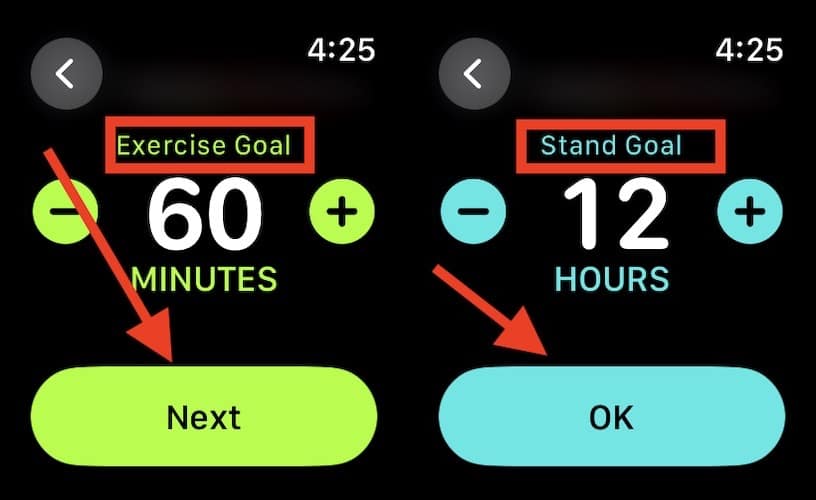
Apple Watch Exercise ring vs. Move ring
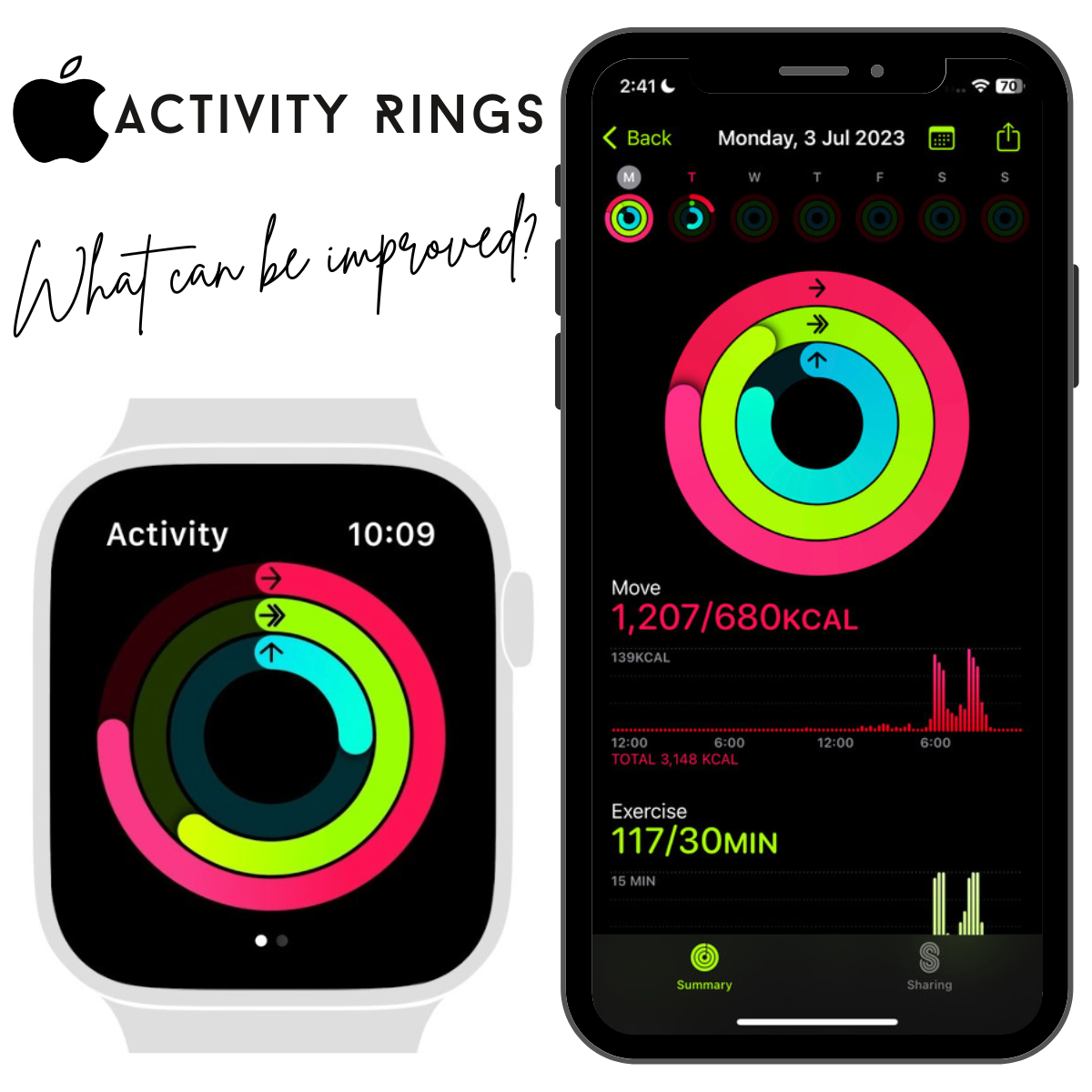
The Exercise ring measures time spent at a qualifying activity level. The Move ring estimates active calories burned during the day.
You can close the Move ring through many forms of movement, but that does not mean every minute will count toward Exercise. For example, light household tasks may add active calories without meeting the Exercise ring’s intensity standard.
The Stand ring tracks whether you stood and moved during enough hours. It does not measure workout intensity.
These rings answer different questions:
| Ring | Main question |
|---|---|
| Move | How much active energy did I use? |
| Exercise | How many minutes did I spend at a qualifying effort? |
| Stand | During how many hours did I stand and move? |
Do not compare the rings as if they were three versions of the same measurement.
Limitations and safety boundaries
Apple Watch activity data is useful for trends, but it has clear limits.
It cannot directly measure:
- Exact calories burned
- Exact metabolic rate
- Muscle workload
- Training quality
- Hydration needs
- Injury risk
- Medical fitness
- Whether a workout is safe for a specific health condition
Heart-rate data can be delayed, missing, or inaccurate during movement. GPS can drift. Calories are estimates. Exercise minutes may not match how hard an activity feels, especially if you are new to exercise, taking medication that changes heart rate, or doing work that limits wrist movement.
If you have a heart, lung, metabolic, or orthopedic condition, ask a qualified health professional how to monitor exercise safely. Seek urgent medical help for serious symptoms such as chest pressure, fainting, severe trouble breathing, or sudden weakness.
Frequently asked questions
Does Apple Watch count walking as exercise?
Yes, but the walk usually must reach a brisk enough pace or effort level. A slow walk may add fewer Exercise minutes than the total time spent walking.
Why does my Apple Watch show fewer exercise minutes than my workout time?
The Workout app records elapsed time, while the Exercise ring estimates time spent at a qualifying intensity. The two numbers do not have to match.
Is Apple Watch accurate for calories burned?
It provides an estimate, not an exact measurement. Accuracy can change with watch fit, heart-rate data, workout type, GPS, personal details, and activity style.
Does heart rate control Exercise minutes?
Heart rate is one important input, but it is not the only one. Apple Watch may also use motion, pace, GPS, workout type, and personal information.
Should I trust Apple Watch exercise data?
Use it to track patterns and compare your own workouts. Do not treat it as a medical measurement or assume that every calorie and Exercise minute is exact.
What is the best way to improve Exercise ring accuracy?
Keep your Health details current, wear the watch snugly, choose the correct workout, allow location and motion calibration, and complete a steady outdoor walk or run in an open area.
Conclusion
Apple Watch calculates exercise with a mix of motion, heart rate, GPS, elevation, workout type, and personal data. The Exercise ring is mainly a measure of time spent at an effort level similar to a brisk walk, not a simple step counter and not a precise calorie meter.
For the most useful results, start the correct workout, keep the watch snug, check your Health details, and calibrate outdoor walking or running. Then use the numbers as consistent personal signals rather than exact medical facts.

Rubel Miah is the Senior Editor at MyStyleGrid.com, where he brings a sharp editorial eye and an unshakable love for fashion to everything he does. A true style addict, Rubel lives and breathes trends, from streetwear to high fashion, and has a knack for turning inspiration into impactful stories. With years of experience in fashion journalism and digital media, he curates content that empowers readers to express themselves through style. When he’s not editing features or forecasting the next big thing, you’ll find him hunting down vintage pieces or capturing street style moments around the city.