Most Apple Watches do not need a physical SIM card, but cellular models use a built-in eSIM.
Whether an Apple Watch needs cellular service depends on the model you buy and how you plan to use it. A GPS Apple Watch works through your iPhone or Wi-Fi, while a GPS + Cellular model can connect to a mobile network through an eSIM. This guide explains the difference, costs, setup steps, and common limits so you can choose with confidence.
Does Apple Watch need a SIM card?
No, most Apple Watches do not need a physical SIM card. Apple Watch cellular models use an electronic SIM, called an eSIM, that is built into the watch.
There are two main Apple Watch types:
• GPS models connect to your iPhone through Bluetooth or Wi-Fi.
• GPS + Cellular models can connect to a supported mobile network without your iPhone nearby.
The key point is simple: you cannot remove or insert a normal SIM card into an Apple Watch. If the watch supports mobile data, it uses an eSIM activated through your carrier.
So, does Apple Watch need a SIM card? It depends on what you mean by “SIM card.” It does not need a physical card, but a cellular Apple Watch needs an active cellular plan to use mobile networks away from your iPhone.

How Apple Watch cellular service works
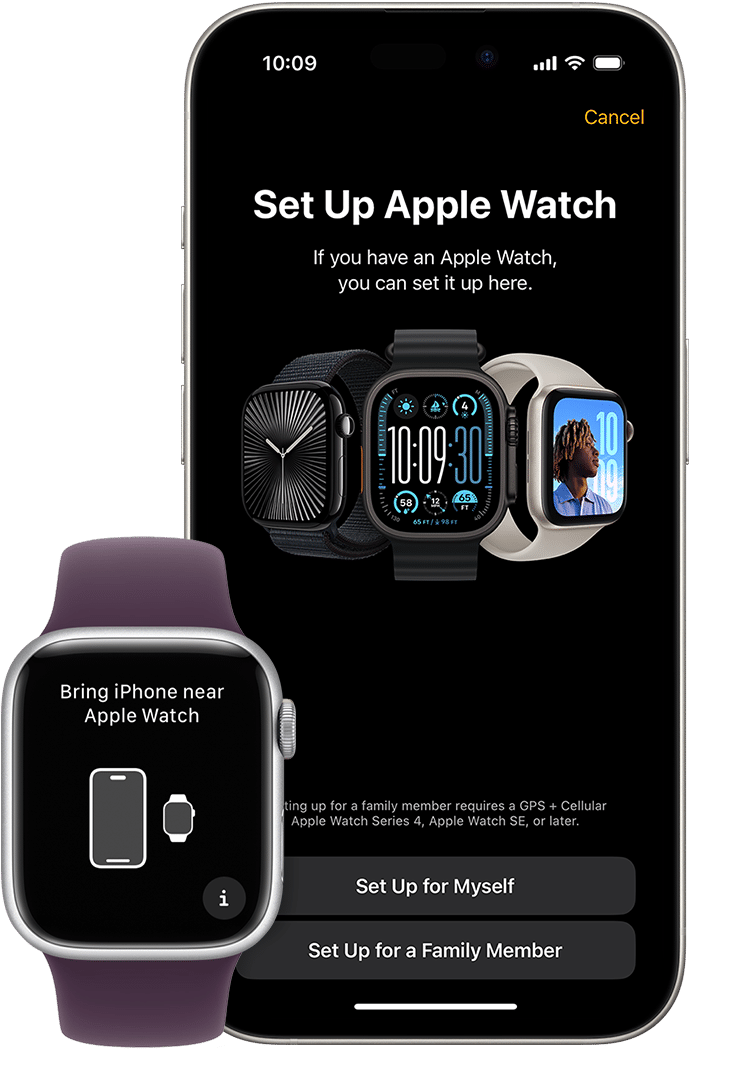
An Apple Watch with cellular service connects to a carrier using the same general phone number and account as your iPhone. During setup, your iPhone’s Watch app guides you through adding the watch to an eligible plan.
The watch has its own electronic identity on the carrier’s network. In many cases, calls and texts appear to come from your regular phone number, even though the watch uses a separate internal cellular connection.
Think of the eSIM as a digital key. It gives the watch permission to access the carrier network without using a plastic card.
Cellular Apple Watch service can support:
• Phone calls when your iPhone is not nearby
• Text messages and iMessages
• Notifications from supported apps
• Maps and turn-by-turn directions
• Music and podcasts through streaming services
• Siri requests
• Emergency calls, depending on location and network access
• Location sharing and Find My features
Cellular access does not make the watch a full replacement for an iPhone. The screen is smaller, some apps have limited features, and streaming can use battery and mobile data quickly.
GPS Apple Watch vs. GPS + Cellular Apple Watch
The model type is the most important factor when asking, “Does Apple Watch need a SIM card?”
GPS Apple Watch
A GPS model does not include cellular hardware. It can still do many useful tasks when your iPhone is nearby.
It can track:
• Steps and workouts
• Heart rate
• Sleep data
• GPS routes during outdoor exercise
• Notifications
• Calls and messages through your iPhone
• Apple Pay
• Music stored on the watch
A GPS Apple Watch may also connect to known Wi-Fi networks. However, it cannot use a mobile carrier network on its own.
This model suits people who usually carry their iPhone. It also costs less and often has slightly lower long-term expenses because there is no monthly watch plan.
GPS + Cellular Apple Watch
A GPS + Cellular model includes a cellular radio and eSIM support. It can stay connected when your iPhone is at home, in your car, or inside a gym locker.
This can be useful for:
• Runners who do not want to carry a phone
• Parents who want a simple way to contact family
• People who leave their phone behind during short trips
• Hikers who need communication access
• Users who want added peace of mind during emergencies
A cellular model can still work like a GPS model. You do not need to activate cellular service right away. Without a plan, it can use Bluetooth and Wi-Fi just like a standard GPS watch.

Does an Apple Watch need an iPhone?
For most Apple Watch models, an iPhone is needed for setup and full management. Apple Watch is designed to work as part of Apple’s device ecosystem.
You typically need an iPhone to:
• Pair the watch
• Install watchOS updates
• Change many settings
• Add or remove apps
• Activate cellular service
• Manage health and notification options
After setup, a cellular Apple Watch can perform many tasks independently. A GPS model remains more dependent on the iPhone when it is away from Wi-Fi.
Apple Watch models released in recent years require a compatible iPhone with a supported version of iOS. Compatibility can change with new watchOS releases, so check Apple’s current requirements before buying an older watch.
What about Apple Watch for a child?
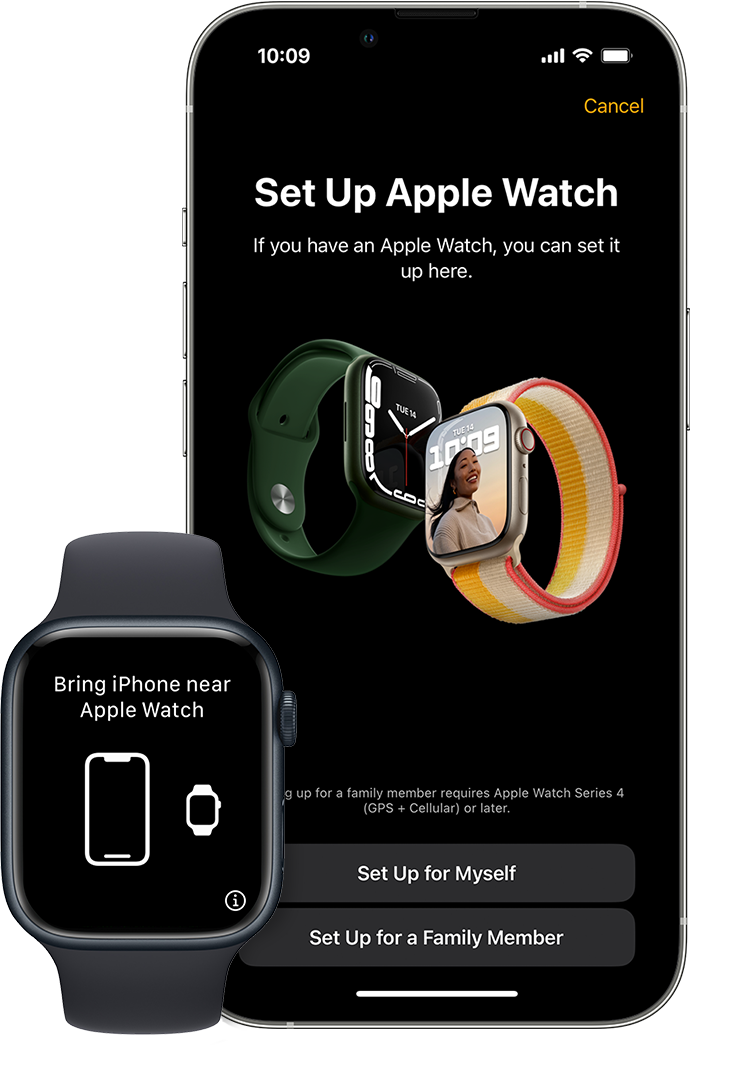
Apple’s family setup feature allows some cellular Apple Watch models to be managed through a family member’s iPhone. This can help a child or older adult use the watch without having their own iPhone.
However, family setup has limits. Some features, apps, payment tools, and health functions may not work in the same way as they do on a watch paired directly with the user’s iPhone.
Can you use Apple Watch without a cellular plan?
Yes. You can use a cellular Apple Watch without activating a cellular plan.
In this case, the watch can connect through:
• Your iPhone using Bluetooth
• A trusted Wi-Fi network
• GPS signals for location tracking
A cellular Apple Watch without a plan still provides many features. You can track workouts, view saved music, use Apple Pay, check the time, and receive information when the watch is connected to your iPhone or Wi-Fi.
The main limitation is distance. If your iPhone is far away and no Wi-Fi network is available, the watch will lose most online functions.
This is one reason some buyers choose the cellular version even if they do not want monthly service. It keeps the option open for later. Still, you pay more for the hardware, so the choice makes the most sense if you expect to use mobile service at some point.
How much does Apple Watch cellular service cost?
The cost depends on your carrier, country, plan, taxes, and current promotions. In the United States, many carriers charge a monthly fee to add an Apple Watch to an eligible iPhone plan.
Common costs may include:
• A monthly smartwatch access fee
• Taxes and regulatory charges
• A one-time activation fee
• The price difference between GPS and cellular watch models
• Extra data charges in limited cases

Many carriers offer smartwatch plans for around $10 per month before taxes, but prices change. Some plans include watch service at no extra charge, while others offer discounts for a limited period.
Before activating service, ask your carrier:
-
Is Apple Watch supported on my exact plan?
-
What is the monthly access fee?
-
Is there an activation charge?
-
Does the watch share my iPhone number?
-
Does the plan work with family setup?
-
Can I cancel the watch line later?
A carrier may support iPhone service but not support every Apple Watch model or every prepaid plan. Confirm compatibility before purchasing the watch.

How to set up cellular service on Apple Watch
Setting up cellular service is usually quick when your iPhone and carrier plan are eligible.
Follow these steps:
-
Open the Watch app on your iPhone.
-
Tap the My Watch tab.
-
Select Cellular.
-
Tap Set Up Cellular.
-
Follow your carrier’s instructions.
-
Sign in to your carrier account if asked.
-
Review the plan price and terms.
-
Confirm activation.
After setup, open Control Center on the Apple Watch by pressing the side button. The cellular icon shows connection status. A green cellular icon usually indicates that the watch is connected to a mobile network.
During testing and everyday use, one common mistake is assuming that buying a cellular watch automatically activates service. It does not. The hardware supports cellular access, but you still need an eligible plan and a completed activation.
Another mistake is buying a cellular watch without checking regional support. Apple Watch cellular models can vary by country because network bands and carrier agreements differ.
How to check whether your Apple Watch has cellular capability
You can check the model before buying or activating it.
Look for these signs:
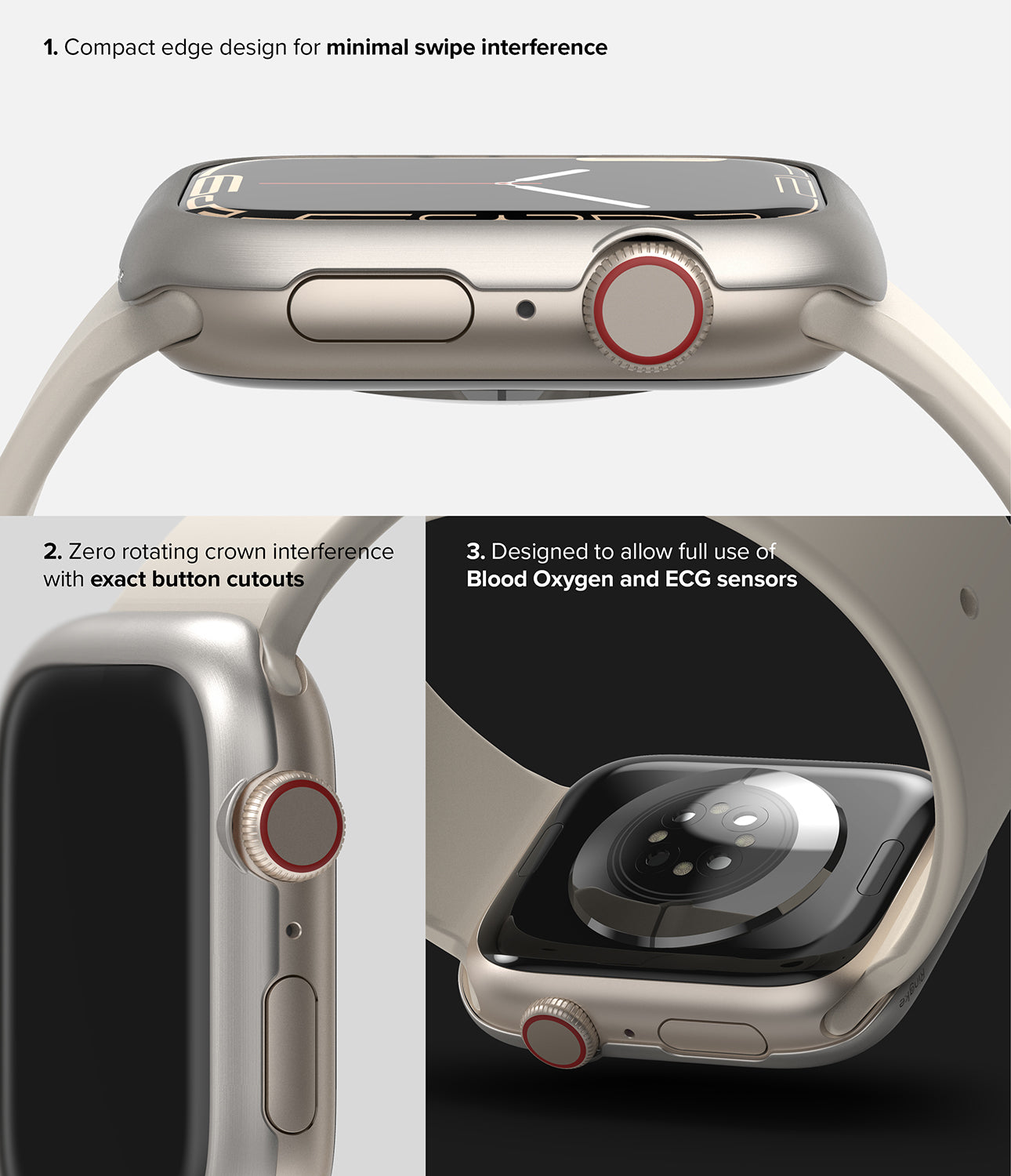
• The product name includes “GPS + Cellular.”
• A red ring appears on the Digital Crown on many models.
• The Watch app shows a Cellular option.
• The model information identifies cellular hardware.
The red ring is a useful clue, but it should not be your only check. Some case designs and generations may look different. The model number and official product details provide a more reliable answer.
If you already own the watch, open the Watch app on your iPhone and look for the Cellular menu. If no cellular option appears, your watch may be a GPS-only model, or it may not be compatible with your carrier.
What happens when Apple Watch loses iPhone connection?
The answer depends on the watch model and available networks.
A GPS Apple Watch may continue to record health and fitness information. It can also use saved content and some offline features. But calls, messages, notifications, and online apps may stop working unless the watch connects to Wi-Fi.
A cellular Apple Watch can switch to its mobile network when the iPhone is out of range. The transition may take a short time, and the watch may use more battery during cellular use.
Cellular signal can also vary indoors, underground, or in rural areas. An Apple Watch is not a guarantee of service everywhere. Network coverage, local conditions, weather, and carrier support all matter.
Emergency calling may work in some situations even without a normal plan, but this depends on local laws, network access, and the type of emergency service available. Never treat a watch as your only safety tool in remote areas.
Benefits and drawbacks of a cellular Apple Watch
A cellular Apple Watch can be very convenient, but it is not the best choice for everyone.
Benefits
• Leave your iPhone at home during a run.
• Receive calls and messages while moving around.
• Use maps during outdoor activities.
• Contact emergency services when supported.
• Stay connected during short errands.
• Use family setup for some children and older adults.
Drawbacks
• The watch costs more than a GPS model.
• Cellular service usually adds a monthly bill.
• Mobile data can reduce battery life.
• Coverage may be weaker than expected.
• Some carriers do not support every plan.
• A small watch screen cannot replace every phone feature.
For many people, the decision comes down to habits. If your iPhone is almost always in your pocket, GPS may be enough. If you often exercise, travel, or work without your phone, cellular service may be worth the extra cost.
Does Apple Watch use data?
Yes, a cellular Apple Watch can use mobile data when it is connected to a carrier network. It may use data for notifications, maps, weather, music streaming, Siri, and supported apps.
Normal use often consumes a modest amount of data, but streaming music or podcasts for long periods can use much more. You can reduce data use by downloading playlists and podcasts to the watch before leaving home.
To save battery and data:
• Download music over Wi-Fi.
• Use Wi-Fi when available.
• Limit background app refresh.
• Turn off unwanted notifications.
• Avoid long streaming sessions on cellular.
• Keep the watch updated.
The exact data amount varies based on your apps and habits. Your carrier’s account dashboard is the best place to check actual usage.
Common mistakes to avoid when buying an Apple Watch
Before buying, check more than the color, size, and price.
Use this checklist:
• Confirm whether the model is GPS or GPS + Cellular.
• Check iPhone compatibility.
• Verify carrier support.
• Compare monthly plan costs.
• Check whether the watch is locked to a carrier or region.
• Review battery expectations.
• Confirm warranty and return rules.
• Check the watch’s condition if buying used.
Used Apple Watches deserve extra care. A watch may support cellular service but still have activation problems, a poor battery, or an unpaid carrier balance. Buy from a trusted seller and confirm that Activation Lock has been removed.
The safest approach is to decide how you will use the watch first. Then choose the model that fits your routine instead of paying for features you may never use.
Frequently asked questions
Does Apple Watch have a physical SIM card?
No. Apple Watch cellular models use a built-in eSIM rather than a removable SIM card. GPS models do not connect directly to a cellular network.
Can I use Apple Watch without an iPhone nearby?
A cellular Apple Watch can use many online features without your iPhone nearby if an active plan and cellular signal are available. A GPS model needs Bluetooth, Wi-Fi, or previously downloaded content for many functions.
Do I have to pay monthly for Apple Watch cellular service?
You only pay monthly if you activate cellular service with a carrier. A cellular watch can work without a plan, but it will not use mobile networks independently.
Can Apple Watch use the same phone number as my iPhone?
Most supported carrier plans let the watch share your iPhone number for calls and messages. The carrier still assigns the watch its own electronic network identity behind the scenes.
Does every Apple Watch support cellular service?
No. Only GPS + Cellular models include cellular hardware. GPS-only models cannot be upgraded to cellular through software or by adding a SIM card.
Can I use Apple Watch cellular service with a prepaid plan?
Some prepaid carriers support Apple Watch, but many do not. Check the carrier’s current compatibility list before buying or activating the watch.
Does a cellular Apple Watch work internationally?
International support varies by model, country, and carrier. Cellular bands and roaming policies differ, so check both the watch’s regional model and your carrier’s travel rules.
Conclusion
So, does Apple Watch need a SIM card? It does not need a physical SIM card, but a GPS + Cellular model uses a built-in eSIM for mobile service. A GPS model works through your iPhone and Wi-Fi, while a cellular model can stay connected when your phone is away.
Choose GPS if you usually carry your iPhone and want to avoid a monthly fee. Choose GPS + Cellular if phone-free workouts, travel, family setup, or added connectivity are important to you. Check your carrier’s plan and device support before buying, then choose the model that matches your daily routine.