Wearing a smartwatch is now common. Many people use these devices to track steps, heart rate, sleep, and even stress. But did you know that dirty sensors can make your smartwatch give you wrong data? It’s true. Sweat, dust, skin oils, and even soap can block the sensors.
This means your health tracking can be off, and you might not notice it until your smartwatch gives strange results.
I remember one time, after a long run, I checked my smartwatch and the heart rate looked too low. I thought something was wrong with my health. But when I wiped the back of my watch, I saw a layer of sweat and sunscreen.
After cleaning it, the readings went back to normal. That day, I learned that cleaning the sensors is not just about looks—it’s about getting the right numbers.
In this guide, I’ll show you how to clean your smartwatch sensors safely. You’ll learn why it matters, how often to clean, and what mistakes to avoid. With these steps, you can trust your health data and keep your smartwatch working well.
Why Clean Smartwatch Sensors?
The sensors on your smartwatch are key for tracking health data. They use light or electricity to measure things like your heart rate or blood oxygen. When the sensors get dirty, the watch can’t read your body as well. This can lead to:
- Wrong heart rate numbers
- Missed steps or workouts
- Poor sleep tracking
- Skin irritation or allergies
A clean sensor means better health tracking. If you want your smartwatch to work as it should, regular cleaning is a must.
How Smartwatch Sensors Work
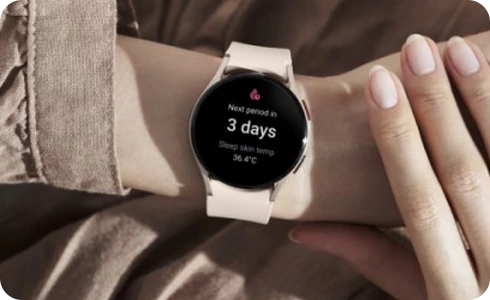
Smartwatches use optical sensors or electrical sensors. Optical sensors shine light onto your skin and measure how much light comes back. Electrical sensors use tiny pulses to check your heart’s signals.
Dirt, sweat, or lotion can block the light or signals. Even a thin layer can make the readings less accurate. For example, after a beach day, sand and sunscreen can stick to the sensors. This makes your smartwatch think you are less active or your heart is beating slower.
Credit: www.samsung.com
How Often Should You Clean The Sensors?
How often you clean depends on how you use your watch:
- If you wear it every day, clean it once a week.
- After exercise or swimming, clean it right away.
- If your skin feels itchy under the watch, clean it as soon as possible.
Some people sweat more or use more lotion. If you notice smudges or your data seems off, it’s time to clean.
What You Need For Cleaning
Before you start, gather these items:
- Soft, lint-free cloth (like the one for glasses)
- Cotton swabs for small spots
- Mild soap (no alcohol, bleach, or strong chemicals)
- Clean water
- Toothpick (optional, for stubborn dirt)
- Isopropyl alcohol (70%), if your watch brand says it’s safe
- Microfiber towel for drying
Avoid paper towels, rough fabrics, or abrasive cleaners. These can scratch the sensors or the watch.
Step-by-step: How To Clean Smartwatch Sensors
Here’s how you can clean your smartwatch sensors safely. These steps work for most brands, like Apple Watch, Samsung Galaxy Watch, Garmin, and Fitbit.
1. Turn Off Your Smartwatch
Always power off your watch before cleaning. This keeps you safe and protects the device from damage.
2. Remove The Bands
Take off the bands if you can. This gives you better access to the sensors.
3. Wipe The Sensors With A Dry Cloth
Use a soft, lint-free cloth to gently wipe the back of the watch. This removes dust and loose dirt.
4. Use A Damp Cloth Or Cotton Swab
Dip the cloth or a cotton swab in clean water. Wring out extra water so it’s just damp, not wet. Gently wipe the sensors and the area around them. Do not let water drip into the charging port or buttons.
5. Add A Drop Of Soap For Stubborn Dirt
If you see sticky spots or oily marks, mix a little mild soap with water. Dip your cloth in the soapy water, wring it out, and clean the sensors. Rinse the cloth and wipe again with just water.
6. Use Isopropyl Alcohol For Germs
If your smartwatch allows, use a cotton swab with a drop of 70% isopropyl alcohol. This kills germs and removes oils. Do not use bleach or strong chemicals.
7. Dry Everything Well
Use a microfiber towel to dry the sensors and the watch. Make sure there is no moisture left before you put the bands back on or turn the watch on.
8. Clean The Bands Separately
Watch bands can hold sweat and dirt too. Clean them based on the material:
- Silicone or rubber: Wash with soapy water, rinse, and dry.
- Leather: Wipe with a dry or slightly damp cloth. Do not soak.
- Metal: Use a damp cloth and dry well.
If you want, use a toothbrush to clean textured bands.
Mistakes To Avoid When Cleaning
Many people make simple mistakes that can harm their smartwatch. Here are things you should NOT do:
- Do not use hand sanitizer, bleach, or window cleaner.
- Do not soak the watch in water.
- Do not use sharp objects (like knives or pins).
- Do not use hot air (hair dryer) to dry the watch.
- Do not wear the watch before it is fully dry.
These actions can damage the sensors, the battery, or the screen.
Comparing Cleaning Tools And Methods
Some tools work better than others for cleaning smartwatch sensors. Here’s a quick comparison:
| Cleaning Tool | Safe for Sensors | Removes Oils | Removes Germs | Risk of Damage |
|---|---|---|---|---|
| Lint-free cloth | Yes | Medium | No | Low |
| Cotton swab | Yes | High | No | Low |
| Mild soap & water | Yes | High | No | Low |
| Isopropyl alcohol (70%) | Yes (if allowed) | High | High | Low |
| Paper towel | No | Low | No | High (scratches) |
| Bleach/chemicals | No | High | High | Very High |
As you can see, lint-free cloth and cotton swabs are the safest. Strong chemicals are risky and should be avoided.
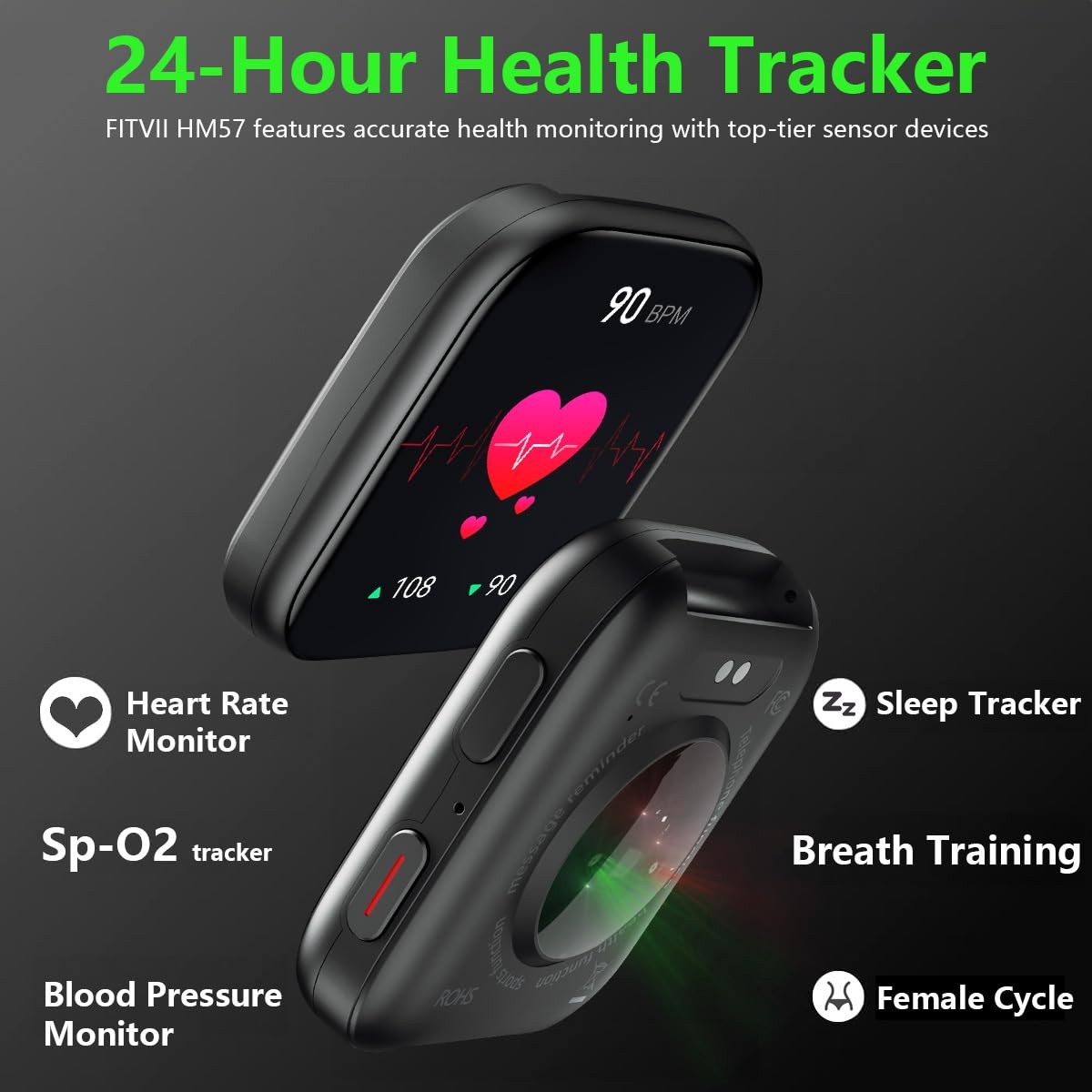
How Dirty Sensors Affect Tracking Accuracy
It’s easy to think a little sweat or dust is not a big deal. But even a thin layer can change the numbers your watch shows. For example:
- If the optical sensor is blocked, your heart rate can show 10-20 beats per minute off.
- Dirty sensors can make your watch miss up to 20% of your steps.
- Sleep tracking can fail if the watch loses contact with your skin.
Here’s a quick look at how cleaning improves accuracy:
| Condition | Heart Rate Accuracy | Step Tracking | Sleep Data |
|---|---|---|---|
| Dirty sensors | Poor | Misses steps | Unreliable |
| Clean sensors | High | Accurate | Consistent |
When I cleaned my watch after a week of hiking, I saw my sleep score improve overnight. It went from “unavailable” to a clear number. That small change made a big difference for my daily routine.
Credit: www.ebay.com
Extra Tips For Keeping Sensors Clean
1. Wipe After Exercise
Sweat dries and leaves salt on the sensors. Wipe the watch after every workout.
2. Avoid Lotions Before Wearing
Let lotion or sunscreen dry before you put on your watch. This stops buildup.
3. Check The Watch Weekly
Make it a habit to check for smudges or dirt once a week.
4. Store In A Clean, Dry Place
Don’t leave your watch in a gym bag or a humid bathroom. Moisture can cause dirt to stick.
5. Use A Screen Protector
Some watches allow protectors for the back. These help keep sensors clean, but only use ones made for your model.
6. Rotate Wearing Position
Move the watch up or down your wrist sometimes. This gives your skin a rest and stops buildup.
7. Read The Manual
Some brands have special cleaning advice. Always check the manual before using alcohol or soap.
8. Get A Cleaning Kit
Some brands sell kits for smartwatches. These can be useful if you clean often.
9. Replace Old Bands
Worn bands can hold more dirt and irritate your skin. Change them when they look old.
10. Watch For Skin Problems
If you see redness or a rash, clean the watch and band right away. If it doesn’t get better, talk to a doctor.
Cleaning Different Types Of Smartwatches
Not all smartwatches are the same. Here’s what you need to know for the most popular types:
Apple Watch
- The back has ceramic and sapphire, which are strong but can scratch.
- Apple says to use a non-abrasive, lint-free cloth and fresh water. Do not use soap or cleaning sprays.
- For the Digital Crown, use a dry cloth only.
Samsung Galaxy Watch
- The back is usually glass or composite.
- Samsung allows mild soap and water for cleaning.
- Avoid direct jets of water and always dry the watch fully before charging.
Fitbit
- Most models are water-resistant, not waterproof.
- Use a damp cloth and avoid soaps or cleaning sprays.
- Fitbit suggests rinsing the watch with fresh water after swimming or sweating.
Garmin
- Garmin watches are made for sports, so they handle sweat and dirt well.
- Use mild soap and water, but do not soak the device.
- Dry completely after cleaning.
For other brands, check their website or manual for special cleaning tips.

Credit: www.amazon.com
What If Sensors Get Scratched Or Damaged?
If you notice scratches or cracks on the sensor area, the readings might be wrong. Here’s what you can do:
- Try cleaning first; sometimes dirt looks like scratches.
- For small scratches, a screen protector can help prevent more damage.
- If the watch is not reading data at all, contact the brand’s support team.
- Do not try to polish or sand the sensors. This can make things worse.
Some brands offer repair or sensor replacement. Check if your watch is still under warranty.
What To Do If Your Watch Gets Wet Inside
Sometimes water gets inside the watch, especially if the seal is broken. Signs include foggy display or the watch not turning on.
- Turn off the watch right away.
- Dry with a towel and leave it in a dry place.
- Do not use rice or hair dryers.
- Contact customer support for help.
A wet sensor can stop working or give wrong data. Quick action can help save your device.
Comparing Cleaning Frequency By Activity Level
If you’re not sure how often to clean, check this guide:
| User Type | Cleaning Frequency | Why |
|---|---|---|
| Everyday user | Weekly | General sweat and dust |
| Sports/fitness user | After every workout | Heavy sweat and salt |
| Outdoor user | After outdoor activity | Dirt, mud, sunscreen |
| Swimmer | After swimming | Chlorine, salt water |
If you’re active, you need to clean more often. This keeps your health tracking reliable.
Real-world Examples
A friend once complained that his smartwatch kept missing his heart rate during cycling. He thought the device was broken. When he checked, sweat and sunscreen had built up on the sensors. After a good cleaning, the readings improved right away.
It’s common to forget about cleaning. We trust our devices, but even the best smartwatch needs some care. Clean sensors mean you can trust your health data and make better choices for fitness and wellness.
Frequently Asked Questions
How Often Should I Clean My Smartwatch Sensors?
Clean your smartwatch sensors at least once a week. If you exercise a lot or sweat often, clean after every workout.
Can I Use Alcohol Wipes To Clean My Smartwatch Sensors?
Yes, you can use 70% isopropyl alcohol wipes if your watch brand allows it. Always check the manual before using alcohol.
What Happens If I Do Not Clean My Smartwatch Sensors?
Dirty sensors can lead to wrong health data, missed steps, and even skin irritation. Cleaning helps your watch work right.
Is It Okay To Use Soap And Water On All Smartwatches?
Mild soap and water are safe for most watches, but not all. Check your watch’s manual first to be sure.
My Watch Still Shows Wrong Data After Cleaning. What Should I Do?
If cleaning does not help, check for scratches or damage. Try restarting your watch or contact the brand’s support team for help.
Keeping your smartwatch sensors clean is easy, but it makes a big difference. When you take care of your device, you get the most accurate health data and a better experience every day. For more tips and details, you can also check CDC’s guide on cleaning electronics.
Take a minute to clean your smartwatch. Your health tracking will thank you!

Rubel Miah is the Senior Editor at MyStyleGrid.com, where he brings a sharp editorial eye and an unshakable love for fashion to everything he does. A true style addict, Rubel lives and breathes trends, from streetwear to high fashion, and has a knack for turning inspiration into impactful stories. With years of experience in fashion journalism and digital media, he curates content that empowers readers to express themselves through style. When he’s not editing features or forecasting the next big thing, you’ll find him hunting down vintage pieces or capturing street style moments around the city.