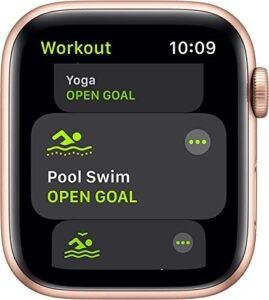
LTE on a watch means it can connect to a cellular network without relying on your phone.
If you have ever seen “LTE” beside an Apple Watch, Galaxy Watch, or Pixel Watch model, you may wonder what the label really adds. In this guide, I will explain what does LTE mean on a watch, how cellular service works, what it costs, and whether it is worth choosing over a Wi-Fi or Bluetooth model.

What Does LTE Mean on a Watch?
LTE stands for Long-Term Evolution. It is a type of 4G cellular network technology. On a smartwatch, LTE allows the device to send and receive data through a mobile network, much like a smartphone.
So, what does LTE mean on a watch in daily use? It means your watch may stay connected when your phone is at home, turned off, or out of Bluetooth range. You can often call, text, stream music, get directions, and receive notifications directly from your wrist.
An LTE watch usually has a built-in cellular modem and an electronic SIM, often called an eSIM. The eSIM connects the watch to a compatible mobile carrier plan. It does not usually use a physical SIM card.
A simple way to picture it is this:
• A Bluetooth watch talks to your phone.
• A Wi-Fi watch can connect through known Wi-Fi networks.
• An LTE watch can connect to a cellular tower on its own.
LTE does not turn a watch into a full replacement for every smartphone feature. The watch still has a smaller screen, less storage, and fewer apps. However, it gives you more freedom to leave your phone behind.

How LTE Works on a Smartwatch
An LTE smartwatch uses a small cellular radio to communicate with nearby towers. When the watch has an active plan, the carrier assigns it cellular service through its eSIM.
Most modern watches use number sharing. Your watch may have its own technical mobile identity, but calls and texts usually appear to come from your normal phone number. The exact process depends on the carrier and watch brand.
When your phone is nearby, the watch may use Bluetooth because it saves battery. If Bluetooth is unavailable, it may switch to Wi-Fi. When neither option works, LTE becomes the main connection.
This automatic handoff is designed to feel invisible. You may walk away from your phone during a run and still receive an alert. The watch chooses the best available connection based on signal, settings, and battery level.
What does LTE mean on a watch when the signal icon changes? It means the watch is using a cellular network or is ready to use one. A green, blue, or other colored icon may show the connection, depending on the brand.

What Can an LTE Watch Do Without a Phone?
The exact features vary by brand, carrier, country, and app. Still, an LTE watch can usually perform many useful tasks alone.
Common functions include:
• Making and receiving calls
• Sending and receiving texts
• Receiving calendar and app alerts
• Streaming music or podcasts
• Using GPS for maps and fitness tracking
• Requesting rides through supported apps
• Checking weather and sports scores
• Using voice assistants
• Contacting emergency services on supported models
For example, you could leave your phone in a locker while walking, cycling, or exercising. You may still receive a call from a family member or contact emergency help if the watch supports that feature.
Some apps need your phone for setup or advanced features. Others may not work over LTE at all. Before buying, check the app support list for your watch platform.
What does LTE mean on a watch during a workout? It means you can often track your route and listen to online music without carrying your phone. This is one of the clearest benefits for runners and outdoor athletes.

LTE Versus Bluetooth and Wi-Fi Watches
Smartwatches often come in several connection types. Understanding the difference can help you avoid paying for features you will not use.
Bluetooth-only watches
A Bluetooth watch depends mainly on your phone. It can show alerts, control music, and sync data when the phone is close.
It may still track steps, heart rate, sleep, and workouts without a phone. However, calls, messages, and online apps may stop working when you move too far away.
Wi-Fi watches
A Wi-Fi watch can connect to saved wireless networks. It may receive data at home, work, or another trusted location, even when the phone is not nearby.
Wi-Fi is useful indoors, but it is not available everywhere. A watch cannot connect to a random network unless you have already completed the required sign-in steps.
LTE watches
An LTE watch connects to cellular networks. It offers the widest range of phone-free features, but it usually costs more and requires a monthly plan.
Here is a simple comparison:
| Feature | Bluetooth | Wi-Fi | LTE |
|---|---|---|---|
| Works away from phone | Limited | In Wi-Fi areas | Yes, where covered |
| Monthly service needed | No | No | Usually |
| Calls without phone | Usually no | Sometimes | Usually yes |
| Online music away from phone | Usually no | Yes, on Wi-Fi | Yes |
| Best for | Basic use | Home and office use | Active phone-free use |
What does LTE mean on a watch compared with Bluetooth? It means the watch has a separate path to the internet and mobile services. Bluetooth models depend much more heavily on the phone.

Do You Need a Separate LTE Plan?
In most cases, yes. Buying an LTE watch does not automatically include cellular service.
You usually activate the watch through your existing carrier. The carrier then adds a wearable line or a connected-device feature to your account. Some plans charge a monthly fee, while others include smartwatch service in premium packages.
Before activation, check these points:
• Does your carrier support the exact watch model?
• Is the watch unlocked or limited to one carrier?
• Does the carrier support number sharing?
• Is a separate monthly fee required?
• Are taxes, activation fees, or usage limits included?
• Does the plan work when traveling abroad?
Some carriers require the phone and watch to use the same network. Others support family or standalone wearable plans. Compatibility can also differ between Apple Watch, Galaxy Watch, Pixel Watch, and other brands.
A common mistake is buying the cellular version first and checking carrier support later. Confirm compatibility before opening the box. This can prevent activation problems and return fees.

Does an LTE Watch Have Its Own Phone Number?
An LTE watch may have a separate technical number for network registration. However, it often shares your phone number for normal calls and messages.
When someone calls your mobile number, both your phone and watch may ring. When you reply from the watch, the recipient usually sees your usual number.
The system works differently for each carrier. Some standalone plans may give the watch its own number. Some messaging apps may also treat the watch as a separate device.
This is why the answer to what does LTE mean on a watch includes more than “internet access.” LTE also helps the watch handle calls and messages away from your phone.
Ask your carrier how number sharing works before activation. Clear answers are especially important if you want the watch for a child, older adult, or family member without a traditional smartphone.

Benefits of an LTE Smartwatch
LTE can offer real freedom, especially for people who spend time outdoors or want fewer distractions.
Phone-free exercise
You can go for a run, walk, or bike ride without carrying your phone. The watch can track your route, play music, and receive important messages.
Better emergency access
Many cellular watches can contact emergency services when configured correctly. Some can also share your location with emergency contacts.
However, LTE is not a guarantee of help everywhere. The watch still needs a supported network, enough battery, and a usable signal. Emergency features vary by model and region.
Helpful for children and older adults
An LTE watch can provide calling and location features without giving someone a full smartphone. Parents may use it for simple contact and location sharing.
Location tools should always be used with consent and clear family rules. They are helpful safety tools, not perfect tracking systems.
Fewer distractions
Leaving your phone behind can make a walk or workout feel calmer. You still have access to essential tools without checking a large screen every few minutes.
More reliable notifications
If your phone is misplaced or out of range, an LTE connection can keep important alerts moving. This may matter to people who need work messages or family updates during the day.

Drawbacks of LTE on a Watch
LTE is useful, but it is not ideal for everyone. The extra connection brings trade-offs.
Higher purchase price
Cellular watch models often cost more than Bluetooth versions. You may also pay for accessories, activation, and monthly service.
Shorter battery life
Cellular use can drain the battery faster than Bluetooth. Weak signal areas are often worse because the watch works harder to maintain a connection.
Battery life also depends on calls, music streaming, GPS, screen brightness, temperature, and app activity. A watch rated for a certain number of hours may last less in real use.
Carrier restrictions
Not every carrier supports every watch. Some features may be unavailable in certain countries or on prepaid plans.
Small-screen limitations
Typing long messages, browsing websites, or handling complex apps is still easier on a phone. LTE adds connection freedom, not a larger workspace.
Privacy concerns
An LTE watch can share location and communication data through your carrier and apps. Review location permissions and account settings. Turn off features you do not need.
What does LTE mean on a watch if the battery runs out? It means nothing until the watch is charged again. A dead LTE watch cannot make calls, share its location, or provide most smart features.
LTE Watch Battery Life and Data Use
Cellular activity is one of several factors that affect smartwatch battery life. A strong signal usually uses less power than a weak signal. Streaming music over LTE, making long calls, and using GPS can reduce battery life quickly.
To extend battery life:
• Download music for offline listening when possible.
• Use Bluetooth when your phone is nearby.
• Limit unnecessary background apps.
• Reduce screen brightness and always-on display settings.
• Keep software updated.
• Charge the watch before long trips or outdoor activities.
Most watches use modest amounts of data for alerts and short tasks. Music streaming, video, map use, and frequent app updates consume more. Your carrier may count watch data under a shared plan or a separate wearable allowance.
During hands-on setup and testing, one practical lesson stands out: LTE works best as a backup connection, not as the watch’s constant main connection. Letting the watch use Bluetooth when your phone is close can make a noticeable difference.
How to Set Up LTE on a Watch
Setup differs by brand, but the general process is similar.
-
Charge the watch and update its software.
-
Pair the watch with your compatible phone.
-
Open the watch app on the phone.
-
Choose the cellular or mobile-data option.
-
Sign in to your carrier account.
-
Select a wearable plan.
-
Follow the identity and billing steps.
-
Wait for activation to finish.
-
Test a call, message, and data connection away from the phone.
Do not remove the watch from the phone during setup unless the instructions tell you to do so. Unpairing can erase settings and create extra work.
After activation, turn off Bluetooth on the phone for a short test. Walk outside or move to another room. Try a call, check a weather app, and confirm that the cellular icon appears.
If the test fails, restart both devices. Check the carrier account, cellular settings, software version, and signal strength. A carrier representative may need to refresh the wearable line.
Common LTE Watch Problems and Fixes
The LTE option does not appear
The watch may not support cellular service, or the phone and watch may not be compatible. It can also happen when the carrier does not support that model.
Check the model number and regional version. Some watch models look identical but use different cellular bands.
The watch shows no signal
Move outdoors and wait a moment. Thick walls, underground areas, remote locations, and network outages can affect service.
Restart the watch and check whether mobile data is enabled. If the problem continues, contact the carrier.
Calls fail away from the phone
The plan may not be active, or number sharing may not have completed. Confirm that the watch appears as an active device in your carrier account.
Also check whether the watch is in airplane mode or low-power mode. Some battery modes limit cellular features.
Battery drains too fast
Weak signal, GPS use, streaming, and frequent notifications are common causes. Use Bluetooth near your phone and download music before leaving home.
LTE works at home but not abroad
International roaming support varies widely. Some carriers block wearable roaming, while others charge extra. Confirm international terms before traveling.
These checks solve many problems faster than repeatedly resetting the watch. A factory reset should be a last step, not the first response.
Is an LTE Watch Worth It?
An LTE watch may be worth the cost if you often exercise without your phone, need reliable contact, or want emergency communication on your wrist.
It may not be worth it if your phone is almost always nearby. In that case, a Bluetooth model can provide the same health, fitness, and notification features at a lower total cost.
Choose LTE if:
• You want to leave your phone at home during workouts.
• You need calls and messages in areas without Wi-Fi.
• You value cellular emergency features.
• You are buying a watch for someone who may not carry a phone.
• You travel around places with reliable carrier coverage.
Choose Bluetooth or Wi-Fi if:
• You want the lowest purchase price.
• You do not want another monthly bill.
• Your phone is usually within reach.
• You mainly want fitness tracking and notifications.
• You live or work in areas with weak cellular coverage.
The best choice depends on how you use your watch, not on the label alone. What does LTE mean on a watch for one person may mean freedom and safety. For another person, it may mean extra cost with little practical benefit.
What to Check Before Buying an LTE Watch
Use this checklist before choosing a cellular model:
• Confirm that the watch works with your phone.
• Check carrier compatibility in your country.
• Compare the monthly wearable fee.
• Review battery estimates for LTE use.
• Check whether the watch supports number sharing.
• Confirm emergency and location features.
• Review international roaming rules.
• Check whether the watch is locked to a carrier.
• Compare the cellular model with the Bluetooth price.
• Read the return policy in case activation fails.
Also consider future support. Smartwatch software updates and carrier policies can change. A model with broad network support and regular updates may provide better long-term value.
Product pages sometimes use “cellular,” “mobile,” and “LTE” to describe similar features. Read the technical details rather than relying on the name alone.
Frequently Asked Questions About What Does LTE Mean on a Watch
Can an LTE watch work without a phone?
Yes, an LTE watch can work without a phone nearby when it has an active compatible cellular plan and network coverage. Some setup and advanced features may still require a paired phone.
Does an LTE watch need Wi-Fi?
No, an LTE watch can use a cellular network instead of Wi-Fi. Wi-Fi may still help save battery or provide a connection when cellular service is weak.
Does LTE make a smartwatch faster?
LTE can make online features available away from your phone, but it does not automatically make the watch processor faster. Speed also depends on the watch hardware, network signal, app design, and server connection.
Can I use an LTE watch with any carrier?
No, carrier support varies by watch model, country, and network technology. Check compatibility before buying or activating the watch.
Does an LTE watch have a monthly fee?
Usually, yes. Most users need a wearable or connected-device plan, although pricing and plan rules differ by carrier.
Can I make emergency calls with an LTE watch?
Many LTE watches support emergency calls, but coverage, battery level, settings, and local rules affect availability. Test and configure emergency contacts before relying on the feature.
Is an LTE watch the same as a GPS watch?
No. GPS helps the watch find its location, while LTE provides a cellular connection for calls, messages, and online services. A watch can have GPS without LTE, or it can include both.
Conclusion
What does LTE mean on a watch? It means the watch can connect to a cellular network without depending on a nearby phone. This can support calls, messages, music, maps, emergency tools, and other online features while you are away from your phone.
The trade-offs are higher cost, a possible monthly fee, faster battery drain, and carrier restrictions. Check network support, plan pricing, battery needs, and your daily habits before choosing an LTE model.
If phone-free freedom sounds useful, compare compatible LTE watches and test the cellular service after activation. If your phone is always close, a Bluetooth model may be the smarter value. Share your smartwatch experience or explore your carrier’s wearable options to make a confident choice.

Rubel Miah is the Senior Editor at MyStyleGrid.com, where he brings a sharp editorial eye and an unshakable love for fashion to everything he does. A true style addict, Rubel lives and breathes trends, from streetwear to high fashion, and has a knack for turning inspiration into impactful stories. With years of experience in fashion journalism and digital media, he curates content that empowers readers to express themselves through style. When he’s not editing features or forecasting the next big thing, you’ll find him hunting down vintage pieces or capturing street style moments around the city.