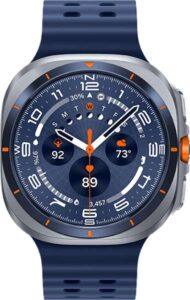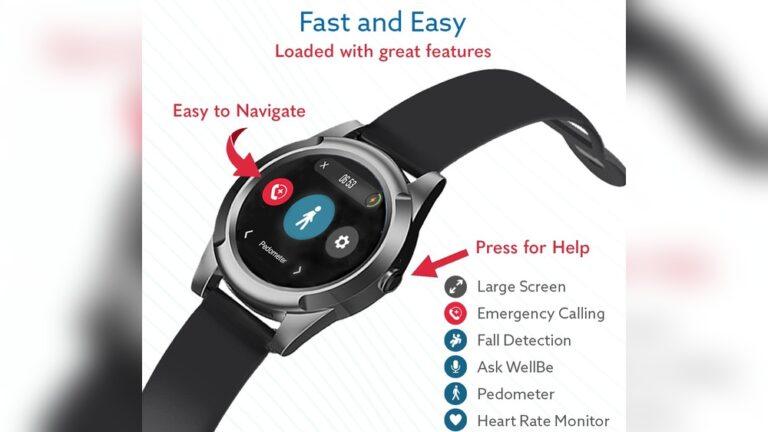
Have you ever thought about what would happen if you fell and nobody was around to help? This is a worry for many people, especially older adults and those with health issues. Today’s smartwatches can actually help with this problem. Many models now have a fall detection feature. This tool can tell when you fall and even call for help if you don’t move. But here’s the thing—many users don’t know how to turn this feature on or use it well. If you have a smartwatch, you might be missing out on this life-saving function. I want to show you, step by step, how to enable fall detection on different smartwatches and make sure it works for you. I’ll also share some real stories and tips to keep you safe and confident.
What Is Fall Detection On Smartwatches?
Fall detection is a special safety feature in many modern smartwatches. It uses built-in motion sensors and clever software to notice if you take a hard fall. If the watch senses a fall, it will try to get your attention. If you don’t respond, the watch can alert your chosen contacts or even emergency services. This feature is especially helpful for seniors, people with medical conditions, or anyone who wants extra peace of mind.
Let me tell you about my aunt. She lives alone and once slipped in her kitchen. Before she had fall detection, she waited hours for help. Now, after setting up fall detection on her watch, she feels much safer—even when she’s home alone.
Why Fall Detection Matters
You might wonder, “Do I really need this?” The truth is, falls are a serious risk—especially for older adults. According to the World Health Organization, falls are the second leading cause of accidental injury deaths worldwide. In the United States, 1 in 4 people over 65 falls each year. Quick help after a fall can be the difference between a minor bruise and a serious injury.
Key benefits of fall detection:
- Immediate help: The watch can call for help even if you can’t.
- Peace of mind: Family members know you have extra protection.
- Independence: You can move around more freely, knowing you’re not alone.
Which Smartwatches Have Fall Detection?
Not every smartwatch includes fall detection. Here are some of the most popular brands and models that do:
| Brand | Model | Fall Detection Available? | Emergency Contact Option |
|---|---|---|---|
| Apple | Watch Series 4 and later | Yes | Yes |
| Samsung | Galaxy Watch 3 and later | Yes | Yes |
| Garmin | Forerunner 45/245/945, Fenix 6, Lily | Yes | Yes |
| Fitbit | Sense, Versa 3 and 4 | Yes (Sense 2, Versa 4) | Yes |
| Pixel Watch | Yes | Yes |
If you aren’t sure whether your device supports fall detection, check the official website or your user manual. Some cheaper smartwatches may not offer this feature.
How Fall Detection Works
Smartwatches use accelerometers and gyroscopes to measure movement and speed. If you suddenly drop or stop moving, the watch thinks you may have fallen. It will then show a message or make a sound to ask if you’re okay. If you don’t respond in a short time (usually under a minute), it will contact your emergency numbers.
Here’s a simple example: If you trip and fall, the watch feels a quick downward movement and a sudden stop. It can tell the difference between a normal stumble and a real fall by how fast and hard you hit the ground.
Most smartwatches also let you cancel the alert if you’re fine. This way, you avoid false alarms.
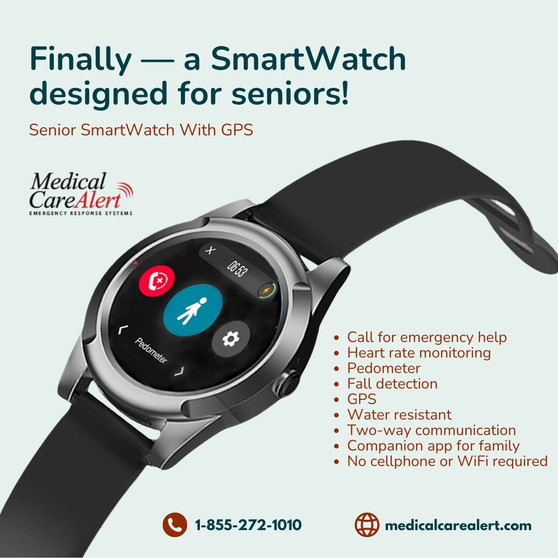
Credit: www.medicalcarealert.com
How To Enable Fall Detection On Apple Watch
Apple was one of the first big brands to add fall detection. If you have an Apple Watch Series 4 or later, you can turn on this feature in just a few steps.
Step-by-step Guide For Apple Watch
- Open the Watch app on your iPhone.
- Tap the My Watch tab.
- Choose Emergency SOS.
- Tap the switch next to Fall Detection to turn it on.
- Decide if you want it always on, or only during workouts.
- Add or update your emergency contacts in the Health app.
That’s it! Now, if you fall hard, your watch will ask if you’re okay. If you don’t reply, it will call emergency services and send your location to your contacts.
Important Tips For Apple Watch Users
- Fall detection is off by default for users under 55. You need to turn it on yourself.
- For best results, wear your watch on your non-dominant hand.
- To cancel a false alarm, tap “I’m OK” or press the Digital Crown.
- Keep your Medical ID up to date in the Health app.
I helped my neighbor set this up on her Apple Watch. She felt a bit nervous about using new tech, but after we tested it together, she felt much more confident.
How To Enable Fall Detection On Samsung Galaxy Watch
Samsung added fall detection to the Galaxy Watch 3 and newer models. The process is simple, but you need to set up emergency contacts first.
Step-by-step Guide For Samsung Galaxy Watch
- Open the Galaxy Wearable app on your phone.
- Go to Watch settings.
- Tap on Advanced features.
- Choose SOS.
- Turn on Detect falls.
- Add emergency contacts—this is who will be notified if you fall.
When the watch senses a fall, it will vibrate and sound an alarm. If you don’t respond, it sends an SOS message with your location.
Extra Tips For Samsung Users
- The watch will call and text up to four emergency contacts.
- You can set the watch to make a loud sound after a fall, useful if you’re at home alone.
- Make sure your Samsung Health app is updated for the latest features.
Samsung’s fall detection also works during both daily life and workouts, but you can change the settings if you want.
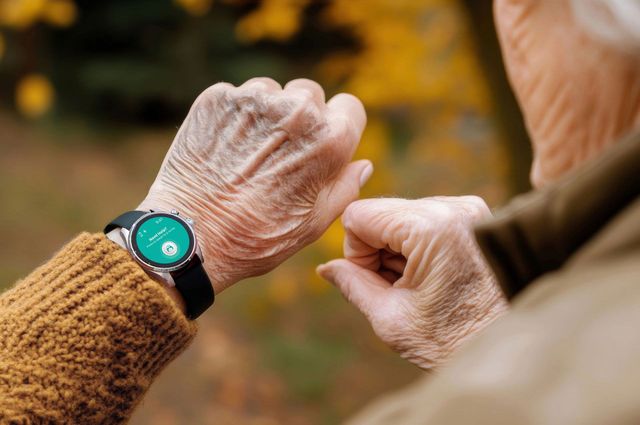
Credit: www.inslifeguard.com.au
How To Enable Fall Detection On Garmin Watches
Garmin offers fall detection as part of its Incident Detection feature. This is available on many Garmin watches, especially those for running and fitness.
Step-by-step Guide For Garmin
- Open the Garmin Connect app on your phone.
- Go to Device Settings.
- Tap on Safety & Tracking.
- Select Incident Detection and turn it on.
- Add emergency contacts in the app.
If your watch senses a fall, it sends your real-time location to your contacts. One thing to note: Garmin’s fall detection works best during specific activities, like walking, running, or cycling.
Special Tips For Garmin Users
- Make sure your phone is nearby and connected for the feature to work.
- Some models allow fall detection during all activities, others only during workouts.
- The feature might not work if your watch can’t get a strong GPS signal.
How To Enable Fall Detection On Fitbit Devices
Fitbit added fall detection to the Sense 2 and Versa 4 models. The process is a bit different than other brands.
Step-by-step Guide For Fitbit
- Open the Fitbit app on your phone.
- Tap your profile photo, then choose your device.
- Find Fall Detection in the safety settings.
- Toggle it on.
- Add emergency contacts if asked.
When a fall is detected, your Fitbit will vibrate and show a message. If you don’t respond, it will call your chosen contact.
Tips For Fitbit Users
- Make sure your Fitbit and phone have Bluetooth turned on.
- Add a trusted friend or family member as your emergency contact.
- Update the app and device firmware for the latest safety features.
How To Enable Fall Detection On Google Pixel Watch
Google’s Pixel Watch includes fall detection starting from its first version.
Step-by-step Guide For Pixel Watch
- Open the Watch app on your paired phone.
- Tap Safety & Emergency.
- Select Fall Detection.
- Turn the feature on.
- Add emergency contacts as needed.
If you fall and don’t respond, your Pixel Watch can call 911 or send a message to your emergency contact.
Pixel Watch Tips
- The feature works best when the watch is worn snugly on your wrist.
- Make sure your location services are on.
- Test the system with a gentle motion to see how it alerts you.
How To Make Sure Fall Detection Works
Turning on fall detection is just the first step. You want to make sure it’s working right for you. Here are some important things you should do:
- Wear your watch properly. It should be snug but comfortable, not too loose.
- Test the feature. Most watches let you try a test fall (without really falling). This helps you see how it works.
- Update your watch and phone. Install the latest software to get the best performance.
- Check your emergency contacts. Make sure phone numbers are up to date.
- Practice canceling false alarms. Learn how to stop the alert if you’re not hurt.
- Know the limits. No system is perfect. Very slow falls or sliding off a chair might not trigger the alert.
Comparing Fall Detection Across Brands
Let’s take a closer look at how the main smartwatch brands compare when it comes to fall detection.
| Feature | Apple Watch | Samsung Galaxy | Garmin | Fitbit | Pixel Watch |
|---|---|---|---|---|---|
| Automatic 911 Call | Yes (in supported countries) | No, only contacts | No, only contacts | No, only contacts | Yes (in supported countries) |
| Works Without Phone | Yes (cellular models) | Yes (LTE models) | No, needs phone | No, needs phone | Yes (LTE models) |
| Custom Alert Sound | No | Yes | No | No | No |
| Detects During Workouts | Yes | Yes | Some models | Yes | Yes |
This comparison helps you see which watch fits your needs best. For example, if you want the watch to call 911 directly, Apple Watch or Pixel Watch are good choices (in supported areas).
Common Mistakes And How To Avoid Them
It’s easy to set up fall detection and then forget about it. Here are mistakes I often see—and how you can avoid them:
- Forgetting to add emergency contacts: The system won’t work well if you skip this step.
- Not keeping software updated: Updates fix bugs and improve detection.
- Wearing the watch too loosely: If the sensors can’t “feel” your movement, they can’t detect falls.
- Not checking battery life: If your watch dies, it can’t help you.
- Assuming all falls will be detected: Slow slides or gentle collapses might not set off the alarm.
- Thinking it works everywhere: Some features, like direct 911 calling, only work in certain countries.
When I first set up fall detection for my dad, I missed adding his main phone as a contact. We only realized the mistake when we tested the feature. It was easy to fix, but it showed me how important it is to double-check everything.

Credit: www.amazon.com
Advanced Tips For Reliable Fall Detection
Want to get the most out of your smartwatch’s fall detection? Here are some tips you won’t find in most manuals:
- Set your medical ID or profile: Emergency teams can see important health info from your watch.
- Let your family know: Teach them how the alerts work, so they don’t panic if they get a message.
- Use cellular models if you go out alone: Watches with built-in data can call for help even if your phone is far away.
- Combine with other safety features: Many watches have features like SOS, heart rate alerts, and GPS tracking.
- Check for local emergency rules: Some watches can only call emergency services in certain countries.
Privacy And Data Concerns
Some people worry about privacy when using fall detection. The system does track your location and shares it with emergency contacts. Here’s what you need to know:
- Your data is only sent during a real fall or if you trigger an SOS.
- Most brands encrypt your personal info.
- You can choose who gets your alerts.
- Check your smartwatch’s privacy policy for details.
If you’re not sure, visit your brand’s official website or review their privacy page. The Apple privacy policy is a good example of how companies protect your data.
Who Should Use Fall Detection?
You might think fall detection is only for seniors, but that’s not true. It’s helpful for many people, including:
- Older adults living alone
- People with epilepsy, diabetes, or heart problems
- Athletes or hikers who train alone
- Anyone with a history of fainting or falls
- Caregivers who want extra peace of mind
Remember, fall detection is a tool. It can’t replace common sense or safe habits, but it can make life a little safer.
Real-world Stories: How Fall Detection Helps
Let me share another quick story. A friend of mine, who is only 45, had a seizure while jogging. His Garmin watch detected a fall and sent his location to his wife. She was able to reach him within minutes.
He told me that before this, he never thought he’d need fall detection at his age.
These stories show that anyone can benefit from this feature—not just older people.
When To Update Or Upgrade Your Device
Technology changes fast. If your smartwatch is more than a few years old, you might not have fall detection—or it might not work as well. Consider updating if:
- Your watch is not on the supported list
- You want new features like direct 911 calling
- Your device is slow or the battery doesn’t last
Newer watches often have better sensors and smarter software. Investing in an upgrade can improve your safety and give you peace of mind.
Frequently Asked Questions
What Should I Do If My Smartwatch Sends A False Fall Alert?
If you get a false alert, respond quickly. Tap “I’m OK” or follow your watch’s instructions to cancel. Test the system so you know how to stop false alarms.
Can Fall Detection Work Without My Phone Nearby?
Some watches, like the Apple Watch Cellular or Samsung LTE models, can call for help on their own. Others, like most Garmin or Fitbit models, need your phone nearby to send alerts.
Will Fall Detection Call 911 In Every Country?
No. Some smartwatches can only call emergency services in supported countries. Check your watch’s documentation or Apple’s support page for details.
Does Fall Detection Drain The Battery Faster?
It uses a small amount of extra battery, but not enough to notice in daily use. Keeping your watch updated helps it run more efficiently.
Is Fall Detection 100% Accurate?
No system is perfect. Fast, hard falls are easier to detect than slow or soft falls. Always use other safety habits along with fall detection.
Turning on fall detection is a small step that can make a big difference. Whether you live alone, have a health condition, or just want extra safety, this feature is worth using. Take a few minutes today to check your smartwatch settings and make sure you’re protected.
Your peace of mind—and your family’s—could depend on it.

Rubel Miah is the Senior Editor at MyStyleGrid.com, where he brings a sharp editorial eye and an unshakable love for fashion to everything he does. A true style addict, Rubel lives and breathes trends, from streetwear to high fashion, and has a knack for turning inspiration into impactful stories. With years of experience in fashion journalism and digital media, he curates content that empowers readers to express themselves through style. When he’s not editing features or forecasting the next big thing, you’ll find him hunting down vintage pieces or capturing street style moments around the city.