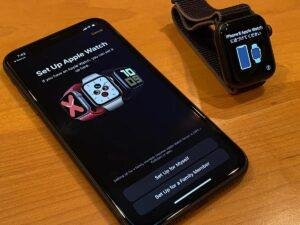
The iPhone 12 works with Apple Watch Series 4 and newer, Apple Watch SE, and Apple Watch Ultra models. For the newest software features, the best matches are Apple Watch Series 6 or newer, Apple Watch SE (2nd generation), and Apple Watch Ultra models.
Your iPhone 12 must also run a compatible version of iOS. For example, watchOS 11 requires an iPhone XS or newer with iOS 18 or later, so an updated iPhone 12 meets that requirement.

Apple Watch models that work with iPhone 12
The right answer depends on how old the Apple Watch is and which version of watchOS it can run.
| Apple Watch model | Works with iPhone 12? | Software limit or note |
|---|---|---|
| Apple Watch Series 10 | Yes | Supports current watchOS versions supported by the model |
| Apple Watch Series 9 | Yes | Supports watchOS 11 |
| Apple Watch Series 8 | Yes | Supports watchOS 11 |
| Apple Watch Series 7 | Yes | Supports watchOS 11 |
| Apple Watch Series 6 | Yes | Oldest Series model supported by watchOS 11 |
| Apple Watch SE (2nd generation) | Yes | Supports watchOS 11 |
| Apple Watch Ultra 2 | Yes | Supports watchOS 11 |
| Apple Watch Ultra | Yes | Supports watchOS 11 |
| Apple Watch Series 5 | Yes, with limits | Can run watchOS 10, but not watchOS 11 |
| Apple Watch Series 4 | Yes, with limits | Can run watchOS 10, but not watchOS 11 |
| Apple Watch SE (1st generation) | Yes, with limits | Can run watchOS 10, but not watchOS 11 |
| Apple Watch Series 3 | Technically limited | Old software, weaker long-term choice |
Apple’s watchOS 11 compatibility list includes Series 6 and later, Apple Watch SE (2nd generation), and Apple Watch Ultra models. Apple’s watchOS 10 list includes Series 4 and later, the first-generation SE, and Apple Watch Ultra.
For most buyers, Apple Watch Series 6 or newer is the safest minimum if you want current software support. A used Series 4 or Series 5 may pair with an iPhone 12, but it has reached an older software limit.
What iOS version does the iPhone 12 need?
Your iPhone 12 needs an iOS version supported by the Apple Watch during setup and updates.
For watchOS 11, Apple requires:
- An iPhone XS or newer
- iOS 18 or later
- Apple Watch Series 6 or newer, Apple Watch SE (2nd generation), or Apple Watch Ultra
The iPhone 12 is newer than the iPhone XS, so the phone model itself is not the problem. The main step is updating the iPhone before pairing.
To check your software:
- Open Settings on the iPhone 12.
- Tap General.
- Tap Software Update.
- Install the available iOS update.
- Open the Watch app and check for a watchOS update after pairing.
The exact software limit can change as Apple releases new versions. An Apple Watch that works today may not support every future watchOS update.
Which Apple Watch should you choose for an iPhone 12?
The best choice depends on whether you want a low-cost used watch, a newer everyday watch, or an outdoor model.
Best overall match: Apple Watch Series 9 or newer
A Series 9 or newer model gives the iPhone 12 a modern Apple Watch experience with current software support, a newer processor, and a longer expected update life than older models.
Choose this type of watch if you want:
- Fitness and heart-rate tracking
- Notifications and calls
- Apple Pay
- Sleep tracking
- A newer display and faster performance
- More years of software support
The iPhone 12 can still communicate well with newer Apple Watch models. You do not need the newest iPhone simply because you are buying a newer watch, as long as your iOS version meets Apple’s requirement.
Best lower-cost choice: Apple Watch SE (2nd generation)
The Apple Watch SE (2nd generation) is a good fit if you want the basic Apple Watch features without paying for every health sensor.
It supports:
- Activity and workout tracking
- Heart-rate notifications
- Fall Detection
- Emergency SOS
- Apple Pay
- Notifications
- Sleep tracking
It does not include every sensor found on higher-end models. In particular, buyers should check Apple’s current specifications if they need features such as an electrical heart sensor or blood oxygen features.
Best used option: Apple Watch Series 6
The Series 6 is the oldest Apple Watch model that supports watchOS 11. It can be a sensible used purchase when the battery is healthy and the price is low.
Before buying a used Series 6, check:
- Battery health
- Activation Lock status
- Whether the seller erased the watch
- Physical damage
- Cellular carrier compatibility, if it is a cellular model
- Whether the watch can update to the software you need
A low price does not always mean a good deal. Battery replacement, a damaged screen, or an Activation Lock problem can make a used watch costly or unusable.
Best for outdoor use: Apple Watch Ultra or Ultra 2
Apple Watch Ultra models work with the iPhone 12. They offer a larger case, longer battery life than standard models, and features aimed at outdoor activities.
They may suit people who want:
- Long hikes or runs
- Water sports
- A larger and brighter display
- A more rugged case
- Longer battery life
The Ultra is larger and heavier than standard Apple Watch models. That size may be useful outdoors but less comfortable for small wrists or sleep tracking.
GPS versus cellular: which Apple Watch works with iPhone 12?
Both GPS and GPS + Cellular Apple Watch models can work with an iPhone 12. The difference is how they connect when the iPhone is not nearby.
GPS Apple Watch
A GPS model uses the iPhone for calls, messages, streaming, and many internet-based tasks when the watch is away from Wi-Fi.
It is usually the simpler choice if you normally carry your iPhone. It does not require a separate cellular plan.
GPS + Cellular Apple Watch
A cellular model can connect to a mobile network without the iPhone nearby. This can allow calls, messages, music streaming, and some apps while you leave the phone at home.
However, cellular service depends on:
- A supported carrier
- A compatible plan
- Carrier activation
- Matching account requirements
- The country or region where you use the watch
The iPhone 12 does not automatically make cellular Apple Watch service available. Check your carrier before buying a cellular model, especially if you are buying a used watch originally sold in another country.
How to pair an Apple Watch with iPhone 12
Pairing normally takes a few minutes, but both devices should be charged and updated first.
Before you begin
Make sure:
- The iPhone 12 has a passcode if you want to use Apple Pay.
- Bluetooth is on.
- Wi-Fi or cellular internet is available.
- The Apple Watch has enough battery.
- You know the Apple Account password connected to the iPhone.
- The watch is not still linked to another person’s Apple Account.
Pairing steps
- Turn on the Apple Watch by holding its side button.
- Place the watch near the unlocked iPhone 12.
- Wait for the pairing message to appear.
- Tap Continue.
- Choose Set Up for Myself.
- Scan the animation on the watch using the iPhone camera.
- Choose Restore from Backup or Set Up as New Apple Watch.
- Sign in when asked.
- Create a passcode for the watch.
- Select the apps and settings you want.
- Keep the devices close until setup finishes.
If the pairing animation does not appear, open the Watch app on the iPhone and tap Pair New Watch.
You will know setup worked when the Watch app shows the watch name, battery level, installed apps, and watch face settings.
What to do if Apple Watch will not pair with iPhone 12
Pairing failures usually come from outdated software, an old connection, or Activation Lock.
Try these checks in order:
- Update the iPhone. Go to Settings > General > Software Update.
- Charge both devices. A low battery can interrupt setup.
- Keep the watch and iPhone close together.
- Confirm Bluetooth and Wi-Fi are on.
- Restart both devices.
- Open the Watch app manually and select Pair New Watch.
- Erase the Apple Watch if it was previously paired with another iPhone.
- Check Activation Lock. The prior owner must remove the watch from their Apple Account.
- Verify the model and software requirements.
- Contact Apple Support if an error remains after these steps.
Do not buy a used Apple Watch that shows someone else’s Apple Account. The previous owner must remove Activation Lock. A factory reset alone may not remove that lock.
If you see a message saying the watch needs a newer iPhone or iOS version, update the iPhone first. If the watch is too old for the required watchOS version, you may need an older software combination or a newer watch.
Important limits when using Apple Watch with iPhone 12
The iPhone 12 is compatible with many Apple Watch models, but compatibility does not mean every feature will work in every situation.
New watchOS versions may drop older watches
Apple eventually stops updating older Apple Watch models. Series 4, Series 5, and the first-generation SE may pair with an iPhone 12, but they do not support watchOS 11.
That affects access to new features, security updates, and app support. If you plan to keep the watch for several years, choose a model that supports the newest watchOS available when you buy it.
Some features need newer hardware
A watch may pair with an iPhone 12 but lack a sensor or processor needed for a particular feature. Always check the specifications for the exact Apple Watch model.
For example, health features can vary by model, region, and regulatory approval. Apple’s feature availability pages are more reliable than a seller’s general statement that a watch is “fully compatible.”
Cellular service is not universal
A cellular Apple Watch may not work with every carrier or plan. The watch may also need to be purchased for the same market where you plan to use it.
For a US purchase, verify the cellular model number and carrier support before paying. This matters most with used or imported watches.
Family Setup has separate requirements
Apple Watch for a family member can have different requirements from a watch paired directly to your iPhone. Some features may need a cellular model, and not every Apple Watch feature works under Family Setup.
If the watch is for a child or another person without their own iPhone, review Apple’s Family Setup requirements before choosing a model.
Quick buying guide
Use this guide if you are deciding between several compatible models:
- Lowest cost: Apple Watch SE (2nd generation)
- Best balance for most people: Apple Watch Series 9 or a newer standard model
- Best used model: Apple Watch Series 6, if the battery and condition are good
- Best for outdoor activities: Apple Watch Ultra or Ultra 2
- Model to avoid unless very cheap: Series 3
- Older models with limited future support: Series 4, Series 5, and first-generation SE
For most iPhone 12 owners, the practical minimum is the Apple Watch Series 6. If you want a lower price, the Apple Watch SE (2nd generation) is usually a better long-term choice than an older Series 4 or Series 5.
Frequently asked questions
Can an iPhone 12 pair with Apple Watch Series 3?
Yes, an iPhone 12 can technically pair with some Series 3 configurations running older supported software. However, Series 3 has very limited software support and may have setup or storage problems. It is not a strong choice for a new purchase.
Can iPhone 12 use Apple Watch Series 10?
Yes. An iPhone 12 can pair with Apple Watch Series 10 when the iPhone runs the required iOS version. Update the iPhone before starting setup.
Does iPhone 12 work with Apple Watch SE?
Yes. The iPhone 12 works with both the first-generation Apple Watch SE and the second-generation Apple Watch SE, subject to their watchOS limits. The second-generation SE supports newer software.
Can I use Apple Watch without my iPhone nearby?
A GPS Apple Watch has more limited functions when the iPhone is away. A cellular Apple Watch can use a supported mobile network without the iPhone nearby. Wi-Fi can also provide some online functions when a known network is available.
Will an Apple Watch bought in another country work with an iPhone 12 in the United States?
Basic pairing may work, but cellular service, model support, warranty coverage, and some features can vary by region. Check the exact model number and US carrier support before buying an imported watch.
Do I need an iPhone 12 Pro or iPhone 12 Pro Max?
No. The standard iPhone 12 can pair with compatible Apple Watch models. The iPhone 12 Pro and Pro Max are not required.
Final answer
The iPhone 12 is compatible with Apple Watch Series 4 and newer, Apple Watch SE models, and Apple Watch Ultra models. For current software support, choose Apple Watch Series 6 or newer, Apple Watch SE (2nd generation), or Apple Watch Ultra.
Before buying, update the iPhone 12, confirm the watch’s watchOS support, check Activation Lock for used models, and verify cellular support if you want a GPS + Cellular watch.
Apple’s official compatibility pages are the best place to confirm requirements before purchase:
- Apple Watch and iPhone compatibility
- watchOS 11 compatibility
- Apple Watch user guide
- Set up and pair Apple Watch
Rubel Miah is the Senior Editor at MyStyleGrid.com, where he brings a sharp editorial eye and an unshakable love for fashion to everything he does. A true style addict, Rubel lives and breathes trends, from streetwear to high fashion, and has a knack for turning inspiration into impactful stories. With years of experience in fashion journalism and digital media, he curates content that empowers readers to express themselves through style. When he’s not editing features or forecasting the next big thing, you’ll find him hunting down vintage pieces or capturing street style moments around the city.