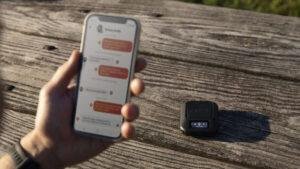
If you use a Garmin watch in the United States, you may be able to read text alerts and send a short reply—but the answer depends on your watch model and phone. Most Garmin watches do not let you type a new text from the watch like an Apple Watch or Samsung Galaxy Watch. However, many models let Android users reply with preset messages. iPhone users can usually read notifications but cannot reply from the watch.

Can a Garmin Watch Send Text Messages?
A Garmin watch can handle some text messages, but its texting features are limited.
Most Garmin watches connect to your phone through the Garmin Connect app. The phone receives the SMS or messaging alert, then sends a notification to the watch. The watch displays the alert on its screen.
Depending on the model and phone, you may be able to:
- Read an incoming text message
- See who sent it
- Send a preset quick reply
- Dismiss the alert
- Open the message on your phone
- Use Garmin Messenger on supported devices
- Send messages through an inReach satellite device or service on compatible products
You usually cannot:
- Type a completely new SMS message on the watch
- Use a full keyboard on most Garmin watches
- Start a normal text conversation without an incoming message
- Reply to texts from an iPhone using a standard Garmin watch
- Send texts when the watch has no phone, Wi-Fi, or supported satellite connection
The key difference is between reading a text, replying to a text, and starting a new text. Garmin supports the first two on some devices, but it generally does not support the third.
How Garmin Texting Works
Garmin texting relies on a connection between three parts:
- Your Garmin watch
- Your smartphone
- A messaging app or cellular service
For standard SMS messages, your phone does most of the work. The Garmin watch acts as a remote screen and control. It receives the phone’s notification through Bluetooth and may offer a few reply options.
This means the watch is not usually sending an SMS on its own. If your phone is out of range, turned off, or disconnected from Garmin Connect, normal text alerts may stop working.
Some Garmin products have a different setup. For example, Garmin devices that work with inReach can send and receive messages through satellite networks. Garmin Messenger can also support messaging on certain compatible watches and devices. These services may require a compatible device, an active plan, and a clear view of the sky.
SMS text messages
SMS is the standard mobile text service used by most phone carriers. On compatible Garmin watches, an Android phone may allow preset replies to incoming SMS messages.
App messages
Messages from apps such as WhatsApp, Facebook Messenger, or other chat services may appear as notifications. Whether you can reply depends on the Garmin model, the phone operating system, and the app.
Garmin Messenger messages
Garmin Messenger is a separate messaging system. It can use Wi-Fi or cellular data through a phone and may use satellite communication on compatible Garmin devices with an active inReach plan.
Can You Reply to Texts on a Garmin Watch?
You can often reply to a text on a Garmin watch if you use an Android phone and have a compatible watch.
The reply normally comes from a list of preset messages, such as:
- “Yes”
- “No”
- “I’ll call you later”
- “On my way”
- “Can’t talk right now”
- “Thanks”
The exact choices vary by model and software. Some Garmin watches let you edit the preset replies in the Garmin Connect app. Others offer only a fixed list.
How to reply on Android
Use these steps as a general guide:
- Pair the Garmin watch with your Android phone in Garmin Connect.
- Allow Garmin Connect to show notifications.
- Turn on text message notifications for your phone.
- Have someone send you a text.
- Open the notification on the watch.
- Select the reply option, if available.
- Choose a preset response.
- Confirm the reply.
The wording and button names may differ by watch. If you do not see a reply option, the model, phone, app, or notification settings may not support it.
Can you type a custom reply?
Usually, no. Most Garmin watches do not include a full keyboard for SMS messages.
A few Garmin models may offer more advanced message controls through Garmin Messenger or another supported feature. That does not mean every Garmin watch can type a custom SMS. Always check the manual for the exact model.
Can You Text on a Garmin Watch With an iPhone?
With an iPhone, Garmin watches generally let you read text notifications but not reply to them.
This limit comes from Apple’s handling of notification replies. Apple gives its own devices deeper access to Messages and other system functions. Garmin watches receive the alert, but standard Garmin models do not get the same reply access that an Apple Watch receives.
You may still be able to:
- See the sender’s name
- Read part or all of the message
- Clear the notification
- Open the message on your iPhone
- Use supported Garmin Messenger features
You should not expect a normal Garmin watch paired with an iPhone to send a reply to an SMS or iMessage from the watch.
This is one of the biggest differences between using a Garmin watch with Android and using it with an iPhone.
Quick compatibility guide
| Phone and connection | Read text alerts | Reply to standard texts | Type a new text |
|---|---|---|---|
| Android phone with compatible Garmin | Yes | Often, with presets | Usually no |
| iPhone with standard Garmin | Yes | Usually no | No |
| Garmin with Garmin Messenger support | Depends on model | Yes, through supported messaging | Depends on device and service |
| Garmin inReach device or watch | Yes, with active service | Yes, through satellite messaging | Yes, within service limits |
| Watch disconnected from phone | Usually no new phone alerts | No standard SMS reply | No |
This table is a general guide. Garmin features vary by model, region, software version, and connected phone.
How to Turn On Text Notifications on a Garmin watch
you need to enable notifications on both the phone and the Garmin Connect app.
On your phone
First, make sure text notifications work on the phone itself. Send a test message and check that it appears in the phone’s notification panel.
Then confirm that:
- Bluetooth is on
- The phone is paired with the watch
- Garmin Connect is running or allowed to run in the background
- Text notifications are allowed
- Do Not Disturb is not blocking the alert
- Battery-saving settings are not stopping Garmin Connect
- The phone is close enough for Bluetooth
In Garmin Connect
The menu can vary by app version, but the usual path is similar:
- Open the Garmin Connect app.
- Open the menu for your Garmin device.
- Select Notifications or Phone Notifications.
- Choose which notifications are allowed.
- Turn on text or message notifications.
- Review the notification settings for your watch.
Some Garmin models also let you control notifications directly from the watch:
- Open the watch settings.
- Select Phone or Connectivity.
- Open Notifications.
- Choose when alerts should appear.
- Save the settings.
If you use Android, look for a setting related to text replies, quick replies, or notification replies. Not every Garmin model includes this control.
How to Set Up Quick Replies on Garmin
Quick replies save short messages that you can send from the watch. They are useful when you need to acknowledge a text during a workout, walk, commute, or meeting.
To look for them:
- Open Garmin Connect.
- Select your connected Garmin device.
- Open the device settings.
- Look for Text Responses, Quick Replies, or a similar option.
- Edit the available responses.
- Sync the watch.
The feature name may differ across Garmin product lines. If you cannot find it, check the user manual for your exact model.
Good quick replies are short and clear. Examples include:
- “I’m driving. I’ll reply soon.”
- “I’m in a meeting.”
- “Please call me.”
- “I’m almost there.”
- “Yes, that works.”
- “No problem.”
Do not use a quick reply for a message that needs detail, a sensitive decision, or urgent medical information. A short preset message can be easy to misunderstand.
Why Can’t You Reply to Texts on a Garmin Watch?
The most common cause is that the watch or phone does not support replies.
Use this troubleshooting order.
1. Check the phone type
If you use an iPhone, standard SMS replies from a Garmin watch are usually unavailable. Reading notifications may still work.
If you use Android, continue with the next checks.
2. Check the Garmin model
Garmin has many product lines, including vívoactive, Venu, Forerunner, fēnix, Instinct, and other models. Similar-looking watches may have different notification features.
Search the official Garmin manual for your exact model and the terms:
- Text reply
- Quick reply
- Reply to notifications
- Smart notifications
- Android replies
3. Update the software
Install available updates for:
- The Garmin watch
- Garmin Connect
- The phone’s operating system
A feature may fail if the watch and app use different software versions.
4. Check notification permissions
On Android, Garmin Connect may need permission to access notifications. It may also need permission to run in the background.
On the phone, confirm that your messaging app can show notifications. A message that does not appear on the phone usually cannot appear on the watch.
5. Check the Bluetooth connection
Open Garmin Connect and confirm that the watch shows as connected. If needed:
- Turn Bluetooth off and back on.
- Restart the phone.
- Restart the watch.
- Open Garmin Connect.
- Sync the devices.
- Send a test message.
6. Check the message source
A reply may work for SMS but not for every messaging app. WhatsApp, Messenger, Google Messages, and other apps can use different notification systems.
7. Check whether the watch is in an activity
Some watches limit certain phone functions during an activity. End the activity or exit the activity screen and test the message again.
8. Re-pair only as a last step
Removing and pairing the watch again can fix connection problems, but it takes more time. Try the simpler checks first. Before resetting or removing a device, confirm that your data has synced to Garmin Connect.
Can a Garmin Watch Send Texts Without a Phone?
A standard Garmin smartwatch usually cannot send normal SMS messages without a nearby connected phone.
There are several exceptions.
Wi-Fi-connected Garmin watches
Wi-Fi can sync some data, but Wi-Fi alone does not always replace a phone for standard SMS. A watch may use Wi-Fi for updates, music downloads, or synchronization while still needing a phone for text messaging.
Garmin Messenger
Compatible Garmin devices may support Garmin Messenger. This service can send messages through an internet connection and, on certain inReach products, through satellite communication.
The exact capability depends on:
- The Garmin model
- Garmin Messenger support
- Phone or Wi-Fi access
- An active inReach subscription, where required
- Satellite visibility, when using satellite messaging
LTE or cellular Garmin models
A Garmin watch with cellular features may support communication without a phone, but cellular support is not available on every Garmin watch. It may also require a compatible carrier plan or subscription.
Do not assume that a watch with GPS can send texts independently. GPS helps determine location; it does not provide a mobile data connection.
Garmin Texting Compared With Apple Watch and Samsung Galaxy Watch
Garmin focuses on fitness, health tracking, sports tools, and battery life. Texting is usually a secondary feature.
Apple Watch and Samsung Galaxy Watch models often provide broader messaging tools, such as:
- Full or partial keyboards
- Voice dictation
- More direct access to messaging apps
- Cellular texting on supported models
- Richer message threads
Garmin usually offers a simpler approach:
- Show the notification
- Let you use a short preset reply when supported
- Send detailed messages from the phone instead
This trade-off can work well if you want fewer distractions during exercise. It may feel limiting if you want the watch to replace your phone for daily messaging.
Which type of watch fits your needs?
| Your main need | Better fit |
|---|---|
| Fitness tracking and long battery life | Garmin may fit well |
| Reading alerts during exercise | Garmin may fit well |
| Typing detailed messages from the wrist | Apple Watch or Galaxy Watch may fit better |
| Satellite messaging outdoors | Compatible Garmin inReach products |
| Deep iPhone message integration | Apple Watch |
| Android phone replies with preset text | Compatible Garmin or Wear OS watch |
This is not a product ranking. It is a feature trade-off. Choose the watch based on how much messaging control you need.
Safety and Privacy Limits
A Garmin text feature should not replace direct communication in an emergency.
Do not rely on a normal Garmin notification for:
- Calling emergency services
- Confirming that someone received a critical message
- Sharing a precise location without checking the send status
- Medical instructions
- Time-sensitive rescue communication
A standard smartwatch may lose connection, run out of battery, miss a notification, or display only part of a message.
Satellite messaging has its own limits. Trees, buildings, cliffs, weather, and device position can affect satellite communication. Garmin inReach services may also require an active plan and may have message limits or charges based on the plan.
For an emergency in the United States, use 911 or the appropriate local emergency service when possible. Confirm that a message was sent and received before treating it as delivered.
Frequently Asked Questions
Can you text someone from a Garmin watch?
Sometimes. A compatible Garmin watch paired with an Android phone may let you send a preset reply to an incoming message. Most Garmin watches cannot start a new standard text or type a long custom message.
Can you reply to WhatsApp messages on Garmin?
It depends on the watch, phone, and WhatsApp notification. Some Android setups may show a reply option, but support is not universal. On an iPhone, replying from a standard Garmin watch is generally not available.
Do Garmin watches have a keyboard?
Most Garmin watches do not have a full keyboard for standard texting. Some supported messaging features may use preset replies, voice tools, or a different message interface.
Can a Garmin watch receive texts without a phone?
Most standard Garmin watches need a connected phone to receive ordinary SMS notifications. Compatible Garmin Messenger or inReach devices may communicate without a nearby phone, subject to their connection and subscription requirements.
Why do I get text alerts but no reply option?
Your watch may not support replies, your phone may be an iPhone, or Android notification access may be disabled. It can also happen when the message app does not expose a reply function or the watch software is out of date.
Can Garmin watches send texts during a workout?
Some compatible models can show notifications and send quick replies during or between activities. The available controls depend on the model and activity mode. Test the function before relying on it during training.
Final Answer: Is Garmin Good for Texting?
Yes, but only for limited texting.
A Garmin watch is well suited to reading message alerts and, in many Android setups, sending a short preset reply. It is not usually designed for typing new texts or managing full conversations from the wrist.
Before buying or troubleshooting one, check three things:
- Your exact Garmin model
- Whether you use Android or iPhone
- Whether you need preset replies, full typing, or phone-free messaging
If you want simple alerts during workouts, Garmin may be enough. If you want full texting from your wrist, choose a device with stronger messaging support or a compatible cellular service.
Official Sources to Check
Garmin updates features by model and software version. For the most accurate information, check:
Rubel Miah is the Senior Editor at MyStyleGrid.com, where he brings a sharp editorial eye and an unshakable love for fashion to everything he does. A true style addict, Rubel lives and breathes trends, from streetwear to high fashion, and has a knack for turning inspiration into impactful stories. With years of experience in fashion journalism and digital media, he curates content that empowers readers to express themselves through style. When he’s not editing features or forecasting the next big thing, you’ll find him hunting down vintage pieces or capturing street style moments around the city.