An Apple Watch can be about 30 feet from your iPhone over Bluetooth, but Wi-Fi and cellular extend that range.
How far can the Apple Watch be from your phone depends on the connection between the two devices. Bluetooth works best nearby, while Wi-Fi and cellular let your Apple Watch stay useful much farther away. This guide explains the real-world range, what still works, and how to avoid common connection problems.
How far can the Apple Watch be from your phone?
When your Apple Watch connects to your iPhone through Bluetooth, the normal range is about 30 feet, or 10 meters. This is an open-space estimate. Walls, furniture, metal, other wireless devices, and your phone’s position can reduce the distance.
In a home, your Apple Watch may stay connected from one room to another. In a large house or office, the connection may drop sooner. Bluetooth is like an invisible short cord: convenient, but not endless.
How far can the Apple Watch be from your phone in daily use? Most people can walk around a typical home without losing contact. However, you should not expect a stable Bluetooth connection across a large building or several floors.
Apple Support commonly describes Bluetooth range as roughly 33 feet, or 10 meters. The exact distance varies by the iPhone model, Apple Watch model, walls, radio interference, and the environment.

What happens when your Apple Watch moves out of Bluetooth range?
When your Apple Watch is too far from your iPhone, it tries to use another available connection. It may connect to a trusted Wi-Fi network, or it may use cellular service if you have a cellular Apple Watch plan.
If no other connection is available, some features continue to work directly on the watch. Other features stop until the watch reconnects with your iPhone.
You may see a red iPhone icon or a red disconnected symbol near the top of the watch face. This means the watch cannot currently communicate with your iPhone.
Features that can usually work without a nearby iPhone include:
• Telling time and using alarms
• Tracking workouts and activity
• Measuring heart rate and other health data
• Using downloaded music or podcasts
• Using Apple Pay in supported locations
• Using the built-in compass
• Recording GPS routes on supported models
• Viewing photos, apps, and stored information
Features that may need a connection include:
• Receiving new notifications from your iPhone
• Making standard calls without cellular or Wi-Fi support
• Sending new messages through the iPhone
• Using Siri for tasks that need online access
• Streaming music without downloaded content
• Checking live weather, maps, or online data
A disconnected Apple Watch is not useless. It is more like a small computer operating in offline mode. The main loss is live communication with your phone and the internet.
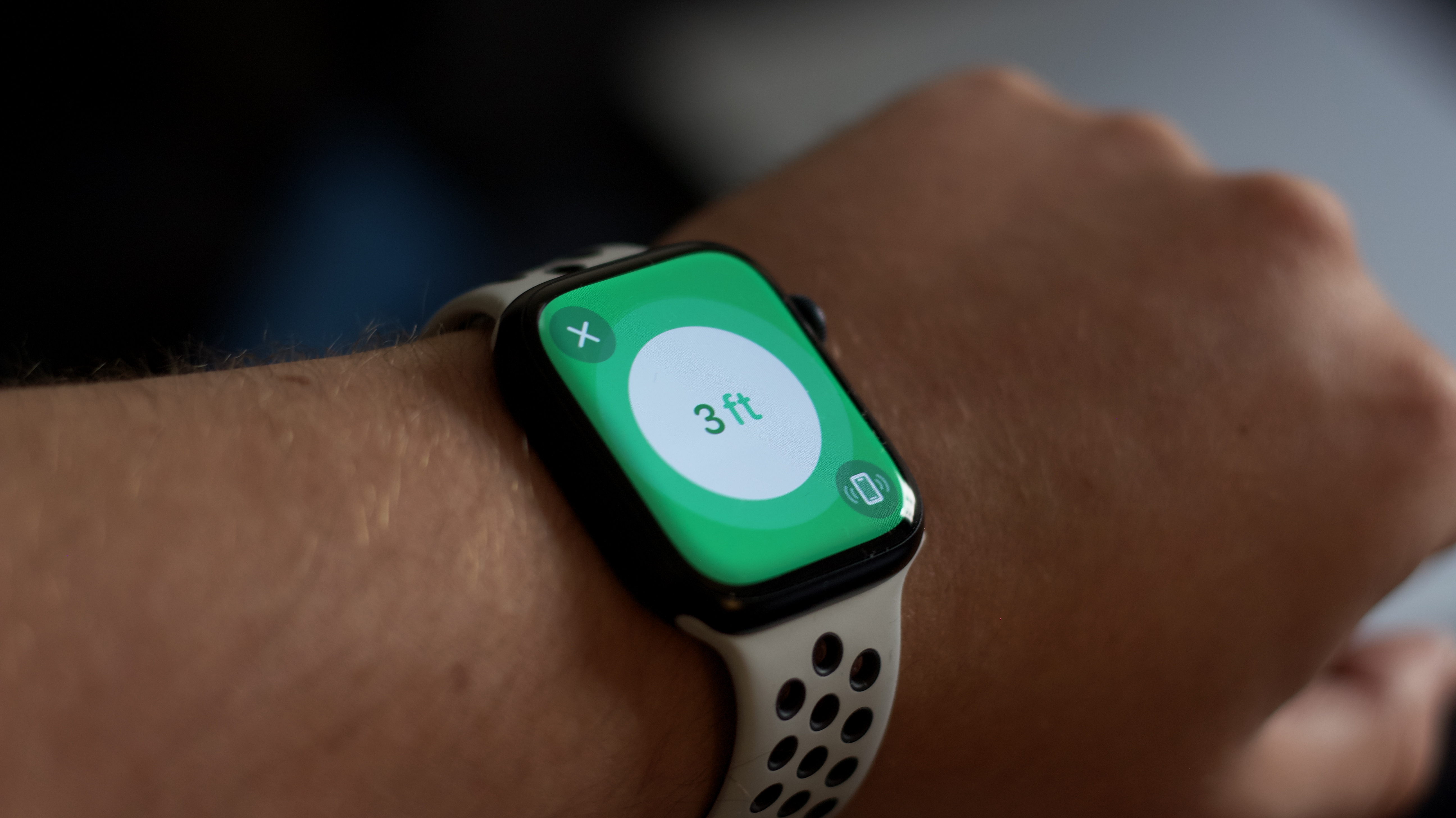
Apple Watch range with Bluetooth
Bluetooth is the main connection between an Apple Watch and an iPhone when both devices are close. It uses less power than many other wireless methods, which helps protect battery life.
The usual Bluetooth range is about 30 feet. In a clear outdoor area, the devices may remain connected at a slightly greater distance. Inside a home, the effective range may be shorter because walls and appliances weaken the signal.
The watch and iPhone may also switch between Bluetooth and Wi-Fi without obvious action from you. This helps the devices stay connected as you move around.
For the best Bluetooth performance:
• Keep the iPhone in the same room when possible.
• Avoid placing the phone inside a metal bag or closed cabinet.
• Keep both devices updated.
• Turn off Airplane Mode unless you need it.
• Keep Bluetooth enabled on the iPhone.
• Restart both devices if the connection acts strangely.
How far can the Apple Watch be from your phone over Bluetooth? A practical answer is 10 meters in open space, but 5 to 10 meters indoors is often more realistic.

How Wi-Fi changes the distance
Wi-Fi can let your Apple Watch work away from your iPhone when both devices are not connected by Bluetooth. The watch must be able to join a compatible Wi-Fi network that it has used before or that was shared through the iPhone setup process.
For example, your iPhone might be downstairs while your Apple Watch is upstairs. If the watch can access the same trusted Wi-Fi network, some communication features may continue to work.
Wi-Fi range depends on your router, walls, network speed, and signal strength. A strong home network may cover an entire house. A weak signal may fail in a basement, garage, or distant room.
Wi-Fi can support features such as:
• Sending and receiving messages
• Using Siri for online requests
• Making or receiving calls when Wi-Fi calling is properly configured
• Receiving some app notifications
• Accessing online information
Wi-Fi does not mean the Apple Watch can connect to every public network. Many hotel, school, airport, and coffee shop networks require a sign-in page. Apple Watch may not support these captive portal systems in the same way as an iPhone.
How far can the Apple Watch be from your phone on Wi-Fi? It can be anywhere within the usable range of a trusted Wi-Fi network, even if that is much farther than 30 feet.
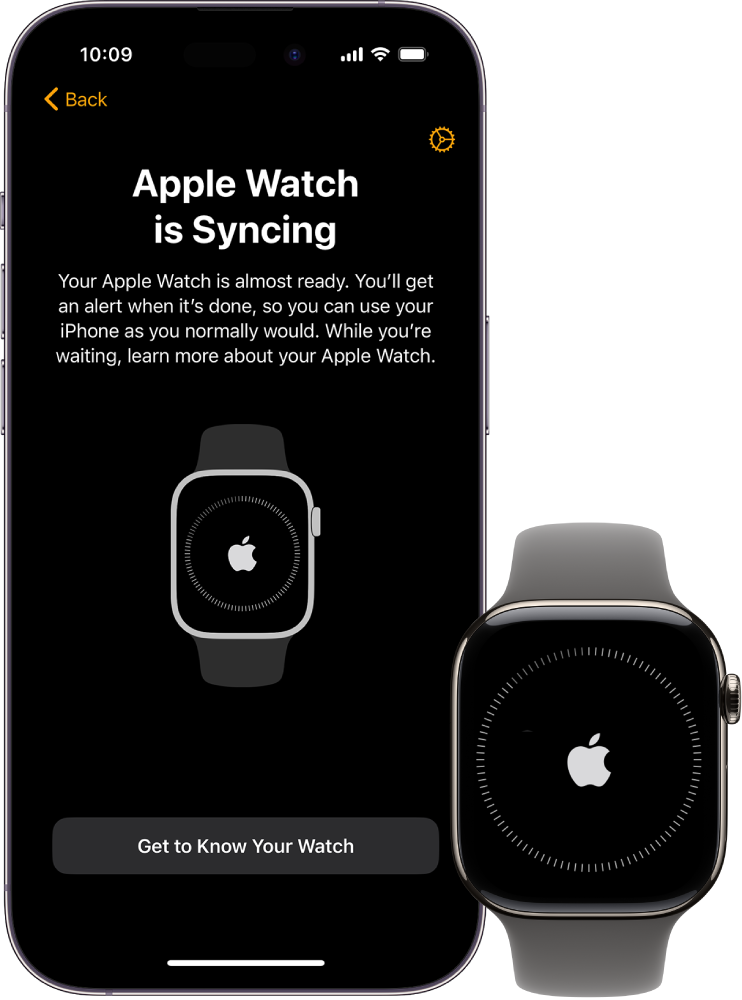
Apple Watch cellular range
A cellular Apple Watch has its own mobile connection. With an active plan, it can call, message, stream music, use maps, and access data without your iPhone nearby.
In this case, how far can the Apple Watch be from your phone? It can be miles away, as long as the watch has cellular coverage and the needed features are supported by your carrier.
Cellular range is not measured from your iPhone. It is measured by the reach of the mobile network. If your watch works in the same places where your carrier provides service, it may remain connected even when your iPhone is at home.
Cellular Apple Watch models are useful for:
• Running without carrying your iPhone
• Going to the gym with less equipment
• Taking walks or runs
• Staying reachable during errands
• Calling for help when your phone is not nearby
Cellular service has limits. Your carrier must support Apple Watch service, the watch must be activated, and some locations may have poor coverage. Cellular use can also reduce battery life faster than Bluetooth or Wi-Fi.
It is also important to remember that GPS and cellular are different. GPS helps track your location. Cellular provides a connection for calls, messages, and online services.

What can you do without your iPhone nearby?
Many Apple Watch owners worry that the watch will stop working the moment the iPhone is out of range. That is not usually the case.
The watch can still record health and fitness information. It can store this data and transfer it to the iPhone later. This makes it suitable for workouts where carrying a phone is inconvenient.
You can also use Apple Pay if the cards were already added and the transaction meets the required security rules. The watch does not need to be continuously connected to your iPhone to make every contactless payment.
Downloaded content also works offline. Before leaving your phone behind, download music, podcasts, or playlists to the watch. You can then listen with Bluetooth headphones.
Some watch functions work best offline, including:
• Timers and alarms
• Workout tracking
• Heart rate readings
• Step counting
• Music stored on the watch
• Offline maps or stored route information, where supported
• Apple Pay
• Emergency features, depending on the watch model and local network access
Without Bluetooth, Wi-Fi, or cellular service, the watch cannot behave like a full replacement for your iPhone. It can still track your activity, but live data and communication will be limited.
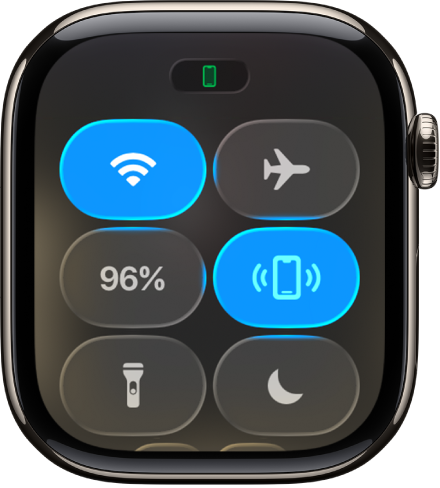
How to check whether your Apple Watch is connected
You can check the connection directly from the Apple Watch. Swipe up from the watch face to open Control Center, though the exact layout may vary by watchOS version.
Look for these signs:
• A green iPhone icon usually means the watch is connected to the iPhone.
• A blue Wi-Fi icon means the watch is using Wi-Fi.
• A red iPhone icon means the watch is disconnected from the iPhone.
• Green cellular bars indicate cellular service on supported models.
You can also check the Watch app on your iPhone. Open the app and look for connection or cellular details. If the watch appears unavailable, bring the devices closer together first.
A simple test is to send a message from the watch or start a workout. If the message sends and the watch appears connected in Control Center, the connection is active.

Why your Apple Watch may disconnect early
The distance may not be the only problem. Your Apple Watch can disconnect even when it is close to your iPhone.
Common causes include:
• Bluetooth is disabled on the iPhone.
• Airplane Mode is active on one device.
• The iPhone battery is empty.
• The watch battery is very low.
• A thick wall or metal barrier blocks the signal.
• Software on either device needs an update.
• Wi-Fi credentials changed.
• The cellular plan is inactive.
• The devices need to be restarted.
Bluetooth interference can also affect performance. Wireless speakers, routers, computers, and crowded public spaces may create a noisy radio environment. This does not always cause a total failure, but it can shorten the practical range.
If the watch disconnects, try these steps in order:
-
Move the iPhone and Apple Watch within a few feet of each other.
-
Confirm that Bluetooth and Wi-Fi are turned on.
-
Turn off Airplane Mode.
-
Restart both devices.
-
Update iOS and watchOS.
-
Check the Wi-Fi network and cellular plan.
-
Unpair and pair the watch again only as a last resort.
In my testing approach, moving the phone close first is the most useful step. It quickly shows whether the issue is distance or something deeper, such as software or account setup.
How to keep your Apple Watch connected longer
You cannot change the physical limits of Bluetooth, but you can improve reliability. The best method depends on where you use the watch.
At home, place your Wi-Fi router in a central location. Keep the iPhone in an open area instead of inside a drawer or a bag filled with metal objects.
At work, learn where the trusted Wi-Fi signal is strongest. In a gym or public place, do not assume the watch will join the local network. Download music and keep important information available offline before leaving your phone.
For outdoor activities, consider a cellular model if you need calls or messages. If you only need workout tracking, a GPS model may be enough and can cost less.
Before leaving your iPhone behind:
• Charge both devices.
• Download music or podcasts.
• Confirm that your cards work in Apple Pay.
• Check cellular service if you have a cellular watch.
• Start the workout from the watch.
• Tell someone where you are going for longer trips.
How far can the Apple Watch be from your phone is only one part of the experience. Preparation often matters more than gaining a few extra feet of range.

Bluetooth, Wi-Fi, and cellular compared
Each connection method gives the Apple Watch a different level of independence.
| Connection | Typical distance | Main benefit | Main limitation |
|---|---|---|---|
| Bluetooth | About 30 feet or 10 meters | Low power and reliable nearby connection | Walls and distance reduce range |
| Wi-Fi | Within the trusted network area | Works farther from the iPhone | Public networks may not work |
| Cellular | Wherever the carrier has coverage | Best independence from the iPhone | Needs a plan and uses more battery |
The watch normally prefers a nearby iPhone through Bluetooth. If Bluetooth is unavailable, it may use Wi-Fi. A cellular model can use the mobile network when the other options are unavailable.
This automatic switching is why the answer to how far can the Apple Watch be from your phone is not always a single number. The watch may be 30 feet away on Bluetooth, across the house on Wi-Fi, or many miles away through cellular service.
Does the Apple Watch need an iPhone?
Apple Watch models are designed to work with an iPhone for setup, updates, account management, and many features. You generally need a compatible iPhone to pair and configure the watch.
After setup, the watch can perform many tasks by itself. A cellular model offers the most independence, but it still works as part of Apple’s wider device system.
Family Setup can allow some Apple Watch models to be used by a family member who does not have their own iPhone. However, this setup has feature limits and still relies on an organizer’s iPhone and cellular account.
Compatibility also changes over time. New Apple Watch models may require newer iPhone models and newer versions of iOS. Check Apple’s current compatibility list before buying a watch or upgrading an iPhone.
Common mistakes to avoid
Many connection problems come from incorrect assumptions rather than faulty hardware.
Do not assume that a cellular Apple Watch has unlimited service everywhere. It still depends on carrier coverage, plan activation, and local network conditions.
Do not expect every app notification to arrive when the phone is far away. Some notifications are delivered through the internet, while others depend on the iPhone receiving and forwarding them.
Do not erase or unpair the watch before trying simple fixes. A restart, software update, or stronger Wi-Fi signal often solves the issue.
Finally, do not judge range from one test alone. A watch may work 40 feet away in an open park but disconnect at 15 feet through thick walls. Real-world range changes with the setting.
Frequently Asked Questions About How Far Can the Apple Watch Be From Your Phone
Can I leave my iPhone at home and use my Apple Watch?
Yes, if the watch has Wi-Fi access or an active cellular plan. Without either connection, you can still use offline features such as workouts, downloaded music, alarms, and Apple Pay.
How far can the Apple Watch be from your phone using Bluetooth?
The usual Bluetooth range is about 30 feet, or 10 meters, in open space. Walls, furniture, metal, and interference can reduce the usable distance.
Will my Apple Watch work if it is on another floor?
It may work if Bluetooth reaches between the floors or if the watch can connect to a trusted Wi-Fi network. Thick floors and walls can weaken Bluetooth, so Wi-Fi is often more reliable in this situation.
Can an Apple Watch make calls without an iPhone nearby?
A cellular Apple Watch can make calls without the iPhone nearby when its plan is active and cellular coverage is available. Wi-Fi calling may also work with the right settings and carrier support.
Can I use GPS on my Apple Watch without my phone?
Yes, supported Apple Watch models can record location data during outdoor workouts without a nearby iPhone. The route and workout information can sync to the iPhone later.
Will I receive text messages when my Apple Watch is far from my phone?
You may receive messages through Wi-Fi or cellular service, depending on your watch model and setup. If the watch has no connection, new messages usually wait until it reconnects.
Why does my Apple Watch disconnect when it is close to my iPhone?
Bluetooth settings, Airplane Mode, low battery, software issues, or wireless interference may cause disconnections. Restart both devices and confirm that Bluetooth and Wi-Fi are enabled before trying advanced fixes.
Conclusion
How far can the Apple Watch be from your phone depends on the connection in use. Bluetooth usually works at about 30 feet, Wi-Fi can cover the range of your trusted network, and cellular service can keep the watch connected miles away.
For simple workouts and offline tasks, a standard GPS Apple Watch may be enough. If you want calls, messages, and online features without carrying your iPhone, a cellular model offers greater freedom.
Check your connection before leaving your phone behind, download important content, and keep both devices charged. Explore Apple’s latest compatibility and carrier information before upgrading, and share your own Apple Watch range experience in the comments.

Rubel Miah is the Senior Editor at MyStyleGrid.com, where he brings a sharp editorial eye and an unshakable love for fashion to everything he does. A true style addict, Rubel lives and breathes trends, from streetwear to high fashion, and has a knack for turning inspiration into impactful stories. With years of experience in fashion journalism and digital media, he curates content that empowers readers to express themselves through style. When he’s not editing features or forecasting the next big thing, you’ll find him hunting down vintage pieces or capturing street style moments around the city.