If your smartwatch GPS is taking too long to lock, I know how frustrating it can be. You’re ready for your run or hike, but your watch just keeps “searching for GPS. ” I’ve been there, staring at my wrist, wondering if the signal will ever show up.
Let’s make sure you never have to wait that long again. This guide explains why GPS issues happen, what you can do to fix them, and how you can make your smartwatch GPS lock faster in the future.
Why Your Smartwatch Gps Takes So Long To Lock
Before you start changing settings, it’s good to know what’s happening behind the scenes. When you start an outdoor activity, your smartwatch tries to connect to satellites in the sky. These satellites send signals down to your device, and your watch needs to “see” at least four of them at the same time to know your location.
If anything gets in the way—tall buildings, trees, or even thick clouds—your GPS lock time goes up.
Some smartwatches use extra data from your phone or Wi-Fi to help speed up this process. Others rely only on their built-in GPS chip. If you’re in a new place or haven’t used GPS in a while, it can take even longer.
This is called a “cold start,” and it’s usually the slowest.
Common Causes Of Slow Gps Lock
I’ve learned through trial and error that a slow GPS lock isn’t always your fault. Here are some common reasons you might see delays:
- Obstructed Sky View: If there’s something above you like a roof, dense trees, or tall buildings, your smartwatch can’t “see” enough satellites.
- Low Battery: Some watches reduce GPS performance to save battery when charge is low.
- Outdated GPS Data: Smartwatches often store satellite position data. If this data is old, it takes longer to connect.
- Software Bugs: Sometimes, a simple bug in the watch’s software can slow things down.
- Weak GPS Chip: Lower-end smartwatches have less powerful GPS hardware.
- Environmental Interference: Strong radio signals, storms, or heavy clouds can interfere.

Credit: www.amazon.com
How To Fix Smartwatch Gps Taking Too Long To Lock
Let’s get into the steps you can take. You don’t have to do everything, but try these fixes in order. I’ll include tips from my own experience to help you avoid common mistakes.
1. Move To An Open Area
GPS works best with a clear view of the sky. Stand away from tall buildings, metal roofs, or thick trees. Even your car’s roof can block signals! If you’re inside, step outside before starting your activity.
Tip: I once spent ten minutes waiting for a GPS lock inside my garage. The moment I walked out, the signal appeared in seconds.
2. Hold Your Watch Steady
When your smartwatch is searching for satellites, try to hold your arm still. Moving around or swinging your arm can make it harder for the device to “hear” the signals.
3. Update Assisted Gps (a-gps) Data
Many watches use A-GPS, which downloads satellite data to help lock faster. This data can get old or corrupted.
- Sync your watch with your phone or computer before your activity. This will refresh the A-GPS data.
- For Apple Watch, Garmin, and some other brands, just opening the app and syncing once a day is enough.
4. Restart Your Smartwatch
Sometimes, a simple restart is all you need. Turn your device off, wait ten seconds, then turn it back on. This clears glitches that may slow down GPS.
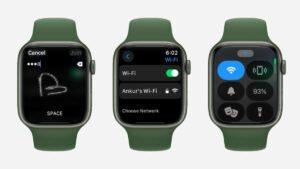
5. Make Sure Location Settings Are On
Check your smartwatch settings to see if Location or GPS is turned on. Some watches let you choose between GPS only, GPS+GLONASS, or GPS+GALILEO. The extra systems can help, but sometimes choosing “GPS only” is faster in strong-signal areas.
6. Check For Software Updates
Manufacturers often fix GPS issues with software updates. Connect your watch to Wi-Fi or your phone and check for updates. Install the latest firmware.
7. Charge Your Watch
Low battery mode can slow down GPS. If your watch is below 20%, charge it before starting your activity.
8. Avoid Interference
Electronic devices, wireless earbuds, and even fitness trackers can sometimes create interference. Try turning off other devices nearby to see if that helps.
9. Reset Gps Data
Some smartwatches let you reset or clear GPS data. This can help if your device is stuck on old information.
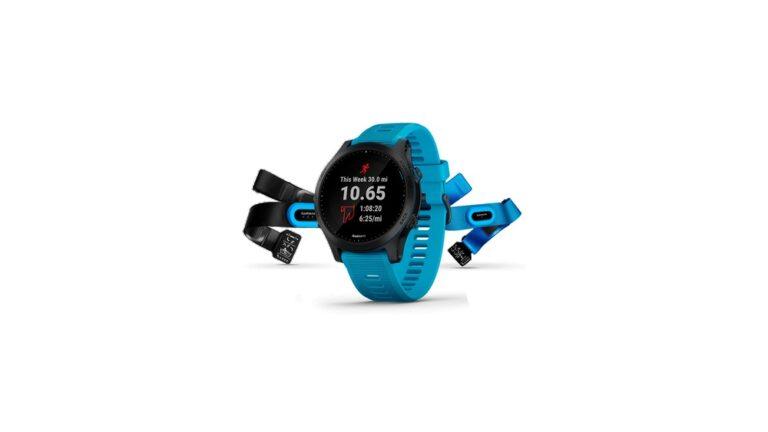
- On Garmin, open Settings > System > Reset > Reset GPS Data.
- On other brands, look for similar options.
10. Allow More Time For “cold Start”
If you just traveled far from home, your watch might need extra time to find new satellites. Wait a minute or two in an open area. The next lock will be much faster.
11. Pair With Your Phone (if Supported)
Some smartwatches use your phone’s GPS for a faster lock. Open the companion app on your phone and make sure Bluetooth is connected.
12. Factory Reset (last Resort)
If nothing else works, back up your data and do a factory reset. This wipes all bugs and old settings. Only do this if you’ve tried everything else.
Comparing Gps Lock Speed On Different Smartwatches
Not all smartwatches are equal. Here’s a look at typical GPS lock times for popular brands:
| Brand | Typical GPS Lock Time | Assisted GPS Supported? |
|---|---|---|
| Apple Watch | 5–15 seconds | Yes |
| Garmin Forerunner | 10–30 seconds | Yes |
| Samsung Galaxy Watch | 15–30 seconds | Yes |
| Fitbit Versa | 30–60 seconds | No |
| Cheap Generic Brands | 45–90 seconds | No |
You’ll notice that Assisted GPS can make a big difference. If you use a budget smartwatch, be prepared for longer waits.
Practical Tips To Speed Up Gps Lock
After fixing the basics, here are some extra steps you can use every day. These are the tricks that helped me get better performance from my own smartwatch.
1. Sync Your Watch Before Each Workout
Open the companion app and sync your watch right before you head out. This refreshes satellite data and helps the GPS lock faster.
2. Start Your Activity, Then Wait
Instead of waiting for the GPS to lock before pressing “Start,” try starting your workout and standing still for 30 seconds. Many watches continue searching and lock while you warm up.
3. Use “quick Start” If Available
Some watches have a “Quick Start” mode. This lets you start recording right away and adds GPS data as soon as it’s available. Check your device’s manual.
4. Test In Different Locations
Try locking GPS in your backyard, at the park, or near your workplace. You’ll find some places are much faster than others.
5. Keep Your Software Updated
Manufacturers release updates that improve GPS speed and reliability. Set a reminder to check for updates every month.
6. Avoid “gps Drifting”
If your watch loses lock and “drifts,” the activity map will look strange. To prevent this, pause your workout if you go inside a building.
7. Learn Your Device’s Patterns
Some watches always take longer at certain times of day or in certain weather. Take notes about when you have the most trouble. This helps you plan ahead.
How Gps Lock Speed Affects Your Fitness Data
A slow GPS lock isn’t just annoying—it can make your workout data less accurate. Here’s how:
- Distance: If your watch locks late, it might miss the first part of your run or walk.
- Pace: Inaccurate GPS means your pace and speed could be wrong.
- Map: The map of your route might look odd, with straight lines where there should be curves.
I once started a run without waiting for GPS. My watch said I ran much slower than I really did, and the map showed me starting in the wrong place. After that, I learned to always give my watch a few seconds to lock.

Credit: www.amazon.com
When To Contact Support
If you’ve tried all these fixes and your GPS is still slow, it might be a hardware problem. Contact the brand’s support team. They can check if your device needs repair or replacement.
Warning: Don’t open your watch or try to fix the GPS chip yourself. This can damage the device and void your warranty.
How Gps Works On Your Smartwatch
Let’s break down how GPS works in simple words. GPS stands for Global Positioning System. Your smartwatch listens for signals from satellites that orbit Earth. Each satellite sends a time-stamped message. Your watch uses these messages to figure out where you are—like a game of hot and cold.
Smartwatches can use more than one satellite system. Besides GPS, there’s GLONASS (Russian), GALILEO (European), and BeiDou (Chinese). The more systems your watch supports, the better it can find your location, especially in tricky places.
What To Avoid When Trying To Fix Gps Lock
It’s easy to waste time or make things worse if you don’t know what to avoid. Here are mistakes I’ve seen (and made myself):
- Don’t stand under metal roofs, bridges, or thick trees.
- Don’t keep moving while waiting for GPS lock.
- Don’t ignore software or firmware updates.
- Don’t use third-party apps to “boost” GPS—they can cause more problems.
- Don’t forget to check your location permissions.
Advanced Troubleshooting For Tech-savvy Users
If you want to go deeper, here are advanced steps:
1. Check Your Gps Log Files
Some watches let you view logs of satellite data. If you see repeated failures or errors, mention these when you contact support.
2. Test With Different Activities
Try starting a different outdoor activity, like cycling or hiking. Sometimes, GPS works better with certain activity profiles.
3. Test Without Phone Connection
If your watch supports both standalone GPS and phone-assisted GPS, test both ways. This can help you pinpoint the issue.
4. Use Diagnostic Tools
Some brands offer diagnostic apps or modes. For example, Garmin watches have a “GPS Test” mode in the system menu.
Credit: ilockit.bike
Comparing Gps Lock: Standalone Vs. Phone-assisted Watches
Here’s a quick look at how standalone and phone-assisted GPS watches perform:
| Type of Watch | GPS Lock Speed | Battery Usage |
|---|---|---|
| Standalone GPS | 10–60 seconds | Higher |
| Phone-Assisted GPS | 5–20 seconds | Lower |
If your watch allows, use phone-assisted GPS for the fastest lock with less battery drain. But remember, you’ll need your phone with you.
How Weather And Environment Change Gps Lock
Weather and environment play a bigger role than most people think. Here’s what I’ve noticed:
- Clear Skies: Fastest GPS lock.
- Heavy Clouds/Storms: Slightly slower, but usually still works.
- Mountains/Canyons: Much slower, sometimes impossible.
- City with Tall Buildings: Signals can bounce, causing delays or errors.
If you often train in tricky locations, consider a watch with multi-band GPS or support for more satellite systems.
Future Gps Tech: What’s Coming Next
GPS technology keeps getting better. New smartwatches use dual-frequency GPS, which means they can read two kinds of signals at once. This gives faster, more accurate locks, even in cities. Brands like Garmin, Coros, and Apple are starting to add these features.
If you’re planning to buy a new smartwatch, look for these keywords:
- Multi-band GPS
- Dual-frequency GPS
- Assisted GPS (A-GPS) support
How To Keep Your Gps Fast And Reliable
Here’s a quick checklist you can use before every workout:
- Charge your smartwatch to at least 50%.
- Sync your device with your phone or computer.
- Step outside and stand still.
- Wait for GPS lock before you start moving.
- Update software monthly.
Doing these steps only takes a minute but saves you time and frustration.
Smartwatch Gps Myths You Should Ignore
You might hear advice that sounds smart but doesn’t really help. Here are some common myths:
- “Wearing your watch on your other wrist makes GPS faster.” (It doesn’t matter.)
- “You need a fast internet connection for GPS to work.” (Internet helps only for Assisted GPS; normal GPS works offline.)
- “All GPS watches are the same.” (Hardware, software, and price make a big difference.)
When It’s Time To Upgrade Your Watch
If your watch is more than five years old, it may not lock GPS as fast as new models. Battery and GPS chips get weaker over time. If you’ve tried everything and GPS is still slow, it might be time for an upgrade.
Here are signs you need a new smartwatch:
- GPS lock always takes more than one minute, even in clear sky.
- The device loses GPS signal often.
- No more software updates from the brand.
- Battery drains too fast during GPS tracking.
If you’re shopping for a new watch, check reviews for GPS speed and reliability. Look for real user experiences, not just brand claims. You can find helpful info on DC Rainmaker and other review sites.
Frequently Asked Questions
Why Does My Smartwatch Gps Take So Long To Lock?
The most common reasons are obstructed sky view, old satellite data, software bugs, or weak GPS hardware. Standing in an open area and syncing your watch before each activity can help a lot.
How Can I Make My Smartwatch Gps Lock Faster?
Charge your watch, update Assisted GPS data by syncing, stand still in an open area, and keep your device’s software up to date. Pairing with your phone (if supported) can also speed things up.
Will Bad Weather Affect My Gps Lock Time?
Yes, but usually only a little. Heavy clouds or storms can slow down the signal, but most smartwatches work fine in regular weather. Tall buildings or mountains are a bigger problem.
Is It Safe To Factory Reset My Smartwatch To Fix Gps Problems?
Yes, but only as a last resort. Back up your data first, as a factory reset will erase all your settings, activities, and customizations.
Should I Upgrade My Smartwatch For Better Gps?
If your device is old, slow, or often loses signal, a newer smartwatch with dual-frequency or multi-band GPS will lock faster and give more accurate data.
Getting your smartwatch GPS to lock fast doesn’t have to be a mystery. With the right steps, you can spend more time moving and less time waiting. Whether you’re new to smartwatches or have used them for years, these tips will help you get the most out of your device—so you can focus on your workout, not your wrist.

Rubel Miah is the Senior Editor at MyStyleGrid.com, where he brings a sharp editorial eye and an unshakable love for fashion to everything he does. A true style addict, Rubel lives and breathes trends, from streetwear to high fashion, and has a knack for turning inspiration into impactful stories. With years of experience in fashion journalism and digital media, he curates content that empowers readers to express themselves through style. When he’s not editing features or forecasting the next big thing, you’ll find him hunting down vintage pieces or capturing street style moments around the city.