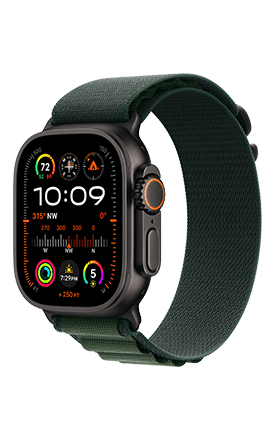
A T-Mobile watch line usually costs $10 per month, plus taxes and fees, on an eligible wireless plan.
The exact price depends on your T-Mobile plan, watch model, promotions, and whether you need cellular service or only Bluetooth and Wi-Fi access. This guide explains how much a watch line on T-Mobile costs, what you get for the fee, and how to avoid surprise charges when adding an Apple Watch, Galaxy Watch, or other smartwatch.
How Much Is a Watch Line on T-Mobile?
For most customers, a connected smartwatch line on T-Mobile costs about $10 per month. This price usually applies to an Apple Watch or compatible Samsung Galaxy Watch that uses T-Mobile’s cellular network.
The watch line is separate from your phone line. It gives the watch its own cellular connection, phone number, and data access. Your watch can then make calls, send messages, stream music, receive alerts, and use apps when your phone is not nearby.
The typical monthly cost may include:
• $10 for the smartwatch line
• Taxes and government fees, depending on your location
• A device payment if you bought the watch through T-Mobile
• Optional insurance or protection
• Possible activation, upgrade, or support fees
So, if you ask, “How much is a watch line on T-Mobile?” the simple answer is $10 per month before taxes in many cases. Your final bill may be higher if you finance the watch or add protection.
What Does a T-Mobile Watch Line Include?
A T-Mobile watch line connects your smartwatch to the same network used by your phone. It is designed for people who want to stay connected without carrying their phone everywhere.
A cellular watch line can usually support:
• Calls from the watch
• Text messages
• Emergency calls
• Mobile data
• Music streaming
• GPS and map features
• Fitness data syncing
• Notifications from apps
• Family location features
The watch often shares your phone number through a service such as NumberSync or DIGITS. This means people can call or text you without needing to learn a separate watch number.
Think of the watch line as a small phone plan built for your wrist. It does not replace your main phone line, but it extends your phone service to another device.
T-Mobile Watch Line Cost by Device Type
The cost can vary slightly based on the watch you use. The monthly service price is often similar, but device compatibility and setup rules are different.
Apple Watch
An Apple Watch with cellular service normally requires an eligible iPhone and a supported Apple Watch model. The watch line often costs $10 per month before taxes.
Some T-Mobile promotions may reduce or waive the service cost for a limited time. These offers can depend on the phone plan, device purchase, trade-in, or new-line requirement.
Apple Watch users should check these details before signing up:
• The iPhone must use a compatible version of iOS
• The watch must support cellular service
• The watch and iPhone usually need to use the same carrier account
• Family setup may have different requirements
• International use may be limited
Samsung Galaxy Watch
A cellular Samsung Galaxy Watch can also use a T-Mobile watch line. The price is commonly around $10 per month, though exact terms depend on the watch model and plan.
Some Galaxy Watch models work best with Samsung phones. Newer models may support broader compatibility, but features can vary when paired with a non-Samsung Android phone.
T-Mobile SyncUP Kids Watch
The SyncUP Kids Watch is different from a standard Apple Watch or Galaxy Watch. It is made for children and may use a dedicated plan with location tools, approved contacts, messaging, and parental controls.
The monthly price for this service can differ from the standard $10 smartwatch line. T-Mobile may also offer device discounts or promotional pricing for new customers.
Always review the current device page and checkout screen because SyncUP pricing can change.

Is the $10 T-Mobile Watch Line the Full Cost?
Not always. The $10 monthly service charge is only one part of the total cost.
Your actual monthly bill may include:
• Monthly watch service
• Sales tax
• Regulatory fees
• Watch installment payments
• Device protection
• International service charges
• One-time activation fees
For example, suppose your watch costs $240 and you finance it over 24 months. The device payment would be $10 per month. Add the $10 service line, and your monthly increase could be about $20 before taxes.
This is why a customer may hear that a watch line costs $10 but see a larger bill. The service line and the hardware payment are separate charges.

Does a T-Mobile Watch Line Require a Phone Plan?
Yes, in most cases. A smartwatch line is generally an add-on to an existing T-Mobile account. You usually need an eligible phone line and a compatible rate plan.
The watch does not normally work as a completely independent replacement for a full phone plan. It uses carrier features linked to your account and phone number.
Before adding service, confirm that your plan supports smartwatch connectivity. Older, prepaid, business, or discounted plans may have different rules.
You can check eligibility through:
• Your T-Mobile account
• The T-Mobile app
• A T-Mobile retail store
• T-Mobile customer support
Ask the representative to show the full monthly cost before you approve the change.

What Is the Difference Between Cellular and Wi-Fi Watch Service?
A cellular watch has a built-in mobile connection. It can work away from your phone when it has network coverage.
A Wi-Fi-only watch does not need a separate T-Mobile watch line. It can connect to your phone through Bluetooth or use a trusted Wi-Fi network. However, many features stop working when the watch is away from both your phone and Wi-Fi.
Cellular watch benefits
• Make calls without your phone nearby
• Receive messages while exercising
• Use maps outdoors
• Stream music over mobile data
• Contact emergency services
• Track location with greater independence
Wi-Fi-only watch benefits
• No monthly service charge
• Lower purchase price in many cases
• Longer battery life in some situations
• Simple setup
If you nearly always carry your phone, a cellular line may not be worth the extra $10 each month. If you run, travel, work outdoors, or want emergency access, cellular service can be useful.
Can You Use a T-Mobile Watch Line Without a Phone Nearby?
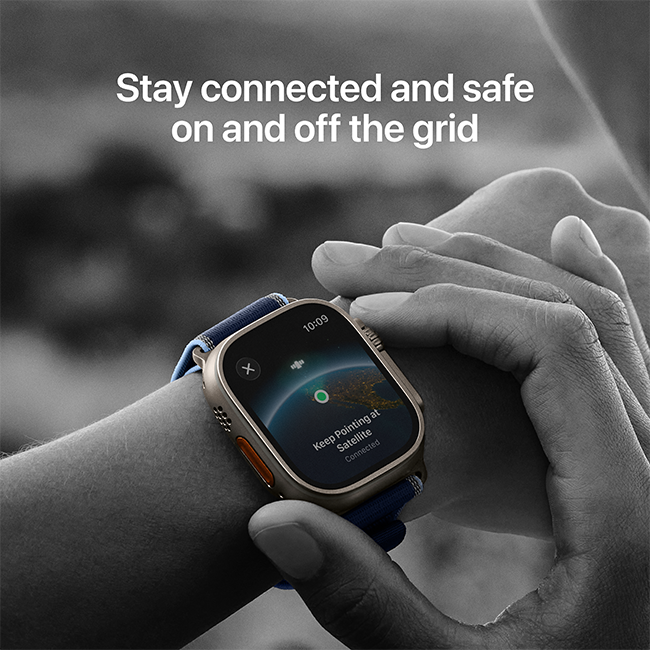
Yes, if the watch has cellular support and the line is active. It still needs a compatible phone for setup and management, but it can operate away from that phone after activation.
The watch must be charged and located in a supported coverage area. Signal strength, watch settings, and network congestion can affect performance.
A cellular watch is helpful for short trips. For example, you can leave your phone at home during a walk and still receive calls, use GPS, or contact someone in an emergency.
It is not a perfect replacement for a phone. The smaller screen, limited battery, and reduced app support can make long conversations or heavy data use inconvenient.
T-Mobile Watch Line Taxes, Fees, and Promotions
Taxes and fees vary by state, city, and account type. Some T-Mobile plans include taxes and fees in the advertised price, while others show them separately.
Promotions can also make the first few months look different from the long-term price. A free-line offer may require you to keep an eligible phone plan or device financing agreement active.
Read the promotion terms carefully. Check:
• How long the discount lasts
• Whether the discount appears as a bill credit
• Whether a new line is required
• Whether device payments are separate
• What happens if you cancel early
• Whether taxes and fees remain due
A common mistake is to see “free watch service” and assume the entire watch is free. Often, only the service receives a temporary credit. The device may still have monthly payments.
How to Add a Watch Line on T-Mobile
Adding a watch line is usually simple, but preparing first can prevent billing problems.
1. Confirm compatibility
Check the exact watch model. A Wi-Fi-only watch cannot use cellular service, even if it looks similar to a cellular model.
2. Check your plan
Verify that your current T-Mobile plan supports smartwatch service. Ask whether the plan includes taxes and fees.
3. Compare purchase options
You may buy the watch from T-Mobile, Apple, Samsung, or another retailer. A watch bought elsewhere may still work, but it must support T-Mobile’s network bands and activation rules.
4. Ask for the total price
Request a clear breakdown of:
• Watch service
• Device payments
• Taxes
• Protection
• Activation fees
• Promotion credits
5. Activate the watch
The carrier or companion phone app will guide you through activation. Use the correct account login and keep the watch close to your phone during setup.
6. Review your first bill
The first bill may include partial-month charges or one-time fees. Compare it with the price you were quoted.
Ways to Lower Your T-Mobile Watch Line Cost
The standard charge may be reasonable, but you can still reduce your total cost.
• Use a Wi-Fi-only watch if you always carry your phone
• Look for a current T-Mobile smartwatch promotion
• Buy an unlocked cellular watch during a sale
• Avoid insurance unless the coverage fits your needs
• Pay off an existing watch before upgrading
• Ask whether your plan includes taxes and fees
• Cancel unused watch lines quickly
• Turn off mobile data on the watch when it is not needed
Do not add a watch line only because the monthly price sounds small. Ten dollars per month equals $120 per year before taxes. Over three years, the service alone can cost about $360.
Common Mistakes to Avoid
Many billing problems come from small details rather than the basic service price.
Confusing a device payment with a service charge
A $10 watch line does not mean the watch itself is free. Check both charges.
Activating the wrong watch model
Some watches are Wi-Fi-only. Confirm that the model includes cellular hardware before purchasing a service line.
Forgetting about a temporary promotion
A free or discounted line may return to the regular price after the promotional period.
Ignoring compatibility rules
Apple Watch models usually require an iPhone for setup. Galaxy Watch features can vary by phone brand and operating system.
Leaving an unused line active
If you stop using the watch, remove the service from your T-Mobile account. Deleting the watch app does not always cancel the carrier line.
Assuming international service is included
Domestic smartwatch service does not guarantee free use abroad. Check roaming terms before traveling.
My Practical Take on T-Mobile Watch Pricing
When reviewing wireless bills, I have found that the advertised watch price is rarely the whole story. The service may be $10, but the final increase often includes taxes, a watch payment, or a protection plan that was easy to overlook.
The best habit is to ask for a line-by-line quote before activation. I also recommend taking a screenshot of the offer and saving the order email. Those records make it easier to correct a billing issue if the first bill does not match the promised price.
For many people, the value is clear. A cellular watch can provide peace of mind during a run or give a child a simple way to contact approved family members. For others, Wi-Fi service is enough and saves $10 or more each month.
Frequently Asked Questions About How Much Is a Watch Line on T-Mobile
How much is a watch line on T-Mobile per month?
A standard connected smartwatch line often costs $10 per month before taxes and fees. The final price can change based on your plan, promotion, device type, and account charges.
Can I add an Apple Watch line to T-Mobile?
Yes, compatible cellular Apple Watch models can usually be added to an eligible T-Mobile plan. You generally need a compatible iPhone for setup and management.
Is a T-Mobile watch line separate from my phone line?
Yes. The watch line is an additional connected-device line, even when it shares your phone number for calls and messages. It creates an extra monthly charge on your account.
Can I use a T-Mobile watch line without my phone nearby?
Yes, a cellular smartwatch can call, message, use data, and access some apps away from your phone. The watch must be charged and within a supported coverage area.
Does T-Mobile charge activation fees for a watch line?
An activation or support fee may apply, depending on the order method and current policy. Ask for the complete price before activation because fees and promotions can change.
Can I cancel my T-Mobile watch line at any time?
You can usually remove the watch line from your account, but canceling service may not cancel device payments. If the watch is financed, the remaining balance may become due under the installment agreement.
Is a Wi-Fi-only smartwatch cheaper than a cellular watch?
Usually, yes. A Wi-Fi-only watch does not need a monthly T-Mobile line, but it depends on your phone or Wi-Fi for many connected features.
Conclusion
A T-Mobile watch line usually costs $10 per month before taxes and fees, but your real monthly increase may be higher when you include device payments, protection, and one-time charges. Cellular service is useful when you want calls, messages, GPS, and emergency access without carrying your phone.
Before you sign up, confirm watch compatibility, review your plan, check promotion terms, and ask for the full bill estimate. Compare that cost with a Wi-Fi-only watch to see which option fits your routine and budget. Check your T-Mobile account for the latest offer, and share your experience if you have found a better smartwatch deal.

Rubel Miah is the Senior Editor at MyStyleGrid.com, where he brings a sharp editorial eye and an unshakable love for fashion to everything he does. A true style addict, Rubel lives and breathes trends, from streetwear to high fashion, and has a knack for turning inspiration into impactful stories. With years of experience in fashion journalism and digital media, he curates content that empowers readers to express themselves through style. When he’s not editing features or forecasting the next big thing, you’ll find him hunting down vintage pieces or capturing street style moments around the city.