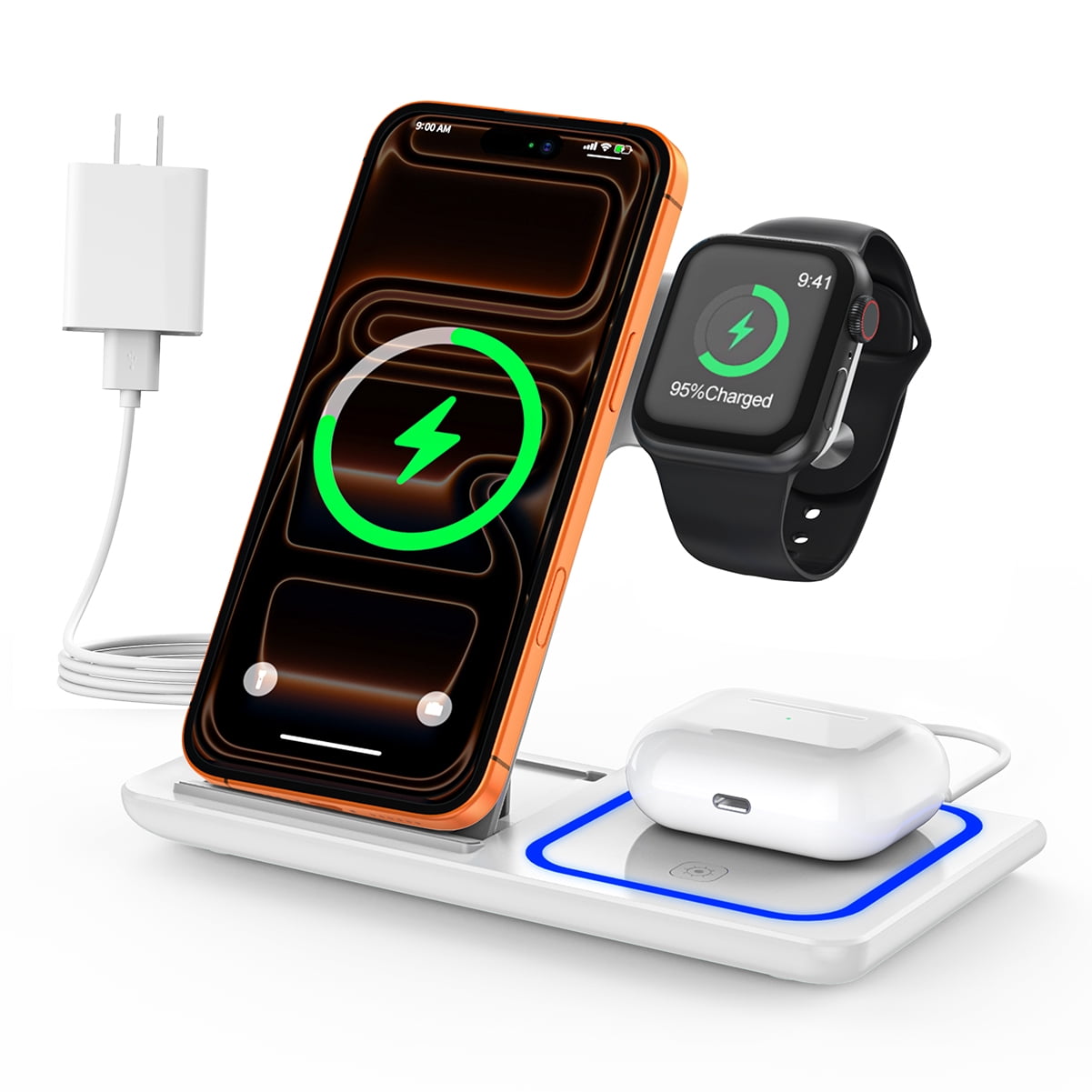
Apple Watch Series 4 and newer can work with iPhone 14, while newer models offer the best long-term support.
Choosing the right Apple Watch for iPhone 14 is simple once you understand watchOS, iPhone software, and model limits. This guide explains which Apple Watch models pair with iPhone 14, which ones are best today, and what to check before buying a new or used watch.

Which Apple Watch is compatible with iPhone 14?
The iPhone 14 works with many Apple Watch models. The exact match depends on the watchOS version installed on the watch and the iOS version running on your iPhone.
For the best current experience, the strongest options include:
• Apple Watch Series 6 or newer
• Apple Watch SE (2nd generation)
• Apple Watch Ultra
• Apple Watch Ultra 2
• Apple Watch Series 7, Series 8, Series 9, and Series 10
The Apple Watch Series 4, Series 5, and first-generation Apple Watch SE may also pair with an iPhone 14 when they use a supported watchOS version. However, these older models may not support the newest watchOS updates.
When people ask what Apple Watch is compatible with iPhone 14, the short answer is that the iPhone 14 supports a wide range of Apple Watch models. The better question is whether the watch can run the software features you want.
Apple’s requirements can change with each major watchOS release. At the time of writing, newer watchOS versions generally require an iPhone XS or later with a recent iOS version. Since iPhone 14 supports modern iOS releases, it meets the iPhone requirement for current Apple Watch models.

Apple Watch compatibility by model
Here is a practical breakdown of what Apple Watch is compatible with iPhone 14.
Apple Watch Series 10
Apple Watch Series 10 works with iPhone 14 and is one of the best choices for most buyers. It has a thin design, a large display, fast performance, health tools, and long software support.
It is a good fit if you want a new watch that should remain useful for several years. It also makes sense for people upgrading from an older Apple Watch.
Apple Watch Series 9
Apple Watch Series 9 is fully compatible with iPhone 14. It offers strong performance, helpful health features, temperature sensing, crash detection, and on-device Siri for supported tasks.
It is often a smart value pick when discounts are available. It feels very similar to newer standard models for daily tasks such as alerts, workouts, payments, and messages.
Apple Watch Series 8
Apple Watch Series 8 works with iPhone 14 and remains a capable choice. It includes advanced health features, such as temperature sensing and ECG support in supported regions.
A used Series 8 can be a good deal. Before buying, check the battery health, activation lock status, and whether the seller includes the correct charger.
Apple Watch Series 7
Apple Watch Series 7 is compatible with iPhone 14. Its larger screen, durable design, and fast charging make it comfortable for daily use.
It is a strong secondhand option. Still, its age means it may receive fewer future software updates than a Series 9 or Series 10.
Apple Watch Series 6
Apple Watch Series 6 works with iPhone 14 and supports useful features such as an always-on display, blood oxygen measurement in supported regions, and ECG readings where available.
It can still handle notifications, workouts, Apple Pay, music controls, and sleep tracking. However, the battery may show more wear on older units.
Apple Watch SE
The second-generation Apple Watch SE is compatible with iPhone 14. It leaves out some advanced health tools, but it still provides activity tracking, fall detection, emergency features, notifications, and workout tracking.
The first-generation Apple Watch SE may also work with iPhone 14 under compatible software conditions. The second-generation SE is the safer choice for longer support and better performance.
Apple Watch Series 4 and Series 5
Series 4 and Series 5 can pair with iPhone 14 when the software requirements are met. These models support many everyday functions, including workouts, calls, messages, and notifications.
Their main limitation is age. They may not run the newest watchOS version, and their batteries may have lost noticeable capacity. Buy one only at a low price and after checking its condition.
Apple Watch Ultra and Ultra 2
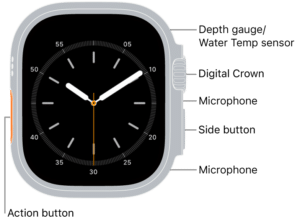
Apple Watch Ultra and Ultra 2 work with iPhone 14. These watches are designed for outdoor users, athletes, hikers, divers, and people who want a larger display and longer battery life.
The Ultra models are more expensive and heavier than standard Apple Watch models. For basic notifications and fitness tracking, they may offer more power than most users need.
Best Apple Watch for iPhone 14 users
The best Apple Watch depends on your budget and needs. Compatibility is only the first step.
Best overall: Apple Watch Series 9 or Series 10
Series 9 and Series 10 offer a good mix of speed, health tracking, battery performance, and software support. They are ideal for most iPhone 14 owners.
Choose Series 10 if you want the newest design and display. Choose Series 9 if you find a better price.
Best budget option: Apple Watch SE 2
The Apple Watch SE 2 is often the best low-cost choice for iPhone 14. It covers the basics well and has a newer processor than older used models.
It is suitable for:
• Daily activity tracking
• Notifications and calls
• Workout recording
• Fall detection
• Emergency SOS
• Apple Pay
• Sleep tracking
The SE 2 does not include every health sensor found on premium models. If ECG or an always-on display matters to you, consider a Series model instead.
Best for outdoor use: Apple Watch Ultra 2
Apple Watch Ultra 2 is the strongest choice for hiking, long workouts, travel, water sports, and outdoor navigation. Its larger battery can also help people who do not want to charge every night.
For casual use, the standard Apple Watch may be lighter and more comfortable. The Ultra is best when you will use its extra durability, GPS features, and battery capacity.
Best used option: Apple Watch Series 7 or Series 8
A clean Series 7 or Series 8 can provide excellent value with an iPhone 14. These models still feel modern and include features missing from the SE line.
Look for battery health of 85% or higher when possible. A lower percentage does not make the watch unusable, but it can mean shorter time between charges.

What software does iPhone 14 need?
Your iPhone 14 must run a compatible version of iOS before it can pair with an Apple Watch. You can update the iPhone by opening Settings, selecting General, and choosing Software Update.
The watch also needs a compatible watchOS version. Older Apple Watch models may require an older watchOS version, while newer watches may need a recent iOS release.
Before buying, check these details:
• The Apple Watch model and generation
• The watchOS version it supports
• The iOS version installed on your iPhone 14
• Whether the watch has Activation Lock enabled
• The battery health and physical condition
• Whether the watch is compatible with your region and carrier
A common mistake is buying an old Apple Watch that appears cheap but cannot update or pair properly. Software support matters as much as the watch’s physical condition.
Apple Watch cellular models can work with iPhone 14, but cellular service depends on your carrier. The watch and iPhone may also need to use a supported carrier plan. GPS-only models do not have independent cellular service.

How to pair an Apple Watch with iPhone 14
Pairing an Apple Watch with iPhone 14 usually takes only a few minutes.
- Charge the Apple Watch and turn it on.
- Keep the watch near your unlocked iPhone 14.
- Open the Watch app on the iPhone.
- Tap Start Pairing.
- Choose Set Up for Myself.
- Scan the animation on the Apple Watch using the iPhone camera.
- Sign in with your Apple Account if asked.
- Create or enter a passcode.
- Choose your health, location, and notification settings.
- Wait for the watch to complete its software setup.
If the watch belonged to someone else, the previous owner must remove Activation Lock. They can do this by unpairing the watch from their iPhone or removing it from their Apple Account.
In setup work, one of the most common problems is not a broken watch. It is a forgotten passcode, an old Apple Account, or an outdated iPhone. Checking these three items first can save a great deal of time.

Common compatibility problems
Even when you know what Apple Watch is compatible with iPhone 14, pairing problems can still happen.
The Apple Watch will not update
An old watch may not support the latest watchOS release. It may still pair with iPhone 14, but some new features will not be available.
If the watch cannot update, check its model number and the required iOS version. Do not assume that every watch with an Apple logo supports every current feature.
The watch is locked to another owner
Activation Lock protects lost and stolen Apple devices. If a used watch asks for someone else’s Apple Account, the seller must remove it.
Do not buy the watch until this step is complete. Apple generally cannot remove Activation Lock without proof of ownership.
The watch has poor battery life
Older Apple Watch models often have worn batteries. A watch may pair correctly but shut down before the end of the day.
Ask the seller for a battery health screenshot. Also check whether the watch becomes hot while charging, as that may indicate a battery or hardware concern.
Cellular service does not work
A cellular Apple Watch needs a supported carrier and an eligible plan. The iPhone 14 itself may work with the carrier while the watch does not.
Contact your carrier before paying extra for a cellular model. A GPS-only watch is often enough for users who keep their iPhone nearby.
The watch was bought in another country
Some cellular Apple Watch models use different network bands by region. A model bought overseas may pair with iPhone 14 but fail to activate cellular service in the United States.
GPS functionality usually remains available, but cellular support should be confirmed before purchase.
Buying a used Apple Watch for iPhone 14
Used Apple Watch models can save money, but careful checking is important. The lowest price is not always the best value.
Use this checklist before buying:
• Confirm the exact series and size
• Ask for the battery health percentage
• Make sure Activation Lock is removed
• Check the display for cracks or bright spots
• Test the Digital Crown and side button
• Confirm that the charger is included
• Check whether the watch has water damage
• Verify GPS or cellular status
• Confirm that it can update to a useful watchOS version
• Avoid listings with vague photos or no model details
A Series 7 in good condition may be a better purchase than a damaged Series 9. Think of a used Apple Watch like a used car: the service history and condition matter as much as the model name.
Also remember that Apple Watch health features can vary by country. ECG, blood oxygen features, irregular rhythm notifications, and other tools may depend on local approvals and software settings.

Apple Watch features that work with iPhone 14
Once paired, a compatible Apple Watch can extend many iPhone 14 functions to your wrist.
Common features include:
• Call and message notifications
• Workout and activity tracking
• Heart rate monitoring
• Sleep tracking
• Fall detection
• Emergency SOS
• Apple Pay
• Music and podcast controls
• Turn-by-turn directions
• Calendar and reminder alerts
• Find My support
• App notifications
• Fitness and health data sharing
Some features need specific hardware. For example, ECG requires a supported Apple Watch model and may not be available in every country.
The watch also depends on the iPhone for some tasks. A GPS model usually needs the iPhone nearby for calls, messages, streaming, and connected services. A cellular model can perform more tasks away from the iPhone, but it still needs carrier support.