Apple Watch is good for fitness tracking, health alerts, communication, safety, payments, and quick daily tasks.
What is Apple Watch good for beyond showing the time? It works like a small command center on your wrist. It can track workouts, check heart data, show messages, guide you through a run, call for help, and reduce the need to reach for your phone. Its value depends on your model, iPhone, lifestyle, and the features you will use most.
What Is Apple Watch Good For?
Apple Watch is best for quick information, health tracking, safety, and light communication. It connects with an iPhone and uses sensors, apps, and wireless services to turn everyday tasks into simple wrist actions.
Here are the main things an Apple Watch can do:
• Track steps, movement, calories, workouts, and heart rate
• Record sleep and help build a regular sleep routine
• Show calls, texts, emails, and app alerts
• Make contactless payments with Apple Pay
• Provide directions with maps and turn alerts
• Detect hard falls and some serious car crashes
• Contact emergency services from supported models and regions
• Play music, podcasts, and audiobooks
• Set timers, alarms, reminders, and calendar alerts
• Monitor some health signals, such as blood oxygen or ECG, on supported models
The Apple Watch is not a full replacement for an iPhone. Instead, it acts like a helpful sidekick. It handles small tasks quickly while your phone stays in your pocket.

Apple Watch for Fitness and Exercise
Fitness tracking is one of the strongest reasons to buy an Apple Watch. The Workout app can record walking, running, cycling, swimming, hiking, rowing, strength training, and many other activities.
During a workout, the watch can show useful data such as:
• Heart rate
• Distance
• Pace
• Speed
• Elevation
• Active calories
• Workout time
• Heart rate zones
• Route information when GPS is available
The Activity rings also make movement easy to understand. The Move ring tracks active calories. The Exercise ring records minutes of brisk activity. The Stand ring encourages you to get up during the day.
These rings can motivate you, but they are not perfect. A closed ring does not automatically mean you had a healthy day. You still need rest, good food, sleep, and balanced training.
For runners, newer Apple Watch models offer pace alerts, heart rate zones, route tools, and custom workouts. A runner can set a target pace and receive a tap when moving too slowly or too quickly. This is useful when training without constantly checking a phone.
For swimmers, supported models can track pool lengths and workout time. Apple Watch models with water resistance are designed for swimming, but water resistance can weaken over time. Avoid treating the watch as fully waterproof.
A useful lesson for new users is to start with one goal. Track a daily walk or three workouts per week before exploring every metric. Too much data can feel like noise instead of help.

Apple Watch for Health Monitoring
Apple Watch can help you notice changes in your body. It can measure heart rate, track walking steadiness, estimate cardio fitness, and record other signals depending on the model and region.
Supported Apple Watch models may offer features such as:
• High and low heart rate notifications
• Irregular rhythm notifications
• ECG readings
• Cardio fitness estimates
• Respiratory rate tracking
• Sleep tracking
• Wrist temperature sensing
• Blood oxygen readings on some models and in some markets
• Menstrual cycle tracking
• Fall detection
Some models can also provide sleep apnea notifications. This feature may look for patterns that suggest breathing interruptions during sleep. It does not diagnose sleep apnea. A doctor must assess symptoms and confirm a diagnosis.
The ECG app can help identify signs of atrial fibrillation in eligible users. It is not designed to detect every heart problem. It also cannot replace a clinical ECG, medical exam, or professional advice.
Health alerts are most useful when you treat them as signals, not final answers. A single unusual reading may come from poor sensor contact, movement, stress, illness, or a loose fit. Repeated alerts or serious symptoms deserve medical attention.
Apple says its health features are not intended to diagnose, treat, cure, or prevent medical conditions. That limitation matters. The Apple Watch can support awareness, but it should never delay emergency care.

Apple Watch for Staying Active
You do not need to be an athlete to benefit from an Apple Watch. It can help people who sit at a desk, work from home, study, or want a gentle push to move more.
The watch may remind you to:
• Stand after sitting for a long period
• Take a short walk
• Complete a breathing session
• Close an activity ring
• Meet a step or movement goal
• Resume a workout after a pause
Small reminders can add up. A five-minute walk after lunch may improve your day more than one intense workout that you rarely repeat.
The key is to set realistic goals. If your daily target is too high, you may ignore the alerts. A better approach is to set a goal that feels slightly challenging but still fits your life.
For someone returning to exercise, the Apple Watch can create a simple record. You can compare workout time, pace, and heart rate over several weeks. This makes progress easier to see than relying on memory.
Apple Watch for Sleep Tracking
Apple Watch can track sleep when you wear it overnight. The Health app may show time asleep, time awake, and sleep stages such as core, deep, and REM sleep.
Sleep tracking can help you spot habits, including:
• Going to bed at different times
• Sleeping less on work nights
• Waking often
• Using your phone late at night
• Recovering poorly after hard workouts
You need enough battery life for overnight tracking. Many people charge the watch before bed or after waking. A short charging routine can make sleep data more consistent.
Sleep stages are estimates based on sensor data. They are useful for observing patterns, but they are not equal to a clinical sleep study. Do not panic over one unusual night.
A practical approach is to review weekly trends. One night is a snapshot. Several weeks can show a pattern worth discussing with a health professional.
Apple Watch for Calls, Texts, and Notifications
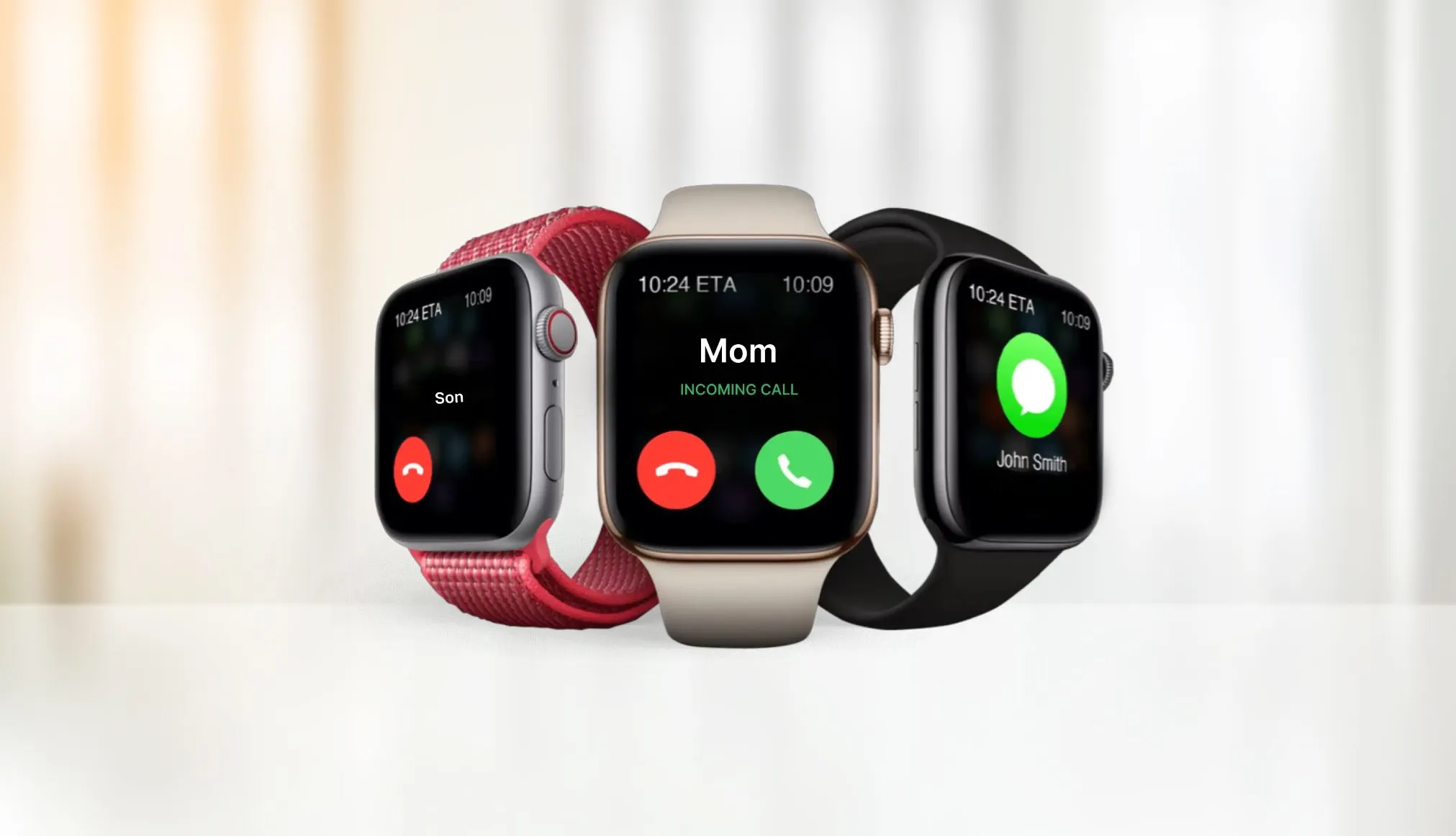
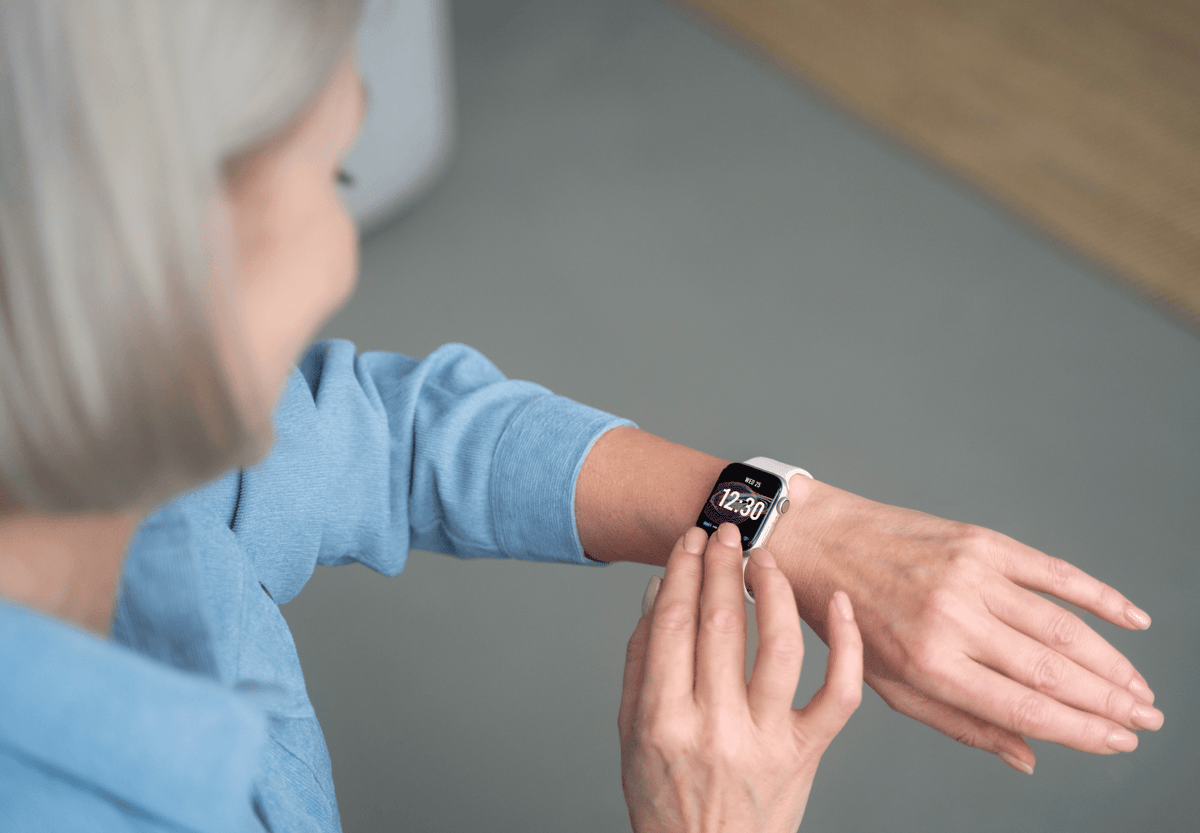
Apple Watch is good for checking important updates without pulling out your phone. You can read messages, answer some texts, accept or reject calls, and view alerts from selected apps.
You can respond through:
• Voice dictation
• Scribble handwriting
• Suggested replies
• Emoji
• The on-screen keyboard on supported models
For short replies, this works well. For long conversations, a phone is still faster and more comfortable.
Notifications can also become a problem. Every alert may interrupt your focus, exercise, or rest. A useful setup is to allow only important notifications on your wrist.
You can manage alerts through the Watch app on your iPhone. Turn off notifications from shopping apps, games, social media, and other services that do not need immediate attention.
The best Apple Watch experience often comes from fewer notifications, not more. Your wrist should give you control, not create another stream of noise.

Apple Watch for Safety and Emergency Help
Safety is another important answer to what is Apple Watch good for. Supported models can detect a hard fall and ask whether you need help. If you do not respond, the watch may contact emergency services and share your location.
Some models and services also support crash detection. The watch uses motion data to look for patterns linked to a serious car crash. It may sound an alert, display an emergency call option, and contact help if you do not respond.
Emergency SOS can help you call local emergency services. Depending on the model and connection, the watch may need an iPhone, Wi-Fi calling, or cellular service.
Safety features have limits:
• They may not detect every fall or crash
• They can produce false alarms
• Cellular features require a supported plan
• Availability varies by country and model
• The watch must have enough battery power
You should still carry a phone when possible. Also, add emergency contacts and Medical ID information in the Health app. These steps make safety tools more useful when you cannot explain your situation clearly.

Apple Watch for Navigation and Travel
Apple Watch can provide turn alerts while you walk, cycle, or travel. Maps can show directions and tap your wrist when you need to turn.
This is helpful when your phone is in a bag or pocket. You can glance at the watch instead of stopping in the middle of a sidewalk.
Apple Watch can also help with:
• Boarding passes in Wallet
• Public transit cards in supported areas
• Timers for parking or cooking
• Time zone checks
• Weather updates
• Compass readings
• Elevation information
• Finding a misplaced iPhone
Navigation features are convenient, but the watch screen is small. For complex routes, unfamiliar areas, or long trips, your phone remains easier to read.

Apple Watch for Payments and Smart Home Control
Apple Watch supports Apple Pay in many stores, apps, and transit systems. Once cards are added to the Wallet app, you can pay by holding the watch near a contactless reader.
This can be useful when running, walking, or leaving your wallet at home. You may not need to take out your phone for a quick purchase.
Apple Watch can also control compatible smart home devices. You may adjust lights, check a camera, change the thermostat, or run a scene through supported apps.
Security still matters. Use a passcode on the watch and keep your Apple Account secure. If the watch is removed from your wrist, features such as Apple Pay require authentication again.

Apple Watch for Music and Entertainment
Apple Watch can control music playing on an iPhone. Cellular and supported Wi-Fi models may also stream or download music, podcasts, and audiobooks for use without the phone nearby.
This makes the watch useful for:
• Phone-free walks
• Gym sessions
• Outdoor runs
• Short errands
• Listening during chores
Bluetooth headphones are usually needed for private listening. Download content before leaving if you expect weak service.
The watch is not ideal for browsing videos or reading long articles. Its strength is quick control, not long entertainment sessions.
Apple Watch Models and Features
Apple Watch features vary by model. A newer watch may offer a brighter display, faster performance, improved battery life, temperature sensing, or advanced safety tools.
The main choices often include:
Apple Watch SE
The SE line usually offers core features at a lower price. It can be a good fit for notifications, workouts, activity tracking, safety features, and family use.
Standard Apple Watch
The standard model usually balances health tools, performance, display quality, and price. It suits many first-time buyers.
Apple Watch Ultra
The Ultra line targets outdoor users, endurance athletes, divers, and people who want a larger display and longer battery life. It may be excessive for someone who mainly wants messages and step tracking.
Before buying, compare:
• iPhone compatibility
• Battery life
• Case size
• Cellular costs
• Health features
• Water resistance
• Durability
• Repair and replacement costs
A cheaper model can be the smarter choice if it covers your real needs. Do not pay for advanced features you will never use.
Apple Watch Limitations and Common Mistakes
Apple Watch is useful, but it is not perfect. Battery life is a daily concern for many users. Heavy GPS use, cellular service, workouts, and music streaming can drain the battery faster.
Other limitations include:
• It works best with an iPhone
• Some features require a cellular plan
• Health readings can be estimates
• Small screens are not ideal for long tasks
• Repair costs can be high
• Notifications may increase stress
• Some features are restricted by country
A common mistake is buying the watch before checking compatibility. Confirm that your iPhone supports the model and operating system you plan to use.
Another mistake is wearing the watch too loosely. The sensors need steady skin contact. It should feel secure without being painful or tight.
People also often turn on every notification at once. Start with calls, messages, calendars, and safety alerts. Add other apps only when you know they will help.
How to Get More Value From Apple Watch
You can make Apple Watch more useful with a few simple steps.
-
Set up Medical ID and emergency contacts.
-
Choose a comfortable band that fits your routine.
-
Turn on only useful notifications.
-
Create a realistic activity goal.
-
Track workouts you actually do.
-
Charge the watch at a regular time.
-
Review health trends instead of single readings.
-
Update watchOS and your iPhone when practical.
-
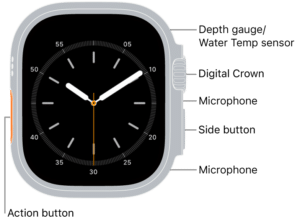
Learn the side button, Digital Crown, and Control Center.
-
Check privacy settings for health and location data.
Use the watch as a tool, not a judge. Missing a goal does not mean you failed. The best wearable is one that supports habits you can keep.
One practical lesson is to avoid chasing every metric. Choose one or two measures, such as weekly exercise time or sleep consistency. Clear goals are easier to act on than a screen full of numbers.
Is Apple Watch Worth It?
Apple Watch is worth it for people who want convenient fitness tracking, quick alerts, safety tools, Apple Pay, and health insights. It is especially useful if you already own an iPhone and enjoy checking information without reaching for it.
It may not be worth the cost if you want only a basic step counter, dislike charging devices, or use an Android phone. A fitness tracker may offer longer battery life at a lower price.
Think about your daily habits. If the watch can solve a real problem, such as missed calls, inactive days, outdoor safety, or phone dependence, it may earn its place on your wrist.
Frequently Asked Questions About What Is Apple Watch Good For
What is Apple Watch mainly used for?
Apple Watch is mainly used for fitness tracking, health monitoring, notifications, calls, payments, navigation, and safety features. It works best as a companion to an iPhone.
Can Apple Watch replace an iPhone?
No, Apple Watch cannot fully replace an iPhone. Cellular models can handle some calls, messages, streaming, and apps without the phone nearby, but the iPhone provides a larger screen and broader functions.
Is Apple Watch good for fitness?
Yes, Apple Watch is good for fitness because it tracks many workouts, heart rate, distance, pace, calories, and activity trends. Its data is helpful for motivation and progress, but it should not replace professional sports or medical advice.
Can Apple Watch monitor heart health?
Supported models can measure heart rate, record an ECG, and provide some heart rhythm notifications. These tools can offer useful signals, but they cannot detect every heart condition or provide a complete medical diagnosis.
Does Apple Watch work without Wi-Fi?
Apple Watch can work without Wi-Fi for many functions, including workouts, downloaded music, alarms, and activity tracking. Cellular models can connect to mobile networks, while GPS-only models need the iPhone or Wi-Fi for some online features.
Is Apple Watch good for sleep tracking?
Apple Watch can track sleep duration and estimate sleep stages when worn overnight. The results are best used to identify long-term patterns, not to diagnose a sleep disorder.
Can Apple Watch call emergency services?
Supported Apple Watch models can call emergency services through Emergency SOS when the required connection is available. The feature depends on the model, region, cellular service, and battery level.
Conclusion
Apple Watch is good for far more than telling time. It can support exercise, health awareness, sleep habits, communication, navigation, payments, and personal safety from your wrist.
Its best feature is convenience. A quick tap, alert, or reminder can help you move more, respond sooner, and stay connected without constantly checking your phone. Still, remember that health readings are estimates and safety tools have limits.
Choose a model based on your real needs, set it up with care, and use its data as a guide rather than a verdict. Explore Apple Watch features that match your routine, and share your experience or questions in the comments.