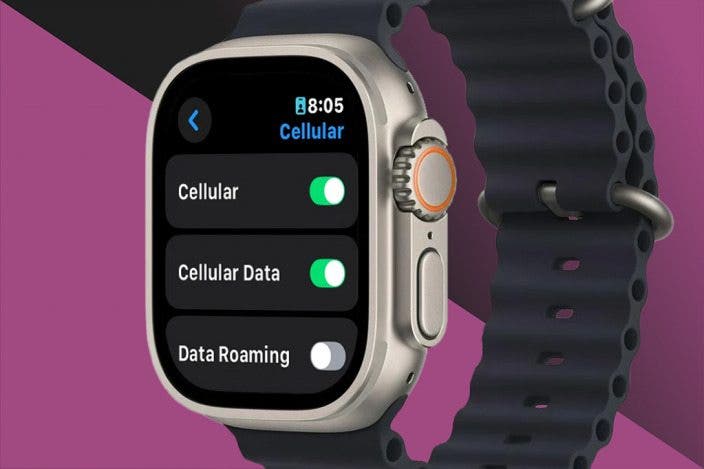
A cellular Apple Watch usually needs a separate monthly plan, but the watch itself does not require one.
If you are asking, “do you have to pay monthly for cellular Apple Watch?” the answer depends on how you plan to use it. A cellular model can work without a paid cellular plan, but its biggest benefit—calling, messaging, streaming, and emergency access away from your iPhone—requires carrier service. This guide explains the costs, setup rules, limitations, and ways to avoid paying for features you do not need.

Do you have to pay monthly for cellular Apple Watch?
No, you do not always have to pay monthly for a cellular Apple Watch. You can buy a cellular Apple Watch and use it like a GPS model when it connects to your iPhone or Wi-Fi.
However, you need a monthly cellular plan to use mobile data when your iPhone is not nearby. The watch connects to your carrier through an eSIM, which is a digital SIM built into the device.
Without a cellular plan, your Apple Watch can still:
• Track workouts and steps
• Monitor heart rate and other health data
• Play downloaded music and podcasts
• Use Apple Pay
• Receive notifications through your iPhone
• Connect to known Wi-Fi networks
• Make emergency calls in supported situations
• Use GPS for outdoor workouts
With an active cellular plan, it can also:
• Make and receive calls without your iPhone nearby
• Send and receive messages
• Stream music over mobile data
• Get directions while away from your phone
• Use supported apps online
• Share your location
• Contact emergency services when mobile service is available
So, the clearest answer to “do you have to pay monthly for cellular Apple Watch?” is this: the cellular hardware does not force you to subscribe, but cellular features do.

How much does an Apple Watch cellular plan cost?
The monthly cost depends on your carrier, plan type, taxes, and current promotions. In the United States, smartwatch plans often cost about $10 to $15 per month before taxes and fees.
Some carriers offer discounts when you add the watch to an existing unlimited phone plan. Others may waive the fee for a limited time. Family plans can also change the final price.
Your bill may include:
• A monthly smartwatch access fee
• Taxes and regulatory charges
• One-time activation or setup fees
• International usage charges
• Device payments if you financed the watch
• Insurance or protection coverage
For example, imagine you already pay $75 per month for your iPhone plan. Adding a cellular Apple Watch might raise the bill by around $10 to $15 each month. Over two years, that can add $240 to $360 before taxes.
That cost matters because many people buy cellular service for occasional use but rarely leave their iPhone behind. If you only want fitness tracking, notifications, and Apple Pay, a monthly plan may not provide enough value.
Carrier prices change often, so check the current rate before buying. Also, confirm whether the plan supports Apple Watch specifically. A regular tablet or phone data plan may not work with the watch.

What happens if you do not activate cellular service?
If you do not activate cellular service, your cellular Apple Watch behaves much like a GPS Apple Watch. It still uses Bluetooth to connect to your iPhone and can switch to Wi-Fi when a known network is available.
This means the watch remains useful at home, at work, and during many workouts. If your iPhone is close by, you may not notice any difference between an active and inactive cellular model.
There are a few limits:
• Calls may depend on your iPhone connection
• Messages may need your iPhone or Wi-Fi
• Online apps may not work away from Wi-Fi
• Music streaming may stop without downloaded content
• Maps may have fewer live features
• Notifications may not arrive when your phone is far away
A cellular Apple Watch can also connect to emergency services in certain conditions, even without a paid plan. Emergency access depends on the model, location, network availability, and local rules. Do not treat this feature as a replacement for reliable phone service.
One practical example is a morning run. If your iPhone stays at home and the watch has no active plan, you can still track distance with GPS and listen to downloaded songs. You may not be able to call someone, stream new music, or receive live messages.
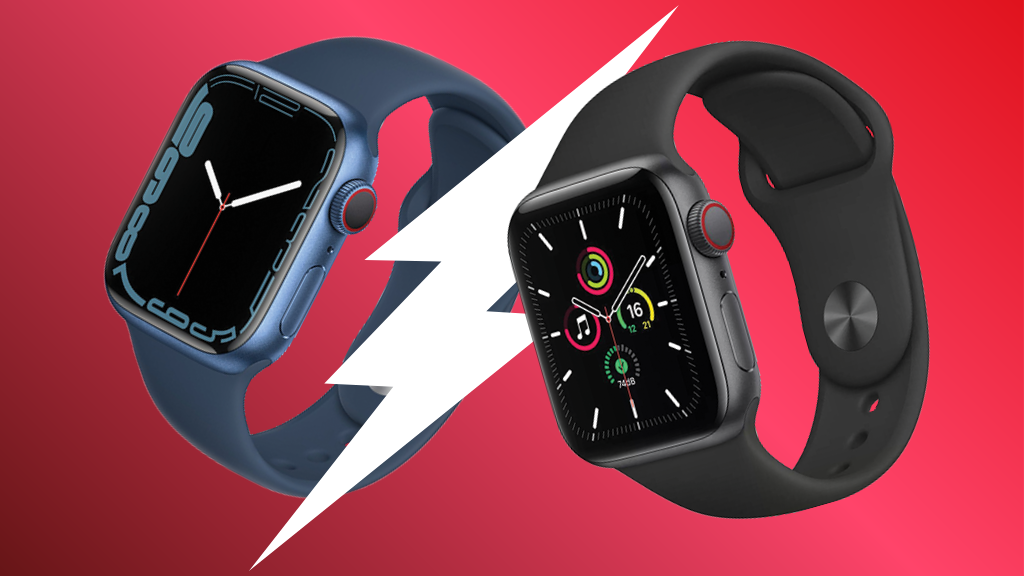
Cellular Apple Watch versus GPS Apple Watch
The main difference is communication away from your iPhone. A GPS Apple Watch needs your iPhone or Wi-Fi for most online features. A cellular Apple Watch can connect to a mobile network when you add an eligible plan.
Here is a simple comparison:
| Feature | GPS Apple Watch | Cellular Apple Watch |
|---|---|---|
| Fitness tracking | Yes | Yes |
| GPS workouts | Yes | Yes |
| Apple Pay | Yes | Yes |
| Calls away from iPhone | Usually no | Yes, with a plan |
| Messages away from iPhone | Limited | Yes, with a plan |
| Music streaming away from iPhone | Limited | Yes, with a plan |
| Monthly cellular fee | No | Optional, but needed for cellular service |
| Upfront price | Usually lower | Usually higher |
A cellular model gives you more freedom. You can leave your phone behind at the gym, on a short walk, or during errands. Still, that freedom comes with a higher purchase price and a recurring bill.
A GPS model may be the smarter choice if your phone is almost always with you. Many buyers choose cellular because it sounds useful, then discover they rarely use it. Consider your daily habits before paying extra.

When is a cellular Apple Watch worth the monthly fee?
A cellular plan may be worth it if you often want to stay connected without carrying your iPhone. It can act like a small safety net on your wrist.
Cellular service may make sense for:
• Runners and cyclists who leave their phones at home
• Parents who want a simple way to reach a child
• People who work out or commute without a phone
• Older adults who may benefit from emergency features
• Travelers who want more freedom during local activities
• People who frequently misplace or forget their iPhone
It may be less useful if you:
• Always carry your iPhone
• Mostly use the watch for health tracking
• Spend most of your time near Wi-Fi
• Do not stream music from the watch
• Want to keep monthly bills low
• Use a carrier that does not support Apple Watch
A useful test is to think about the last ten times you used your Apple Watch. How often would cellular service have helped? If the answer is once or twice, you may not need the plan.
In practical setup advice, I recommend waiting before activating service if your carrier allows it. Use the watch with your iPhone first. If you regularly feel limited when your phone is away, activate cellular later.

Does a cellular Apple Watch need its own phone number?
A cellular Apple Watch usually receives service through a number-sharing feature. The watch may have its own technical number for billing and network use, but it normally shares your iPhone number for calls and messages.
This setup helps people contact you without learning a second number. When you call from the watch, the recipient usually sees your regular phone number.
Number sharing is not the same as adding a second independent phone line. Carrier rules differ, especially for family setups and watches used by children.
Before activation, ask your carrier:
• Does the watch share my current phone number?
• Is a compatible iPhone required?
• Can I use the watch on a family member’s account?
• Are calls and texts included?
• Does the plan support international roaming?
• Are taxes and activation charges extra?
• Can I cancel service without a contract fee?
Family Setup, also known as Apple Watch For Your Kids in some regions, can allow a watch to work with a family member’s iPhone rather than the wearer’s own iPhone. This feature has extra requirements and may cost more. Not every carrier or Apple Watch model supports it.

How to activate cellular service on Apple Watch
Activation is usually completed through the Watch app on a compatible iPhone. The steps can vary by carrier, but the general process is simple.
- Open the Watch app on your iPhone.
- Tap the cellular settings option.
- Choose the option to set up cellular service.
- Sign in to your carrier account.
- Review the monthly fee and terms.
- Confirm the plan and wait for activation.
- Test a call with your iPhone turned off or out of range.
The Apple Watch and iPhone usually need to use the same carrier for standard number sharing. Some carriers support different arrangements, but compatibility is not guaranteed.
Make sure your watch model supports cellular service in your region. Cellular Apple Watch models can have regional differences in supported bands. A watch purchased in another country may not work correctly with a US carrier.
Activation mistakes to avoid include:
• Assuming any Apple Watch supports cellular service
• Forgetting to check carrier compatibility
• Ignoring taxes and setup fees
• Buying a watch locked to another carrier
• Expecting cellular service to work without an eligible iPhone
• Failing to test the watch away from the iPhone
If cellular setup fails, restart both devices, update the iPhone and watch, and contact the carrier. The problem is often account compatibility rather than a defective watch.

Can you cancel the monthly Apple Watch plan?
In most cases, you can cancel the cellular plan without canceling your iPhone service. The exact process depends on the carrier and whether the watch is still being financed.
After cancellation, the watch continues to work through your iPhone and Wi-Fi. Cellular features stop when the carrier removes the watch from its network.
Before canceling, check:
• Whether your carrier requires a final billing cycle
• Whether a promotional discount will end
• Whether the watch has an unpaid device balance
• Whether there is an activation or cancellation fee
• Whether you might want to reactivate service later
If you purchased the watch through monthly financing, canceling cellular service does not usually erase the device payments. You may still owe the remaining balance for the hardware.
This is an important distinction. The watch purchase and cellular subscription are separate costs. You can often own the watch while choosing not to pay for mobile service.

Ways to save money on Apple Watch cellular service
You do not need to activate cellular service simply because you bought a cellular model. Waiting can help you decide whether the feature fits your routine.
Try these strategies:
• Compare at least two carrier plans
• Ask about smartwatch discounts
• Check for free trial periods
• Confirm the total price with taxes
• Avoid adding service to several watches unless needed
• Download music and podcasts before leaving home
• Use Wi-Fi when it is safe and reliable
• Choose a GPS model if you do not need phone-free use
• Review your bill after the first month
Some carriers bundle watch service with premium plans. That can lower the extra cost, but the premium phone plan may cost more overall. Compare the full bill, not only the smartwatch line.
Also consider battery use. Cellular activity can reduce battery life, especially when the watch has a weak signal. Downloading content and using Wi-Fi can help when you do not need mobile data.
The best answer to “do you have to pay monthly for cellular Apple Watch?” is based on value, not marketing. If the plan saves you from carrying your phone and gives you peace of mind, it may be worthwhile. If not, keep the watch on Wi-Fi and avoid the recurring charge.
Frequently asked questions about paying monthly for a cellular Apple Watch
Can I use a cellular Apple Watch without a data plan?
Yes. You can use it with your iPhone, Bluetooth, and Wi-Fi without activating cellular service. Calls, messages, streaming, and other online features may be limited when your iPhone is not nearby.
How much is a cellular Apple Watch plan per month?
Many US carriers charge about $10 to $15 per month before taxes and fees. Prices, discounts, activation costs, and eligibility rules vary by carrier.
Does a cellular Apple Watch have a separate phone number?
It may have a separate technical number for the carrier, but it usually shares your iPhone number for normal calls and messages. The exact setup depends on your carrier’s number-sharing system.
Can I cancel Apple Watch cellular service later?
Usually, yes. You can often cancel the watch plan while keeping your iPhone service, but device financing and promotional terms may continue.
Is cellular Apple Watch worth it?
It can be worth it if you regularly leave your iPhone behind and still need calls, messages, maps, or streaming. If your iPhone is nearly always with you, a GPS model or inactive cellular service may offer better value.
Can I use Apple Watch cellular with any carrier?
No. The carrier must support Apple Watch cellular activation, and the watch must be compatible with that carrier’s network and region. Check compatibility before buying or importing a watch.
Does Apple Watch cellular work internationally?
International support varies by model, carrier, country, and roaming agreement. Check both Apple’s regional compatibility details and your carrier’s international rules before traveling.
Conclusion
A cellular Apple Watch does not require a monthly payment just to function. You can use its health tools, GPS, Apple Pay, downloaded media, and iPhone connection without activating cellular service.
You only need a monthly plan when you want mobile connectivity away from your iPhone. Since the fee can add hundreds of dollars over time, review your habits, compare carrier prices, and test the watch before committing. Choose cellular service for real freedom, not just because the option is available.