Can I Buy Glasses Online With My Prescription?
Buying glasses used to mean a trip to the eye doctor and then hours spent in a store, trying on frames under harsh lights. Today, things are different. Many people, including myself, are now asking: Can I buy glasses online with my prescription? The answer is yes. In fact, more people are making this choice every year because it’s simple, fast, and often much cheaper.
I remember the first time I ordered glasses online. I was nervous. Would they fit? Would my prescription be correct? But after a little research and a few clicks, I had a stylish new pair for half the price I usually paid in stores.
Since then, I’ve learned a lot about the process, and I want to share everything you need to know before you buy glasses online with your prescription.
This guide covers every step, from understanding your prescription to picking the right website, comparing costs, and making sure you get the perfect fit. Let’s dive in!
How Online Glasses Shopping Works
Shopping for glasses online is easier than most people think. Here’s a simple breakdown of how it works:
- Get your prescription from an eye doctor. You need a current one, usually less than two years old.
- Choose an online retailer that sells prescription glasses.
- Select your frames from hundreds or even thousands of styles.
- Enter your prescription details on the website.
- Pick your lenses and any extras, like anti-glare or blue-light blocking.
- Place your order and wait for your new glasses to arrive at your door.
This process can be done in less than 30 minutes if you have your prescription ready. Most websites guide you through each step with clear instructions.
Is It Safe To Buy Glasses Online?
Many people worry about safety and quality when buying glasses online. Here’s what you need to know:
Online retailers use the same materials and lens technology as traditional stores. They work with eye care professionals to fill your prescription. Reputable sites also offer return policies and warranties if something goes wrong.
I’ve bought glasses online several times. Once, the prescription didn’t feel quite right. I contacted customer service, and they offered a free replacement. Most big companies care about keeping customers happy because they rely on good reviews.
Tip: Always check reviews and make sure the site has a clear return policy before you buy.
Understanding Your Prescription
Before you buy, you need to know what your prescription means. It’s not as hard as it looks.
Your prescription includes several numbers:
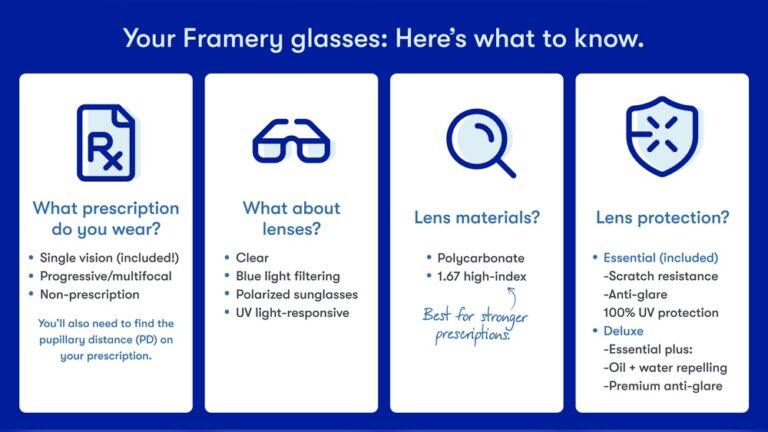
- SPH (Sphere): How strong your lenses need to be for nearsightedness or farsightedness.
- CYL (Cylinder): Correction for astigmatism, if you have it.
- Axis: The direction of astigmatism correction.
- PD (Pupillary Distance): The distance between the centers of your pupils, in millimeters.
PD is often left off the prescription, but you need it for online orders. Some eye doctors don’t include it unless you ask. If it’s missing, you can measure it yourself with a ruler and a mirror, or ask your eye doctor for the number.
Example: My last prescription was SPH -2.75, CYL -1.00, Axis 180, and PD 62. I entered these numbers online, and the glasses fit perfectly.
Pros And Cons Of Buying Glasses Online
Let’s look at the main benefits and drawbacks.
| Pros | Cons |
|---|---|
| Lower prices | Can’t try frames on in person |
| More style choices | Must enter prescription details yourself |
| Easy shopping from home | Waiting for shipping |
| Simple returns with most sites | Possible issues with fit or prescription accuracy |
Insight: Many people don’t realize how much money they can save. Online glasses are usually 50–70% less than what you pay in a store. But you do need to double-check your prescription and measurements to avoid mistakes.
What You Need Before You Order
Here’s a checklist to make sure you’re ready:
- A current eye prescription (less than 2 years old).
- Pupillary Distance (PD) measured.
- A computer or phone to browse sites.
- A payment method (credit card or PayPal).
- Some time to compare styles and prices.
Many people forget about PD. Without it, your glasses may not fit right. If your eye doctor won’t give you your PD, you can use free tools online. I once used a printable PD ruler from a glasses website and got a perfect fit.
How To Choose The Right Online Glasses Store
Not all websites are the same. Here’s what to look for:
- Reputation: Stick with well-known brands or those with lots of positive reviews.
- Clear return policy: Make sure you can return or exchange your glasses if needed.
- Frame selection: Pick a site with many styles and sizes.
- Price transparency: All costs, including shipping, should be clear.
- Customer service: Good support helps if you make a mistake or need help with your order.
Some popular sites include Warby Parker, Zenni Optical, EyeBuyDirect, and GlassesUSA. For more details, you can check the Wikipedia page on online optical retailers.
Non-obvious insight: Some websites offer a “try-on” feature using your webcam or by uploading a photo. This helps you see how different frames look on your face before you buy.
How To Read Your Prescription
Many people see their prescription and feel lost. Let’s break down the basics:
Right Eye (OD) and Left Eye (OS):
- OD stands for oculus dexter (right eye)
- OS stands for oculus sinister (left eye)
SPH: The higher the number (with or without a minus sign), the stronger your correction.
CYL and Axis: Only filled if you have astigmatism.
Add: This is for people who need bifocals or progressives. It means “additional power” for reading.
PD: Essential for online orders. A wrong PD can make even the perfect lens blurry.
Tip: Always double-check that you enter each number correctly. One wrong digit can change everything.
Lens Options You Can Choose Online
Online glasses sellers offer many lens upgrades. These include:
- Single vision: Good for distance or reading.
- Progressive/bifocal: For seeing both near and far.
- Photochromic lenses: Lenses that darken in sunlight.
- Blue light blocking: Reduces eye strain from screens.
- Anti-reflective coating: Helps reduce glare from lights and screens.
- Scratch-resistant coating: Helps your lenses last longer.
| Lens Type | Best For | Extra Cost |
|---|---|---|
| Single Vision | Most people | Usually included |
| Progressive | Age 40+, need near/far | + $40–$100 |
| Photochromic | Outdoor use | + $30–$80 |
| Blue Light Block | Computer users | + $20–$50 |
| Anti-Reflective | Night driving, screens | + $10–$40 |
Expert tip: Don’t feel pressured to get every upgrade. Think about your real needs. I spend lots of time on the computer, so blue light and anti-reflective coatings are useful for me. But if you only wear glasses for reading, basic lenses may be enough.
Frame Styles And Sizes
Online stores have hundreds of frames. This can feel overwhelming, but here’s how to narrow it down:
- Face shape: Oval, round, square, or heart-shaped faces suit different styles.
- Frame size: Measure your current glasses or use a size guide online. The key numbers are lens width, bridge width, and temple length.
- Material: Plastic frames are light and come in many colors. Metal frames are classic and last longer.
- Color: Pick a color that matches your skin tone or hair.
Personal experience: I once picked a frame just because it looked good online. When it arrived, the size was too wide for my face. Now, I always check my old glasses for size numbers first.
Step-by-step: How To Order Glasses Online
Let’s walk through the ordering process:
- Get your prescription and PD.
- Pick a website and create an account.
- Browse frames and filter by size, color, and shape.
- Use virtual try-on if available.
- Select your frame and click to add lenses.
- Enter your prescription details carefully.
- Choose lens type and coatings (single vision, progressive, etc. ).
- Check your order summary for mistakes.
- Add to cart and checkout. Enter your shipping and payment info.
- Wait for your new glasses to arrive—usually 7–14 days.
Non-obvious insight: Some sites let you upload a copy of your prescription instead of typing it in. This reduces the risk of errors.
Cost Comparison: Online Vs. In-store
People often ask, “How much can I really save? ” Here’s a typical price comparison.
| Type | Online Price (USD) | In-Store Price (USD) |
|---|---|---|
| Basic Single Vision | $20–$80 | $100–$250 |
| Designer Frames | $100–$200 | $250–$600 |
| Progressive Lenses | $80–$250 | $300–$800 |
Why the difference? Physical stores have higher rent, staff, and inventory costs. Online stores cut these expenses and pass the savings on to you.
Tip: Watch for coupons and sales online. Many sites offer discounts for first-time buyers or during holidays.
Common Mistakes When Buying Glasses Online
Even experienced shoppers make mistakes. Here are the most common ones:
- Entering the prescription wrong: Double-check every number.
- Wrong PD: Using a rough guess can make glasses uncomfortable.
- Ignoring frame size: Too big or small frames can look odd or slip off your face.
- Forgetting about lens thickness: Stronger prescriptions may need thinner, high-index lenses to look better.
- Not reading return policies: Make sure returns are easy if you change your mind.
Expert insight: If you’re unsure about your prescription, call customer service. Most good sites have staff who can help.

Credit: www.warbyparker.com
What About Bifocals And Progressive Lenses?
Yes, you can order bifocals and progressive lenses online. You’ll need your “Add” number from your prescription. Some sites let you upload a photo or scan of your prescription to make things easier.
Tip: Progressive lenses need exact measurements. If you’re new to them, pick a site with a strong return policy in case you need an adjustment.
Can Children’s Glasses Be Bought Online?
Absolutely. Many online stores offer children’s frames with fun designs and strong materials. You’ll need your child’s prescription and PD, just like for adults.
Extra tip: Look for frames with spring hinges and flexible arms. Kids can be rough on glasses, so durability matters.
How Long Does Delivery Take?
Online glasses usually arrive in 7–14 days. Some sites offer express shipping for an extra fee. If you need glasses fast, check shipping times before you order.
Real-life note: My fastest order took 5 days, but sometimes special lenses add a week. Always order early if you need glasses by a certain date.
What If My Glasses Don’t Fit?
Most websites offer free returns or exchanges. Here’s what to do:
- Try the glasses on right away.
- Check for comfort, clear vision, and style.
- If something feels off, contact customer service.
- Many companies will remake your glasses or refund your money.
Tip: Keep all packaging and paperwork until you’re sure you want to keep the glasses.
Insurance And Flexible Spending Accounts (fsa/hsa)
Many online glasses retailers accept vision insurance or FSA/HSA cards. Some let you apply benefits at checkout. Others give you an itemized receipt to submit for reimbursement.
Non-obvious insight: Check with your insurance before you buy. Some plans only cover certain websites or require you to submit a claim yourself.
Quality Control: How Good Are Online Glasses?
People worry that online glasses might be lower quality. In my experience, and based on many reviews, the quality is often as good as in-store glasses. Most online retailers use the same lens labs as local shops.
Expert tip: If you have a very strong prescription or complicated needs, you may want to try your first pair in-store. For most people, online glasses are just as good, and sometimes even better.
When To See An Eye Doctor
You still need to see an eye doctor for regular exams. They check your eye health, not just your vision. Buy glasses online only with a current prescription.
Warning sign: If you have eye pain, sudden vision changes, or headaches, see a doctor before buying new glasses.
Who Should Not Buy Glasses Online?
For most people, online is a great option. But it’s not for everyone. If you:
- Have a complex prescription (very high numbers or special needs)
- Need special lens shapes or prism corrections
- Are buying for a baby or toddler
…consider buying in-store, at least for your first pair.

Credit: www.reddit.com
Online Glasses For Special Needs
Some people need prism correction or other special lenses. A few online retailers offer these, but not all. Always check before you order. If your needs are rare, talk to customer service to make sure the site can help.
What To Do If You Have Problems
If your glasses arrive and something is wrong, don’t panic. Take these steps:
- Compare the glasses to your order confirmation.
- Try them for a few days (sometimes your eyes need to adjust).
- Contact customer service if vision is still blurry or the fit is bad.
- Ask for a remake or refund. Most good companies will help.
Personal note: One time, my new glasses felt “off” for three days. Then my eyes adjusted, and they were perfect. If they still feel wrong after a week, get in touch with the store.
Are Online Glasses Brands Trustworthy?
Most big brands are safe and reliable. Look for brands that:
- Have been around for several years
- Show real customer reviews (not just “5 stars!” everywhere)
- Offer easy returns
- List their contact information clearly
Tip: If a deal looks too good to be true, check for hidden fees or shipping costs.
The Future Of Buying Glasses Online
Buying glasses online is now normal for millions of people. As technology gets better, virtual try-on tools, faster shipping, and even home eye tests are making the process even easier. You’re not alone if you want to skip the store and shop from your sofa.

Credit: www.reddit.com
Final Thoughts
Buying glasses online with your prescription is safe, smart, and can save you money. You get more choices and can shop at your own pace. The key is to have the right prescription, measure your PD, and double-check your order.
If you make a mistake, most sites make returns easy.
After years of buying glasses both in stores and online, I can say the online experience is now just as good—sometimes better. With a bit of care and the tips above, you can get stylish, comfortable glasses delivered right to your door.
Frequently Asked Questions
Can I Use My Old Prescription To Buy Glasses Online?
You can use an old prescription if it’s less than two years old. For best results, get a new eye exam first. This ensures your new glasses will fit your current vision needs.
How Do I Measure My Pupillary Distance (pd) At Home?
Stand in front of a mirror. Hold a ruler across your nose and measure the distance between the centers of your pupils, in millimeters. Many online glasses sites offer video guides or printable PD rulers to help.
What If My Online Glasses Don’t Fit Well?
Most online glasses stores have simple return and exchange policies. Try the glasses on as soon as they arrive. If they feel wrong, contact customer service to arrange a new pair or a refund.
Are Online Glasses Covered By Insurance?
Many online glasses stores accept vision insurance or FSA/HSA cards. Check with the store and your insurance provider before you buy to make sure you can use your benefits.
Is It Safe To Buy Prescription Glasses Online?
Yes. Trusted online retailers use licensed labs and fill prescriptions accurately. Read reviews, check return policies, and contact customer service if you have questions to ensure a safe buying experience.
Buying glasses online with your prescription is easier than ever. With clear steps and a little preparation, you can enjoy stylish, affordable eyewear from the comfort of your home.
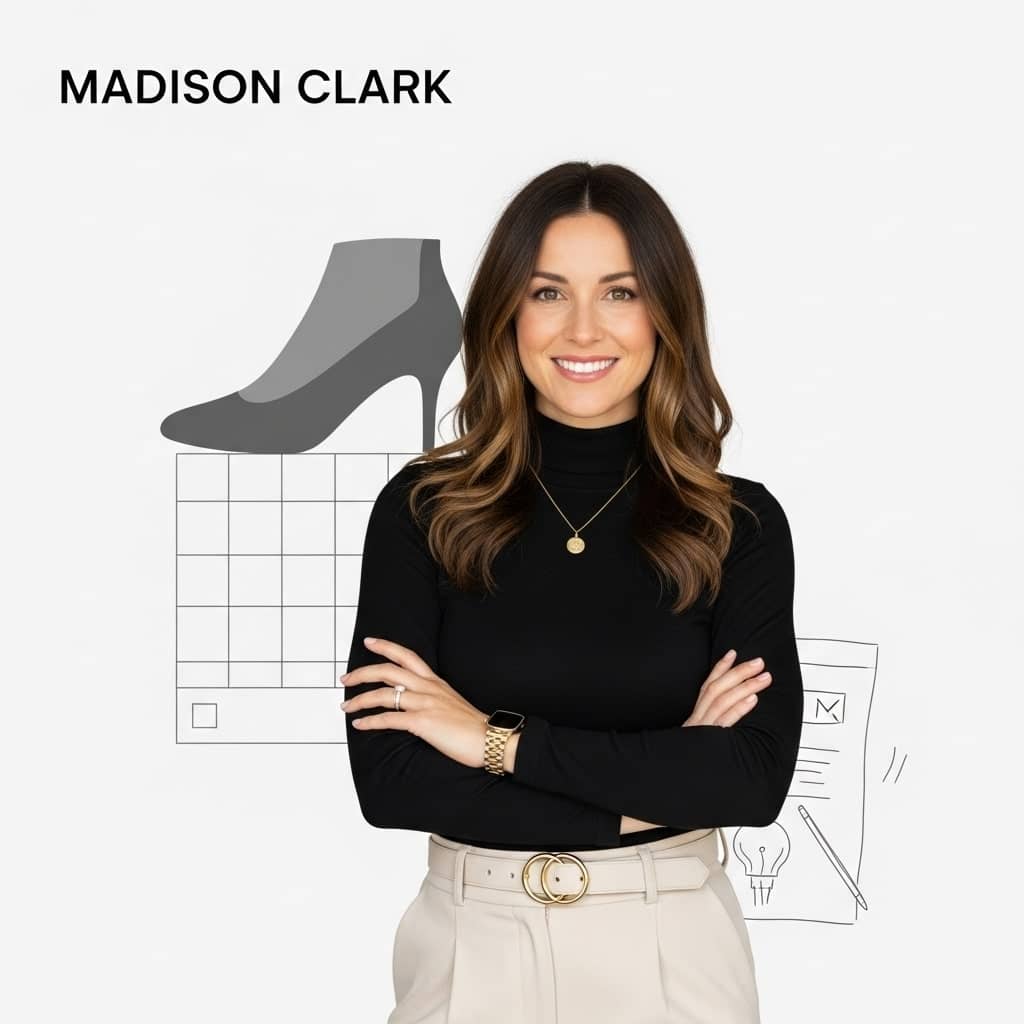
Madison Clark is a footwear expert and the voice behind MyStyleGrid.com. She specializes in honest shoe reviews, style tips, and practical guides to help readers find the perfect pair for any occasion. With years of experience in blogging and content creation, Madison makes footwear knowledge simple, stylish, and easy to follow.