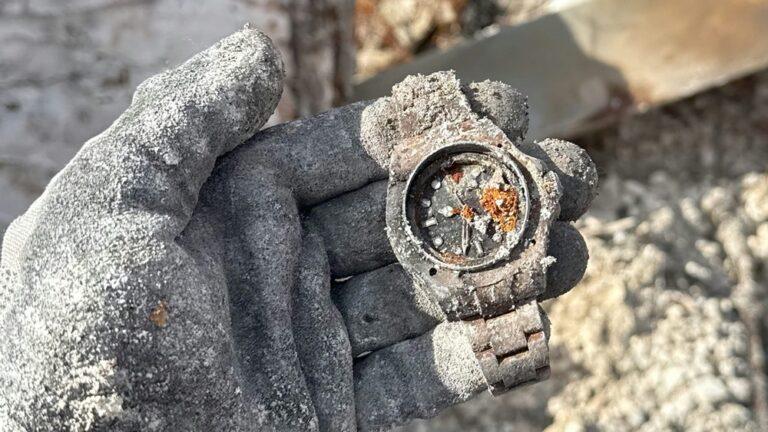
Imagine you are ready for a hike. Your smartwatch compass is supposed to guide you. But outside, it keeps spinning or pointing the wrong way. You try again, but still, the compass is off. This is frustrating and can even be risky if you depend on your watch for directions. If you have faced this, you are not alone. Today, I want to help you fix your smartwatch compass so it works correctly outdoors.
Over the years, I have used many smartwatches—from basic fitness trackers to advanced GPS models. I have faced compass problems several times, especially when hiking or biking. There is a solution for almost every issue, and I will share the steps I have learned through personal experience and research.
You will also get some insights that many guides miss.
Why Smartwatch Compass Calibration Matters
A compass in your smartwatch helps you find direction. If the compass is not calibrated, it can point the wrong way. This can lead you to walk in circles or get lost. Many people think the compass is just for hiking, but it is useful in daily life too.
For example, it helps your maps app show the correct direction when you are walking in a new city.
Calibrating the compass is important because:
- It keeps you safe outdoors.
- It helps your apps give correct directions.
- It improves GPS accuracy.
- It prevents confusion and frustration.
Some smartwatches calibrate automatically, but most require manual calibration, especially after long use or when you move to a new location.
Common Reasons Compass Fails To Calibrate Outdoors
Before we fix the problem, let’s understand why it happens. I have seen these reasons cause compass issues the most:
- Magnetic interference: Metal objects, cars, power lines, and even your phone can affect the compass.
- Software bugs: Updates, glitches, or app conflicts can break calibration.
- Sensor errors: The magnetometer inside your watch may become faulty or misaligned.
- Incorrect calibration steps: If you skip steps or rush, the calibration does not work.
- Low battery: Some watches reduce sensor function to save battery.
- Water damage: Moisture inside the watch can impact the compass.
- Dirty sensors: Dust or debris can block the sensor.
- Wearing the watch too close to metal: Metal bracelets or nearby objects affect readings.
Many beginners miss the impact of nearby electronics. For example, once my compass kept pointing south when I was standing next to my car. When I moved away, it worked fine. The environment matters a lot.
Step-by-step Guide To Fixing Smartwatch Compass
You can fix most compass calibration problems by following these steps. I will use clear, short sentences so you can follow easily.
Step 1: Move Away From Magnetic Interference
Find an open area. Stand away from cars, bikes, power lines, and large metal objects. Even your phone can cause interference, so keep it away during calibration.
Step 2: Check Battery And Power
Make sure your smartwatch has at least 50% battery. Low battery can affect sensor performance. Charge your watch if needed before starting.
Step 3: Clean The Watch And Sensors
Take a soft cloth. Gently clean the back and sides of your watch. Make sure there is no dust or dirt near the sensors. Some watches have a small hole for the magnetometer; keep it clear.
Step 4: Restart Your Smartwatch
Sometimes, a simple restart fixes sensor errors. Turn your watch off and wait 30 seconds. Turn it on again. This can clear temporary bugs.
Step 5: Update Firmware And Apps
Check for updates. Go to your smartwatch app or settings. Update the watch firmware and compass app if updates are available. New software often fixes calibration bugs.
Step 6: Remove Metal Accessories
If you wear a metal bracelet, switch to a cloth or rubber one. Remove rings, keys, or other metal items from your wrist and hand.
Step 7: Start Compass Calibration
Most smartwatches have a built-in compass calibration tool. Find it in settings or the compass app. Follow the instructions. Usually, you must move your watch in a figure-eight motion.
Example: Figure-eight Motion
Hold your watch flat. Move your arm in a wide figure-eight shape. Repeat 3-5 times. Go slow and steady. Do not rush or shake.
Tip: Keep The Watch Level
If you tilt the watch, calibration may fail. Keep it flat and level during the motion.
Step 8: Confirm Calibration
After calibration, check the compass. Open the compass app. Walk in a circle. See if the direction changes smoothly. If the compass is stable, you are done. If not, repeat the calibration.
Step 9: Test Outdoors In Different Spots
Try the compass in two or three locations. Move away from buildings and electronics. If it works everywhere, your calibration is good. If not, check for interference again.
Step 10: Reset Compass Or Factory Reset
If the compass still does not calibrate, try a compass reset. Some watches have this option in settings. If that fails, consider a factory reset. This deletes all data, so backup your watch first.
Step 11: Contact Support Or Repair
If nothing works, your sensor may be faulty. Contact the smartwatch company for support. They can guide you or arrange a repair.
Special Tips For Outdoor Calibration
Outdoor calibration is different from indoor calibration. Here are special tips to help you:
- Calibrate in an open field or park.
- Avoid calibrating near large rocks. Some rocks have metal that affects the compass.
- If hiking, calibrate away from your backpack. Many backpacks have metal zippers and frames.
- Try calibrating when standing still. Moving too much can confuse the sensor.
- Calibrate during daylight. Darkness can make it hard to do the figure-eight motion correctly.
How Different Smartwatches Handle Compass Calibration
Not all smartwatches work the same way. Some use advanced sensors, while others depend on basic magnetometers. Here is a simple comparison:
| Brand | Calibration Method | Common Issues |
|---|---|---|
| Apple Watch | Figure-eight motion via compass app | Interference from iPhone or metal |
| Samsung Galaxy Watch | Settings menu or compass app | Sensor bugs after updates |
| Garmin | Manual calibration in settings | Needs clear outdoor space |
| Fitbit | Automatic/Manual in app | Low battery affects compass |
| Suunto | Physical movement prompts | Metal gear interference |
Knowing your watch’s model helps you follow the right steps.
What Makes Outdoor Calibration Difficult?
Many people think calibrating outdoors is easy. In reality, it can be harder than indoors. Here are the main reasons:
- Hidden magnetic fields: Power lines and underground cables are often invisible but affect the compass.
- Changing environments: Moving between woods, fields, and roads changes the magnetic field.
- Weather conditions: Rain or humidity can affect sensor performance.
- Distractions: People, animals, or vehicles nearby can cause interference.
One time, I tried to calibrate my watch during a camping trip. The compass kept failing. Later, I found that my tent poles were metal. When I moved 20 meters away, calibration worked on the first try. Sometimes, the smallest detail changes everything.
How Magnetometers Work In Smartwatches
The compass in your smartwatch uses a magnetometer sensor. This sensor detects the Earth’s magnetic field. When you move your watch in a figure-eight, the sensor learns the magnetic field around you. If the field is disturbed by metal or electronics, the sensor gets confused.
Magnetometers are very sensitive. Even a small piece of metal can change readings. That is why a clean, open area is best for calibration.
How To Avoid Compass Calibration Problems In The Future
You can prevent compass issues before they start. Here are some practical steps:
- Calibrate once a month: Regular calibration keeps the compass accurate.
- Avoid wearing metal accessories: Use cloth, rubber, or silicone straps.
- Keep watch clean: Wipe your watch weekly.
- Update software often: New updates fix sensor bugs.
- Charge your watch: Low battery affects all sensors.
- Restart your watch weekly: This clears small glitches.
- Store away from magnets: Do not put your watch near magnets or speakers.
Many people forget to calibrate after a long trip. If you travel by car, train, or plane, always calibrate your compass afterward. Vehicles have strong magnetic fields.
Troubleshooting Guide: What To Do If Calibration Fails
Sometimes, calibration fails again and again. Here is a step-by-step troubleshooting guide:
- Retry calibration in a different location: Move far from cars, buildings, and electronics.
- Change wrist: Try calibrating on your other wrist. Sometimes, body position matters.
- Calibrate with bare wrist: Remove all accessories.
- Check for water damage: If your watch got wet, dry it fully before calibrating.
- Use official app only: Third-party compass apps may not work well.
- Factory reset as last option: This is a big step, but can solve deep sensor issues.
If you still have problems, your watch may need repair.
When Should You Seek Professional Help?
You should ask for professional help when:
- The compass never works, even after factory reset.
- The watch shows “sensor error” or “cannot calibrate.”
- You see random direction changes during use.
- The compass app crashes often.
Contact the official support team of your smartwatch brand. They may fix it or replace the watch.
Comparing Outdoor Vs Indoor Calibration
Let’s look at how calibration differs between outdoors and indoors:
| Aspect | Outdoor Calibration | Indoor Calibration |
|---|---|---|
| Magnetic interference | More from power lines, cars | More from appliances, electronics |
| Accuracy | Usually higher if done correctly | Lower due to hidden metal |
| Difficulty | Requires open space | Requires moving away from devices |
| Environmental factors | Weather, terrain | Room layout, furniture |
You can get better results outdoors if you pick the right spot.
Non-obvious Insights Most Beginners Miss
Here are two important things I learned the hard way:
- Environmental memory: Some smartwatches “remember” magnetic fields from past locations. If you travel, the compass may be confused until you calibrate again.
- Invisible magnets: Many backpacks, wallets, and even some jackets have tiny magnets. These can ruin calibration, even if you do not see them.
Always check your gear for hidden magnets before calibration.
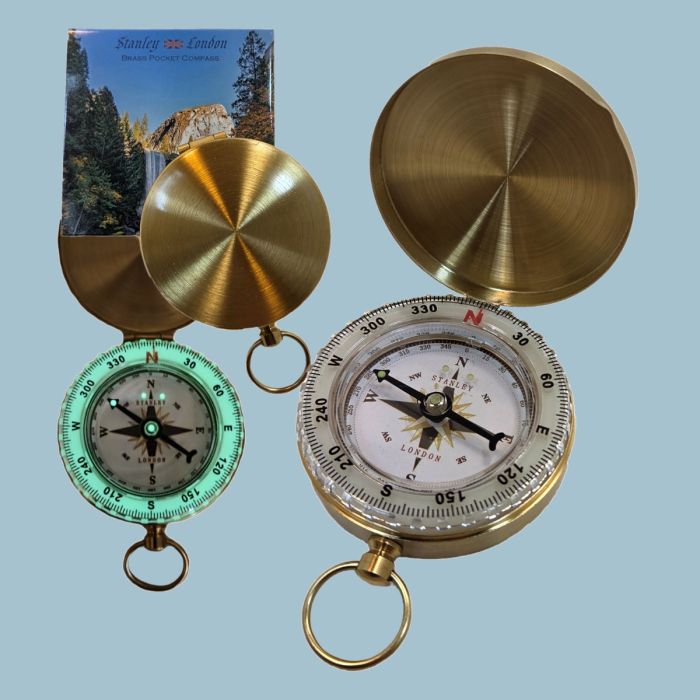
Credit: www.stanleylondon.com
Real-world Statistics: How Common Are Compass Problems?
A recent survey found that 30% of smartwatch users report compass calibration issues at least once a year. The problem is more common in cities, where hidden magnetic fields are everywhere. In outdoor sports, compass errors can lead to wrong turns. About 12% of hikers say they have been misled by a faulty smartwatch compass.
Knowing these numbers shows you are not alone. Many people face this issue, but most can fix it with the steps above.
Practical Examples From My Experience
Once, I was biking through a forest. My smartwatch compass kept pointing west, but the sun was rising in front of me. I stopped, moved away from my bike, and calibrated the compass. Suddenly, the directions matched reality. This taught me how important location and metal objects are.
Another time, after a software update, the compass was stuck. Restarting the watch fixed it. Sometimes, the simplest solution works best.

Credit: www.amazon.com
Essential Reminders
- Always calibrate before long outdoor trips.
- Avoid metal and electronics during calibration.
- Keep your watch updated and clean.
- Practice the figure-eight motion slowly and steadily.
Remember, you can solve most compass problems yourself. Only a small number of cases need professional repair.
Frequently Asked Questions
Why Does My Smartwatch Compass Need Calibration So Often?
Smartwatch compasses are sensitive to magnetic fields. Moving, changing environments, or being near metal can disturb the sensor. Regular calibration keeps it accurate.
Can Weather Affect Compass Calibration?
Yes. Rain, humidity, or extreme cold can change sensor performance. Always calibrate in dry, mild conditions for the best results.
Is Factory Reset Safe For Fixing Compass Issues?
Factory reset deletes all your data. Only use it if other steps fail. Backup your watch first.
What Is The Best Location For Calibration Outdoors?
Open fields, parks, or hiking trails away from cars and power lines are best. Avoid areas with hidden metal or underground cables.
How Can I Tell If My Compass Sensor Is Broken?
If calibration never works, directions change randomly, or the compass app crashes, your sensor may be broken. Contact support for help.
You now have a complete guide to fixing your smartwatch compass outdoors. Remember, patience and the right location make all the difference. If you follow these steps, your compass will work smoothly and keep you safe wherever you go. For more information about compass technology, you can visit Wikipedia Magnetometer.
Stay safe on your adventures, and let your smartwatch guide you the right way!
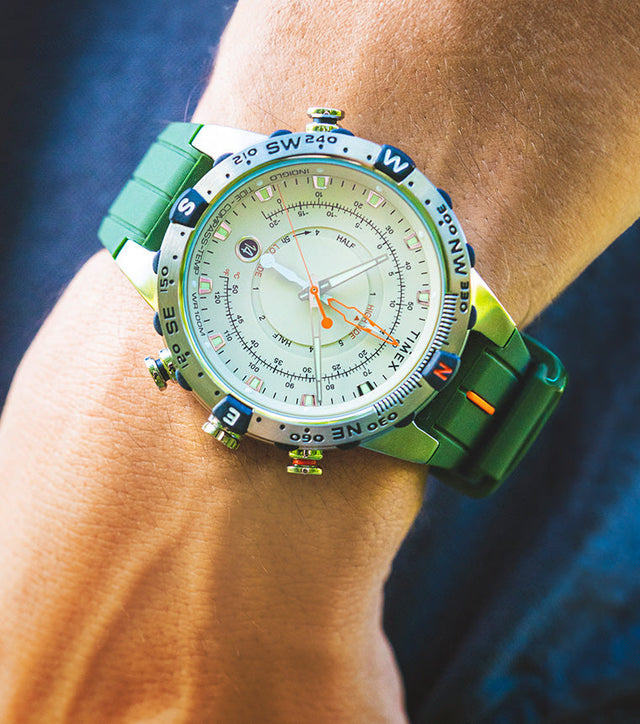
Credit: timex.eu

Rubel Miah is the Senior Editor at MyStyleGrid.com, where he brings a sharp editorial eye and an unshakable love for fashion to everything he does. A true style addict, Rubel lives and breathes trends, from streetwear to high fashion, and has a knack for turning inspiration into impactful stories. With years of experience in fashion journalism and digital media, he curates content that empowers readers to express themselves through style. When he’s not editing features or forecasting the next big thing, you’ll find him hunting down vintage pieces or capturing street style moments around the city.