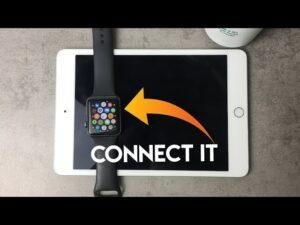
Apple Watch Series 4 or newer works with iPhone 13, while newer models offer the best current software support.
Knowing what Apple Watch is compatible with iPhone 13 can help you avoid pairing errors, outdated software, and wasted money. The iPhone 13 supports many Apple Watch models, but compatibility depends on the watchOS version, your iPhone’s iOS version, and the features you want. This guide explains the best choices in simple terms.

What Apple Watch Is Compatible With iPhone 13?
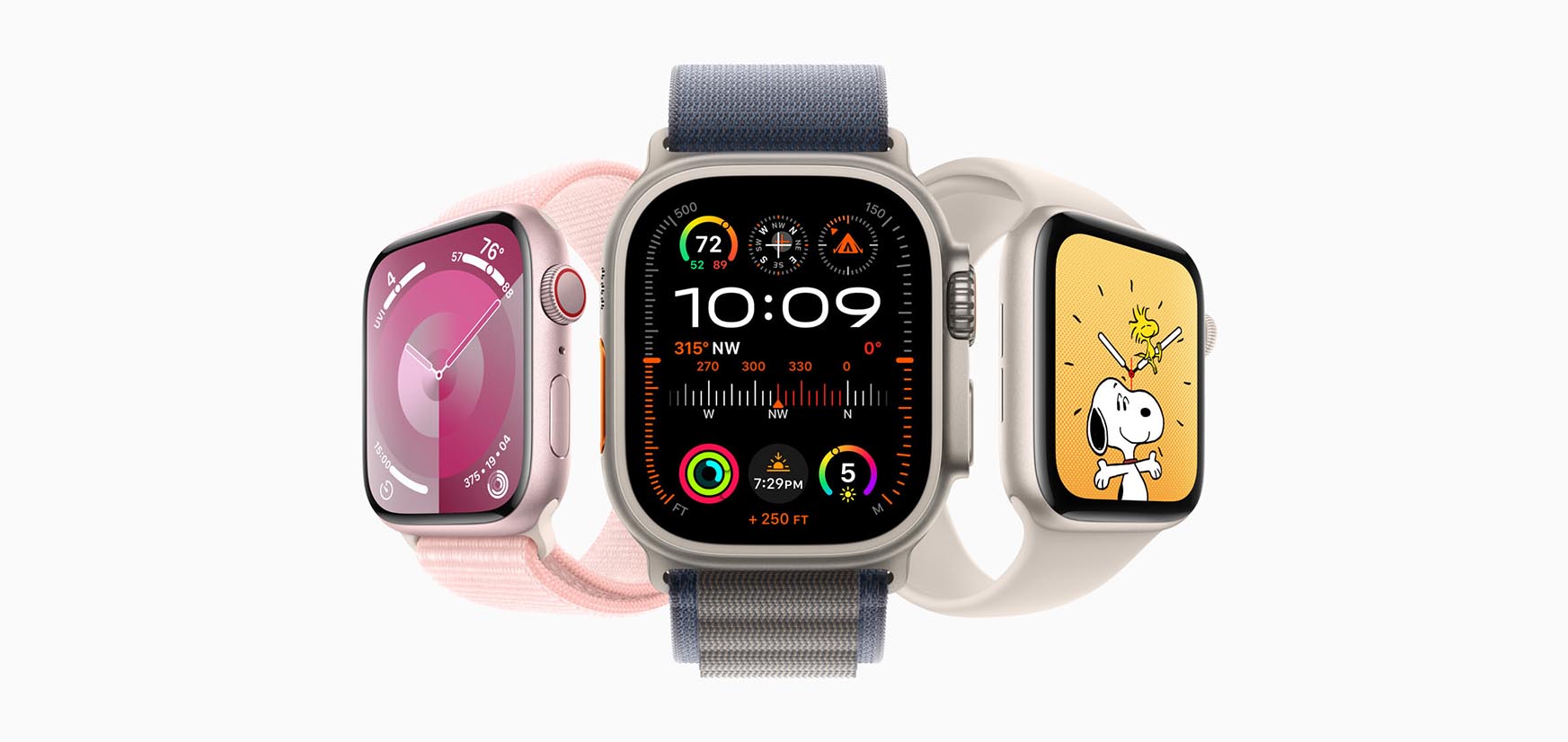
The iPhone 13 is compatible with Apple Watch Series 4 and newer models, including Apple Watch SE and Apple Watch Ultra. Your iPhone 13 must run a suitable version of iOS, and the watch must support a compatible version of watchOS.
Here is the basic compatibility guide:
• Apple Watch Series 4: Compatible with iPhone 13 when using supported iOS and watchOS versions.
• Apple Watch Series 5: Compatible with iPhone 13.
• Apple Watch Series 6: Compatible with iPhone 13.
• Apple Watch Series 7: Compatible with iPhone 13.
• Apple Watch Series 8: Compatible with iPhone 13.
• Apple Watch Series 9: Compatible with iPhone 13.
• Apple Watch Series 10: Compatible with iPhone 13 when the iPhone uses the required iOS version.
• Apple Watch SE: Compatible with iPhone 13, depending on the generation and software version.
• Apple Watch Ultra: Compatible with iPhone 13.
• Apple Watch Ultra 2: Compatible with iPhone 13 when the iPhone meets the required iOS version.
The most practical answer to what Apple Watch is compatible with iPhone 13 is simple: choose Series 6 or newer for the best balance of price, speed, health tools, and software support.
Best Apple Watch Models for iPhone 13
Different Apple Watch models suit different needs. A basic user may want an affordable SE, while a runner or outdoor enthusiast may prefer an Ultra model.
Apple Watch SE
The Apple Watch SE is often the best value for an iPhone 13 owner. It offers notifications, activity tracking, workout tools, fall detection, crash detection, and safety features.
The SE does not include every advanced health sensor. For example, some SE models lack an always-on display and advanced heart health features. Still, it covers the needs of most people who want a reliable smartwatch.
Apple Watch Series 6, 7, and 8
These models remain strong choices on the used or refurbished market. They offer features such as an always-on display, heart rate tracking, and blood oxygen measurement on supported models and regions.
Series 7 adds a larger and more durable display. Series 8 adds temperature sensing and improved safety tools. If you want a lower price without giving up many modern features, these models can work well with an iPhone 13.
Apple Watch Series 9 and 10
Series 9 and Series 10 provide newer processors and longer software support. They also offer fast charging and a smooth user experience.
For people researching what Apple Watch is compatible with iPhone 13, these models are excellent long-term choices. The iPhone 13 can handle their core features, including notifications, workouts, Apple Pay, calls, and health data.
Apple Watch Ultra and Ultra 2
The Apple Watch Ultra line is designed for hiking, diving, endurance sports, and demanding outdoor use. It has a larger case, stronger battery life, a bright display, and added navigation tools.
It will pair with an iPhone 13, but it may be more watch than most users need. Think of it like buying a rugged SUV for city driving: useful for some people, but not necessary for every trip.
Apple Watch Compatibility by watchOS Version
Software matters as much as the watch model. Apple Watch compatibility changes when Apple releases a new watchOS version.
For the newest watchOS releases, Apple generally requires a newer Apple Watch and an iPhone capable of running a recent iOS version. The iPhone 13 supports newer iOS updates, so it remains a capable phone for current Apple Watch models.
For current purchases, these are the safer choices:
• Apple Watch Series 6 or newer for newer watchOS support.
• Apple Watch SE 2 or newer for an affordable current model.
• Apple Watch Ultra or Ultra 2 for outdoor and sports use.
Older models can still pair in some situations. However, an older watch may not update to the newest watchOS. This can limit new features, security updates, and access to certain apps.
The answer to what Apple Watch is compatible with iPhone 13 may therefore change over time. A model that pairs today may eventually lose support for future watchOS updates.
Why iOS and watchOS Must Match
Your iPhone and Apple Watch communicate through the Apple Watch app. During setup, the app checks whether both devices use compatible software.
For example, a watch with a newer watchOS version may require an iPhone running a newer iOS version. If your iPhone 13 has not been updated, the watch may refuse to pair or may ask you to update the phone first.
Before buying a used Apple Watch, check these details:
-
The exact Apple Watch model.
-
The watchOS version installed on it.
-
The iOS version on your iPhone 13.
-
Whether the watch is still linked to another Apple ID.
-
Whether Activation Lock has been removed.

Does Apple Watch Series 3 Work With iPhone 13?
Apple Watch Series 3 is not a good choice for most iPhone 13 buyers. It reached the end of its major software support much earlier than newer models and has limited storage and performance.
In some older software combinations, an iPhone 13 could pair with Series 3. However, this may require an older iOS version and an older watchOS version. That creates update problems and makes setup less reliable today.
When people ask what Apple Watch is compatible with iPhone 13, they often see Series 3 listed at a low price. The low cost can be tempting, but it may lead to pairing trouble, slow performance, and missing features.
For a used Apple Watch, Series 4 is a better minimum target. Series 6 or newer is a safer choice if you want better support and a smoother experience.
How to Pair an Apple Watch With iPhone 13
Pairing is usually quick when both devices are updated and unlocked.
-
Update your iPhone 13 to the latest iOS version it supports.
-
Turn on Bluetooth and Wi-Fi.
-
Charge the Apple Watch and place it near the iPhone.
-
Open the Apple Watch app on the iPhone.
-
Tap “All Watches,” then choose “Add Watch.”
-
Follow the setup instructions.
-
Scan the animation on the watch face with the iPhone camera.
-
Choose whether to set up the watch as new or restore a backup.
-
Sign in with your Apple ID if requested.
-
Create a passcode and select your preferred settings.
If the watch was previously owned, ask the seller to erase it and remove Activation Lock before purchase. A watch linked to someone else’s Apple ID may be unusable, even if the hardware works perfectly.
A common setup mistake is buying a used Apple Watch without checking its software. The model may be compatible in theory but unable to update or complete the pairing process with your current iPhone.

Features You Can Use With iPhone 13
Once paired, an Apple Watch can extend many iPhone 13 features to your wrist.
You can use it to:
• Read messages and notifications.
• Answer calls when the iPhone is nearby.
• Track workouts and daily activity.
• Monitor heart rate.
• Use Apple Pay.
• Control music and podcasts.
• Find the iPhone with the Find My feature.
• Receive turn-by-turn directions.
• Track sleep with supported apps and watchOS features.
• Use emergency calling and safety tools on supported models.
GPS-only Apple Watch models need the iPhone or a Wi-Fi connection for some online features. Cellular models can connect to a mobile network, but you normally need a separate cellular plan.
Health features can vary by model, country, and software. Blood oxygen functions, for example, may not be available on certain models sold in the United States. Always check the exact model and region before buying.
GPS or Cellular Apple Watch With iPhone 13?
Both GPS and cellular Apple Watch models work with iPhone 13. The main difference is how much the watch can do when your iPhone is not nearby.
GPS Models
GPS models are usually cheaper. They can make good use of Wi-Fi and connect to the iPhone when it is nearby.
Choose a GPS model if you usually carry your iPhone during walks, errands, or workouts. For many users, it provides all the needed features without a monthly cellular fee.
Cellular Models
Cellular models can use a supported mobile network for calls, messages, music streaming, and some online functions without the iPhone nearby. They are useful for running, swimming, travel, or leaving the phone at home.
Cellular service requires a compatible carrier plan. The watch and iPhone may also need to use the same carrier in many regions. Check carrier support before paying extra for the cellular version.
When deciding what Apple Watch is compatible with iPhone 13, remember that cellular compatibility depends on the carrier as well as the watch and phone.

What to Check Before Buying a Used Apple Watch
A used Apple Watch can offer great value, but careful checking matters. Compatibility is only one part of the purchase.
Use this checklist:
• Confirm the model and generation.
• Check the case and screen for cracks.
• Ask about battery health.
• Make sure Activation Lock is removed.
• Confirm that the watch has been erased.
• Check whether the Digital Crown and side button work.
• Test charging if possible.
• Verify cellular status if buying a cellular model.
• Ask whether the watch was exposed to water or repaired.
Battery health is especially important. Apple Watch batteries lose capacity over time, and replacement can be expensive compared with the value of an older watch.
A refurbished model from a trusted seller may cost more than a private sale, but it often includes testing and a limited warranty. That extra protection can be worth it.

Common Compatibility Problems and Solutions
Even when an Apple Watch is compatible with iPhone 13, setup can fail for simple reasons.
The Watch Will Not Pair
Restart both devices and keep them close together. Confirm that Bluetooth and Wi-Fi are on, then try the pairing process again.
The Watch Requires an Update
Connect the watch to its charger and install the requested update. Keep the iPhone nearby and connected to Wi-Fi during the process.
Activation Lock Appears
The previous owner must enter their Apple ID password and remove the watch from their account. Apple generally cannot remove Activation Lock without valid proof of ownership.
The iPhone Does Not Have Enough Storage
Free some storage before updating iOS or restoring a watch backup. Large photo libraries and unused apps are common causes of low storage.
The Watch Is Too Old
If the watch cannot run a compatible watchOS version, replacing it is usually the best solution. Older models may work in theory but provide a poor experience in daily use.
These checks answer much of what Apple Watch is compatible with iPhone 13 in real-world situations. Compatibility is not only about the model name; it also includes software, account status, hardware condition, and carrier support.

Frequently Asked Questions About What Apple Watch Is Compatible With iPhone 13
Can iPhone 13 pair with Apple Watch Series 7?
Yes. Apple Watch Series 7 works with iPhone 13 when both devices use compatible software. Update the iPhone before pairing if the watch requests a newer iOS version.
Is Apple Watch SE compatible with iPhone 13?
Yes. Apple Watch SE models are compatible with iPhone 13, provided the iPhone and watch meet the required software versions. The SE is a strong budget choice for notifications, workouts, safety tools, and activity tracking.
Can iPhone 13 work with Apple Watch Ultra?
Yes. Both Apple Watch Ultra and Ultra 2 can work with iPhone 13 when the iPhone has the required iOS version. Some advanced features may require newer software or may vary by region.
Does Apple Watch Series 3 work with iPhone 13?
Series 3 may work only with certain older iOS and watchOS combinations. It is not recommended for a new purchase because of limited software support, storage, and performance.
What is the oldest Apple Watch compatible with iPhone 13?
Apple Watch Series 4 is generally the oldest practical option for iPhone 13 users. For better current support, choose Series 6 or newer, Apple Watch SE 2, or an Apple Watch Ultra model.
Do I need the latest iPhone for Apple Watch?
No. You do not need the newest iPhone to use an Apple Watch. The iPhone 13 supports many Apple Watch models, but both devices must meet the software requirements for the watchOS version you want to use.
Can I use an Apple Watch without an iPhone?
You need an iPhone for initial setup and management. A cellular Apple Watch can perform more tasks away from the iPhone, but it does not fully replace the iPhone.
Conclusion
The best answer to what Apple Watch is compatible with iPhone 13 is Apple Watch Series 4 or newer, with Series 6 and later offering a safer choice for current software support. Apple Watch SE models and both Ultra generations also work with iPhone 13 when the required iOS and watchOS versions are installed.
For the best value, consider the Apple Watch SE. For a longer useful life, choose Series 9, Series 10, or a newer supported model. Avoid buying Series 3 unless you fully understand its software limits.
Before you buy, check the exact model, watchOS version, battery health, Activation Lock status, and cellular support. Compare trusted retailers and refurbished sellers, then choose the Apple Watch that fits your budget and daily routine.

Rubel Miah is the Senior Editor at MyStyleGrid.com, where he brings a sharp editorial eye and an unshakable love for fashion to everything he does. A true style addict, Rubel lives and breathes trends, from streetwear to high fashion, and has a knack for turning inspiration into impactful stories. With years of experience in fashion journalism and digital media, he curates content that empowers readers to express themselves through style. When he’s not editing features or forecasting the next big thing, you’ll find him hunting down vintage pieces or capturing street style moments around the city.