A camera hot shoe is a small mount that holds accessories and can send signals between them.
If you have seen a metal bracket on top of a camera, you have seen a hot shoe. It looks simple, but it can do much more than hold a flash. This guide explains what is hot shoe in camera, how it works, which accessories fit it, and how to use it safely.
What Is a Hot Shoe in a Camera?
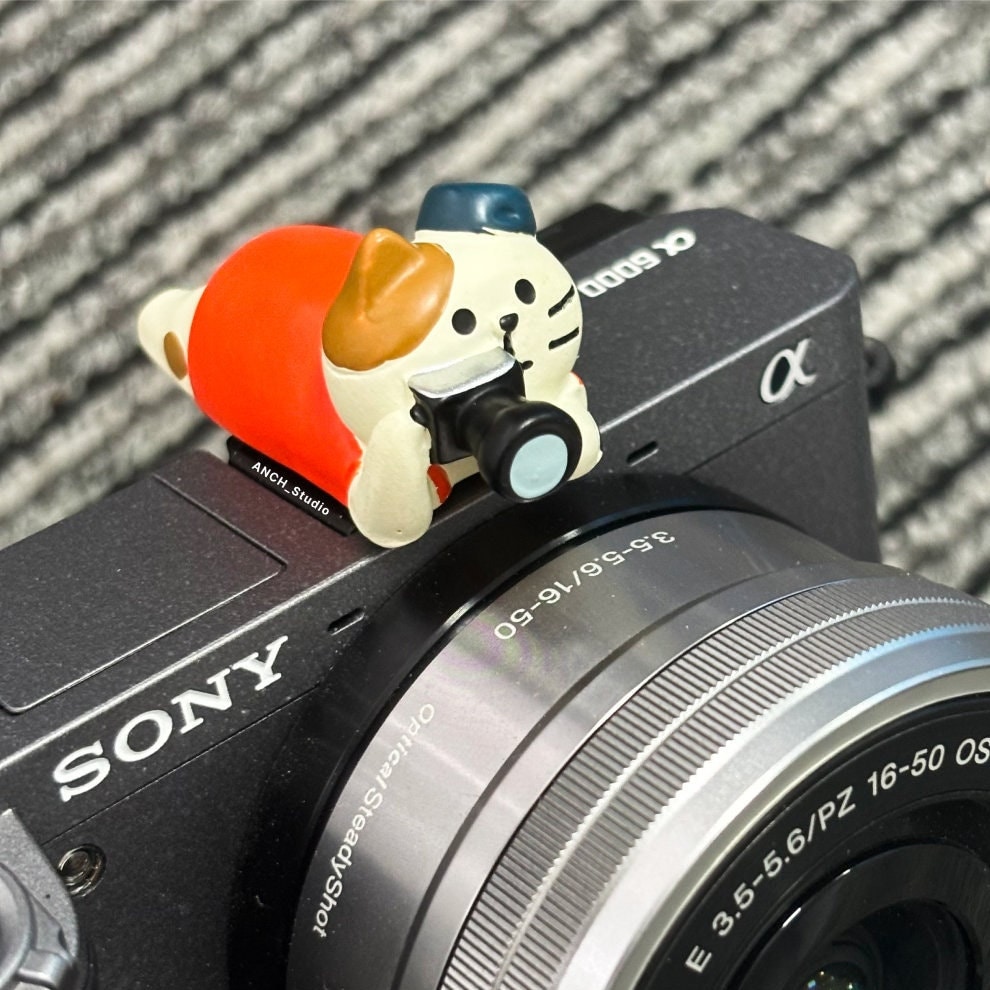
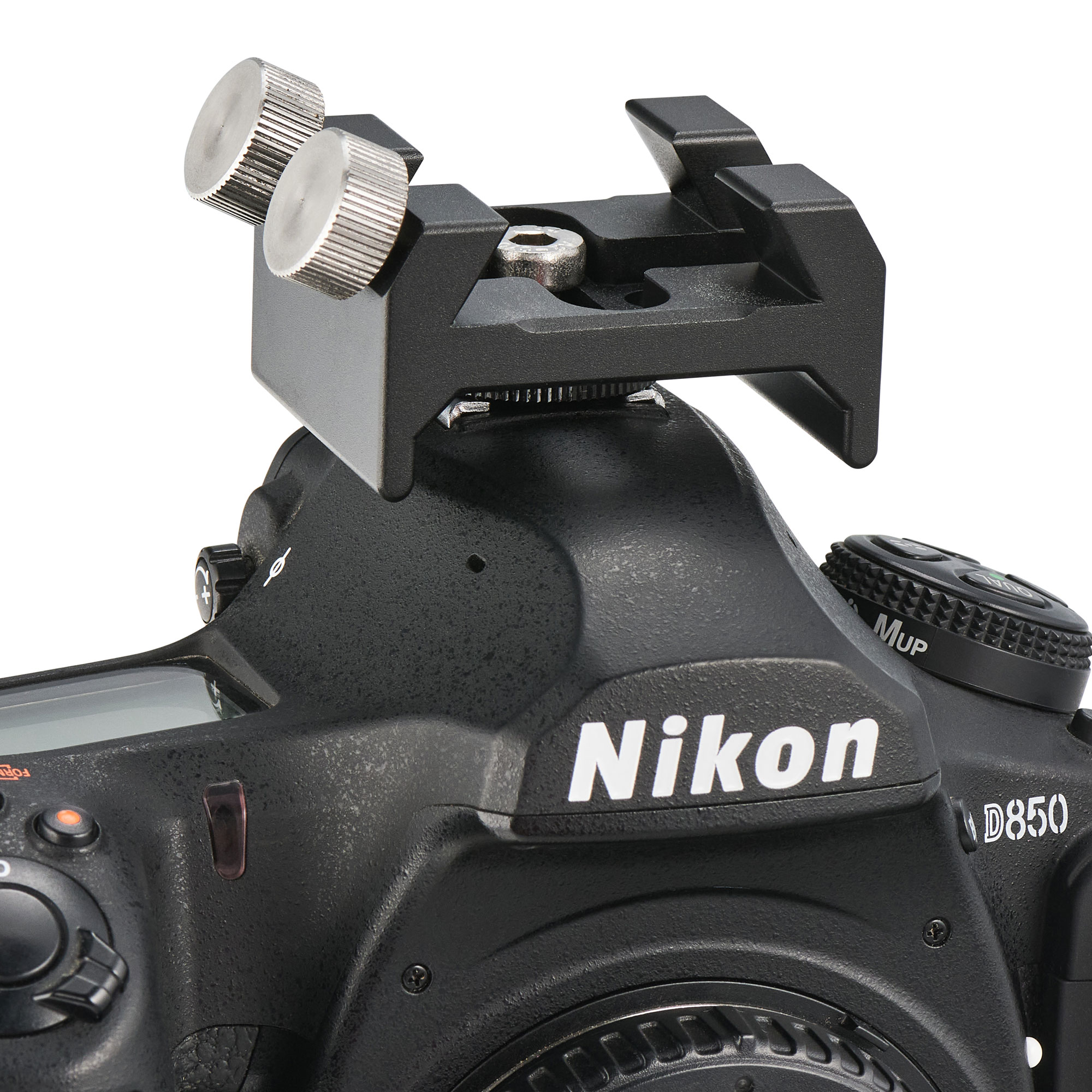
A hot shoe is a bracket on top of a camera. It holds accessories such as an external flash, wireless trigger, video light, or microphone. The shoe may also use electrical contacts to let the camera and accessory communicate.
The name “hot” means the mount has electronic connections. These contacts can carry signals for flash timing, exposure data, zoom control, and power. A cold shoe looks similar but has no electrical connection.
Most hot shoes use a metal rail with a center contact. The rail holds the accessory in place. The center contact sends the flash trigger signal. Modern cameras may add several small contacts for advanced features.
In simple terms, the hot shoe acts like both a small docking station and a mounting rail. It keeps an accessory steady while allowing the camera to control it.

How Does a Camera Hot Shoe Work?
A camera hot shoe works through contact between the camera and the accessory. When you attach a compatible flash, its foot slides into the shoe and locks in place. The metal contacts then connect with matching contacts on the flash.
When you press the shutter button, the camera sends a signal through the hot shoe. This signal tells the flash when to fire. On basic systems, the shoe may send only a simple fire command.
Advanced systems can send much more information, including:
• Flash exposure data
• TTL metering results
• Focusing distance information
• Flash power settings
• Flash head zoom settings
• High-speed sync commands
• Wireless flash control signals
TTL stands for through-the-lens metering. The camera measures the light through the lens and adjusts flash power to help create a balanced exposure.
Some cameras also use the hot shoe to power small accessories. However, you should never assume that every accessory can safely receive power. Check the camera and accessory manuals first.
The Main Parts of a Hot Shoe
A typical hot shoe includes:
• Mounting rails: These grip the accessory foot.
• Center contact: This usually carries the basic flash trigger signal.
• Additional contacts: These support brand-specific features.
• Locking system: This prevents the accessory from sliding out.
• Ground connection: This completes the electrical circuit.
The exact contact layout differs among camera brands. A flash made for one brand may fire on another brand, but its automatic features may not work.

What Can You Attach to a Hot Shoe?
A camera hot shoe can hold many useful accessories. The right choice depends on your camera, your work, and the accessory’s electrical design.
Common hot shoe accessories include:
• External flashes: These provide more power and better light direction than a built-in flash.
• Radio triggers: These fire off-camera flashes from a distance.
• Video lights: These provide continuous light for video and close-up photos.
• Shotgun microphones: These improve sound quality during video recording.
• Flash meters: Some older or specialized meters connect through a shoe adapter.
• GPS units: Certain cameras accept location devices through the hot shoe.
• Electronic viewfinders: Some compact cameras use the shoe for an optional viewfinder.
• Spirit levels: These help keep buildings and horizons straight.
• Extension arms: These move a microphone or light away from the lens.
• Smartphone or monitor mounts: These can support small screens and recording tools.
A hot shoe does not guarantee full compatibility. An accessory may physically fit but still lack electronic support. For example, a microphone may sit in the shoe but connect to the camera through a separate audio port.

Hot Shoe vs. Cold Shoe
The main difference between a hot shoe and a cold shoe is electrical communication.
A hot shoe has contacts. A cold shoe does not. A cold shoe only holds an accessory in place.
You may see cold shoes on camera cages, video rigs, light stands, and microphone brackets. They are useful when the accessory connects through another port, such as a 3.5-millimeter microphone jack or USB-C port.
Here is a simple comparison:
| Feature | Hot shoe | Cold shoe |
|---|---|---|
| Holds accessories | Yes | Yes |
| Sends electronic signals | Yes | No |
| Can trigger a compatible flash | Yes | No |
| Needs separate cables | Sometimes | Often |
| Common use | Flash and electronic accessories | Microphones, lights, and rig parts |
A cold shoe can become part of a larger setup. For example, a camera cage may have several cold shoes. You can attach a microphone to one and a small light to another.
Remember that a cold shoe is not a weaker hot shoe. It serves a different purpose. It is a mechanical mount, while a hot shoe can be both mechanical and electronic.
What Is the Center Contact on a Hot Shoe?
The center contact is the small electrical point inside the hot shoe. On many cameras, it sends the basic signal that fires a flash.
When the camera reaches the correct moment in the exposure, it briefly completes the circuit. The flash detects this signal and fires.
Many manual flashes use only the center contact and the metal rail. This design makes them widely compatible with different cameras. However, manual flashes usually do not provide automatic TTL exposure.
Additional contacts allow the camera and flash to exchange more information. These contacts often use brand-specific communication systems. That is why a Canon flash, Nikon flash, Sony flash, or Fujifilm flash may offer different features on different camera bodies.
Never touch the contacts with wet hands or metal tools. Also, avoid forcing an accessory into the shoe. A bent contact can cause unreliable operation or expensive repairs.
Why Use an External Flash Through the Hot Shoe?
An external flash can improve image quality in many situations. It usually offers more power than a built-in flash and gives you more control over the direction of light.
You can tilt the flash toward a ceiling or wall. This technique, called bounce flash, creates softer light. Direct flash can look harsh, but bounced light often looks more natural.
A hot shoe flash can also help with:
• Indoor portraits
• Wedding receptions
• Event photography
• Product photos
• Fill light outdoors
• Backlit subjects
• Slow shutter scenes
• Creative side lighting
One common mistake is pointing the flash directly at every subject. I recommend starting with a low flash angle or bouncing the light from a neutral ceiling. A white or light gray surface works best because colored walls can tint the subject’s skin.
You should also watch the camera’s maximum sync speed. Many cameras can use normal flash sync at around 1/160 to 1/250 second, though the exact limit varies. High-speed sync can allow flash use at faster shutter speeds on compatible systems.

TTL Flash and Manual Flash Modes
A hot shoe flash may work in TTL mode, manual mode, or both.
TTL Flash Mode
TTL mode lets the camera measure the flash exposure. The camera and flash work together to set the light level.
TTL is useful when:
• The subject moves closer or farther away.
• You shoot changing scenes at an event.
• You need to work quickly.
• You do not have time to calculate flash power.
TTL is not perfect. A bright white dress, dark suit, or reflective background can confuse the meter. You may need to use flash exposure compensation to make the image brighter or darker.
Manual Flash Mode
Manual mode lets you choose the flash power. Common settings include full power, one-half power, one-quarter power, and lower levels.
Manual flash is useful for:
• Studio portraits
• Product photography
• Repeated compositions
• Off-camera flash setups
• Learning how light behaves
Manual mode gives you repeatable results. Once the camera, subject, and flash stay in the same place, the exposure should remain steady.
A practical learning path is to begin with TTL for speed. Then try manual mode in a controlled room. Change one setting at a time and observe how the light changes.

Hot Shoe Compatibility and Brand Differences
Not all hot shoes communicate in the same way. The physical mount may look similar, but the electronic contacts can differ.
A basic single-contact flash often works across many cameras in manual mode. Its advanced features may not work. TTL, automatic zoom, wireless control, and high-speed sync usually require a compatible system.
Before buying an accessory, check:
• The camera brand and model
• The accessory’s supported systems
• The number and position of contacts
• TTL compatibility
• Sync voltage information
• Firmware requirements
• The manufacturer’s safety guidance
Older flashes need special care. Some vintage units can send a high trigger voltage through the shoe. That voltage may damage a modern digital camera. Use a safe adapter or a modern trigger designed for the camera.
This is one of the most important hot shoe safety lessons. A flash can fit perfectly and still be electrically unsafe.
Common Hot Shoe Problems and Fixes
A hot shoe is reliable, but dust, poor contact, and loose locks can cause trouble.
The Flash Does Not Fire
Try these steps:
- Turn off the camera and flash.
- Remove the flash and reattach it firmly.
- Check that the flash is fully seated.
- Clean the contacts with a dry, soft cloth.
- Confirm that the flash is charged.
- Check the camera’s flash settings.
- Test a different shutter mode or compatible flash.
Do not use water, abrasive tools, or household cleaners on the contacts.
The Flash Fires at the Wrong Time
The camera may be using a shutter speed above its normal flash sync limit. Lower the shutter speed or enable high-speed sync if both devices support it.
Electronic shutters can also affect flash use. Some cameras limit flash operation with silent shooting or electronic shutter modes. Check the camera manual when the flash works in one mode but not another.
The Accessory Feels Loose
A loose accessory may have a worn locking foot or a damaged shoe rail. Stop using it if it can slide during a shot. A falling flash can damage both the accessory and the camera.
The Camera Shows an Accessory Error
Remove all accessories and restart the camera. If the error disappears, check compatibility and firmware. If it remains, the shoe or its contacts may need professional service.
How to Use a Hot Shoe Safely
Safe use begins with choosing compatible equipment. A little research can prevent damage to the camera’s electronic circuit.
Follow these tips:
• Read the camera and accessory manuals.
• Turn off the camera before attaching or removing electronic accessories.
• Slide accessories in gently and keep them straight.
• Lock the accessory before moving the camera.
• Avoid wet or dusty environments when possible.
• Do not use unknown vintage flashes without checking trigger voltage.
• Keep metal objects away from exposed contacts.
• Use a safety cable with heavy flashes or large lights.
• Remove a flash before placing the camera in a tight bag.
• Inspect the shoe after a fall or strong impact.
A flash can be heavy, especially when attached to a small mirrorless camera. Use the flash bracket or camera cage correctly if the setup feels unbalanced.
A useful habit is to hold the flash with one hand while tightening the lock with the other. This reduces stress on the shoe and prevents accidental drops.
Hot Shoe Tips for Better Photos and Video
The hot shoe is most valuable when it helps you solve a real lighting or sound problem.
For portraits, raise the flash slightly above the lens. Bounce it from a nearby neutral wall or ceiling. This reduces harsh shadows and gives the face a softer shape.
For video, mount a microphone in the shoe but connect it to the camera’s audio input. The shoe holds the microphone; the audio cable carries the sound. If the microphone has no cable and the camera does not support digital audio through the shoe, it may not record anything.
For travel photography, carry a small radio trigger and a compact flash. This setup gives you more creative control without taking up much space.
For product photos, a manual flash can provide steady results. Place the camera on a tripod, set a fixed exposure, and adjust the flash power until the subject looks right.
In my experience, the most common mistake is buying an accessory based only on its shape. Physical fit is just the first test. Electrical compatibility and camera support matter just as much.
Do You Need a Hot Shoe?
You do not need a hot shoe for basic photography. A camera can take excellent photos with its built-in flash, natural light, or continuous lights.
A hot shoe becomes useful when you want:
• More powerful flash output
• Softer or directional light
• Off-camera lighting
• Better video sound
• Wireless accessory control
• A larger and more flexible setup
Some cameras have a cold shoe instead of a hot shoe. This is common on camera cages and certain video accessories. You can still attach a light or microphone, but you may need a separate cable or wireless connection.
If you rarely use flash or video accessories, the hot shoe may not affect your buying decision. If you shoot events, portraits, weddings, or video, it can become an important feature.
Frequently Asked Questions About What Is Hot Shoe in Camera
What is hot shoe in camera used for?
A hot shoe holds accessories and can connect them electronically to the camera. It is commonly used for flashes, wireless triggers, microphones, lights, and specialty devices.
Can any flash work with any hot shoe?
A flash may physically fit many hot shoes, but its advanced features may not work. Check compatibility before using TTL, high-speed sync, or wireless control.
What is the difference between a hot shoe and a cold shoe?
A hot shoe has electrical contacts and can send signals. A cold shoe only holds an accessory and does not provide electronic communication.
Can a hot shoe damage a camera?
An incompatible or high-voltage flash can damage a camera’s electronic circuit. This risk is higher with some older flashes, so check trigger voltage before attaching one.
Does a hot shoe power a microphone?
Some camera systems can power or communicate with special digital microphones through the shoe. Many standard microphones still need a separate audio cable and input.
Why is my flash not firing on the hot shoe?
The flash may be loose, out of power, incompatible, or blocked by a camera setting. Reseat the flash, clean the contacts, check the settings, and test a compatible accessory.
Can I use a hot shoe flash off camera?
Yes, if the flash and camera support a radio trigger, optical control, extension cable, or compatible wireless system. Off-camera flash often creates softer and more interesting light.
Conclusion
A camera hot shoe is more than a small metal bracket. It holds accessories, sends electronic signals, and can control flashes, lights, microphones, and wireless tools. The key difference is simple: a hot shoe communicates, while a cold shoe only supports.
Check compatibility before buying an accessory, handle the contacts with care, and be cautious with older flashes. Start with one useful tool, such as a compact flash or wireless trigger, and practice in a controlled space. Explore your camera manual and share your hot shoe setup or questions in the comments.

Rubel Miah is the Senior Editor at MyStyleGrid.com, where he brings a sharp editorial eye and an unshakable love for fashion to everything he does. A true style addict, Rubel lives and breathes trends, from streetwear to high fashion, and has a knack for turning inspiration into impactful stories. With years of experience in fashion journalism and digital media, he curates content that empowers readers to express themselves through style. When he’s not editing features or forecasting the next big thing, you’ll find him hunting down vintage pieces or capturing street style moments around the city.