Yes, you can use an Apple Watch without a data plan, especially when it connects to your iPhone or Wi-Fi.
If you are asking, “can you use an Apple Watch without a data plan?” the answer depends on the watch model and how you plan to use it. A GPS Apple Watch works well without cellular service, while a cellular model can also work without an active plan but loses some features when it is away from your iPhone and Wi-Fi. This guide explains what works, what does not, and how to choose the right setup.
Can you use an Apple Watch without a data plan?
Yes, you can use an Apple Watch without a data plan. The watch can connect to your iPhone through bluetooth, use a known Wi-Fi network, or work on its own for many offline tasks.
A data plan is only needed for cellular service. Cellular service lets the watch connect to mobile networks when your iPhone is not nearby and Wi-Fi is not available. It is not required for basic Apple Watch features.
You can use an Apple Watch without a data plan for:
• Telling time and setting alarms
• Tracking steps, workouts, heart rate, and sleep
• Viewing stored photos and music
• Reading old messages and notifications
• Setting timers and reminders
• Using GPS during outdoor workouts
• Downloading apps when the watch is connected to an iPhone
The main limit is simple: without cellular service, the watch cannot use mobile data when it is away from both your iPhone and a usable Wi-Fi network.

How an Apple Watch connects without cellular service
An Apple Watch has several ways to connect. Understanding them makes it easier to decide whether you need a data plan.
Bluetooth connection to your iPhone
Bluetooth is the main connection for most Apple Watch users. When your iPhone is nearby, the watch can send and receive data through the phone.
This allows you to:
• Receive notifications
• Send and receive messages
• Answer calls
• Use Siri for online requests
• Check weather information
• Stream or download content through the iPhone
• Install watchOS updates with help from the iPhone
Bluetooth uses little power and works well across a home, office, or store. Walls and distance can weaken the connection, though.
Wi-Fi connection
An Apple Watch can also connect to Wi-Fi networks that your iPhone has already joined. This is useful when you leave your iPhone in another room but stay within a familiar Wi-Fi area.
With Wi-Fi, many online features still work. You may be able to send messages, use Siri, check weather, download apps, and make internet-based calls, depending on the feature and watch model.
Public Wi-Fi can be less reliable. Some networks require a web sign-in page, which Apple Watch may not support well. In those cases, the watch may show a Wi-Fi icon but still have no useful internet access.
Cellular connection
A cellular Apple Watch has a mobile radio and an electronic SIM. It can connect to a carrier network when you activate a supported plan.
Without an active plan, the cellular hardware does not provide mobile service. The watch still works as a normal Apple Watch, but it must rely on Bluetooth or Wi-Fi for connected features.

What works on an Apple Watch without a data plan?
Many people use an Apple Watch without a data plan every day. For basic health, fitness, and timekeeping, cellular service is not necessary.
Fitness and health tracking
Fitness tracking is one of the strongest reasons to use an Apple Watch without cellular service. The watch can record many activities while it is offline.
It can track:
• Steps and distance
• Heart rate
• Calories
• Stand hours
• Exercise time
• Pace and route with built-in GPS
• Elevation changes
• Sleep data
• Some heart health measurements
The Apple Watch stores this information and syncs it to your iPhone later. You can leave your phone at home for a run and review the workout after you return.
A GPS Apple Watch can record an outdoor route without mobile data. GPS signals come from satellites, not from your carrier plan. However, some map details, live updates, and online services may not work until the watch reconnects.
Music, podcasts, and audiobooks
You can listen without a data plan if you download content before leaving your iPhone.
For example, you can:
-
Connect the watch to your iPhone or Wi-Fi.
-
Download playlists, albums, podcasts, or audiobooks.
-
Pair Bluetooth headphones with the watch.
-
Listen while exercising without carrying your phone.
Streaming directly from the watch usually needs Wi-Fi or cellular service. Downloaded content does not.
Apple Pay
Apple Pay can work without your iPhone nearby and without cellular service. Payment cards are stored securely on the watch after setup.
The store's payment terminal must support contactless payments. You also need to enter your passcode after putting the watch on, or after the watch has been removed from your wrist.
Apple Pay is a good example of an offline feature. It does not need a constant internet connection at the moment you tap to pay.
GPS navigation and workouts
The built-in GPS in compatible Apple Watch models can track outdoor movement without a data plan. This includes walks, runs, hikes, and bike rides.
Turn-by-turn navigation is more limited without an internet connection. It is wise to start a route while connected and download any available maps or directions first. Do not depend on an offline watch as your only safety tool in an unfamiliar area.

What does not work without a data plan?
The answer to “can you use an Apple Watch without a data plan?” is yes, but connected features have limits when your iPhone is far away.
Without cellular service, these features may not work when you are away from both your iPhone and Wi-Fi:
• Live phone calls
• New text messages
• Live notifications
• Online Siri requests
• Weather updates
• Streaming music
• Live maps and traffic data
• Internet-based apps
• Find My updates from the watch
Some functions may work through Wi-Fi. Others require your iPhone or a cellular plan. The exact result can vary by watch model, watchOS version, carrier support, and local network.
Emergency calling also needs careful attention. Apple Watch models may support emergency services in certain situations, but you should not assume that every emergency feature works without an iPhone, Wi-Fi, or cellular service. Check the specifications for your country and model before relying on the watch for safety.
GPS Apple Watch versus cellular Apple Watch
The choice between GPS and GPS plus Cellular affects how much you need a data plan.
GPS Apple Watch
A GPS model is usually the better choice if you plan to keep your iPhone nearby. It can use Bluetooth and Wi-Fi but does not include cellular hardware.
Choose a GPS model if you:
• Usually carry your iPhone
• Want to track workouts without your phone
• Mainly need health and fitness tools
• Want a lower purchase price
• Do not need calls during phone-free trips
• Prefer to avoid monthly carrier fees
A GPS model cannot later become a cellular model. If you think you may need cellular service in the future, compare both versions before buying.
GPS plus Cellular Apple Watch
A cellular model includes everything in the GPS version. It can also connect to a supported mobile network after activation.
Choose cellular if you:
• Often leave your iPhone behind
• Want calls during runs or errands
• Need live messages away from Wi-Fi
• Want more independence from your phone
• Use Family Setup for a family member
A cellular watch normally requires a compatible carrier plan. Some carriers charge an additional monthly fee, and the watch often needs to share the phone number or account of an eligible iPhone.
You can buy a cellular Apple Watch and not activate cellular service. In that case, it behaves much like a GPS model when the plan is inactive.
Can you set up an Apple Watch without a data plan?
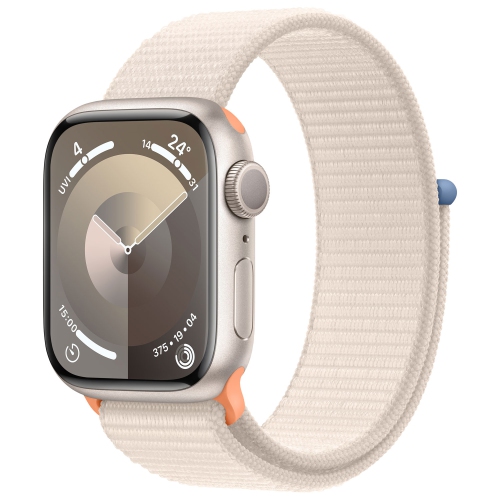
Yes, you can set up an Apple Watch without a data plan, but you generally need a compatible iPhone for the normal setup process.
During setup, the iPhone helps pair the watch, sign in with your Apple Account, install software, configure settings, and add apps. The iPhone needs an internet connection for parts of this process.
You do not need to activate cellular service when setting up a GPS model. If you have a cellular model, look for an option to set up cellular later or skip that step.
The setup process usually includes:
-
Charge the Apple Watch and turn it on.
-
Bring it close to the iPhone.
-
Open the Apple Watch app on the iPhone.
-
Follow the pairing instructions.
-
Sign in with your Apple Account.
-
Choose settings and install needed apps.
-
Skip cellular activation if you do not want a plan.
One important exception is Family Setup. This feature allows an Apple Watch to be configured for someone who does not have their own iPhone. It has stricter requirements and often requires a cellular-capable watch and a supported carrier plan. Check Apple's current requirements before buying a watch for a child or older family member.
Can you use a cellular Apple Watch without activating cellular?
Yes. A cellular Apple Watch does not need an active cellular subscription to perform its basic functions.
Think of cellular hardware as an extra door, not the foundation of the watch. If you do not open that door with a carrier plan, the watch can still use Bluetooth, Wi-Fi, GPS, health sensors, and offline storage.
Without activation, the watch can still:
• Track exercise
• Measure heart rate
• Store music
• Show the time
• Use alarms and timers
• Make contactless payments
• Connect to your iPhone
• Use Wi-Fi in supported situations
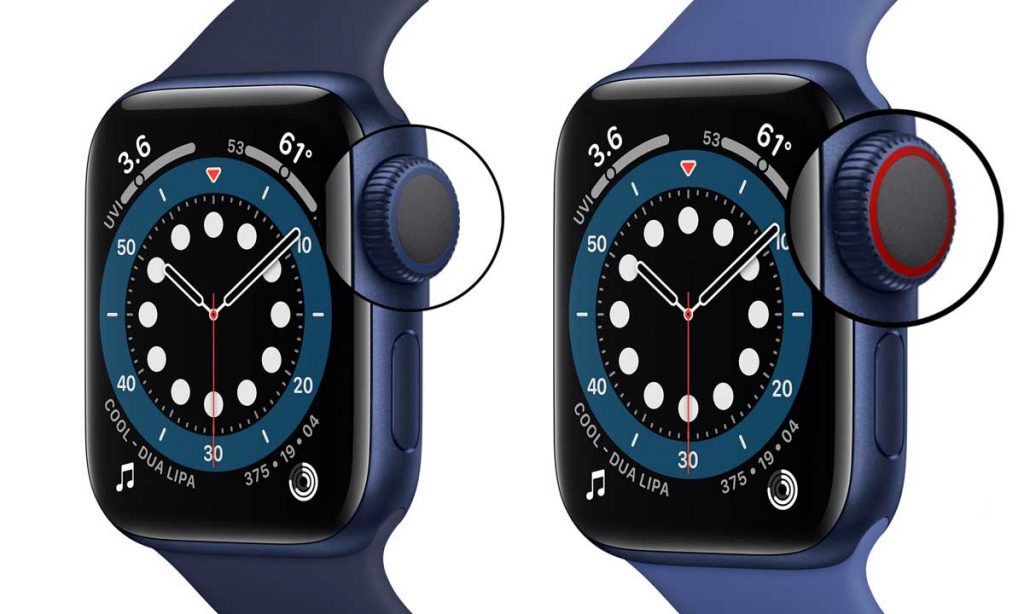
The cellular icon does not mean that service is active. You need a supported plan and carrier activation for mobile access. If you buy a used cellular Apple Watch, make sure it is not locked to another account and that the model works with your carrier.
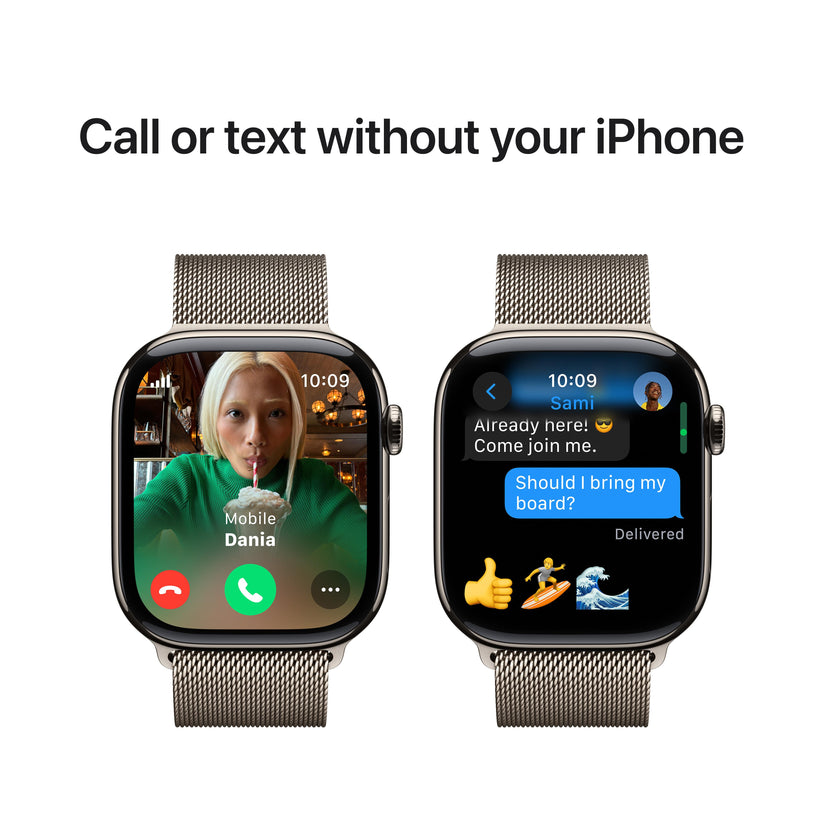
How to use an Apple Watch without a data plan while traveling
Travel is where the limits of a noncellular setup become clear. You can still use an Apple Watch without a data plan abroad, but preparation matters.
Before leaving, download music, podcasts, and any available offline content. Pair your headphones, update the watch, and test your workout settings.
You should also:
• Add your cards to Apple Pay before the trip
• Save important contact details
• Check whether your watch supports local emergency features
• Connect to hotel Wi-Fi if the network supports the watch
• Carry your iPhone for live maps and messages
• Bring a charger or portable battery
Roaming can be expensive on cellular models. If you have an active cellular plan, check international coverage and charges before traveling. Turning off cellular roaming may help prevent unexpected fees, but it also limits mobile connectivity.
In my experience, the best travel setup is simple: use the watch for time, boarding passes, payments, health tracking, and downloaded media, while keeping the iPhone available for maps and communication. This avoids the frustration of expecting a watch to act like a small phone everywhere.

Benefits of using an Apple Watch without a data plan
The biggest advantage is lower cost. You avoid a monthly smartwatch fee and may also pay less for the watch if you choose a GPS model.
Other benefits include:
• Longer battery life in some situations
• Fewer carrier settings to manage
• No cellular activation process
• No roaming concerns
• Simple use for fitness and health
• Less temptation to check calls and messages
• Good privacy when the watch is offline
A phone-free workout can still work well. Start your activity, listen to downloaded music, and let the watch record your route. When you return, the data syncs to your iPhone.
The main lesson is to match the watch to your daily habits. A cellular plan is useful for independence, but it is not essential for most health and fitness features.
Drawbacks and mistakes to avoid
Using an Apple Watch without a data plan is not right for everyone. The main drawback is that the watch depends more heavily on your iPhone or Wi-Fi.
Common mistakes include:
• Assuming GPS requires mobile data
• Expecting live messages during a phone-free workout
• Forgetting to download music before leaving
• Relying on public Wi-Fi with a sign-in page
• Buying a GPS model and expecting to add cellular later
• Assuming all emergency functions work offline
• Forgetting that setup usually needs an iPhone
• Buying a cellular watch without checking carrier compatibility
One practical test can prevent most surprises. Leave your iPhone at home, start a workout, try your downloaded music, and check Apple Pay. Then repeat the test in an area with no familiar Wi-Fi. You will quickly learn which features matter to you.
How to decide whether you need a data plan
Ask yourself how often you want to leave your iPhone behind.
You probably do not need a plan if:
• Your iPhone is usually nearby
• You mainly track health and workouts
• You download music
• You use Wi-Fi at home and work
• You want to reduce monthly costs
You may benefit from a plan if:
• You run or cycle without your phone
• You need calls while away from your iPhone
• You receive work messages on the move
• You use live directions often
• You want a family member to use the watch independently
A useful rule is this: if your Apple Watch is a companion to your iPhone, GPS is often enough. If you want it to act as a small phone, cellular service may be worth the extra cost.
Frequently Asked Questions
Can you use an Apple Watch without a data plan?
Yes, you can use an Apple Watch without a data plan. It can connect to your iPhone through Bluetooth, use compatible Wi-Fi networks, and perform many offline tasks.
Can you use a cellular Apple Watch without a cellular plan?
Yes, a cellular Apple Watch can work without an activated cellular plan. It will rely on your iPhone, Wi-Fi, and offline features instead of mobile networks.
Can an Apple Watch track a workout without an iPhone?
Yes, compatible Apple Watch models can track many workouts without an iPhone nearby. Built-in GPS can record outdoor routes, and the watch can sync the workout data later.
Can you make calls from an Apple Watch without a data plan?
You may make calls through your iPhone when the phone is nearby or through Wi-Fi in supported cases. You generally cannot make normal mobile calls away from both your iPhone and Wi-Fi without cellular service.
Can you use Apple Pay without a data plan?
Yes, Apple Pay can work without a data plan after cards are added to the watch. The watch must be unlocked, and the payment terminal must accept contactless payments.
Do you need an iPhone to set up an Apple Watch?
For standard pairing, you generally need a compatible iPhone. Family Setup can support some watches for users without their own iPhone, but it has extra device, carrier, and software requirements.
Is a cellular Apple Watch worth the monthly fee?
It depends on how often you leave your iPhone behind. If you mainly exercise with your phone nearby, a GPS model may offer better value; if you need independent calls and messages, cellular may be worthwhile.
Conclusion
You can use an Apple Watch without a data plan, and many owners never need cellular service. Bluetooth, Wi-Fi, GPS, offline music, Apple Pay, and health tracking cover most daily needs.
A GPS model is often the best value for people who keep an iPhone close. A cellular model gives you more freedom, but it only delivers that benefit after you activate a supported plan.
Review your normal routine before you buy. Test the features you care about, compare carrier costs, and choose the model that fits your life rather than paying for service you may not use.

Rubel Miah is the Senior Editor at MyStyleGrid.com, where he brings a sharp editorial eye and an unshakable love for fashion to everything he does. A true style addict, Rubel lives and breathes trends, from streetwear to high fashion, and has a knack for turning inspiration into impactful stories. With years of experience in fashion journalism and digital media, he curates content that empowers readers to express themselves through style. When he’s not editing features or forecasting the next big thing, you’ll find him hunting down vintage pieces or capturing street style moments around the city.