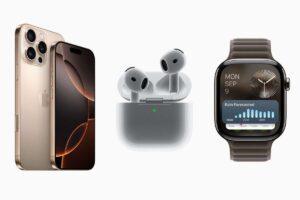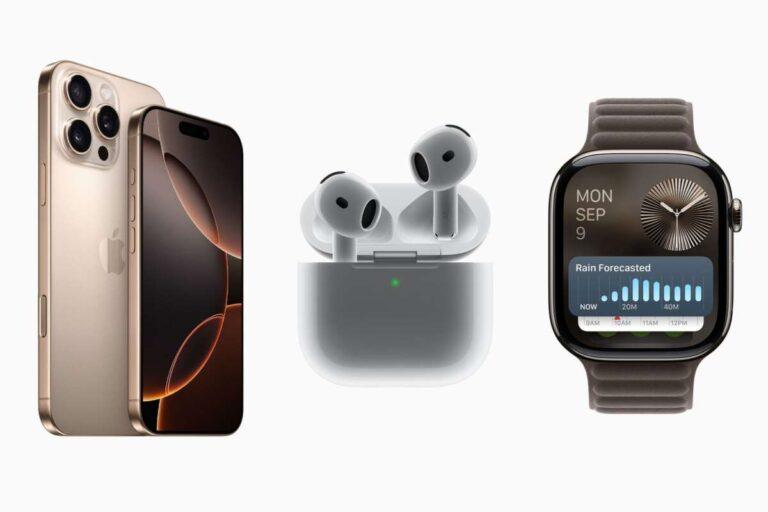
Apple Watch Series 6 or later, Apple Watch SE 2, and every Apple Watch Ultra model work with iPhone 16.
Choosing an Apple Watch for iPhone 16 is simple once you understand Apple’s software rules. The best match depends on the watch model, watchOS version, health features, battery needs, and whether you want a lower-cost option or the newest technology. This guide explains exactly what Apple Watch is compatible with iPhone 16 and how to avoid common pairing problems.

What Apple Watch is compatible with iPhone 16?
The iPhone 16, iPhone 16 Plus, iPhone 16 Pro, and iPhone 16 Pro Max run iOS 18 or later. With the current Apple Watch software requirements, these iPhones are compatible with:
• Apple Watch Series 6 and later
• Apple Watch SE 2nd generation and later
• Apple Watch Ultra
• Apple Watch Ultra 2
• Newer Apple Watch models that support the current watchOS version
The short answer to what Apple Watch is compatible with iPhone 16 is that Series 6 or newer is the safest starting point. The Apple Watch SE 2 is also a strong choice if you want the main features at a lower price.
Apple’s current compatibility rules depend on both the iPhone and watchOS. An iPhone 16 must use the required iOS version, and the Apple Watch must support the watchOS version you want to install. It is much like matching two keys: the iPhone model is one key, and the software version is the other.

Apple Watch compatibility with each iPhone 16 model
All four iPhone 16 models support the same Apple Watch pairing process. The size, camera system, and processor options do not change Apple Watch compatibility.
iPhone 16 and iPhone 16 Plus
The standard iPhone 16 and iPhone 16 Plus work with Apple Watch Series 6 or later, Apple Watch SE 2, and Apple Watch Ultra models. They are good choices for everyday users who want activity tracking, notifications, Apple Pay, calls, and health tools.
The iPhone 16 Plus has a larger display and battery than the standard iPhone 16. However, it does not offer extra Apple Watch support. If you buy an iPhone 16 Plus, your watch options are the same as those for the regular iPhone 16.
iPhone 16 Pro and iPhone 16 Pro Max
The iPhone 16 Pro and iPhone 16 Pro Max also support Apple Watch Series 6 or later, Apple Watch SE 2, and all Apple Watch Ultra models. Their faster chips can make app use and data syncing feel smooth, but they do not unlock older watch models that Apple has removed from current watchOS support.
The Pro Max is useful for people who want a large phone screen for fitness data, maps, workouts, and health trends. Still, the watch itself must meet Apple’s software requirements.

Apple Watch models that work best with iPhone 16
Knowing what Apple Watch is compatible with iPhone 16 is useful, but compatibility is only the first step. Each model offers a different mix of price, design, health features, and battery life.
Apple Watch Series 10
Apple Watch Series 10 is one of the best overall matches for iPhone 16. It has a thin design, a large display, fast charging, and modern health and safety features.
It is a good fit if you want:
• A light watch for daily wear
• A bright and spacious display
• Sleep tracking and workout tools
• Fast charging
• A modern design without the extra size of the Ultra line
Series 10 is often the most balanced choice for people who want current features without paying for outdoor-focused hardware.
Apple Watch Series 9
Apple Watch Series 9 remains a capable option if you find it at a good price. It supports core Apple Watch tools such as notifications, workouts, heart rate tracking, Apple Pay, crash detection, and access to many apps.
Because it is older than Series 10, check its condition and battery health when buying used. A discounted Series 9 can offer excellent value, but a very low price may hide a worn battery or activation lock.
Apple Watch Series 8 and Series 7
Series 7 and Series 8 can work well with iPhone 16 when they run compatible software. They include useful health and fitness features, strong screens, and comfortable designs.
These models make sense for shoppers who want a premium Apple Watch but do not need the newest processor. Before buying, confirm the watch can update to the software version required by your iPhone 16.
Apple Watch Series 6
Apple Watch Series 6 is the oldest standard model that fits the current watchOS 11 compatibility group. It can still handle many daily tasks, including workouts, notifications, heart rate readings, and Apple Pay.
However, it is now several generations old. Battery wear is the main concern. A Series 6 with a weak battery may need charging during the day, especially when using GPS workouts or cellular service.
Apple Watch SE 2
The Apple Watch SE 2 is one of the best budget choices for iPhone 16. It offers activity tracking, workout recording, fall detection, crash detection, notifications, Apple Pay, and family setup support.
It does not include every advanced health sensor found on premium models. For example, shoppers who want an ECG app or blood oxygen features should compare the SE 2 with a standard Series model. For basic fitness and safety needs, though, the SE 2 is a smart buy.
Apple Watch Ultra and Ultra 2
Apple Watch Ultra and Ultra 2 work with iPhone 16 and are designed for users who want a larger case, stronger construction, longer battery life, and advanced outdoor features.
They are especially useful for:
• Hiking and trail navigation
• Long-distance running
• Diving and water sports
• Camping and travel
• Users who prefer a large, rugged watch
The Ultra models are more expensive and heavier than standard Apple Watch models. They may feel bulky on a small wrist, so try one on before buying if possible.

Can older Apple Watch models pair with iPhone 16?
This is where many buyers get confused. An older Apple Watch may physically connect to an iPhone 16, but that does not mean it supports the latest watchOS version.
Apple Watch Series 3 is not a practical match for iPhone 16. Its hardware is old, its storage is limited, and it does not support current watchOS releases. Series 4 and Series 5 are also outside the current watchOS 11 model list.
The safest rule is:
• Choose Series 6 or newer for a current standard Apple Watch
• Choose Apple Watch SE 2 for a lower-cost current model
• Choose Ultra or Ultra 2 for outdoor use and longer battery life
• Avoid Series 3, Series 4, and Series 5 if you want current software support
A used Apple Watch can still be useful as a temporary device, but old models may lack new health features, security updates, and app support. Buying the cheapest model can become expensive if you need to replace it soon.

What iOS and watchOS versions are required?
The iPhone 16 launched with iOS 18. To pair a supported Apple Watch, the iPhone should run the newest iOS version available for it. Apple Watch models that support watchOS 11 require an iPhone XS or later with iOS 18 or later.
That means an iPhone 16 meets the phone requirement. The watch must also support watchOS 11 if you want the latest supported features.
Before pairing, follow these steps:
- Open Settings on the iPhone 16.
- Tap General, then Software Update.
- Install any available iOS update.
- Place the Apple Watch on its charger.
- Turn on Bluetooth and Wi-Fi on the iPhone.
- Open the Watch app.
- Tap All Watches, then Add Watch.
- Follow the instructions on both screens.
- Install the latest watchOS version offered for that model.
Updates can take time. Keep both devices close together and connected to power. Interrupting an update may cause setup errors or force you to restart the process.

How to pair an Apple Watch with iPhone 16
Pairing a compatible Apple Watch with iPhone 16 is usually easy. The Watch app guides you through the process, but a few details matter.
If the Apple Watch is new, select Set Up for Myself. If it belongs to someone else, the previous owner must erase it and remove Activation Lock. Without this step, you may see a request for the former owner’s Apple Account password.
You may also choose to restore the watch from a backup. This can bring back settings, watch faces, apps, and some health data. Setting it up as a new watch can be better if the old backup has problems or you want a clean start.
In setup work, one common mistake is trying to pair a used watch before checking Activation Lock. The watch may look completely reset, yet still remain linked to another account. Always ask the seller to erase the watch and show the startup pairing screen before you pay.

Apple Watch features that work with iPhone 16
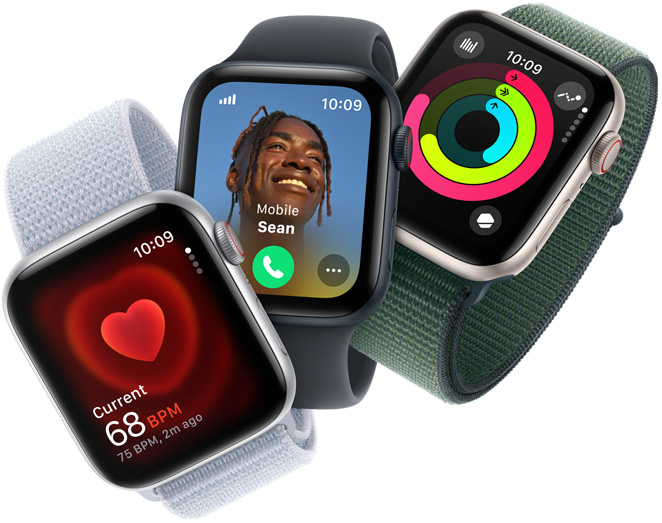
Once paired, a compatible Apple Watch can provide many iPhone-linked features. The exact tools depend on the watch model, region, carrier, and software.
Common features include:
• Notifications for calls, messages, email, and apps
• Fitness and workout tracking
• Heart rate monitoring
• Sleep tracking
• Fall detection and crash detection
• Emergency SOS
• Apple Pay
• Music and podcast control
• GPS activity tracking
• Siri requests
• Maps directions
• Apple Fitness data
• Cellular calling on cellular models
Premium models may add features such as ECG readings, temperature sensing, depth tracking, water temperature readings, or advanced cycling data. Not every feature is available in every country, and some health tools have age or medical limitations.
Apple Watch health features are designed for general wellness. They are not a replacement for medical care. If a reading concerns you, speak with a qualified health professional rather than relying on the watch alone.
:max_bytes(150000):strip_icc():focal(1042x615:1044x617)/apple-new-products-1-86d34f51ab834ce28e49cad43c122465.jpg)
GPS versus cellular Apple Watch with iPhone 16
Both GPS and cellular Apple Watch models work with iPhone 16. The main difference is whether the watch can connect to a mobile network when the iPhone is not nearby.
A GPS model can still use GPS for outdoor workouts. It can also connect to known Wi-Fi networks and perform many tasks without the phone. However, calls, messages, streaming, and some online features may require the iPhone or Wi-Fi.
A cellular model can use a supported carrier plan. This lets you leave the iPhone at home during a run, walk, or quick trip. Cellular service usually costs more, and your carrier must support Apple Watch service.
Choose GPS if:
• You usually carry your iPhone
• You want the lowest purchase price
• You do not need independent calling
• You want longer battery life in some situations
Choose cellular if:
• You often exercise without your phone
• You want emergency calling away from the iPhone
• You need messages and calls while traveling light
• You are comfortable paying a monthly service fee
How to choose the right Apple Watch for iPhone 16
The answer to what Apple Watch is compatible with iPhone 16 should guide your purchase, but your daily habits should make the final decision.
Choose Apple Watch SE 2 for value
The SE 2 is a good choice for first-time buyers, students, families, and anyone who wants the main Apple Watch experience. It keeps the price lower while covering key fitness, safety, and notification features.
Choose Series 9 or Series 10 for balance
A standard Series model is better if you want a more advanced health feature set, a brighter display, and a premium feel. Series 10 is the stronger long-term choice, while Series 9 may be attractive when discounted.
Choose Ultra or Ultra 2 for outdoor use
Ultra models suit athletes, hikers, divers, and people who want long battery life. They are also appealing if you like a larger screen and a tougher case.
Check battery health on used models
Battery condition matters more than many shoppers expect. A used watch with a battery below its original capacity may need frequent charging and may not support a full day of normal use.
When buying used, check:
• Battery health
• Activation Lock status
• Case and screen damage
• Whether the charger is included
• Cellular compatibility, if needed
• Return rights from the seller
• Whether the model supports current watchOS
Common Apple Watch and iPhone 16 compatibility problems
Even when you know what Apple Watch is compatible with iPhone 16, setup may fail for reasons unrelated to the model.
The watch will not update
Place the watch on its charger and make sure the iPhone has enough storage and battery. Restart both devices, connect the iPhone to a reliable Wi-Fi network, and try again.
The watch is linked to another Apple Account
This means Activation Lock is still active. The previous owner must remove the watch from their Apple Account. Apple cannot normally remove this lock without valid proof of ownership.
The watch says it needs a newer iPhone
Update the iPhone 16 to the latest available iOS version. If the message continues, the watch may be too old for the current software requirements.
Cellular service will not activate
Make sure the iPhone and Apple Watch use a supported carrier. Cellular Apple Watch service often requires the same carrier account and an eligible plan.