
Apple Watch models differ mainly in health sensors, design, battery life, durability, size, and price.
Understanding what are the differences between the Apple Watches can make your buying choice much easier. Apple’s lineup includes budget-friendly SE models, feature-rich Series watches, and rugged Ultra models. Each one serves a different type of user, from casual fitness fans to serious athletes and outdoor explorers.
This guide explains what are the differences between the Apple Watches in clear terms. It compares the main models, highlights key features, covers common limitations, and offers practical advice to help you choose the right Apple Watch for your needs.
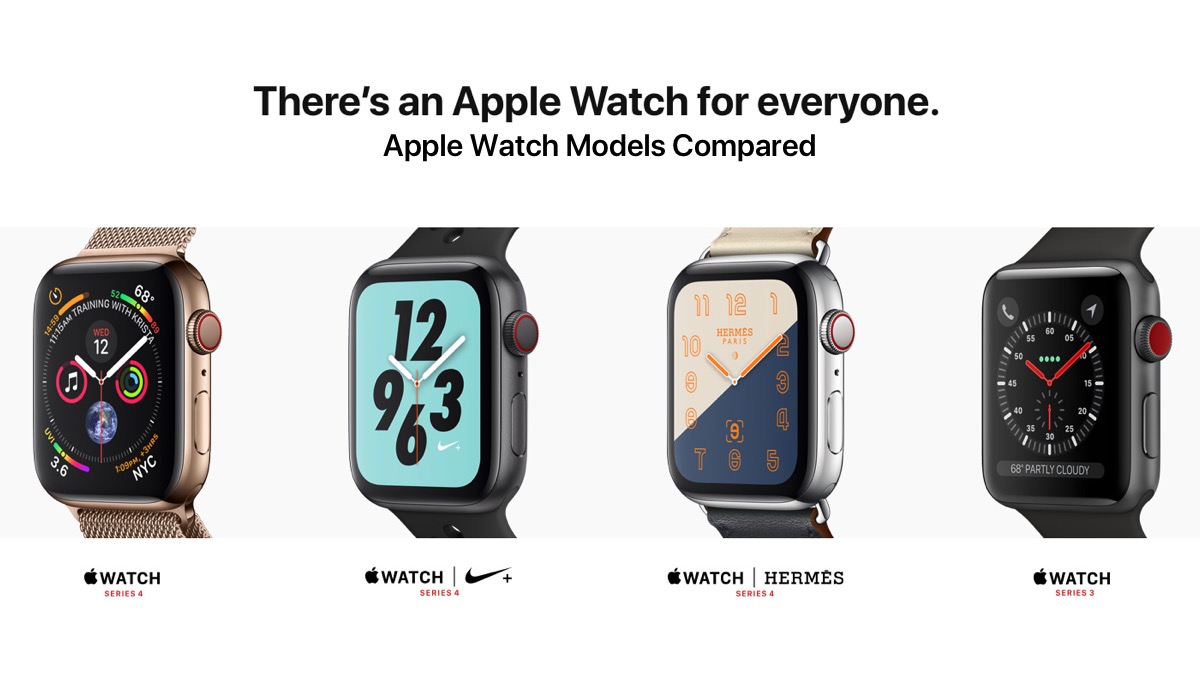
Apple Watch lineup at a glance
Apple Watch models share the same basic idea: they extend your iPhone to your wrist. You can see alerts, track workouts, monitor health data, use apps, and contact people without checking your phone as often.
The biggest differences between the Apple Watches are their design, sensors, screen, battery, materials, and outdoor features.
The main groups are:
• Apple Watch SE: The lower-cost option for basic health, safety, fitness, and smart features.
• Apple Watch Series: The best balance of design, health tools, comfort, and price.
• Apple Watch Ultra: The largest and toughest model, built for long workouts, hiking, diving, and outdoor use.
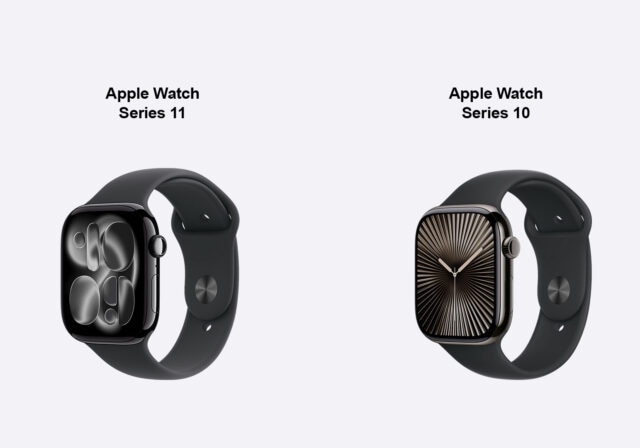
Apple updates its lineup often. Some older models may remain available through retailers after Apple stops selling them directly. Always check the exact model year, warranty, and software support before buying.
Apple Watch SE vs. Apple Watch Series vs. Apple Watch Ultra
The simplest way to understand what are the differences between the Apple Watches is to view them as three levels.
Apple Watch SE
The Apple Watch SE is designed for people who want the core Apple Watch experience without paying for every advanced sensor.
It usually includes:
• Workout tracking


• Heart rate monitoring
• Fall Detection
• Crash Detection
• Emergency SOS
• Sleep tracking
• Family Setup support
• Water resistance for swimming
• Apple Pay
• Notifications and calls when paired with an iPhone
The main trade-off is that the SE lacks some advanced health features. Depending on the generation, it may not include an always-on display, ECG, temperature sensing, or blood oxygen features.
The SE is a strong pick for children, first-time users, older adults, and anyone who mainly wants fitness tracking and safety tools.
Apple Watch Series
The standard Apple Watch Series models sit in the middle. They offer a slimmer design than the Ultra and more health features than the SE.
Recent Series models have included features such as:
• Always-on display
• ECG readings


• Temperature sensing
• Advanced sleep features
• Blood oxygen hardware or software support, depending on the market and model
• Faster charging
• Brighter displays
• More premium case choices
The standard Series watch is often the best choice for daily use. It feels light at work, during sleep, and during exercise. It also offers a more complete health package without the size and price of the Ultra.
Apple Watch Ultra
The Apple Watch Ultra is aimed at people who need more battery life, stronger materials, and better outdoor tools.
Ultra models generally include:
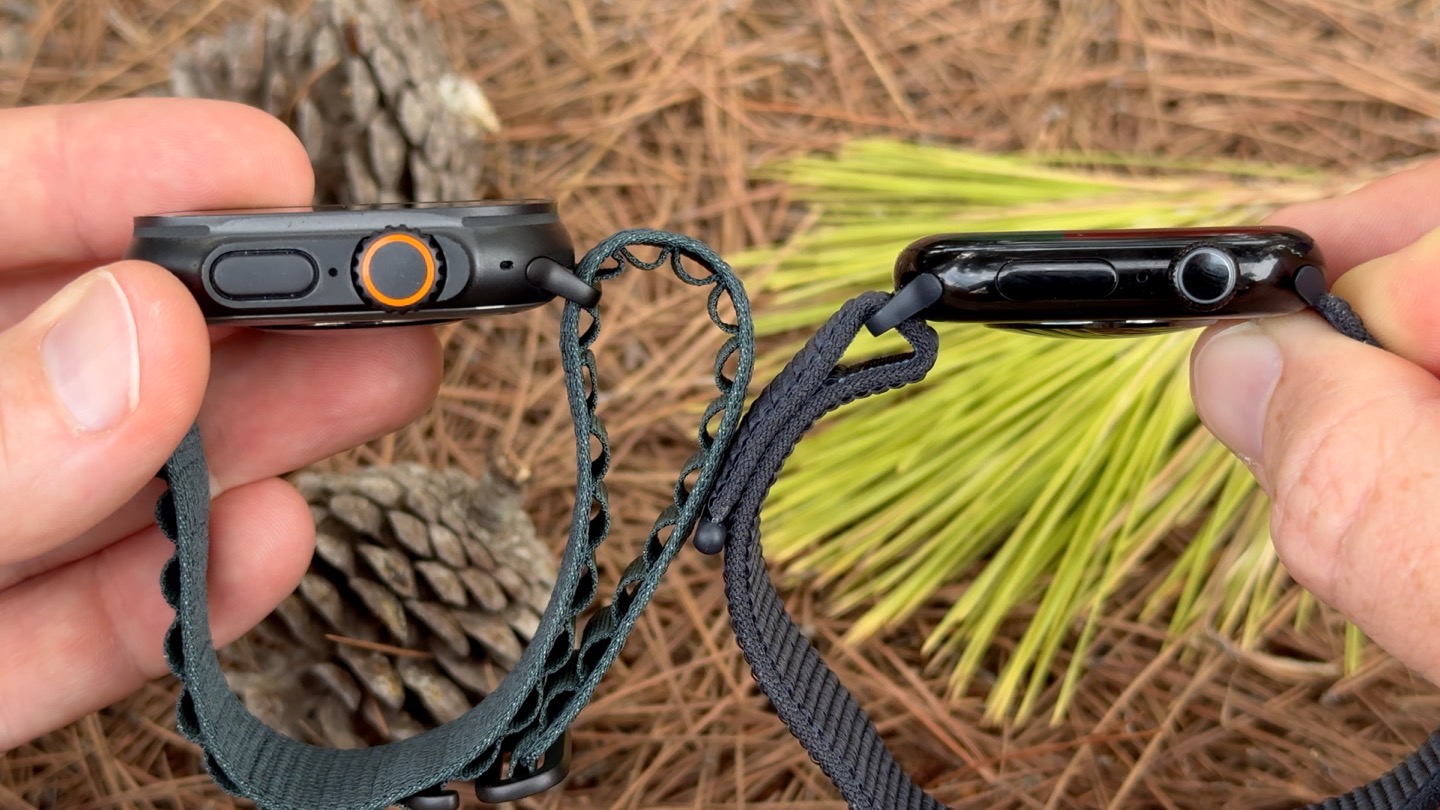
• A 49mm titanium case
• A larger and brighter display
• A customizable Action button
• Dual-frequency GPS
• A built-in siren
• Greater water resistance


• Depth and water temperature features
• Improved battery life
• More visible controls for hiking, running, cycling, and diving
The Ultra can be overkill for someone who only wants notifications and step counts. It is more like a compact outdoor instrument than a simple smartwatch.

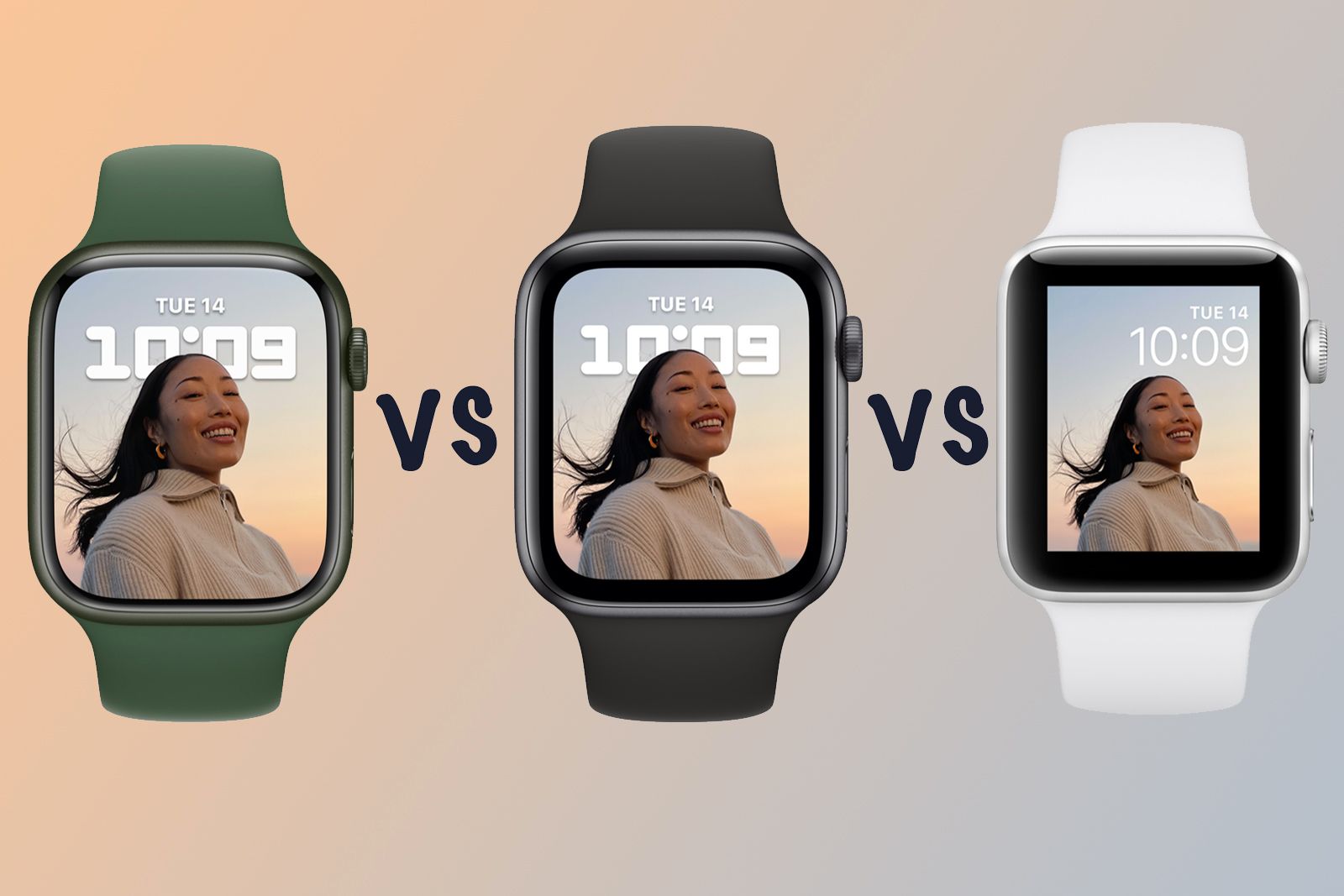
Design and size differences
Size is one of the most noticeable differences between the Apple Watches. A watch can have excellent features, but it may still feel wrong if it is too large or heavy for your wrist.
Apple Watch SE models have traditionally come in smaller and larger case sizes, such as 40mm and 44mm. Standard Series models have moved through sizes such as 41mm, 45mm, 42mm, and 46mm, depending on the generation. Ultra models use a larger 49mm case.
A larger case can provide:
• More screen space
• Larger text and buttons
• Easier workout controls
• A larger battery
A smaller case can provide:
• Less weight
• Better comfort during sleep


• A cleaner look on a small wrist
• Less chance of catching on clothing
The Ultra is also thicker than most standard Apple Watches. That extra size helps create room for a larger battery and stronger hardware, but it can feel bulky under a shirt cuff.
A useful buying tip is to visit a store and wear the watch for several minutes. Move your wrist, bend your hand, and try the controls. A watch that feels comfortable for two minutes may feel very different after eight hours.

Display differences
The display is another important part of what are the differences between the Apple Watches.
The Apple Watch SE generally uses a bright Retina display, but older SE models do not have an always-on display. The screen turns off when your wrist is down and wakes when you raise your wrist or tap it.
Standard Series models usually include an always-on display. This means the watch face remains visible in a dimmed state. You can glance at the time or a workout metric without making a large wrist movement.
Ultra models typically offer the brightest and largest Apple Watch displays. This helps when you are outside in bright sunlight, on a trail, or in the water.
Consider these display factors:
• Always-on display: Helpful for work, meetings, cooking, and workouts.
• Screen brightness: Important for outdoor use.
• Screen size: Useful for maps, messages, and larger text.
• Edge protection: More important for hiking, climbing, and hands-on work.
The standard Series model is usually enough for indoor and everyday use. The Ultra makes more sense if you often use your watch in direct sun or need to read data while moving.

Health and fitness features
Health tracking is a major reason people buy an Apple Watch. However, not every model measures the same things.
The SE focuses on essential health and safety tools. It can track heart rate, workouts, sleep, steps, calories, and movement. It can also detect hard falls and serious car crashes on supported models.
Standard Series models add more advanced health tools. Depending on the model and region, these may include:
• ECG readings for signs of irregular heart rhythm
• Temperature sensing
• Cycle tracking support
• Sleep apnea notifications
• Blood oxygen measurements or related hardware
• Heart health notifications
Ultra models usually include the same advanced health sensors found in the high-end Series model of the same generation. Their main advantage is not always extra health data. The bigger benefits are battery life, GPS performance, durability, and outdoor controls.
Apple Watch health features are not medical diagnoses. An ECG or heart rate alert can provide useful information, but it cannot replace a doctor. If you receive a concerning alert or have symptoms such as chest pain or fainting, seek medical care.
Feature availability can also vary by country. For example, some blood oxygen functions may be limited by legal or patent issues in the United States. Check Apple’s regional specifications before buying.
Fitness and outdoor tracking
All current Apple Watch families can track common workouts such as walking, running, cycling, swimming, and strength training. The differences become clearer when you move beyond basic exercise.
The SE works well for:
• Daily walks
• Gym sessions
• Casual runs
• Indoor cycling
• Basic swimming
• General activity goals
The Series model is better for people who want more health feedback and a brighter, always-on screen during exercise.
The Ultra is designed for demanding activities. It may be a better fit for:
• Trail running
• Hiking
• Long-distance cycling
• Backpacking
• Open-water swimming
• Scuba and recreational diving
• Triathlon training
• Remote travel
Ultra models also tend to offer stronger GPS performance in difficult places, such as cities with tall buildings or wooded trails. GPS accuracy still depends on the environment, weather, satellite signals, and software.
One practical lesson is not to buy the Ultra only because it has the highest specifications. If your workouts are short and close to home, the extra size may add little value.
Battery life and charging
Battery life is one of the clearest differences between the Apple Watches.
The Apple Watch SE and standard Series models generally provide about a day of use under typical conditions. Always-on display use, GPS workouts, music streaming, cellular service, and frequent notifications can reduce that time.
Ultra models offer much longer battery life. Depending on settings and use, an Ultra can last around two days or more. Low Power Mode can extend it further, although some features may update less often.
Battery life depends on:
• Workout duration
• GPS use
• Cellular connection
• Screen brightness
• Notifications
• Sleep tracking
• Music playback
• Temperature
Fast charging is also important. A watch that charges quickly in the morning can be easier to use for sleep tracking at night. Standard Series and Ultra models often charge faster than older SE models.
If you forget to charge devices, the Ultra may be worth considering. If you already charge your watch while showering or getting ready, the standard Series model may be enough.
Durability, water resistance, and materials
The Apple Watch SE and standard Series models are made for everyday life. They can handle sweat, rain, hand washing, and swimming when used within Apple’s guidelines.
Ultra models use stronger materials and are built for more demanding environments. They usually offer:
• Titanium construction
• A tougher front crystal
• Greater water resistance
• A depth gauge
• Water temperature sensing
• Support for diving apps
• A louder emergency siren
Water resistance is not the same as waterproofing. Seals can weaken over time due to age, drops, chemicals, heat, or repairs. Apple also warns against using some models for activities involving high-speed water or deep water beyond their rating.
For office work and normal workouts, an aluminum Apple Watch is usually practical. For rock, dust, salt water, or frequent outdoor impact, the Ultra offers more protection.

Connectivity and cellular options
Apple Watch models may come in GPS or GPS plus Cellular versions.
A GPS model uses your iPhone for calls, messages, and many online services when the phone is nearby. It can still record workouts and some health data without the phone.
A cellular Apple Watch can connect to a mobile network when your iPhone is not nearby. This allows supported models to:
• Make and receive calls
• Send messages
• Stream music
• Use maps
• Contact emergency services
Cellular service usually requires a compatible carrier plan. It also costs more and can reduce battery life.
For children or people who exercise without a phone, cellular can be useful. For most people who carry an iPhone everywhere, GPS is often the better value.
Performance, storage, and software
Newer Apple Watches use newer chips. A newer chip can improve app loading, voice commands, animations, and power management.
The difference may not feel dramatic during simple tasks. Reading notifications feels similar on many recent models. However, newer processors usually receive software support for longer and may enable features that older models cannot run.
Software compatibility also depends on the iPhone. Apple Watch setup requires an iPhone, and some features require a newer iPhone model and operating system.
Before buying, check:
• Whether your iPhone supports the watch
• The minimum iOS version required
• Whether the watch supports the latest watchOS
• Whether cellular service works with your carrier
• Whether the health features work in your country
Buying an older Apple Watch at a low price can be tempting. The mistake is focusing only on the hardware price. A very old model may have a weak battery, limited software support, or slower performance.
Apple Watch comparison table
| Feature | Apple Watch SE | Apple Watch Series | Apple Watch Ultra |
|---|---|---|---|
| Best for | Basic smart and fitness features | Most everyday users | Outdoor athletes and adventurers |
| Case style | Lightweight aluminum | Aluminum or premium options, depending on model | Large titanium case |
| Always-on display | Usually no on older SE models | Usually yes | Yes |
| ECG | Usually not included | Available on supported models | Available on supported models |
| Battery life | Around one day | Around one day | Around two days or more |
| Advanced GPS | Basic GPS | Improved on newer models | Dual-frequency GPS on supported models |
| Water features | Swimming support | Swimming and added sensors on newer models | Diving and deeper water features |
| Price | Lowest | Middle range | Highest |
| Comfort | Light and simple | Slim and balanced | Large and rugged |
Specifications can vary by generation and region. This table explains the general product tiers rather than every model year.
Which Apple Watch should you buy?
The right answer depends on how you use a watch, not just how much money you can spend.
Choose the Apple Watch SE if:
• You want the lowest entry price.
• You mainly track steps, workouts, sleep, and heart rate.
• You do not need an always-on display.
• You are buying a watch for a child or family member.
• You want safety features such as Fall Detection and Crash Detection.
Choose the standard Apple Watch Series if:
• You want the best balance of features and comfort.
• You want an always-on display.
• You care about ECG or advanced health tracking.
• You wear the watch during sleep.
• You want a slim watch for work and exercise.
Choose the Apple Watch Ultra if:
• You need longer battery life.
• You hike, dive, run trails, or spend time outdoors.
• You want stronger materials and a larger screen.
• You need better GPS in challenging areas.
• You like a large watch and do not mind extra weight.
A simple rule can help: buy the SE for value, the Series for balance, and the Ultra for endurance.
Common mistakes to avoid
Many buyers focus on the most impressive feature and overlook daily comfort.
Avoid these mistakes:
• Buying the Ultra when you only need basic notifications and step tracking.
• Choosing a GPS model when you regularly leave your iPhone behind.
• Buying a cellular model without checking carrier support.
• Ignoring case size and wrist comfort.
• Assuming every health feature works in every country.
• Buying an old model without checking battery health.
• Treating health alerts as a medical diagnosis.
• Choosing a band before confirming its size compatibility.
Another common mistake is paying for features you will not use. A larger battery matters greatly to a backpacker but may matter little to someone who charges the watch every night.
The best Apple Watch is not the one with the longest feature list. It is the one that fits your wrist, routine, phone, and budget.
What are the differences between the Apple Watches for sleep tracking?
The main differences are battery life, charging speed, comfort, and available health sensors. The SE can track sleep, while newer Series and Ultra models may offer more advanced temperature, heart health, or sleep-related features.
Can an Apple Watch work without an iPhone?
Apple Watch setup requires an iPhone. A cellular model can perform more tasks without the iPhone nearby, but it still depends on Apple’s iPhone ecosystem for setup and management.
Is the Apple Watch Ultra worth the extra money?
The Ultra can be worth the extra cost for hikers, divers, endurance athletes, and people who want longer battery life. For basic notifications, workouts, and health tracking, a standard Series model or SE is usually better value.
What are the differences between the Apple Watches and Fitbit devices?
Apple Watch offers deeper iPhone integration, apps, calls, messages, and Apple services. Fitbit devices may appeal to people who want simpler fitness tracking, longer battery life, or broader phone compatibility.
Can I swim with an Apple Watch?
Many Apple Watch models support swimming within their water-resistance limits. They are not fully waterproof, and you should follow Apple’s guidance about depth, water speed, chemicals, and maintenance.
Does every Apple Watch have ECG?
No. ECG is generally available on supported Series and Ultra models, but it is not included on many SE models. Availability can also depend on the country and local approval rules.
Conclusion
The differences between the Apple Watches come down to the features you will use each day. The SE offers strong basic tools at a lower price, the standard Series model delivers the best balance for most people, and the Ultra adds battery life, rugged materials, advanced GPS, and outdoor features.
Think about your wrist size, workout habits, iPhone model, need for cellular service, and comfort with daily charging. Then compare the exact model year and regional features before you buy. Explore Apple’s current specifications, check prices from trusted retailers, and choose the watch that fits your real routine rather than simply choosing the most expensive one.

Rubel Miah is the Senior Editor at MyStyleGrid.com, where he brings a sharp editorial eye and an unshakable love for fashion to everything he does. A true style addict, Rubel lives and breathes trends, from streetwear to high fashion, and has a knack for turning inspiration into impactful stories. With years of experience in fashion journalism and digital media, he curates content that empowers readers to express themselves through style. When he’s not editing features or forecasting the next big thing, you’ll find him hunting down vintage pieces or capturing street style moments around the city.



One Response