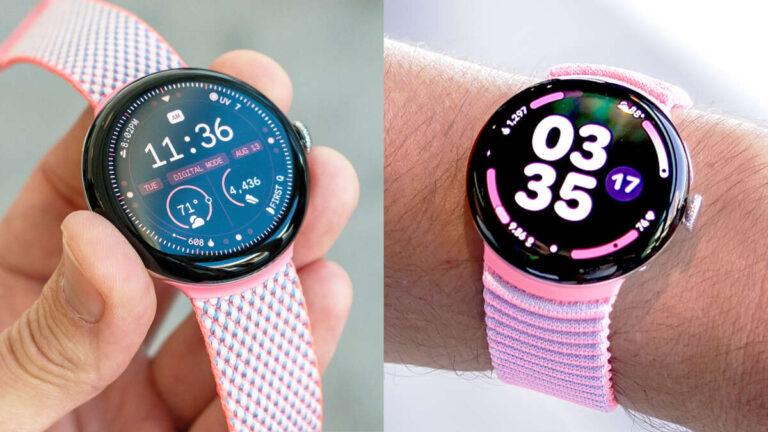
No, the Google Pixel Watch does not work with iPhone because it requires an Android phone for setup and daily use.
The answer to “does the Google Pixel Watch work with iPhone” is simple, but the details matter. Google Pixel Watch models rely on the Google Pixel Watch app, Android services, and Google account features that iOS does not support. This guide explains the compatibility limits, what happens if you try to connect one, and which smartwatch alternatives make more sense for iPhone users.
Does the Google Pixel Watch work with iPhone?
No. The Google Pixel Watch does not officially work with iPhone. You need a compatible Android phone to set up, update, manage, and use the watch.
Google designed the Pixel Watch to work closely with Android phones, especially Google Pixel devices. The watch uses the Google Pixel Watch app for setup, settings, software updates, watch faces, apps, safety tools, and account management. That app is not available for iPhone.
This means an iPhone cannot complete the normal Pixel Watch setup process. It also cannot provide the full phone connection the watch needs for notifications, calls, messages, health data, and other smart features.
The same limitation applies to the Pixel Watch, Pixel Watch 2, and Pixel Watch 3. While hardware details differ between models, their phone compatibility remains Android-based.

Why is the Google Pixel Watch not compatible with iPhone?
The main issue is not Bluetooth. It is the software connection between the watch and the phone.
Many smartwatches use Bluetooth for basic data exchange. However, a modern smartwatch also needs a companion app, background permissions, account access, health services, and notification controls. The Pixel Watch depends on Android services that Apple does not allow Google to duplicate fully on iOS.
The Google Pixel Watch app handles tasks such as:
• Pairing the watch with a phone
• Installing watch apps and watch faces
• Managing Google Assistant and Google Wallet
• Checking battery status
• Changing watch settings
• Downloading software updates
• Viewing device details
• Managing safety and cellular features
An iPhone cannot install this required app. As a result, Bluetooth pairing alone cannot make the watch usable.
Think of Bluetooth as the road between two devices. The Pixel Watch app is the traffic system that controls the road. Without the app, the connection cannot support the watch’s full features.
What happens if you try to pair a Pixel Watch with an iPhone?
If you try to pair a Pixel Watch with an iPhone, the process will usually stop during setup. The watch may turn on and display its setup instructions, but the required Android app is missing.
You may see the watch in the iPhone’s Bluetooth settings. That does not mean the devices are compatible. Smartwatches usually need to be paired through their official companion app, not through the phone’s Bluetooth menu alone.
You should not expect these functions to work with an iPhone:
• Initial watch setup
• Google Pixel Watch app controls
• Software updates
• Reliable iPhone notifications
• Phone calls through the watch
• Text message syncing
• Google Wallet setup
• Health and fitness data syncing
• Watch app installation
• Emergency and safety setup
A Pixel Watch that was previously set up with Android may still show the time or record some data on its own. However, that is not the same as working with iPhone. Without its supported Android connection, many features will be limited or unavailable.

Can a Pixel Watch work with iPhone after Android setup?
Setting up the watch with an Android phone first does not solve the compatibility problem. The Pixel Watch still needs an Android phone for ongoing management and many connected features.
You might be able to use a few basic functions without a nearby phone. For example, the watch may display the time, track some activity, or store limited data. A cellular model may also perform selected tasks when it has an active mobile plan.
Still, an iPhone cannot replace the Android phone used for Pixel Watch support. You may not receive dependable notifications, install updates, change settings, or sync health information to Apple Health.