
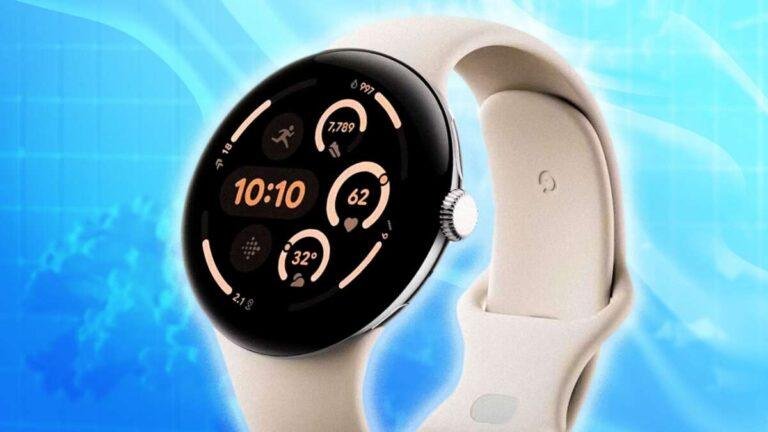
Introduction
Google Pixel Watches are water-resistant, not fully waterproof. Current Pixel Watch models, including the Pixel Watch, Pixel Watch 2, and Pixel Watch 3, have a 5 ATM water-resistance rating. This means they can usually handle sweat, rain, hand washing, and shallow swimming when they are in good condition.
They are not made for scuba diving, high-speed water, hot tubs, saunas, or long periods underwater. Water resistance can also weaken over time, after drops, or after repairs. Think of the seal like a raincoat: useful protection, but not a permanent shield.

What Does “Waterproof” Mean for a Google Pixel Watch?
Google Pixel Watches are water-resistant rather than waterproof. No smartwatch should be treated as permanently waterproof because seals and adhesives can wear down.
The main rating on recent Pixel Watches is 5 ATM. ATM means “atmospheres,” a unit used to describe pressure resistance. A 5 ATM rating is based on laboratory testing that simulates pressure equal to about 50 meters of still water.
That does not mean you can safely take the watch 50 meters underwater. The rating does not account for:
- Fast movement through water
- Waves and water impact
- Diving
- Water slides
- Changes in temperature
- Soap, salt, or chemicals
- Long exposure
- Damage to the watch case or seals
Google describes its Pixel Watches as suitable for swimming and everyday water exposure under normal conditions. The rating is a protection limit, not a depth promise.
Water resistance versus waterproofing
These terms are often used as if they mean the same thing:
- Water-resistant: The device can resist water under stated test conditions.
- Waterproof: The device would not allow water in under all normal conditions.
Consumer electronics rarely meet the second definition. For that reason, “water-resistant” is the safer and more accurate term for a Pixel Watch.
Which Google Pixel Watches Can Go in Water?
The Pixel Watch, Pixel Watch 2, and Pixel Watch 3 all have a 5 ATM water-resistance rating, according to Google’s product specifications.
| Pixel Watch model | Water rating | Suitable for normal swimming? | Key limit |
|---|---|---|---|
| Google Pixel Watch | 5 ATM | Generally yes, in shallow water | Not for diving or high-speed water |
| Google Pixel Watch 2 | 5 ATM and IP68 | Generally yes, in shallow water | Water resistance may decline with age or damage |
| Google Pixel Watch 3 | 5 ATM and IP68 | Generally yes, in shallow water | Do not use in hot, forceful, or chemically treated water |
The 5 ATM rating is the most useful rating for swimming. The IP68 rating, where listed, mainly describes protection against dust and water under controlled test conditions. IP68 does not make the watch safe for every water activity.
Check Google’s official Pixel Watch technical specifications for the exact model and regional details. Specifications may differ by model, size, or release.
What about the watch band?
The watch body and the band may have different limits.
- Silicone and sport-style bands are usually the better choice for swimming.
- Leather bands should not be soaked.
- Metal bands may tolerate water, but salt and chlorine can cause wear or discoloration.
- Fabric bands can hold water against the skin and may take longer to dry.
Remove a band that is not designed for water before swimming. A water-resistant watch does not make a non-water-resistant band safe.


Can You Swim With a Google Pixel Watch?
Yes, a Google Pixel Watch with an intact 5 ATM rating can generally be used for surface swimming. This includes a pool or calm open water when the watch is in good condition and the band is suitable.
Still, swimming creates more stress than rain or hand washing. Water pressure changes as you move. A jump into a pool also creates a strong impact that laboratory tests may not represent.
Usually acceptable activities
A Pixel Watch is generally suited to:
- Swimming at the surface
- Walking in rain
- Sweating during exercise
- Washing your hands
- Accidental splashes
- Brief exposure to fresh water
Activities to avoid
Do not use a Pixel Watch for:
- Scuba diving
- Free diving
- Water skiing
- Jet skiing
- Surfing in heavy waves
- Riding a water slide
- Jumping from a height into water
- High-pressure spray
- Hot tubs
- Saunas or steam rooms
The safest rule is simple: calm, shallow water is less risky than hot, deep, fast, or forceful water.
Swimming in a pool or ocean
Chlorine and salt water can leave residue on the watch. After swimming:
- Rinse the watch with clean, fresh water.
- Wipe it with a soft, lint-free cloth.
- Let it dry fully before charging.
- Avoid pressing buttons or connecting a charger while moisture remains.
Do not use soap, cleaning sprays, alcohol, or abrasive tools unless Google specifically permits them for your model. Chemicals can affect seals, coatings, and the band.
When Should You Avoid Water With a Pixel Watch?
Avoid water if the watch has visible damage or has recently suffered a hard impact. A small crack can affect the seal even if the screen still works.
Keep the watch out of water when:
- The display or case is cracked.
- The back plate is loose.
- The watch has been opened or repaired by an unauthorized service.
- The device has been dropped hard.
- The band or case is damaged near a seal.
- The watch is unusually hot.
- You cannot confirm the model’s water rating.
Google warns that water resistance is not permanent. Normal wear, aging, physical damage, and repairs may reduce it. Water damage may also be excluded from the limited warranty, so do not treat the rating as insurance against liquid damage.
Do not charge a wet Pixel Watch
Charging while wet can damage the watch and charger. It may also create a safety risk.
If the watch gets wet:
- Remove it from the water.
- Dry the outside with a soft cloth.
- Shake off excess water gently.
- Leave it in a dry, ventilated place.
- Wait until the charging contacts and watch back are fully dry.
- Attach the charger only after drying.
Do not use a hair dryer, oven, radiator, or other heat source. Heat can harm the battery, screen, seals, and adhesives.


What Should You Do If Water Gets Inside?
If the screen flickers, the watch restarts, the speaker sounds muffled, or charging stops after water exposure, stop using it until it is dry.
Follow this sequence:
- Remove the watch from water.
- Disconnect the charger.
- Dry the exterior.
- Do not press buttons repeatedly.
- Do not shake the watch hard.
- Leave it to dry naturally.
- Contact Google Support if the problem continues.
A muffled speaker can sometimes improve as trapped water leaves the speaker opening. That does not prove the watch is undamaged. Continued screen, charging, sensor, or battery problems need support or professional inspection.
Do not open the watch yourself. Opening the case can make future water resistance less reliable and may affect warranty coverage.
Signs of possible liquid damage
Watch for:
- Screen flicker or dark areas
- Random shutdowns
- Failure to charge
- Unusual heat
- Fast battery drain
- Unresponsive touch controls
- Fog under the glass
- Poor speaker or microphone performance
- Sensor readings that stop working
If the watch becomes hot, smells unusual, swells, or shows battery damage, stop using it and seek help from Google or an authorized repair provider.
How to Make a Google Pixel Watch Safer Around Water
You cannot restore water resistance at home, but you can reduce avoidable risk.
Before swimming
- Confirm that the watch is not cracked.
- Use a water-suitable band.
- Secure the band so the watch does not strike the pool wall.
- Avoid swimming if the watch was recently repaired or dropped.
- Turn on the swimming workout only when the watch is safely on your wrist.
After swimming
- Rinse off chlorine or salt.
- Dry the watch and band.
- Let moisture leave the speaker and charging area.
- Wait before charging.
- Clean the band according to its material instructions.
During daily use
- Keep the watch away from hot tubs and saunas.
- Do not expose it to high-pressure spray.
- Avoid lotions, sunscreen, soap, and cleaning chemicals around openings.
- Replace a damaged band.
- Do not rely on a third-party case to make the watch waterproof.
A case may protect against scratches or impacts, but it does not necessarily seal the watch. Some cases can also trap water against the device.
Does Water Resistance Decline Over Time?
Yes. Water resistance can decline as a Pixel Watch ages. The seals may wear, and drops or repairs can affect the case.
This is why a watch that survived swimming last year may not have the same level of protection today. There is no normal user test that can confirm the original seal remains intact.
Treat an older or damaged watch more carefully:
- Prefer it for rain and sweat rather than regular swimming.
- Avoid all high-impact water.
- Have suspected damage assessed before using it in water.
- Replace the device if the case is cracked or badly damaged.
Water resistance is a feature measured under test conditions. It is not a lifetime guarantee.


Google Pixel Watch Water-Resistance Checklist
Use this quick checklist before taking the watch near water:
| Question | If the answer is yes |
|---|---|
| Is the watch cracked? | Keep it away from water. |
| Was it recently dropped? | Avoid swimming until it is checked. |
| Was it opened or repaired? | Assume water resistance may be reduced. |
| Are you entering a hot tub or sauna? | Remove the watch. |
| Are you diving or using fast water? | Remove the watch. |
| Is the band leather or another water-sensitive material? | Change the band first. |
| Is the watch wet? | Dry it fully before charging. |
| Is the water salty or chlorinated? | Rinse with fresh water afterward. |
The deciding factor is not only the model. The watch’s condition, the water type, temperature, pressure, and activity all matter.
Frequently Asked Questions
Can I wear a Google Pixel Watch in the shower?
You can, but avoiding the shower is the safer choice. Hot water, steam, soap, shampoo, and changing temperatures may stress seals and leave residue. Google advises avoiding soaps and similar products around the watch.
Can I wear a Pixel Watch in a hot tub?
No. Do not wear a Pixel Watch in a hot tub, sauna, or steam room. Heat and chemicals create conditions that are outside normal water-resistance use.
Can I use a Pixel Watch in the ocean?
A Pixel Watch with an intact 5 ATM rating may be used for calm surface swimming. Rinse it with fresh water afterward and dry it before charging. Avoid waves, diving, jumping, and water sports.
Is the Pixel Watch 2 fully waterproof?
No. The Pixel Watch 2 is water-resistant, with a 5 ATM rating and IP68 protection listed by Google. Those ratings do not make it safe for every underwater activity or protect it forever.
Does water damage a Pixel Watch warranty?
Liquid damage may not be covered by the limited warranty. Coverage depends on the issue, region, warranty terms, and inspection. Contact Google Support rather than assuming the water-resistance rating guarantees a repair.
Conclusion
Google Pixel Watches are water-resistant, not waterproof. A properly maintained Pixel Watch can generally handle rain, sweat, splashes, and calm surface swimming. It should stay out of deep or fast water, hot tubs, saunas, showers with heavy soap, and any activity that may cause a hard water impact.
Before swimming, check the watch for damage and use a suitable band. Afterward, rinse and dry it fully. If water causes charging, display, battery, or sensor problems, stop using the watch and contact Google Support.
Rubel Miah is the Senior Editor at MyStyleGrid.com, where he brings a sharp editorial eye and an unshakable love for fashion to everything he does. A true style addict, Rubel lives and breathes trends, from streetwear to high fashion, and has a knack for turning inspiration into impactful stories. With years of experience in fashion journalism and digital media, he curates content that empowers readers to express themselves through style. When he’s not editing features or forecasting the next big thing, you’ll find him hunting down vintage pieces or capturing street style moments around the city.