Apple Watch Series 6 and newer, Apple Watch SE 2 and newer, and every Apple Watch Ultra work with iPhone 17.
Choosing a watch for Apple’s latest iPhone should be simple, but model names, watchOS versions, and cellular options can make the decision feel harder than it is. This guide explains what Apple Watches are compatible with iPhone 17, which older models are no longer supported, and what to check before buying or pairing one.
What Apple Watches Are Compatible With iPhone 17?
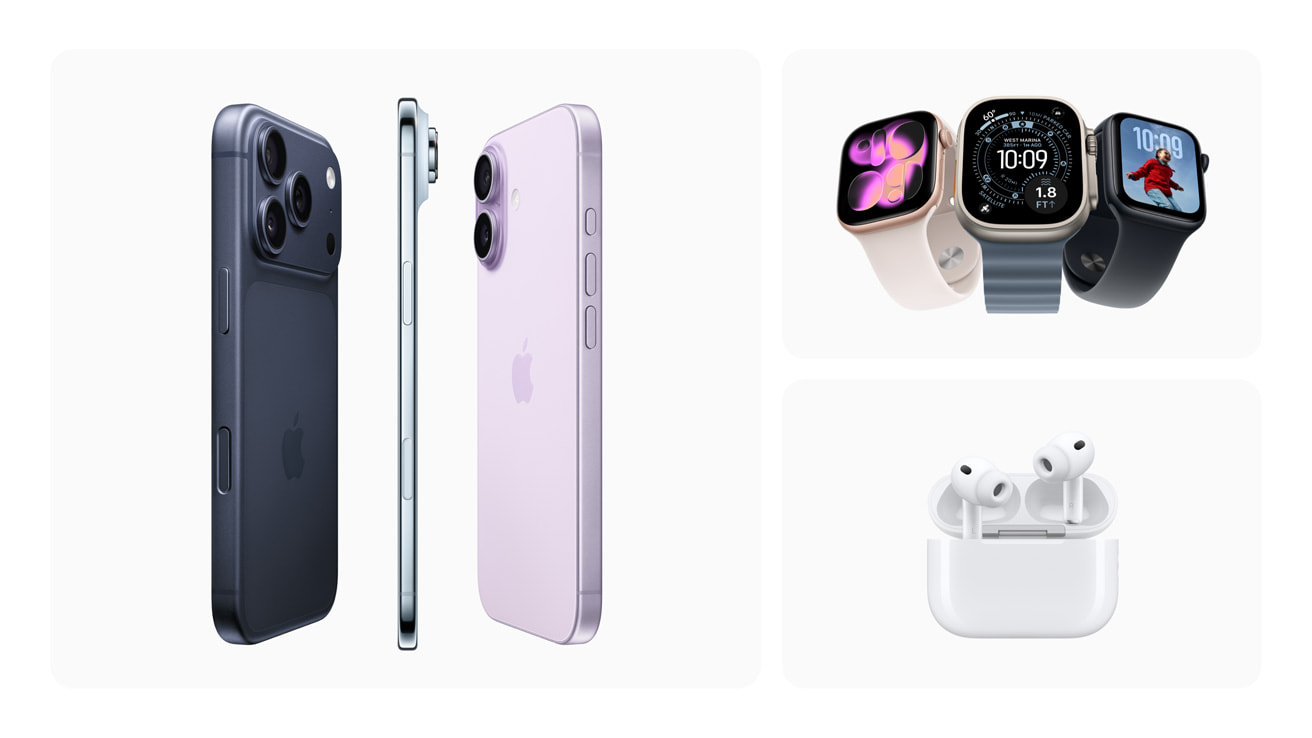
The iPhone 17 supports Apple Watch models that can run watchOS 26. Based on Apple’s compatibility requirements, that includes Apple Watch Series 6 and newer, Apple Watch SE 2 and newer, and all Apple Watch Ultra models.
Here is the full list of Apple Watches compatible with iPhone 17:
| Apple Watch model | Works with iPhone 17? | Key requirement |
|---|---|---|
| Apple Watch Series 11 | Yes | watchOS 26 |
| Apple Watch Ultra 3 | Yes | watchOS 26 |
| Apple Watch SE 3 | Yes | watchOS 26 |
| Apple Watch Series 10 | Yes | watchOS 26 |
| Apple Watch Ultra 2 | Yes | watchOS 26 |
| Apple Watch Series 9 | Yes | watchOS 26 |
| Apple Watch Ultra | Yes | watchOS 26 |
| Apple Watch Series 8 | Yes | watchOS 26 |
| Apple Watch Series 7 | Yes | watchOS 26 |
| Apple Watch Series 6 | Yes | watchOS 26 |
| Apple Watch SE 2 | Yes | watchOS 26 |
| Apple Watch Series 5 and older | No official support | Cannot run watchOS 26 |
The short answer to what Apple Watches are compatible with iPhone 17 is simple: choose a Series 6 or later, an SE 2 or later, or any Ultra model.
Apple Watch compatibility depends on both the iPhone and the watch software. An iPhone 17 may be new enough to support a watch, but the watch must also support the required version of watchOS.

Apple Watch Models That Work With iPhone 17
Apple Watch Series 11
The Apple Watch Series 11 is a current-generation model designed to work with iPhone 17. It offers modern health tools, activity tracking, safety features, and the latest watchOS experience.
It is a strong choice if you want a new watch with long-term software support. It should also receive more future updates than older models.
Apple Watch Ultra 3
The Apple Watch Ultra 3 works with iPhone 17 and is aimed at users who want a larger case, stronger build, longer battery life, and advanced outdoor features.
It makes sense for hikers, runners, divers, travelers, and people who spend time away from a charger. For casual use, however, it may be more watch than you need.
Apple Watch SE 3
The Apple Watch SE 3 is compatible with iPhone 17 and is usually the most affordable new option. It covers core features such as notifications, workouts, fall detection, emergency services, and sleep tracking.
The SE line may not include every advanced health sensor found in premium models. Still, it is a sensible choice for children, first-time buyers, and users who want basic Apple Watch features at a lower price.
Apple Watch Series 10
The Series 10 is compatible with iPhone 17 and remains a capable choice. It has a slim design, a large display, strong health features, and support for current software.
If you find a discounted Series 10 from a trusted retailer, it may offer better value than buying the newest model at full price.
Apple Watch Ultra 2
The Apple Watch Ultra 2 works with iPhone 17. It includes a rugged case, a large display, strong GPS features, and a battery designed for longer use.
It is especially useful for outdoor activities. Its size and weight may feel uncomfortable for people with small wrists, so try it on if possible.
Apple Watch Series 6 Through Series 9
Apple Watch Series 6, Series 7, Series 8, and Series 9 are among the older Apple Watches compatible with iPhone 17. They can run watchOS 26, although newer models may offer better battery health and longer support.
A used Series 7, 8, or 9 can be a good deal. Check the battery condition, Activation Lock status, charging cable, and return policy before buying.
Apple Watch SE 2
The Apple Watch SE 2 is compatible with iPhone 17 when updated to watchOS 26. It provides many everyday tools without the higher price of the Series and Ultra lines.
It is one of the better budget options for iPhone 17 owners. Just remember that its health sensors are not as advanced as those in some Series models.
Do Older Apple Watches Work With iPhone 17?
Apple Watch Series 5, Series 4, Series 3, Series 2, Series 1, and the first-generation Apple Watch do not have official compatibility with iPhone 17.
The main issue is software. These watches cannot install watchOS 26, which is the current software needed for the latest iPhone and Apple Watch pairing process.
An older Apple Watch may still turn on and show the time. That does not mean it can pair with an iPhone 17. Pairing is more like matching two locks with the right keys: both devices need compatible software.
Avoid buying an older Apple Watch just because it looks inexpensive. A low price can become frustrating if the watch cannot complete setup or receive security updates.
What Software Does iPhone 17 Need?
The iPhone 17 must run a compatible version of iOS. Apple Watch models supported by iPhone 17 need watchOS 26 or a later compatible release.
Before pairing, update the iPhone by following these steps:
- Open the Settings app.
- Tap General.
- Select Software Update.
- Install the latest available iOS update.
- Keep the iPhone connected to Wi-Fi and power during the update.
Then update the Apple Watch:
- Open the Watch app on the iPhone.
- Tap General.
- Select Software Update.
- Install the latest watchOS version offered for that watch.
- Keep both devices close together while the update runs.
Older watches may not appear as compatible in the Watch app. If the watch cannot update to the required software, the iPhone 17 may not complete pairing.
Apple’s official device requirements are the best source when software changes. Compatibility can change after a new watchOS release, so check the current Apple support page before purchasing a used model.

How to Pair an Apple Watch With iPhone 17
Pairing an Apple Watch with iPhone 17 usually takes only a few minutes. Charge both devices first, and make sure Bluetooth and Wi-Fi are turned on.
Follow these steps:
- Turn on the Apple Watch by pressing and holding the side button.
- Place the watch near the unlocked iPhone 17.
- Wait for the pairing message to appear.
- Tap Continue.
- Choose Set Up for Myself or Set Up for a Family Member.
- Scan the watch animation with the iPhone camera.
- Sign in with the correct Apple Account if asked.
- Create or enter a passcode.
- Restore from a backup or set up the watch as new.
- Allow the watch to finish syncing.
If the watch was previously owned, the former owner must remove Activation Lock. The seller should erase the watch and remove it from their Apple Account before you buy it.
A common mistake is buying a used watch that is still linked to someone else’s account. If the setup screen asks for the previous owner’s Apple Account password, the watch is still locked.
GPS or Cellular Apple Watch: Which Should You Choose?
Both GPS and cellular Apple Watch models work with iPhone 17. The main difference is how the watch connects when your iPhone is not nearby.
A GPS Apple Watch uses Bluetooth or Wi-Fi to communicate with your iPhone. It can still track workouts, play downloaded music, make emergency calls in supported situations, and use many features without the iPhone nearby.
A cellular Apple Watch can connect to a mobile network when you add it to an eligible carrier plan. This lets you call, text, stream music, use maps, and receive notifications without carrying your iPhone.
Choose GPS if:
• You usually carry your iPhone.
• You want the lowest purchase price.
• You do not need independent calling.
• You want lower monthly costs.
Choose cellular if:
• You run or exercise without your iPhone.
• You want emergency communication away from your phone.
• You are comfortable paying for a watch data plan.
• You want a family member to use the watch with Family Setup.
Cellular service depends on your carrier, plan, region, and account. A cellular Apple Watch does not automatically include mobile service simply because it has a cellular modem.

Apple Watch Compatibility Features With iPhone 17
An Apple Watch compatible with iPhone 17 can provide a wide range of features. The exact tools depend on the watch model, sensors, region, and software version.
Common features include:
• Notifications for calls, texts, email, and apps
• Activity rings and workout tracking
• Heart-rate monitoring
• Sleep tracking
• Fall detection
• Emergency SOS
• Apple Pay
• Music and podcast playback
• GPS route tracking
• Apple Maps directions
• Voice messages and calls
• Medication reminders
• Temperature and cycle tracking on supported models
Newer Apple Watch models may include features that older models lack. For example, some health functions depend on specific sensors, while some safety tools depend on regional approval.
Do not treat health features as a replacement for medical care. A watch can provide useful information, but it cannot diagnose every condition or guarantee that an emergency will be detected.

Best Apple Watch for iPhone 17 Buyers
The best compatible Apple Watch depends on your budget and daily habits.
Best overall choice
Apple Watch Series 11 is the best fit for many iPhone 17 owners. It offers current features, modern hardware, and a longer expected support period.
Best value choice
Apple Watch Series 9 or Series 10 may offer excellent value when sold at a discount. These models still provide a strong mix of health, safety, and smart features.
Best budget choice
Apple Watch SE 3 is the most practical choice for users who want a new watch without paying premium prices. Apple Watch SE 2 is also worth considering if it is meaningfully cheaper.