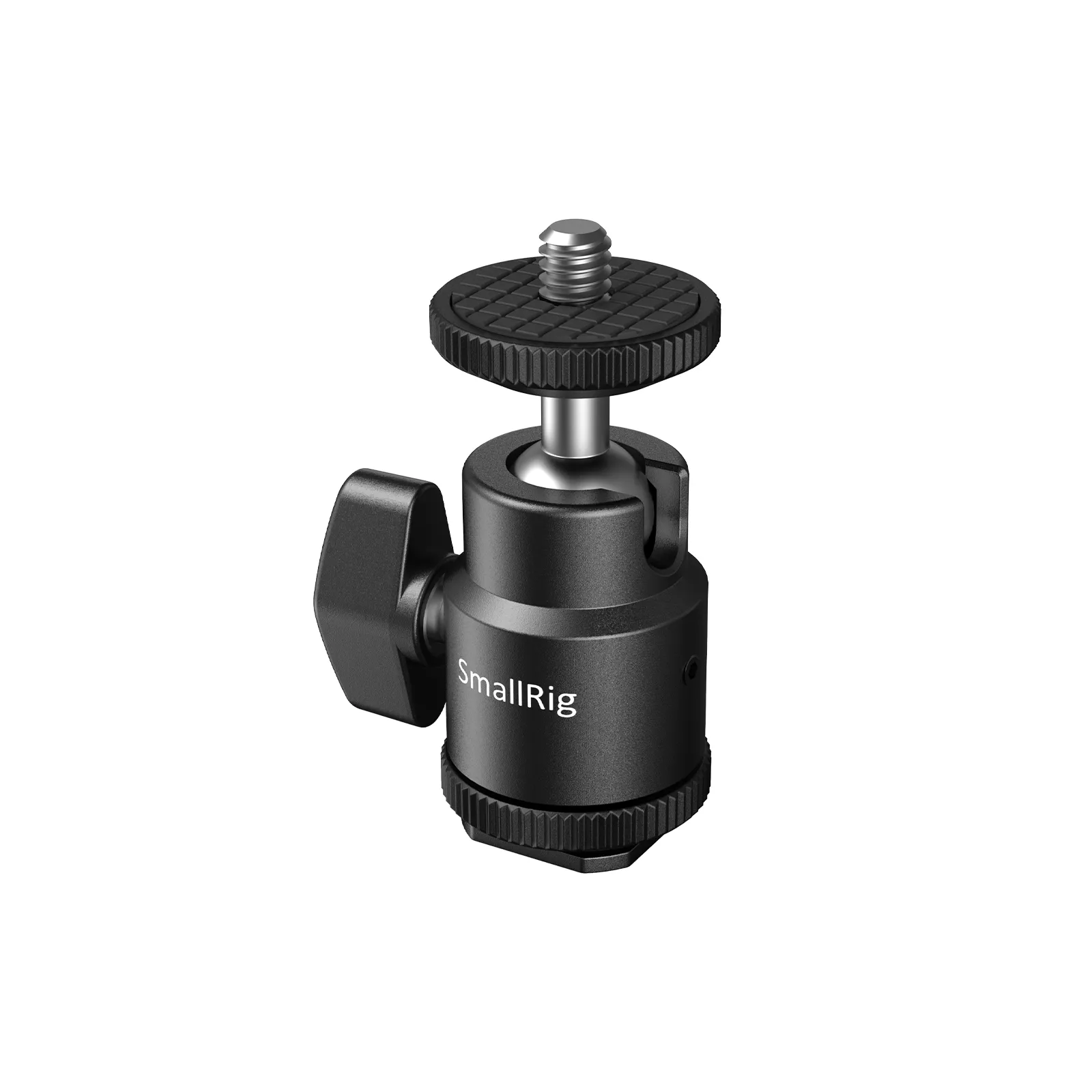
A cold shoe mount is a camera accessory holder that attaches lights, microphones, and other gear without electrical contacts.
If you have seen a small metal or plastic bracket on top of a camera, you have likely seen a cold shoe mount. This simple fitting plays a major role in modern photography and video work. Understanding what is a cold shoe mount helps you choose compatible accessories, avoid loose connections, and build a safer camera setup.
What Is a Cold Shoe Mount?
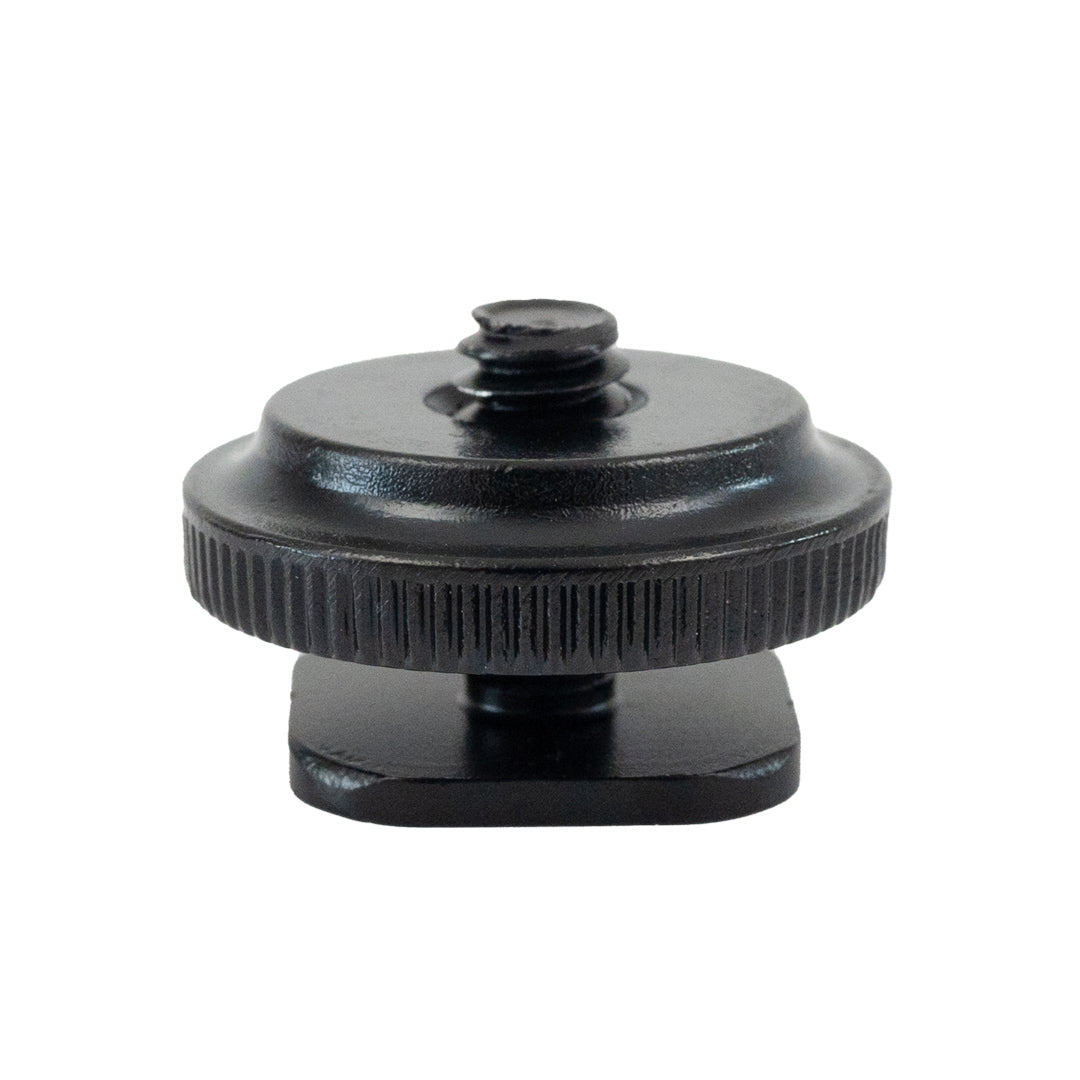
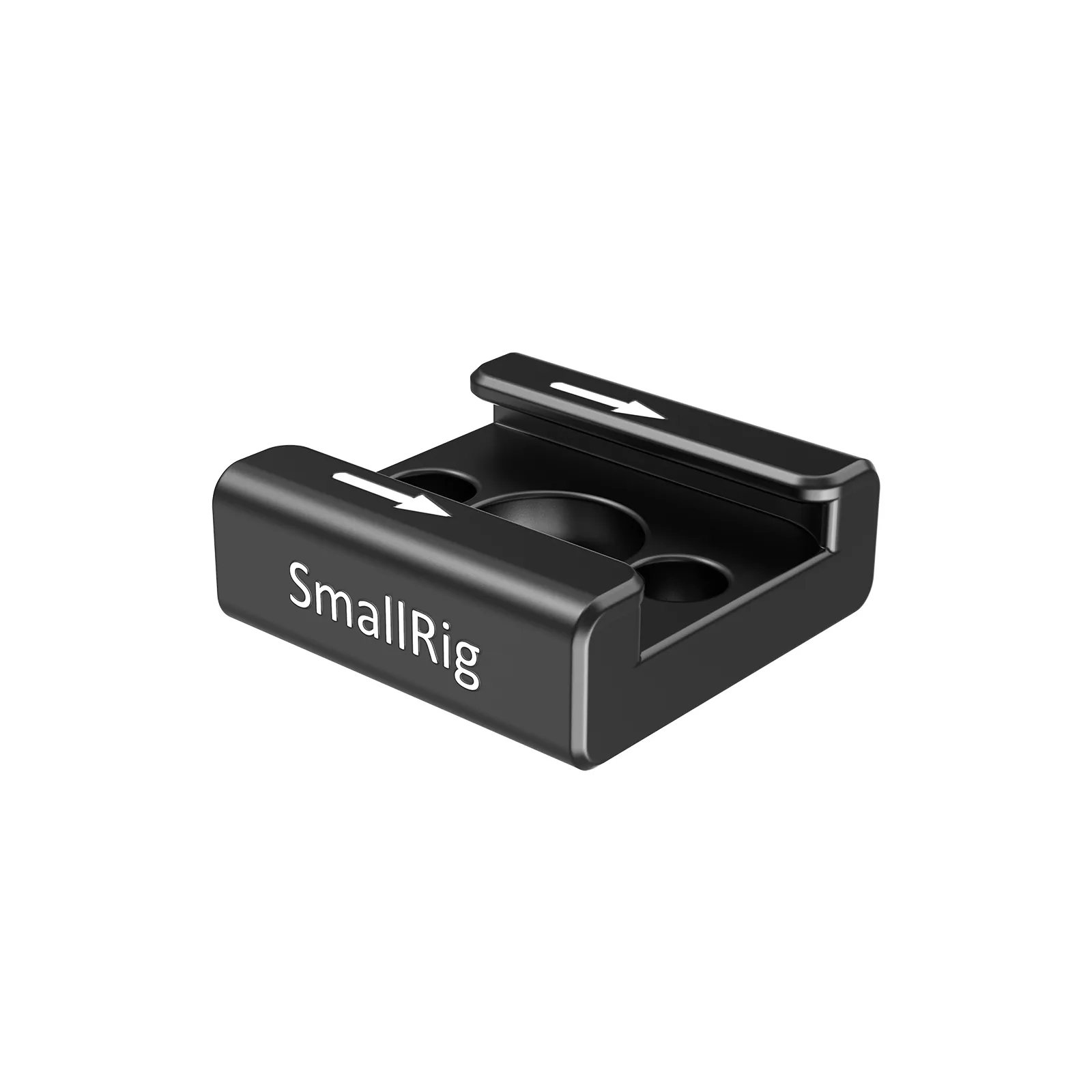
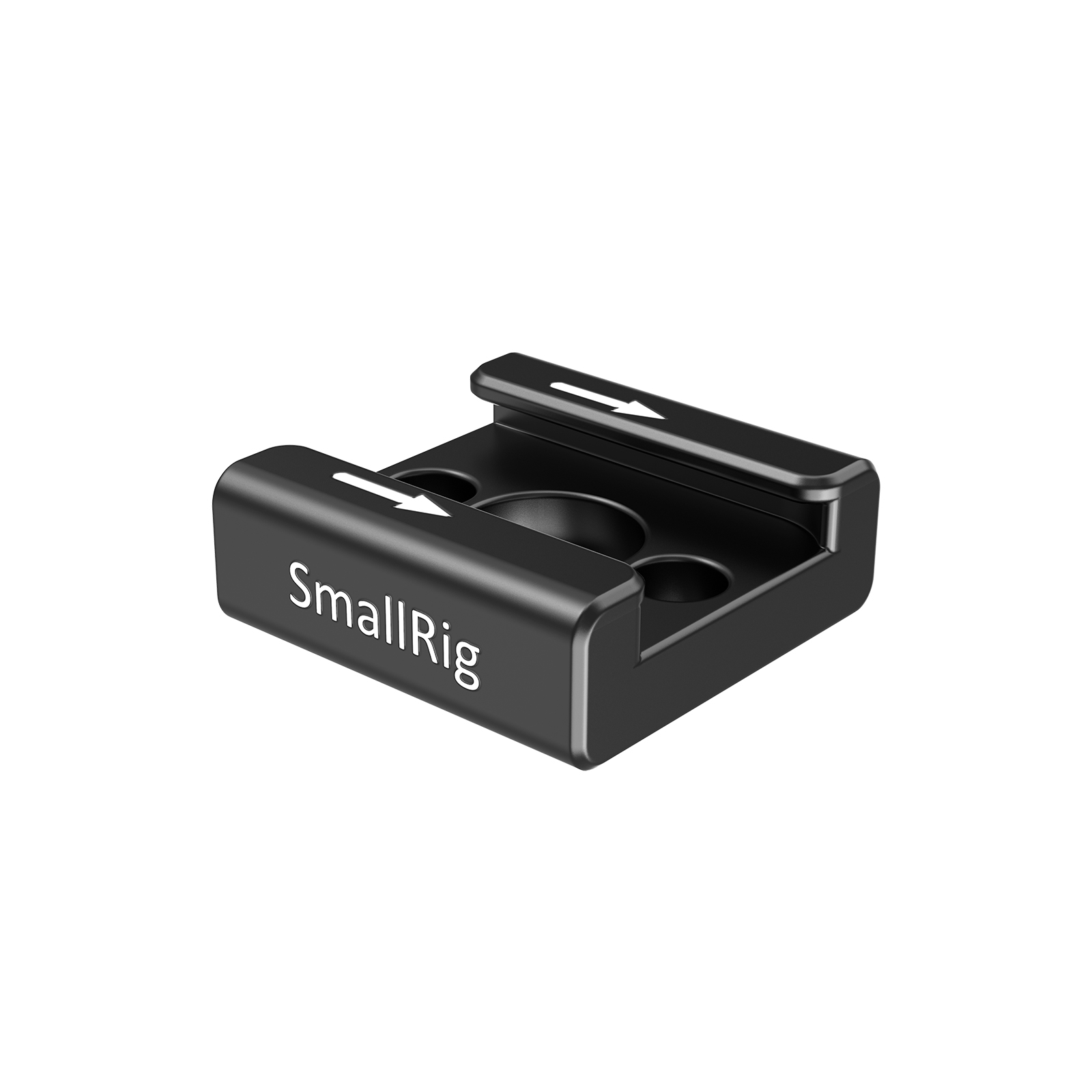
A cold shoe mount is a mechanical bracket that holds an accessory on a camera, camcorder, cage, tripod, or other support system. It usually has a small slot with two side rails that grip a matching foot on an accessory.
The word “cold” means the mount has no electrical contacts. It does not send power, trigger a flash, or transfer data by itself. It only provides a secure physical connection.
A cold shoe mount often supports:
• On-camera microphones
• LED video lights
• Wireless microphone receivers
• Small monitors
• GPS units
• Flash brackets
• Articulating arms
• Spirit levels and other compact tools
The mount works like a small docking bay. You slide the accessory foot into the shoe, then tighten a thumbwheel or locking lever. Once secured, the accessory stays in place while you shoot.

How Does a Cold Shoe Mount Work?
A standard cold shoe mount uses a simple friction and clamping system. The accessory has a foot that slides into the mount. A screw or locking wheel then presses the foot against the shoe rails.
Most cold shoe mounts include:
• Two parallel rails that guide the accessory
• A stop at one end to prevent sliding through
• A locking screw, wheel, or lever
• A base that attaches to the camera or support
The shoe itself does not need batteries or a cable. This is the main difference between a cold shoe and a hot shoe.
When installing one, slide the accessory in gently. Do not force it if the foot does not fit. A mount that feels too tight may use a different standard, have a damaged rail, or need its locking screw loosened.
In practical use, what is a cold shoe mount? It is best understood as a secure mechanical interface, not a power or communication port.
Cold Shoe Mount Versus Hot Shoe
A hot shoe has electrical contacts. These contacts allow a compatible flash or accessory to communicate with the camera. Depending on the system, the connection may control flash timing, exposure information, autofocus assistance, or other functions.
A cold shoe mount has no such contacts. It cannot automatically trigger a flash or power a microphone. You must use a separate cable, battery, or wireless system when the accessory needs power or data.
Cold Shoe Mount and Hot Shoe Differences
The two mounts look similar, so confusion is common. Both can physically hold accessories, but their functions are not the same.
| Feature | Cold shoe mount | Hot shoe |
|---|---|---|
| Main purpose | Holds an accessory | Holds and connects an accessory |
| Electrical contacts | None | Yes |
| Provides power | No | Sometimes |
| Transfers data | No | Often, with compatible equipment |
| Common use | Microphones, lights, arms | Dedicated camera flashes |
| Compatibility | Mostly mechanical | Mechanical and electronic |
A cold shoe mount can often hold a flash physically, but it will not provide automatic flash control. The flash may need a separate trigger or sync cable.
Likewise, a microphone placed in a cold shoe still needs its own battery and cable. The shoe only holds the microphone. The audio signal must travel through a cable or wireless receiver.
This distinction matters when buying accessories. A camera may have a hot shoe, but you can still use it as a physical cold shoe for many accessories. Just avoid covering or damaging the electrical contacts.
What Can You Attach to a Cold Shoe Mount?
A cold shoe mount is useful because many small accessories use the same standard foot. This makes it easy to expand a camera setup without buying a special cage or bracket for every item.
Microphones
Shotgun microphones and wireless microphone receivers are common cold shoe accessories. A microphone shock mount usually has a cold shoe foot that slides directly into the camera’s shoe.
The mount holds the microphone, but it does not carry audio. You still need a cable connected to the camera’s microphone input, unless you use a wireless system.
LED Lights
Small LED panels often attach to a cold shoe mount. This setup works well for interviews, travel videos, product shots, and event coverage.
Check the light’s weight before attaching it. A large light can make the camera top-heavy and may place too much stress on the shoe.
Monitors and Recorders
External monitors, audio recorders, and wireless video receivers can use cold shoe adapters. These devices are often heavier than microphones, so a strong mount or camera cage may be a better choice.
Articulating Arms
A cold shoe to 1/4-20 adapter lets you connect an articulating arm. This can hold a monitor, phone, light, or compact recorder at a useful angle.
Smartphone and Compact Camera Accessories
Some phone cages and compact camera rigs include cold shoe mounts. They help creators add a microphone and light while keeping the setup small.

Common Types of Cold Shoe Mounts
Cold shoe mounts come in several designs. The right type depends on the accessory, weight, and mounting location.
Standard Camera Cold Shoe
This is the common built-in shoe found on many cameras and camcorders. It usually accepts accessories with a standard cold shoe foot.
Screw-Lock Cold Shoe
A screw-lock mount uses a thumbwheel to tighten the accessory. It gives better security than a loose friction fit and helps stop unwanted movement.
Lever-Lock Cold Shoe
A lever-lock model uses a quick clamp. It is useful when you change accessories often, especially during live events or fast-paced shoots.
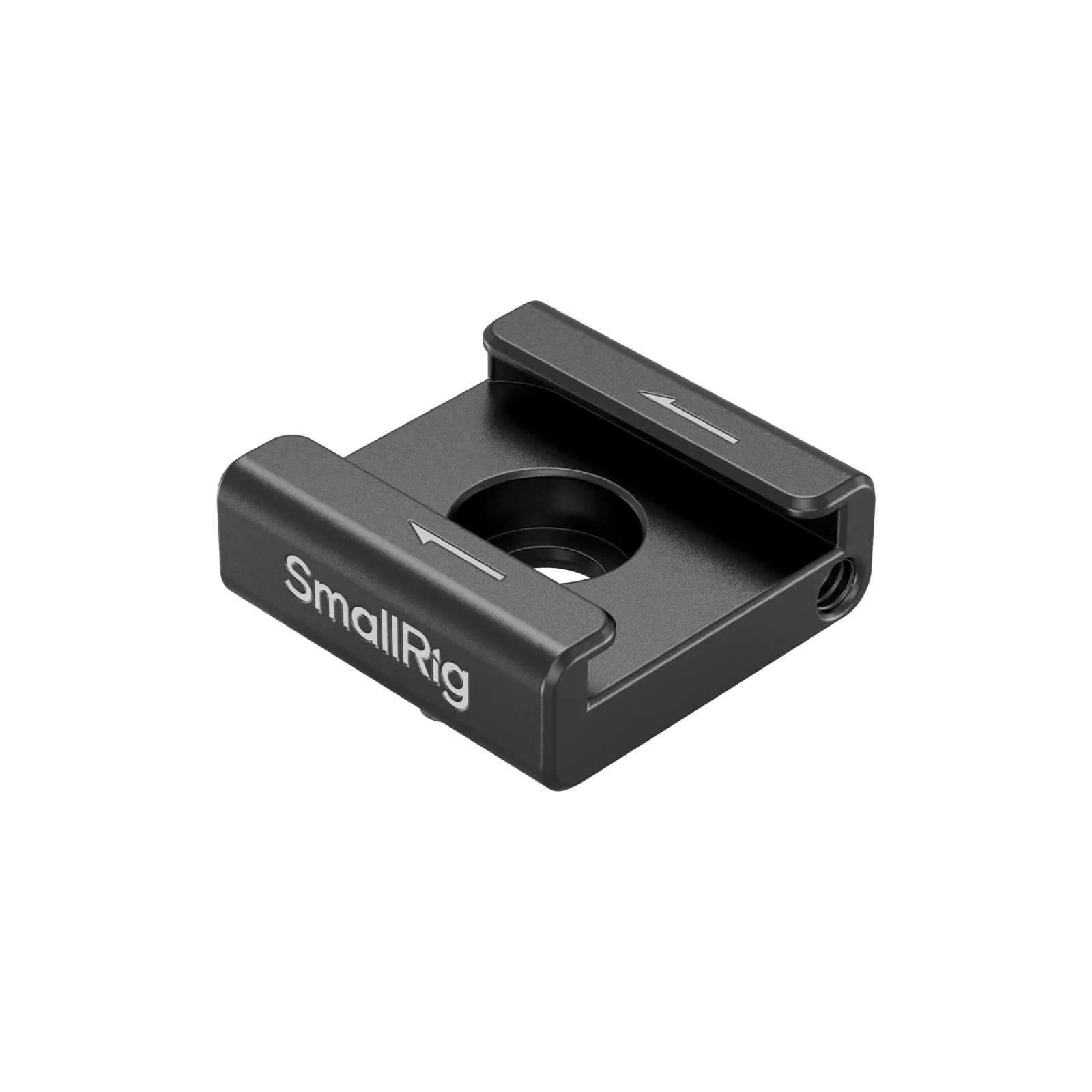
Cold Shoe to 1/4-20 Adapter
This adapter converts a cold shoe connection into a standard 1/4-20 threaded connection. It lets you attach equipment with a matching screw thread.
The 1/4-20 thread is common in camera accessories and small tripods. However, the adapter does not increase the safe weight limit of the original shoe.
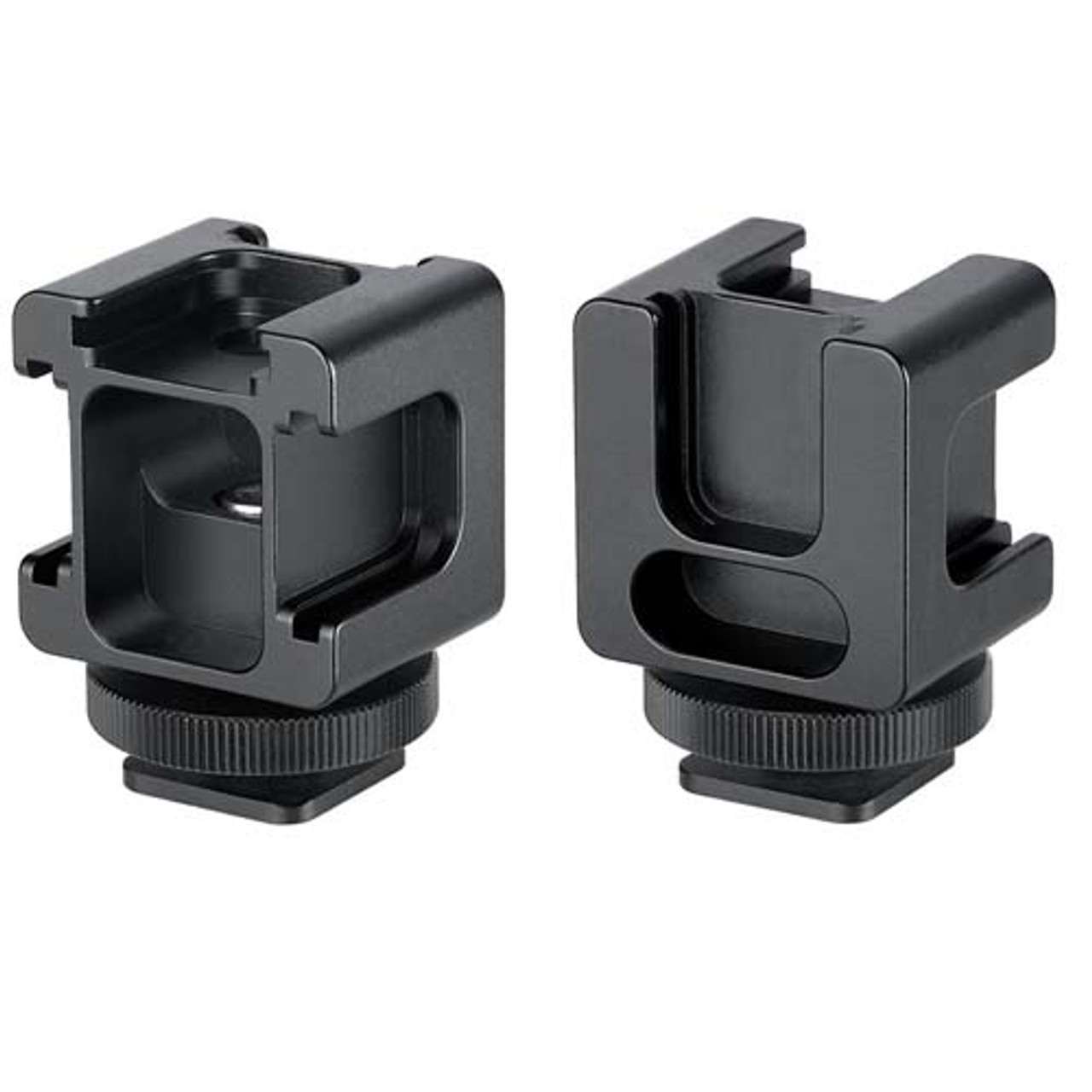
Dual Cold Shoe Adapter
A dual adapter provides two accessory slots from one mounting point. It can hold a microphone and a light, but it also increases the load and leverage on the camera.
Swivel Cold Shoe Mount
A swivel mount allows you to change the angle of an accessory. This is helpful when a light needs to point at a subject or a monitor needs to face the operator.
Benefits of Using a Cold Shoe Mount
A cold shoe mount is small, but it solves several common camera setup problems.
It Saves Space
The mount uses the top or side of a camera instead of requiring another tripod or stand. This keeps a compact setup easy to carry.
It Speeds Up Accessory Changes
Most accessories slide in and out within seconds. A locking wheel adds security without requiring tools.
It Supports a Modular Setup
You can build a camera rig that matches each project. For example, you may use a microphone for a vlog, a light for an interview, and both for an indoor event.
It Keeps Accessories Organized
A good mount prevents accessories from resting on a table, hanging from a cable, or blocking the lens. This reduces clutter and makes handling easier.
It Works With Many Brands
The mechanical design is widely used across camera systems. Still, dimensions and locking methods can vary, so always check product specifications.
Limitations of a Cold Shoe Mount
Although useful, a cold shoe mount is not a universal solution.
First, it does not provide power or data. A light may need batteries, and a microphone may need a cable or separate transmitter.
Second, the mount has a limited weight capacity. A heavy monitor or large light can bend the shoe, loosen the camera connection, or cause the camera to tip.
Third, a cold shoe mount may transfer vibration. If you attach a microphone directly to a camera, handling noise can travel into the recording. A shock mount helps reduce this problem.
Fourth, the accessory may block buttons, dials, doors, or the camera’s built-in flash. Check the full setup before recording.
In my experience working with compact camera rigs, the biggest mistake is adding too much gear too quickly. A shoe can hold several small accessories, but that does not mean the camera can safely support all of them at once.
How to Choose the Right Cold Shoe Mount
Choosing the right mount involves more than checking whether it fits. Consider the complete setup and the way you plan to use it.
Check Compatibility
Confirm that the accessory has a matching shoe foot. If it uses a 1/4-20 thread, choose a cold shoe adapter with the correct threaded connection.
Check the Weight
Look at the mount’s stated load rating when available. Stay below that limit, especially if the accessory extends away from the camera.
A light mounted high and far from the shoe creates more leverage than the same light mounted close to the base.
Choose a Locking System
A screw-lock model is a solid choice for regular use. A lever-lock model is convenient when you need quick changes.
Look for Metal Construction
Aluminum or steel mounts usually resist wear better than low-cost plastic models. Plastic can still work for lightweight accessories, but inspect it for cracks and stress marks.
Consider Cable Space
A microphone or recorder may need room for a cable. Make sure the mount does not force the cable into a sharp bend.
Match the Mount to Your Rig
A camera cage, handle, or rail system may offer a stronger mounting point than the camera body. Use the cage when the accessory is heavy or when you need several attachment points.

How to Install a Cold Shoe Mount Safely
Use these steps when attaching a cold shoe accessory:
- Turn off the camera and accessory if a cable or powered device is involved.
- Loosen the accessory’s locking wheel.
- Align the accessory foot with the shoe rails.
- Slide the foot into the mount without forcing it.
- Position the accessory so it does not block controls or the lens.
- Tighten the locking wheel by hand.
- Connect the cable with enough slack for normal movement.
- Gently test the accessory before you start recording.
Do not overtighten the screw. Excess force can damage the threads, deform the mount, or make removal difficult.
I also recommend holding the accessory with one hand while tightening with the other. This prevents the accessory from twisting and reduces stress on the mount.
Cold Shoe Mount Problems and Solutions
Even a simple mount can cause trouble when it is poorly fitted or overloaded.
The Accessory Feels Loose
Check the locking wheel and the accessory foot. Dirt, worn threads, or a foot that is too narrow may cause movement.
The Mount Will Not Slide In
Loosen the locking screw fully and inspect the rails. Never hammer an accessory into the shoe. A different mounting standard may be the issue.
The Microphone Records Handling Noise
Use a shock mount, reduce contact with the camera, and avoid touching the rig during recording. A cold shoe mount holds the microphone but does not isolate it from vibration.
The Camera Feels Unbalanced
Move heavy accessories closer to the camera’s center. For larger equipment, use a cage, top handle, or separate support.
The Screw Keeps Turning
The thread may be stripped, or the screw may not match the accessory. Replace the damaged part instead of relying on a loose connection.
Cold Shoe Mount Best Practices
These habits help protect both the mount and your equipment:
• Support heavy accessories with a second mounting point
• Use a cable clamp to reduce strain on audio and power cables
• Inspect the shoe before important shoots
• Keep the rails clean and free of sand or grit
• Tighten accessories firmly but not excessively
• Remove tall accessories before placing the camera in a bag
• Test the complete setup before recording
• Avoid carrying the camera by a fragile accessory
A small safety tether can also help protect expensive equipment. This is especially useful for monitors, wireless receivers, and lights mounted on a moving rig.
Cold Shoe Mounts for Different Camera Users
Beginner Photographers
A cold shoe mount is an easy way to add a compact flash diffuser, microphone, or small light. Start with one lightweight accessory and learn how it affects balance.
Vloggers
A microphone and small LED light are common choices. Use a shock mount for cleaner audio and keep the setup light enough for handheld shooting.
Wedding and Event Photographers
Fast accessory changes matter during events. A locking mount and a spare adapter can prevent delays when moving between locations.
Filmmakers
Filmmakers often use camera cages with several cold shoe mounts. This creates a modular system for monitors, wireless audio, lights, and follow-focus accessories.
Product Photographers
A cold shoe mount can hold a small light or monitor while keeping the main tripod connection free. This helps maintain a stable shooting position.
Frequently Asked Questions About What Is a Cold Shoe Mount
What is a cold shoe mount used for?
A cold shoe mount holds camera accessories such as microphones, LED lights, monitors, and wireless receivers. It provides physical support but does not transfer power or data.
Is a cold shoe mount the same as a hot shoe?
No. A hot shoe includes electrical contacts for compatible accessories, while a cold shoe mount is mechanical only. A hot shoe can often hold cold-shoe accessories, but it may not provide them with any useful electrical connection.
Can a microphone work in a cold shoe mount?
Yes, but the mount only holds the microphone. The microphone still needs a battery and a cable or wireless connection to send audio to the camera.
Can I attach a flash to a cold shoe mount?
You can physically attach some flashes, but the flash will not receive automatic power or trigger signals from the cold shoe. You may need a separate sync cable or wireless trigger.
Are cold shoe mounts universal?
Many cold shoe mounts follow a common mechanical design, but not every mount has identical dimensions or locking systems. Check the accessory foot, thread size, and load rating before buying.
How much weight can a cold shoe mount hold?
The safe load depends on the mount, camera, and accessory position. Lightweight accessories are usually safer, while heavy or extended accessories should use a cage, handle, or second support.
Does a cold shoe mount reduce microphone vibration?
No. A basic cold shoe mount does not isolate vibration. For cleaner sound, use a shock mount and avoid touching the camera during recording.
Conclusion
A cold shoe mount is a simple mechanical bracket that lets you attach useful camera accessories without adding cables, batteries, or electronic controls to the connection itself. It is ideal for microphones, lights, monitors, and compact rig components.
The key is to understand its limits. Check compatibility, respect the weight capacity, protect your cables, and use a shock mount when recording audio. With the right setup, a cold shoe mount can make your camera more flexible without making it bulky.
Try adding one lightweight accessory to your current rig, test the balance, and explore reliable camera-mounting tools before your next shoot.

Rubel Miah is the Senior Editor at MyStyleGrid.com, where he brings a sharp editorial eye and an unshakable love for fashion to everything he does. A true style addict, Rubel lives and breathes trends, from streetwear to high fashion, and has a knack for turning inspiration into impactful stories. With years of experience in fashion journalism and digital media, he curates content that empowers readers to express themselves through style. When he’s not editing features or forecasting the next big thing, you’ll find him hunting down vintage pieces or capturing street style moments around the city.