If your smartwatch GPS is taking too long to lock, I know how frustrating it can be. You’re ready for your run or hike, but your watch just keeps “searching for GPS. ” I’ve been there, staring at my wrist, wondering if the signal will ever show up.
Let’s make sure you never have to wait that long again. This guide explains why GPS issues happen, what you can do to fix them, and how you can make your smartwatch GPS lock faster in the future.
Why Your Smartwatch Gps Takes So Long To Lock
Before you start changing settings, it’s good to know what’s happening behind the scenes. When you start an outdoor activity, your smartwatch tries to connect to satellites in the sky. These satellites send signals down to your device, and your watch needs to “see” at least four of them at the same time to know your location.
If anything gets in the way—tall buildings, trees, or even thick clouds—your GPS lock time goes up.
Some smartwatches use extra data from your phone or Wi-Fi to help speed up this process. Others rely only on their built-in GPS chip. If you’re in a new place or haven’t used GPS in a while, it can take even longer.
This is called a “cold start,” and it’s usually the slowest.
Common Causes Of Slow Gps Lock
I’ve learned through trial and error that a slow GPS lock isn’t always your fault. Here are some common reasons you might see delays:
- Obstructed Sky View: If there’s something above you like a roof, dense trees, or tall buildings, your smartwatch can’t “see” enough satellites.
- Low Battery: Some watches reduce GPS performance to save battery when charge is low.
- Outdated GPS Data: Smartwatches often store satellite position data. If this data is old, it takes longer to connect.
- Software Bugs: Sometimes, a simple bug in the watch’s software can slow things down.
- Weak GPS Chip: Lower-end smartwatches have less powerful GPS hardware.
- Environmental Interference: Strong radio signals, storms, or heavy clouds can interfere.

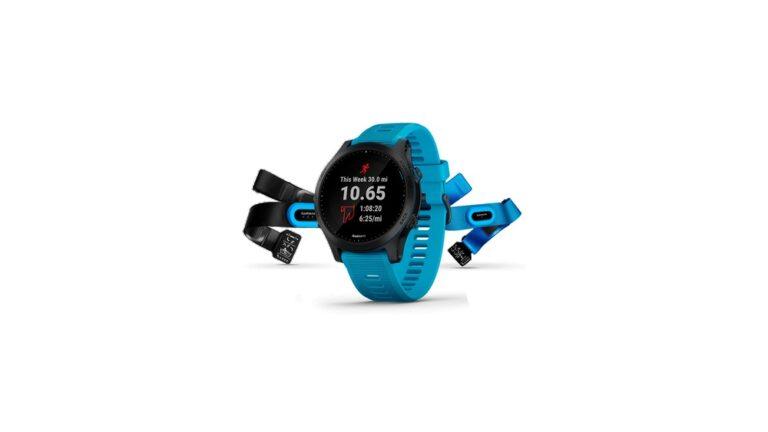
Credit: www.amazon.com
How To Fix Smartwatch Gps Taking Too Long To Lock
Let’s get into the steps you can take. You don’t have to do everything, but try these fixes in order. I’ll include tips from my own experience to help you avoid common mistakes.
1. Move To An Open Area
GPS works best with a clear view of the sky. Stand away from tall buildings, metal roofs, or thick trees. Even your car’s roof can block signals! If you’re inside, step outside before starting your activity.
Tip: I once spent ten minutes waiting for a GPS lock inside my garage. The moment I walked out, the signal appeared in seconds.
2. Hold Your Watch Steady
When your smartwatch is searching for satellites, try to hold your arm still. Moving around or swinging your arm can make it harder for the device to “hear” the signals.
3. Update Assisted Gps (a-gps) Data
Many watches use A-GPS, which downloads satellite data to help lock faster. This data can get old or corrupted.
- Sync your watch with your phone or computer before your activity. This will refresh the A-GPS data.
- For Apple Watch, Garmin, and some other brands, just opening the app and syncing once a day is enough.
4. Restart Your Smartwatch
Sometimes, a simple restart is all you need. Turn your device off, wait ten seconds, then turn it back on. This clears glitches that may slow down GPS.
5. Make Sure Location Settings Are On
Check your smartwatch settings to see if Location or GPS is turned on. Some watches let you choose between GPS only, GPS+GLONASS, or GPS+GALILEO. The extra systems can help, but sometimes choosing “GPS only” is faster in strong-signal areas.
6. Check For Software Updates
Manufacturers often fix GPS issues with software updates. Connect your watch to Wi-Fi or your phone and check for updates. Install the latest firmware.
7. Charge Your Watch
Low battery mode can slow down GPS. If your watch is below 20%, charge it before starting your activity.
8. Avoid Interference
Electronic devices, wireless earbuds, and even fitness trackers can sometimes create interference. Try turning off other devices nearby to see if that helps.
9. Reset Gps Data
Some smartwatches let you reset or clear GPS data. This can help if your device is stuck on old information.
- On Garmin, open Settings > System > Reset > Reset GPS Data.
- On other brands, look for similar options.
10. Allow More Time For “cold Start”
If you just traveled far from home, your watch might need extra time to find new satellites. Wait a minute or two in an open area. The next lock will be much faster.
11. Pair With Your Phone (if Supported)
Some smartwatches use your phone’s GPS for a faster lock. Open the companion app on your phone and make sure Bluetooth is connected.
12. Factory Reset (last Resort)
If nothing else works, back up your data and do a factory reset. This wipes all bugs and old settings. Only do this if you’ve tried everything else.
Comparing Gps Lock Speed On Different Smartwatches
Not all smartwatches are equal. Here’s a look at typical GPS lock times for popular brands:
| Brand | Typical GPS Lock Time | Assisted GPS Supported? |
|---|---|---|
| Apple Watch | 5–15 seconds | Yes |
| Garmin Forerunner | 10–30 seconds | Yes |
| Samsung Galaxy Watch | 15–30 seconds | Yes |
| Fitbit Versa | 30–60 seconds | No |
| Cheap Generic Brands | 45–90 seconds | No |
You’ll notice that Assisted GPS can make a big difference. If you use a budget smartwatch, be prepared for longer waits.
Practical Tips To Speed Up Gps Lock
After fixing the basics, here are some extra steps you can use every day. These are the tricks that helped me get better performance from my own smartwatch.
1. Sync Your Watch Before Each Workout
Open the companion app and sync your watch right before you head out. This refreshes satellite data and helps the GPS lock faster.
2. Start Your Activity, Then Wait
Instead of waiting for the GPS to lock before pressing “Start,” try starting your workout and standing still for 30 seconds. Many watches continue searching and lock while you warm up.
3. Use “quick Start” If Available
Some watches have a “Quick Start” mode. This lets you start recording right away and adds GPS data as soon as it’s available. Check your device’s manual.
4. Test In Different Locations
Try locking GPS in your backyard, at the park, or near your workplace. You’ll find some places are much faster than others.
5. Keep Your Software Updated
Manufacturers release updates that improve GPS speed and reliability. Set a reminder to check for updates every month.
6. Avoid “gps Drifting”
If your watch loses lock and “drifts,” the activity map will look strange. To prevent this, pause your workout if you go inside a building.
7. Learn Your Device’s Patterns
Some watches always take longer at certain times of day or in certain weather. Take notes about when you have the most trouble. This helps you plan ahead.
How Gps Lock Speed Affects Your Fitness Data
A slow GPS lock isn’t just annoying—it can make your workout data less accurate. Here’s how:
- Distance: If your watch locks late, it might miss the first part of your run or walk.
- Pace: Inaccurate GPS means your pace and speed could be wrong.
- Map: The map of your route might look odd, with straight lines where there should be curves.
I once started a run without waiting for GPS. My watch said I ran much slower than I really did, and the map showed me starting in the wrong place. After that, I learned to always give my watch a few seconds to lock.

Credit: www.amazon.com
When To Contact Support
If you’ve tried all these fixes and your GPS is still slow, it might be a hardware problem. Contact the brand’s support team. They can check if your device needs repair or replacement.
Warning: Don’t open your watch or try to fix the GPS chip yourself. This can damage the device and void your warranty.
How Gps Works On Your Smartwatch
Let’s break down how GPS works in simple words. GPS stands for Global Positioning System. Your smartwatch listens for signals from satellites that orbit Earth. Each satellite sends a time-stamped message. Your watch uses these messages to figure out where you are—like a game of hot and cold.
Smartwatches can use more than one satellite system. Besides GPS, there’s GLONASS (Russian), GALILEO (European), and BeiDou (Chinese). The more systems your watch supports, the better it can find your location, especially in tricky places.
What To Avoid When Trying To Fix Gps Lock
It’s easy to waste time or make things worse if you don’t know what to avoid. Here are mistakes I’ve seen (and made myself):