AI glasses use cameras, microphones, speakers, and AI to help you see, hear, capture, and act.
If you are wondering what do the AI glasses do, think of them as a bridge between your phone, your senses, and an AI assistant. They can answer questions, take photos, translate signs, play audio, describe scenes, and support hands-free tasks. This guide explains how the technology works, what it can really do, where it falls short, and how to use it safely.
What Do the AI Glasses Do?
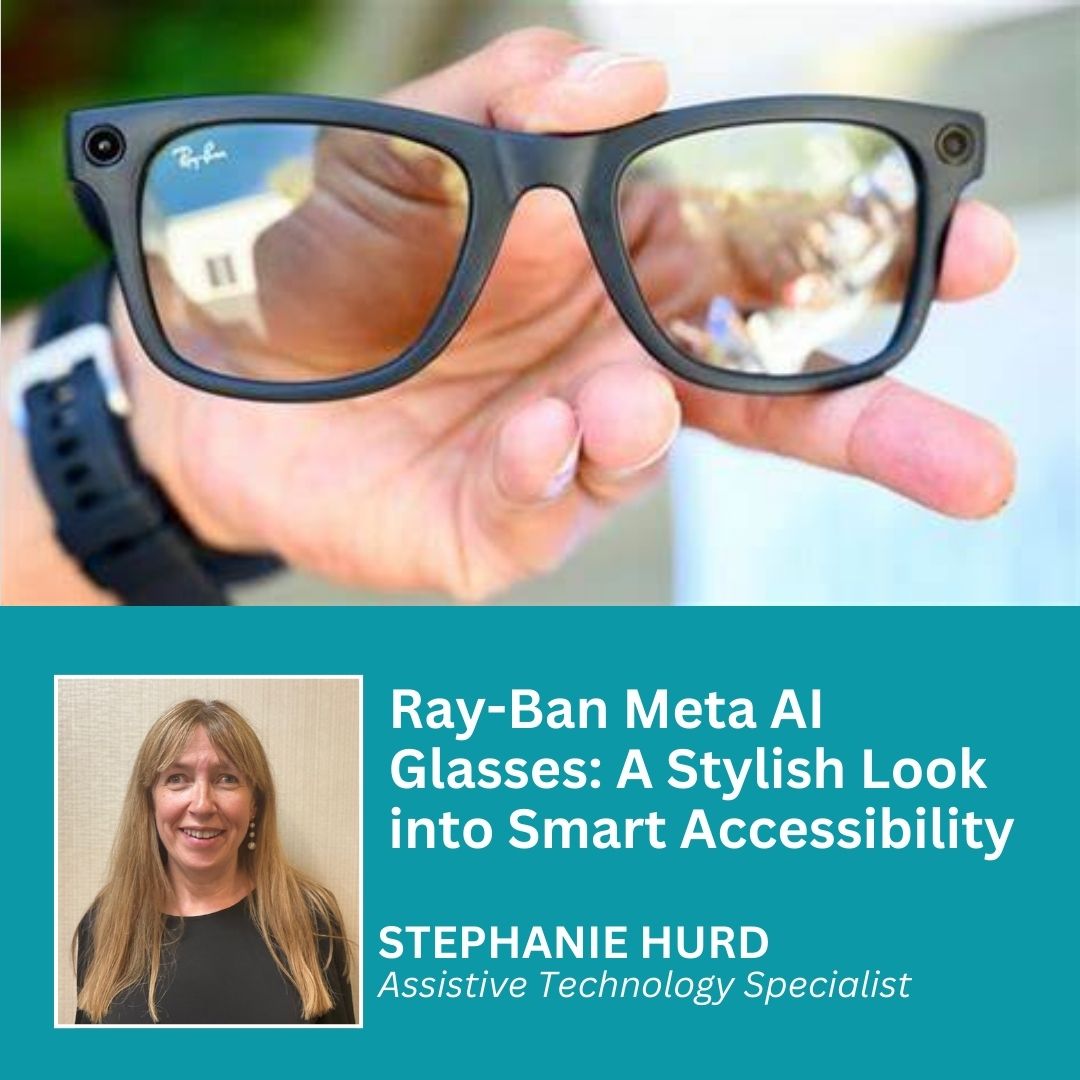
AI glasses are wearable devices that look like regular eyeglasses or sunglasses but contain small electronic parts. These may include cameras, microphones, speakers, touch controls, wireless chips, and sometimes displays.
The exact features differ by model. Some AI glasses only capture photos and play sound. Others connect to an AI assistant that can understand spoken questions and analyze what the camera sees.
In simple terms, AI glasses can help you:
- Ask questions without touching your phone
- Take photos and short videos
- Make phone calls
- Send messages
- Listen to music and podcasts
- Hear navigation instructions
- Translate words or signs
- Identify objects, plants, or landmarks
- Describe scenes
- Read text aloud
- Create reminders and notes
- Receive information through audio
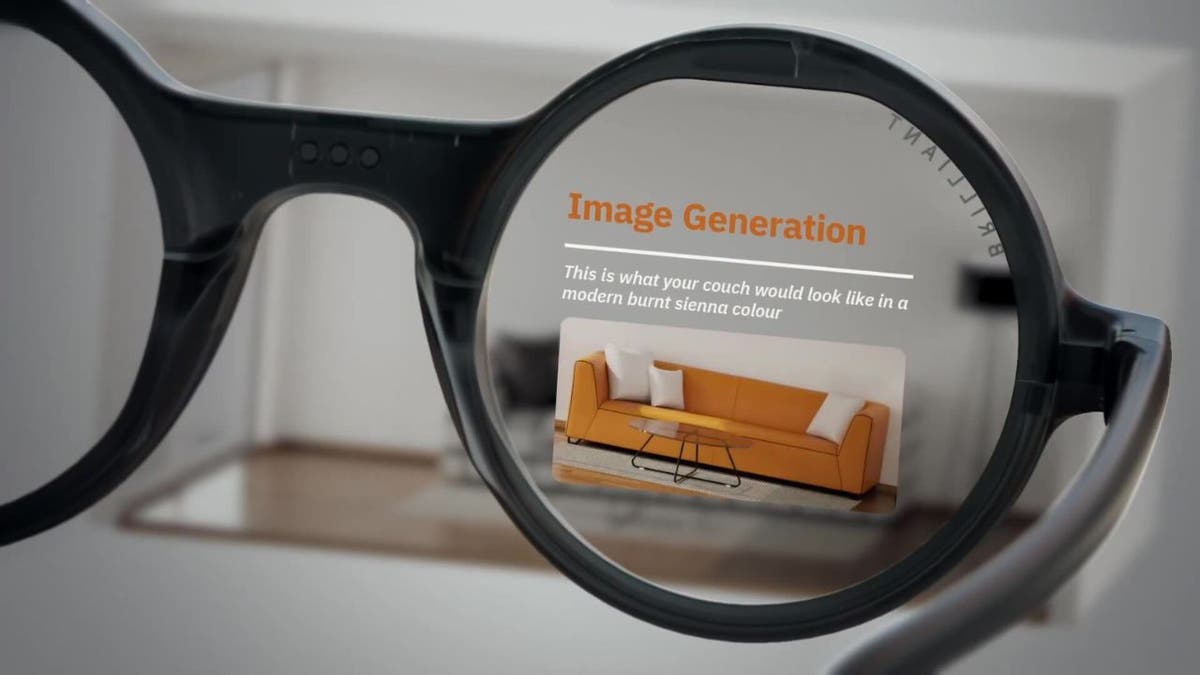
Most current models do not place a large computer screen in front of your eyes. Instead, they use sound, voice commands, and smartphone apps. This makes them closer to a voice assistant built into eyewear than to the smart glasses shown in science fiction films.
How AI Glasses Work
AI glasses use several small systems that work together. The camera collects visual information, the microphones capture your voice, and the speakers deliver the response.
When you ask a question, the glasses may send your voice to a connected phone or cloud service. The AI then processes the request and sends an answer back through the glasses’ speakers.
A typical process looks like this:
- You say a wake phrase or press a button.
- The microphones record your question.
- The glasses send the request to a phone or online AI system.
- The AI analyzes your words and any image data.
- The answer comes back through the built-in speakers.
Some tasks can happen on the device, but many advanced features require an internet connection. This matters because AI glasses may work differently in areas with weak mobile service or limited Wi-Fi.
The camera does not “understand” the world like a human does. It recognizes patterns based on software models. That means it can be useful, but it can also misunderstand a blurry sign, a dark room, an unusual object, or a fast-moving scene.
A practical example is reading a menu. The glasses may identify the text and read it aloud. If the menu is dim, written in an unfamiliar font, or partly blocked, the answer may be incomplete or wrong.
Main Features of AI Glasses
Voice-Controlled AI Assistants
Many AI glasses let you speak naturally. You might ask for the weather, request a timer, or ask for a short explanation of a topic.
This hands-free design is useful when your hands are busy. You can ask for directions while walking, get a recipe step while cooking, or create a note while carrying groceries.
Voice control is not always perfect. Street noise, wind, accents, and multiple speakers can affect accuracy. Speaking clearly and using short requests usually produces better results.
Photos and Video
A built-in camera allows you to capture moments from your natural point of view. You can take a photo by pressing a button or using a voice command.
This can feel more natural than pulling out a phone. It is helpful for quick travel photos, family moments, repair projects, and visual notes.
However, people nearby may not know when recording has started. Responsible use means following local laws, respecting private spaces, and telling people when appropriate.
Audio and Phone Calls
Most AI glasses use small speakers near your ears. They can play music, podcasts, calls, and AI responses without covering your ears.
This open-ear design lets you hear some of the surrounding environment. That can be helpful while walking or cycling, although it does not replace careful attention to traffic.
Sound quality varies. These speakers are often good for speech and casual listening but may not match the bass or detail of full headphones.
Image Recognition
Some AI glasses can answer questions about what the camera sees. You might ask:
- “What is in front of me?”
- “What color is this shirt?”
- “Can you read this sign?”
- “What kind of plant is this?”
- “Describe this room.”
The system may provide a useful summary, but visual AI can make errors. It should not be trusted alone for medical diagnosis, legal decisions, personal identification, or safety-critical tasks.
Translation and Text Reading
AI glasses can sometimes translate short phrases or read printed words aloud. Travelers may use this feature for menus, signs, labels, and basic conversations.
Translation quality depends on the language, image clarity, accent, and internet access. It is a helpful aid, not a perfect replacement for a human translator.
Navigation
Some models can provide spoken directions through a connected phone. You may hear instructions without looking down at a screen.
This reduces phone use while walking. Still, voice directions can become confusing in crowded areas or complex buildings. Always check your route when safety and accuracy matter.

What Do the AI Glasses Do in Everyday Life?
The best way to understand what do the AI glasses do is to look at ordinary situations rather than futuristic promises.
At Home
At home, AI glasses can help with simple tasks. You can ask for a conversion, set a timer, hear a recipe step, or identify an item in a crowded drawer.
For example, while fixing a shelf, you could ask the glasses to remind you which screw size the instructions mention. You would not need to wipe dust from your hands to unlock your phone.
At Work
AI glasses may support hands-free communication and note-taking. A worker could listen to instructions, make a call, or capture a visual record of equipment.
In professional settings, privacy rules are very important. Employers should clearly explain when recording is allowed and how captured data is stored.
While Traveling
Travelers can use AI glasses to take quick photos, hear directions, translate signs, and learn about landmarks. Audio responses can be less distracting than holding a phone.
Before traveling, check whether the device supports the needed language and whether key features work without a strong data connection.
For Accessibility
AI glasses may help some people with low vision or other disabilities by reading text, describing scenes, and identifying colors. Their usefulness depends on the person’s needs and the accuracy of the specific device.
They should support, not replace, established accessibility tools. A person should test the glasses in real conditions before depending on them for important tasks.
For Learning
Students and lifelong learners can ask for explanations, definitions, or summaries. A museum visitor might ask about an exhibit, while a language learner could use translation support.
The main risk is overreliance. AI can produce confident but incorrect answers, so important facts still need to be checked.

Benefits of AI Glasses
AI glasses offer several clear advantages when used for the right tasks.
- Hands-free access: You can use voice commands while walking, cooking, working, or carrying items.
- Less screen time: Audio answers reduce the need to stare at a phone.
- Faster capture: Photos and videos can be recorded without searching for a device.
- Natural interaction: Speaking often feels easier than typing a long request.
- Helpful accessibility features: Text reading and scene descriptions may support users with visual challenges.
- Contextual assistance: The camera can help AI respond to questions about nearby objects.
- Better awareness: Open-ear audio can let you hear some ambient sound.
In practical use, convenience is often the biggest benefit. AI glasses do not need to perform spectacular tricks to be useful. Saving several small actions each day can make the device valuable.

Limitations and Risks
Understanding what do the AI glasses do also means understanding what they cannot do.
Battery Life
Small frames have limited room for batteries. Heavy camera use, phone calls, music, and AI requests can drain the battery quickly.
Battery performance depends on the model, temperature, network strength, and how often you use the camera. A charging case can help, but it adds another item to carry.
Internet Dependence
Advanced AI features often rely on cloud processing. Without a stable connection, the glasses may lose access to image analysis, translation, or detailed answers.
This makes offline support an important feature to check before buying.
AI Mistakes
AI systems can misread text, confuse objects, or invent details. These mistakes are sometimes called hallucinations.
Never rely on AI glasses alone for:
- Driving decisions
- Emergency instructions
- Medical advice
- Identifying a stranger
- Legal or financial decisions
- Detecting dangerous substances
- Crossing roads or navigating hazards
Use the device as an assistant, not as an authority.
Privacy
A camera worn on someone’s face can make other people uncomfortable. Even when recording is legal, it may not be socially welcome.
Good habits include:
- Follow signs that ban recording
- Ask before recording private conversations
- Avoid filming in changing rooms, medical spaces, and secure areas
- Learn how the device shows that recording is active
- Review privacy settings in the companion app
- Delete recordings you do not need
- Understand whether voice and image data are stored online
Privacy rules vary by location. Some areas require consent before recording private conversations, so check local law.
Comfort and Style
The frames must fit well and feel comfortable for long periods. Weight, nose-pad design, lens shape, heat, and prescription support all matter.
A device can have excellent AI features but still fail as daily eyewear if it pinches your nose or feels heavy after an hour.
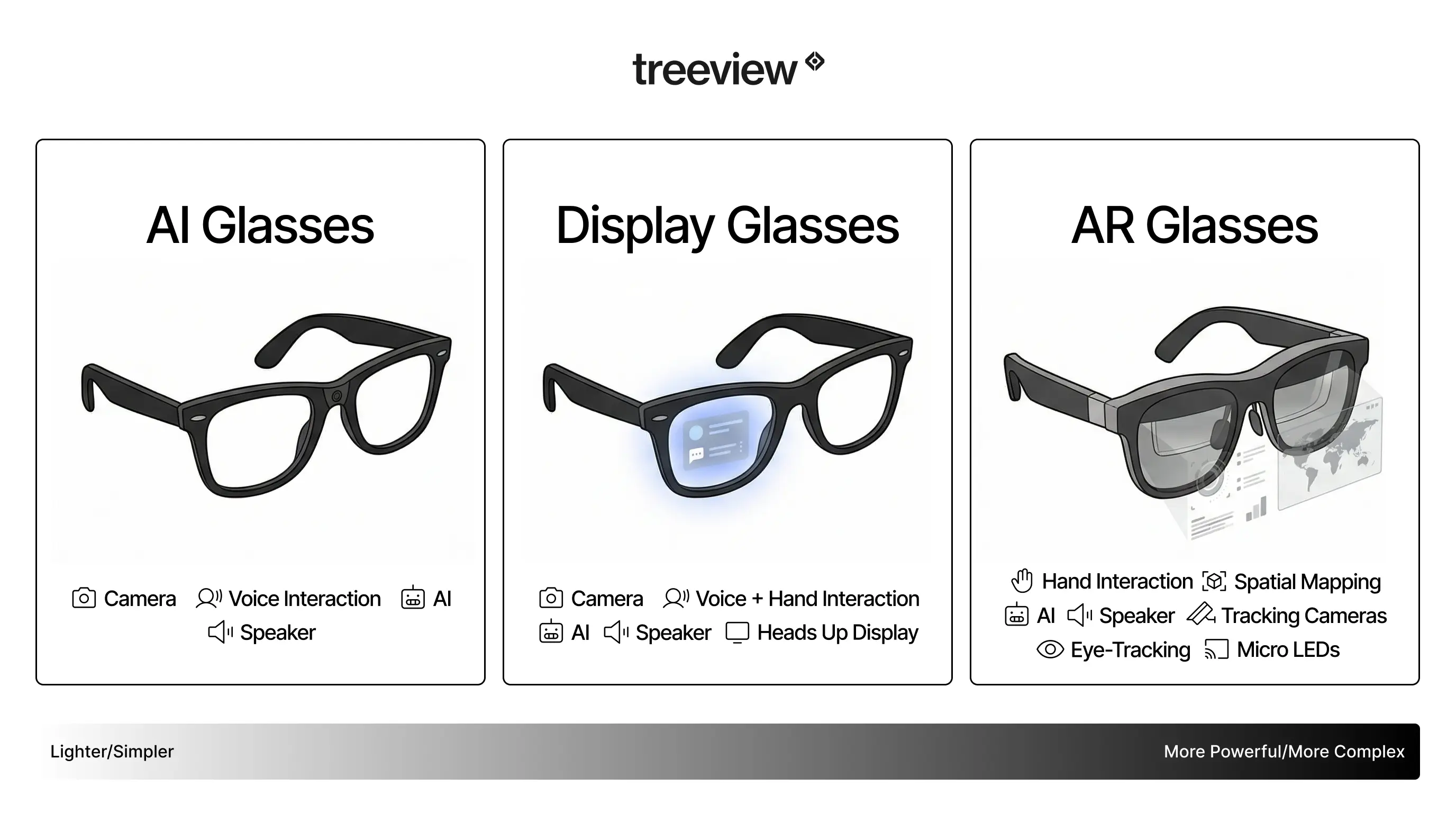
Are AI Glasses the Same as Augmented Reality Glasses?
No. AI glasses and augmented reality glasses overlap, but they are not the same.
AI glasses usually focus on audio, cameras, voice commands, and cloud-based assistance. They may look like normal glasses and may not show digital images in your view.
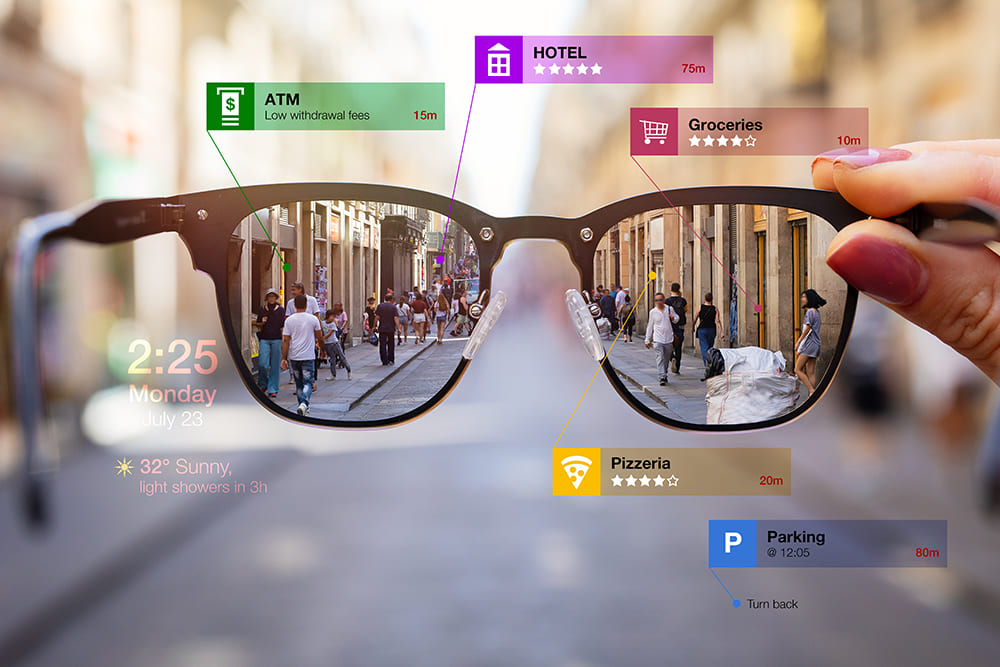
Augmented reality glasses place digital information over the real world. They may display maps, messages, 3D objects, or instructions in front of your eyes.
The difference is easy to remember:
- AI glasses usually talk to you.
- AR glasses usually show information to you.
- Some future products may do both.
Many products marketed as smart glasses have no display at all. Always check the feature list instead of assuming that the word “smart” means you will see floating graphics.
How to Choose AI Glasses
Before buying, focus on your daily needs rather than the most impressive advertisement.
Check the AI Features
Find out whether the glasses support the features you care about. Look for camera questions, text reading, translation, calls, reminders, and voice commands.
Some functions may be limited by region, language, subscription plans, or software updates.
Review Phone Compatibility
AI glasses often need a companion app. Confirm that the app works with your Android or iPhone model.
Also check the required operating system, Bluetooth support, account requirements, and permissions.
Compare Battery Performance
Look for realistic battery information. Ask how long the glasses last with normal use, not only standby time.
If you plan to record video or use AI often, confirm how quickly the glasses recharge and whether the case fits your routine.
Test Audio Quality
Open-ear speakers can sound different from earbuds. Test them in a quiet room and outdoors if possible.
Make sure calls are clear and that you can still hear your surroundings when needed.
Consider Prescription Lenses
If you wear glasses, check whether the frame supports prescription lenses. Ask an approved optical provider about lens options and warranty coverage.